Introdução
This manual provides detailed instructions for the setup, operation, maintenance, and troubleshooting of your Volkano Cyclone Series Portable Bluetooth Speaker. Please read this guide thoroughly before using the product to ensure proper function and longevity.
Informações de segurança
- Não exponha o alto-falante a temperaturas extremas, luz solar direta ou alta umidade.
- Keep the speaker away from water and liquids. This product is not water-resistant.
- Não tente desmontar ou modificar a caixa de som. Isso pode anular a garantia e causar danos.
- Utilize apenas a tensão de carregamento especificada.tage (5V DC, 1A) to prevent damage to the battery and speaker.
- Mantenha fora do alcance de crianças.
Conteúdo da embalagem
Verifique se todos os itens estão presentes na embalagem:
- Volkano Cyclone Series Portable Bluetooth Speaker
- Cabo de carregamento USB
- Cabo Auxiliar
- Manual do usuário
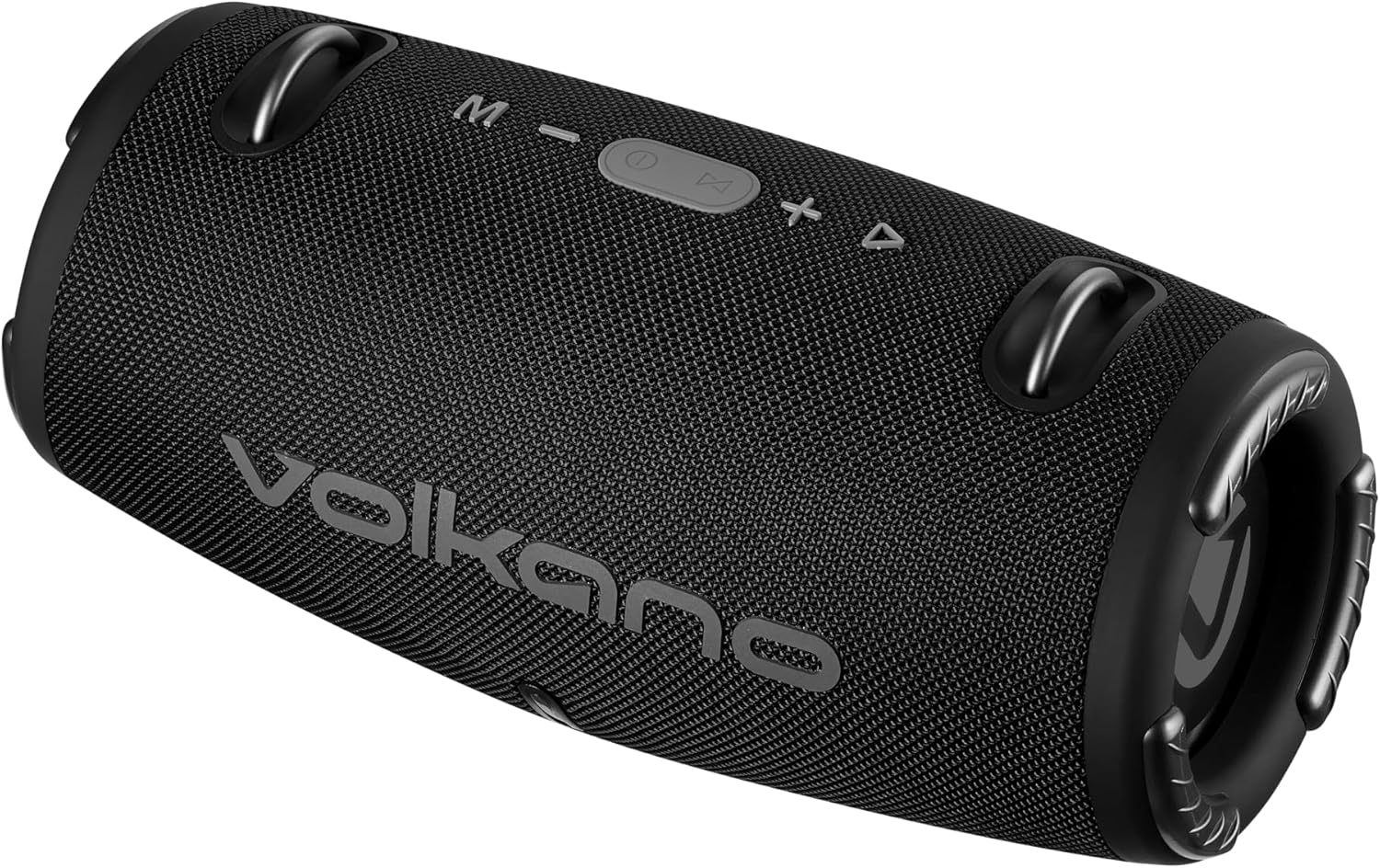
Imagem: Frente view of the Volkano Cyclone Series Portable Bluetooth Speaker, showing the Volkano logo and control buttons on top.
Produto acimaview
Familiarize-se com os componentes e controles da caixa de som.
Painel de controle
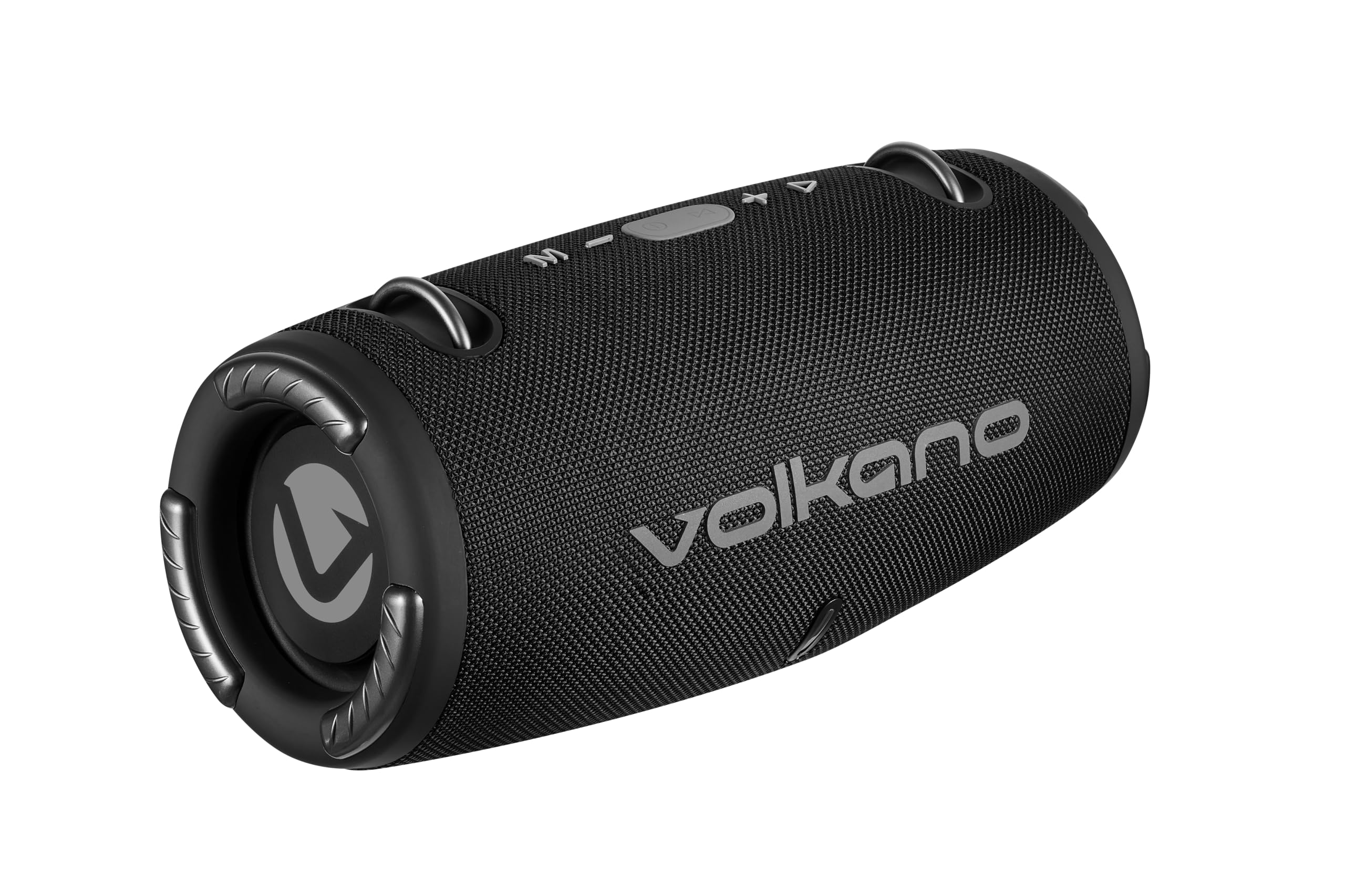
Imagem: Topo view of the speaker, highlighting the control buttons: Mode (M), Volume Down (-), Play/Pause/Call (Power button), Volume Up (+), and Track Skip (triangle).
- Botão M (Modo): Press to switch between Bluetooth, FM Radio, USB, and AUX modes.
- - (Volume Down) Button: Pressione para diminuir o volume. Mantenha pressionado para ir para a faixa anterior.
- Botão Reproduzir/Pausar/Atender Chamada: Press to play or pause music. Press to answer or end calls. Hold to power on/off.
- + (Volume Up) Button: Press to increase volume. Hold to go to the next track.
- Indicador LED: Mostra o status de carregamento e o status de emparelhamento Bluetooth.
Portas e Conexões
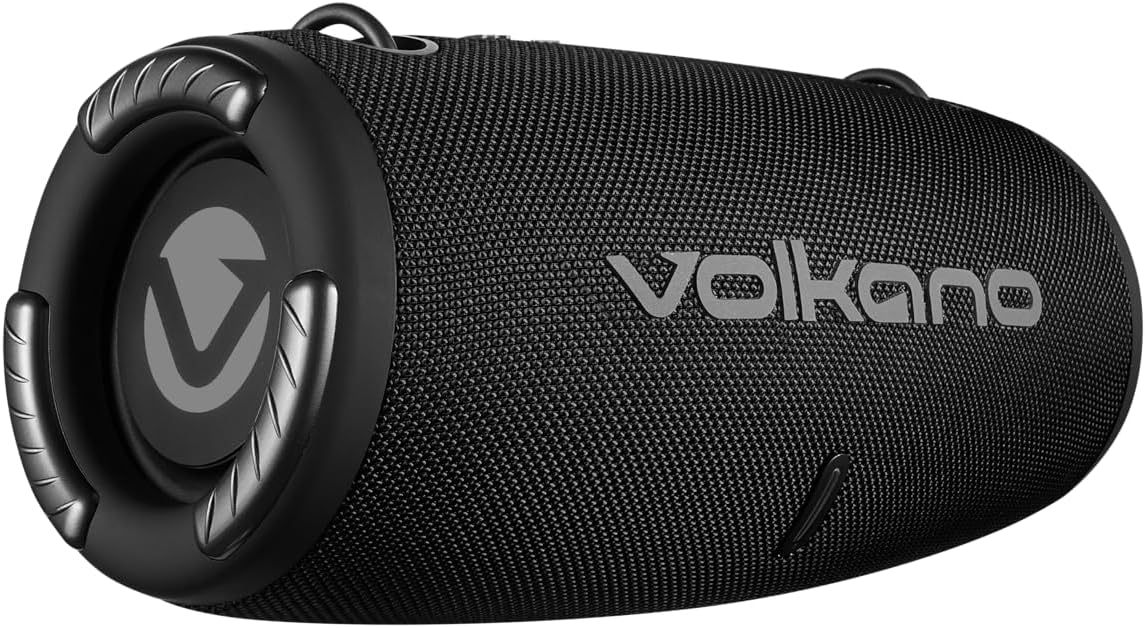
Imagem: Traseira view of the speaker, showing the covered input ports for charging, USB, and AUX connections.
- Porta de carregamento DC 5V: Para carregar a caixa de som usando o cabo USB fornecido.
- Porta USB: Para reproduzir música a partir de uma unidade flash USB.
- Entrada AUX: For connecting external audio devices via a 3.5mm auxiliary cable.
Configurar
Carregando o alto-falante
- Connect the USB charging cable to the DC 5V port on the speaker.
- Connect the other end of the USB cable to a compatible USB power adapter (5V DC, 1A output) or a computer's USB port.
- The LED indicator will illuminate to show charging status. Charging takes approximately 3.5 hours.
- Once fully charged, the LED indicator will change (e.g., turn off or change color). Disconnect the charging cable.
Ligar/desligar
- To power on, press and hold the Play/Pause/Call button until you hear an audible prompt.
- To power off, press and hold the Play/Pause/Call button until you hear an audible prompt and the LED indicator turns off.
Instruções de operação
Emparelhamento Bluetooth
- Ensure the speaker is powered on and in Bluetooth mode (indicated by a flashing LED). If not, press the 'M' button to switch modes.
- Enable Bluetooth on your smartphone or tablet (e.g., Android, iPhone).
- Procurar dispositivos Bluetooth disponíveis.
- Select "Volkano Cyclone" (or similar name) from the list.
- Once paired, the LED indicator will stop flashing and remain solid, and you will hear a confirmation sound.
- You can now play audio from your device through the speaker. The speaker has a wireless range of up to 10 meters.
Tocando música
- Modo Bluetooth: After pairing, play music directly from your connected device.
- Modo USB: Insert a USB flash drive into the USB port. The speaker will automatically switch to USB mode and begin playing music.
- Modo AUX: Connect an external audio device (e.g., MP3 player) to the AUX input using a 3.5mm audio cable. Press the 'M' button to switch to AUX mode.
- Modo de rádio FM: Press the 'M' button to switch to FM Radio mode. Use the Play/Pause button to auto-scan for stations. Use the +/- buttons to change stations.
Controle de volume e faixa
- Ajuste de volume: Pressione o botão '+' para aumentar o volume e o botão '-' para diminuir o volume.
- Próxima faixa: Mantenha pressionado o botão '+'.
- Faixa anterior: Mantenha pressionado o botão '-'.
- Reproduzir/Pausar: Pressione o botão Reproduzir/Pausar/Atender chamada.
Chamada viva-voz
- Quando uma chamada for recebida enquanto a conexão for feita via Bluetooth, a música será pausada.
- Press the Play/Pause/Call button to answer the call.
- Press the Play/Pause/Call button again to end the call.
- The speaker also supports voice control, allowing you to manage calls or music playback through voice commands if your connected device supports it.
Manutenção
- Limpe o alto-falante com um pano macio e seco. Não use produtos de limpeza abrasivos ou solventes.
- Guarde a caixa de som em local fresco e seco quando não estiver em uso por longos períodos.
- Evite deixar cair ou submeter o alto-falante a impactos fortes.
- Carregue a bateria regularmente, mesmo que não a utilize com frequência, para manter a sua saúde.
Solução de problemas
| Problema | Possível causa | Solução |
|---|---|---|
| A caixa de som não liga. | Bateria fraca. | Carregue a caixa de som por pelo menos 3.5 horas. |
| Não foi possível emparelhar via Bluetooth. | O alto-falante não está em modo de emparelhamento; o Bluetooth do dispositivo está desligado; o dispositivo está muito longe do alto-falante. | Ensure speaker is in Bluetooth mode (flashing LED). Turn device Bluetooth off/on. Move device closer (within 10m). |
| Nenhum som. | Volume muito baixo; modo incorreto selecionado; dispositivo não reproduz áudio. | Increase speaker and device volume. Press 'M' to select correct input mode. Ensure audio is playing on the connected device. |
| Má qualidade de som. | Dispositivo muito distante; interferência; bateria fraca. | Aproxime o dispositivo. Evite obstáculos. Carregue a caixa de som. |
Especificações
| Recurso | Detalhe |
|---|---|
| Versão Bluetooth | V5.1+EDR |
| Alcance Bluetooth | Até 10 metros |
| Capacidade da bateria | 3.7 V, 1500 mAh |
| Hora de brincar | 2 a 9 horas (dependendo do volume) |
| Entrada de carregamento | 5V DC, 1A |
| Tempo de carregamento | Aproximadamente 3.5 horas |
| Total RMS Power Output | 10 Watts |
| Tamanho do driver | Dual 2.7 inch, 5 Watt drivers |
| Impedância | 4 Ohm |
| Resposta de frequência | 50 Hz - 20 kHz |
| Sensibilidade | 86 dB |
| Dimensões do produto (C x L x A) | 295 x 140 x 140 mm |
| Peso do item | 1.38 kg |
| Resistência à água | Não |
| Modo de saída de áudio | Estéreo |
| Método de controle | Voz, Botões |
| Dispositivos compatíveis | Androide, iPhone |
| Fabricante | SMD TECHNOLOGIES |
Garantia e Suporte
This Volkano Cyclone Series Portable Bluetooth Speaker comes with a Garantia limitada.
For warranty claims, technical support, or further inquiries, please contact the manufacturer, SMD TECHNOLOGIES, or your local retailer. Keep your proof of purchase for warranty validation.


