1. Produto acabadoview
The YangDiana GT06A Car GPS Tracker is a versatile device designed for real-time vehicle tracking, anti-theft protection, and comprehensive fleet management. It offers a range of features including live location monitoring, geo-fencing, speed alerts, and remote control capabilities, accessible via mobile applications, web platforms, and SMS commands.
This manual provides detailed instructions for setting up, operating, and maintaining your GT06A GPS Tracker to ensure optimal performance and security.
2. O que está na caixa
Ao abrir a embalagem, verifique se todos os seguintes componentes estão incluídos:
- 1 x GT06 GPS SMS GPRS Vehicle Tracker Unit
- 1 x GPS Sensor
- 1 x relé
- 1 x SOS Cable
- 1 x cabo de alto-falante
- 1 x Cabo de alimentação
- 1 x Bilingual User Manual (English)
- Additional cables for microphone, panic button, and door open alarm (as shown in product images)

Image: All components included in the GT06A GPS Tracker package, laid out on a white surface. This includes the main tracker unit, various cables, a relay, and the user manual.
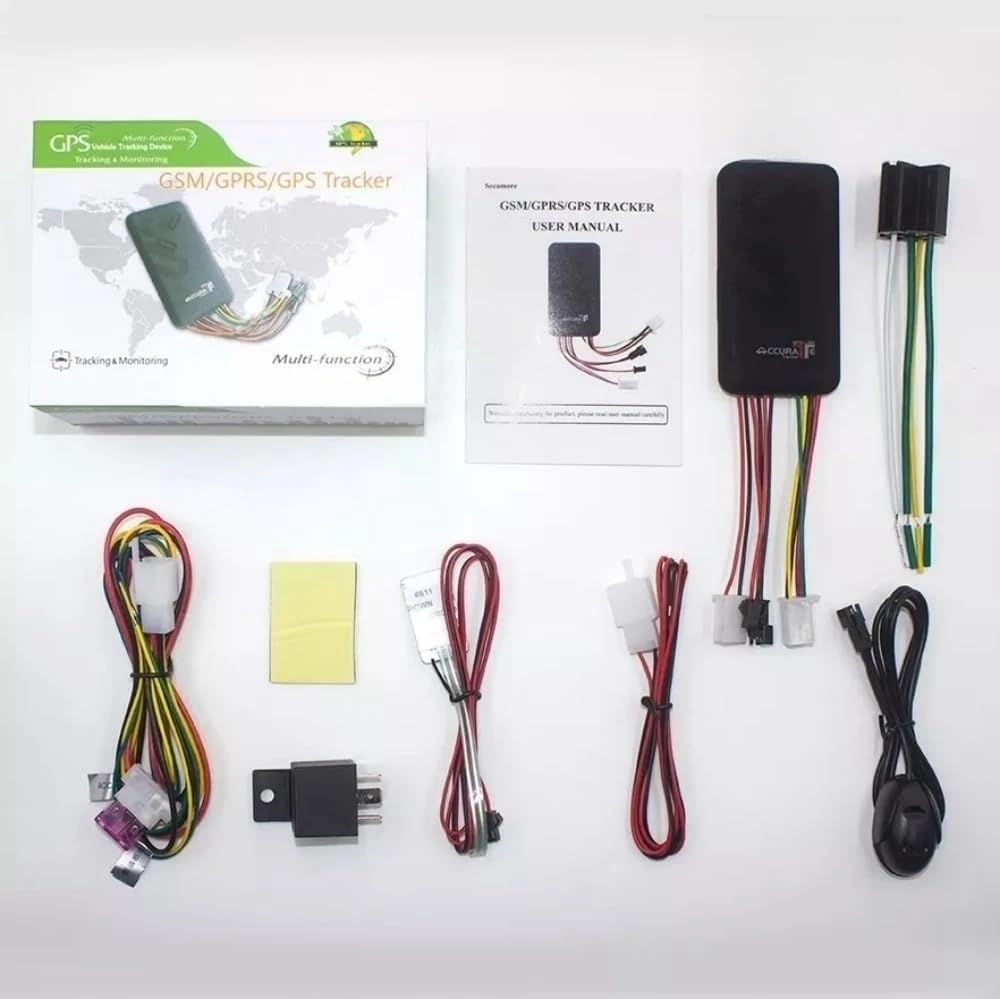
Image: Another perspective of the GT06A GPS Tracker package contents, showing the main unit, cables, relay, and user manual.
Video: An unboxing and component overview of the GT06A GPS Tracker, demonstrating the various parts included in the package and how to insert the SIM card.
3. Configuração e instalação
Proper installation is crucial for the optimal performance of your GT06A GPS Tracker. It is recommended to have this device installed by a qualified professional.
3.1 Inserção do cartão SIM
- Locate the SIM card slot on the GT06A tracker unit.
- Insert a standard-sized SIM card into the designated slot. Ensure the SIM card has an active data plan for GPRS communication.
- After inserting the SIM card, use the provided tool (or a similar thin object) to push the SIM card firmly into place until it clicks and is secured.
- Feche bem a tampa do compartimento do cartão SIM.
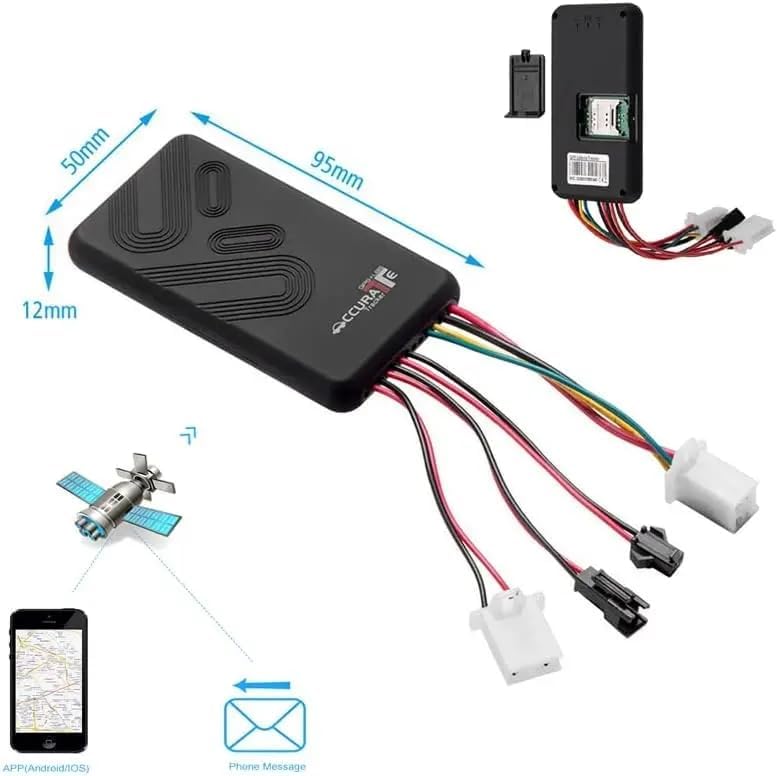
Image: This image illustrates the dimensions of the GT06A tracker and highlights the location of the SIM card slot, indicating where to insert the SIM card.
3.2 Fiação e Conexão
The GT06A tracker requires connection to your vehicle's power supply and other components for full functionality. Refer to the wiring diagram below and consult a professional if unsure.
- Cabo de energia: Connect the power cable to the vehicle's 9V-36V power supply. The tracker has a wide voltage input range, making it compatible with various car models.
- Retransmissão: Connect the relay for remote engine cut-off functionality.
- Botão SOS: Connect the SOS cable to the panic button for emergency alerts.
- Microfone: Connect the microphone for voice monitoring.
- Palestrante: Connect the speaker for two-way communication (if supported by your model).
- Alarme de porta aberta: Connect the wire for door open alarm functionality.
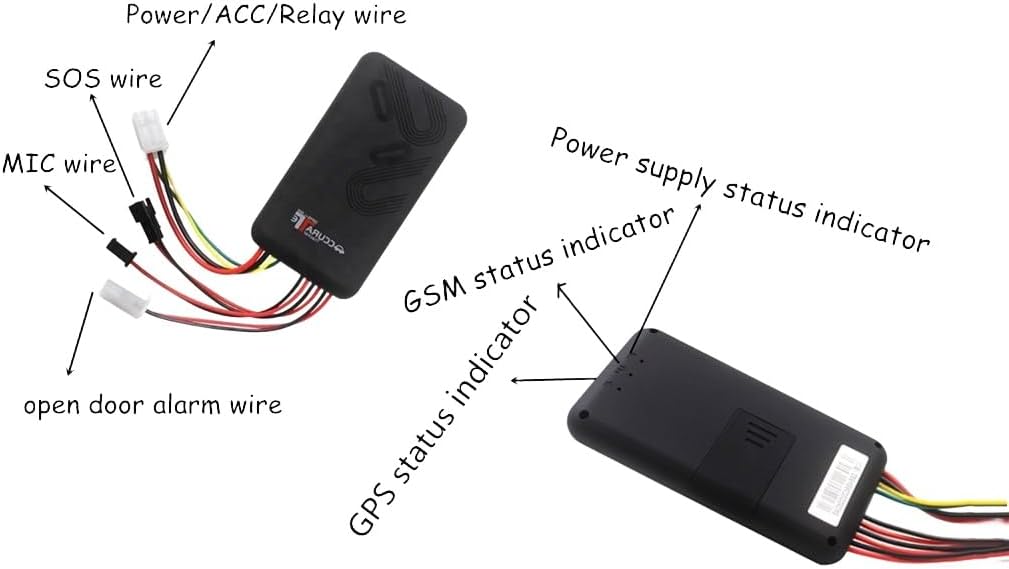
Imagem: Uma imagem detalhada view of the GT06A tracker showing various wires and their corresponding functions, such as Power/ACC/Relay, SOS, MIC, and Open Door Alarm. It also indicates the location of the Power Supply, GSM, and GPS status indicators.

Image: The GT06A GPS Tracker unit with its wiring harness, shown alongside a smartphone displaying the real-time tracking application interface, including a map with location details.
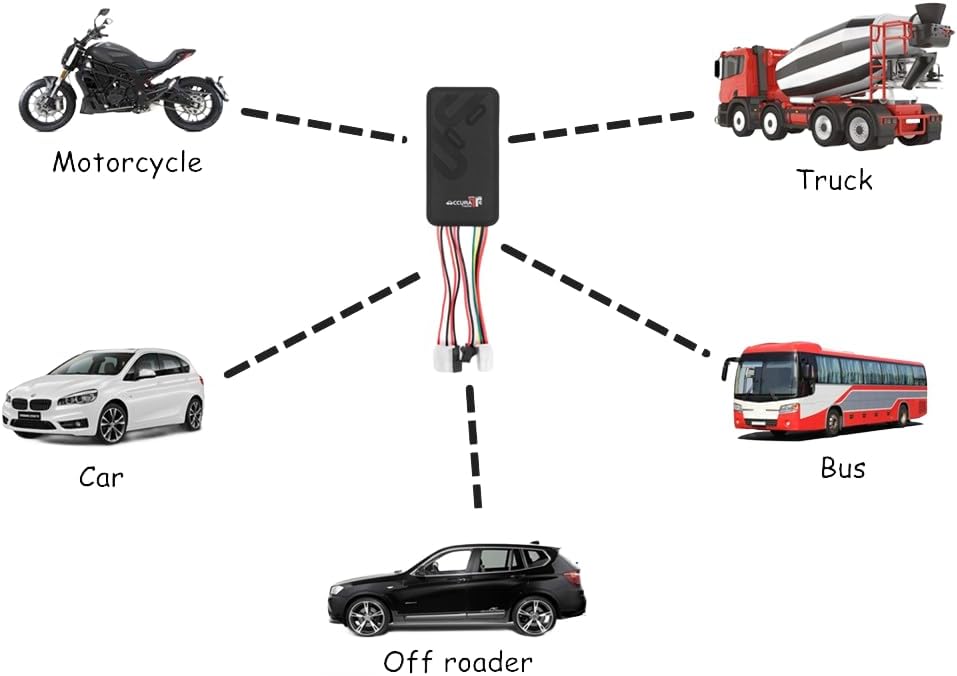
Image: An illustration demonstrating the GT06A GPS Tracker's compatibility with different vehicle types, including motorcycles, cars, trucks, buses, and off-roaders.
4. Instruções de operação
The GT06A tracker offers multiple ways to monitor and control your vehicle.
4.1 Mobile App and Web Plataforma
Download the official Android/iOS app or access the web platform for comprehensive tracking and management features.
- Rastreamento em tempo real: View your vehicle's current location on a map.
- Rastreamento de histórico: Review Rotas e paradas anteriores.
- Cerca geográfica: Configure limites virtuais e receba alertas quando o veículo entrar ou sair dessas áreas.
- Controle remoto: Arm/disarm the alarm, or remotely cut off the engine (if connected).
- Mileage Calculation: Access odometer readings.

Image: Four screenshots of the mobile application interface, showing features such as Mileage Statistics, Device Icon Set, Accurate Position display, and the ability to view vários dispositivos simultaneamente.
4.2 SMS Commands
You can send specific SMS commands to the tracker's SIM card number to perform various actions and receive location information.
- Consulta de localização: Send a command to receive a Google Maps URL of the vehicle's current location.
- Armar/Desarmar: Remotely arm or disarm the vehicle alarm.
- Engine Cut-off: Send an SMS to safely cut off the engine (requires proper relay connection).
- Alerta SOS: In an emergency, pressing the SOS button will send an alert to pre-configured numbers.
4.3 funções de alarme
The GT06A tracker includes several alarm features for enhanced security:
- Alarme de vibração: Triggers if the vehicle experiences unusual vibrations.
- Alarme de porta aberta: Alerts if a door is opened without authorization.
- Alarme de movimento: Notifies if the vehicle moves from its parked location.
- Ignition On Alarm: Alerts when the vehicle's ignition is turned on.
- Power Failure Alarm: Notifies if the main power supply to the tracker is disconnected.
- Geo-fence Alarm: Alerts when the vehicle enters or exits a predefined geographical area.
- Alarme de velocidade excessiva: Triggers if the vehicle exceeds a set speed limit (1-255 km/h).
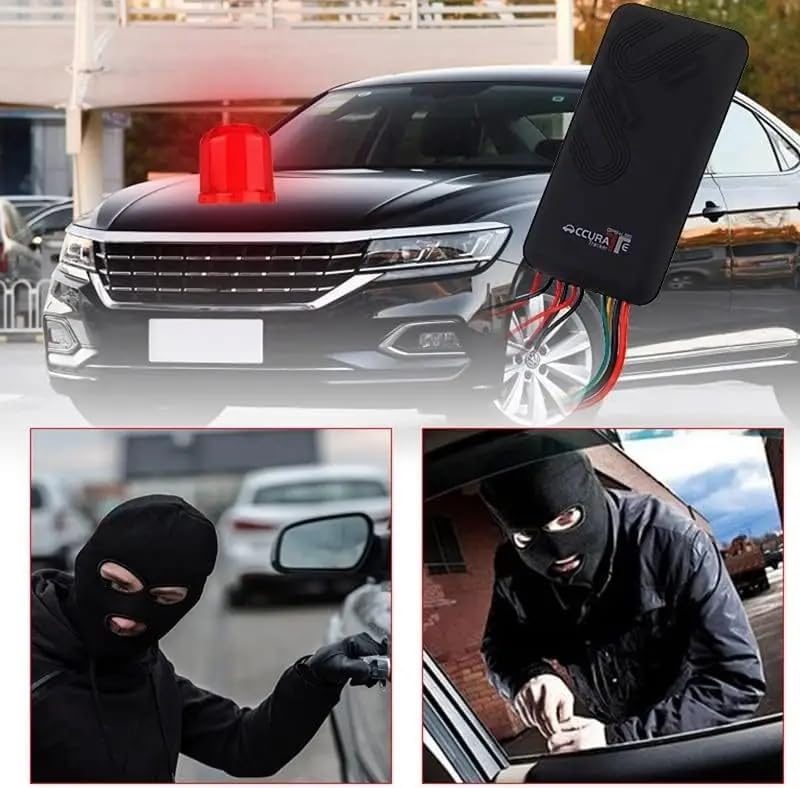
Image: This image visually represents the anti-theft capabilities of the GT06A tracker, showing a car with an alarm light and scenarios involving unauthorized access, emphasizing the device's security features.
5. Manutenção
To ensure the longevity and reliable operation of your GT06A GPS Tracker, follow these maintenance guidelines:
- Verificações regulares: Verifique periodicamente todas as conexões de cabos para garantir que estejam seguras e sem danos.
- Limpeza: Mantenha o dispositivo limpo e livre de poeira e detritos. Use um pano macio e seco para a limpeza.
- Condições ambientais: Avoid exposing the tracker to extreme temperatures, direct sunlight for prolonged periods, or excessive moisture. Refer to specifications for operating temperature and humidity ranges.
- Atualizações de software: Ensure your mobile application and tracker firmware (if applicable) are updated to the latest versions for improved performance and new features.
- Status do cartão SIM: Verify that the SIM card has sufficient credit and an active data plan to maintain continuous tracking and communication.
6. Solução De Problemas
If you encounter issues with your GT06A GPS Tracker, refer to the following common problems and solutions:
| Problema | Possível causa | Solução |
|---|---|---|
| No GPS Signal / Inaccurate Location | Poor satellite reception (e.g., underground parking, dense urban areas), device not powered on, GPS antenna obstructed. | Move the vehicle to an open area. Ensure the device is powered and the GPS antenna is not covered. Check GPS status indicator. |
| No GPRS/GSM Connection | SIM card not inserted correctly, SIM card no credit/data, network coverage issue, incorrect APN settings. | Reinsert SIM card. Check SIM card balance and data plan. Verify network coverage in the area. Configure APN settings via SMS if necessary (refer to full manual). Check GSM status indicator. |
| Device Not Responding to SMS Commands | Incorrect command format, SIM card issues (as above), device not powered on. | Verify SMS command syntax. Check SIM card status and device power. |
| Alarms Not Triggering | Alarm settings not configured, sensors not connected properly, device not armed. | Ensure alarm functions are enabled in the app/platform. Check sensor connections. Arm the device. |
| Remote Engine Cut-off Not Working | Relay not connected or faulty, incorrect wiring, vehicle ignition on. | Verify relay connection and functionality. Ensure wiring matches the diagram. Engine cut-off typically works when the vehicle is stationary or at low speed. |
Para problemas persistentes, entre em contato com o suporte ao cliente.
7. Especificações
| Recurso | Detalhe |
|---|---|
| Modelo | GT06A |
| Dimensões do produto | 5.6 x 4.3 x 2.8 polegadas |
| Temperatura de armazenamento | -40 to 85 Deg.C |
| Temperatura de operação | -20 to 55 Deg.C |
| Umidade | 5 - 95 percent |
| Bandas de GPS | 4G+ GSM 850/900/1800/1900MHz |
| Rede | GPRS, GSM |
| Volumetage Alcance | 9 V - 36 V |
| GPS Sensibilidade | -159 dBm |
| GPS Start Time (Cold Status) | 45s |
| GPS Start Time (Warm Status) | 35s |
| GPS Start Time (Hot Status) | 1s |
| Tecnologias de conectividade | GPRS |
| Características especiais | SOS, Alarm, Remote Control, Geo-Fence, Speed Alert |
| Material | Acrilonitrila Butadieno Estireno (ABS) |
8. Garantia e Suporte
For information regarding product warranty, please refer to the warranty card included in your product packaging or contact the manufacturer directly. The manufacturer of this product is Yangtongjixies.
For technical support, troubleshooting assistance beyond this manual, or inquiries about product features, please contact YangDiana customer service through their official channels. You can often find contact information on the product packaging, the official brand website, ou através do revendedor onde o produto foi adquirido.
Visite o YangDiana Store para maiores informações.