Introdução
This manual provides detailed instructions for setting up, operating, and maintaining your Samsung HW-Q6CC 3.1Ch 340W Soundbar System. This system is designed to enhance your audio experience with 340W of power, a dedicated wireless subwoofer, and support for Dolby Atmos and DTS. It also features built-in Bluetooth for streaming audio from your mobile devices.
O que está na caixa
Verifique se todos os componentes estão presentes na embalagem:
- Samsung 3.1Ch Soundbar with AC power cord
- Subwoofer with AC power cord
- Cabo HDMI
- Adaptador de energia CA
- Wallmount kit
- Remote control with 2x AAA batteries

Figure 1: Contents of the Samsung HW-Q6CC Soundbar System box, showing the soundbar, wireless subwoofer, remote control, HDMI cable, power adapter, and wall mount kit.
Configurar
1. Colocação Física
Place the soundbar directly in front of your television, centered for optimal audio projection. Ensure there are no obstructions in front of the soundbar. The wireless subwoofer can be placed anywhere in the room, ideally near a power outlet and within range of the soundbar for a stable wireless connection. Consider placing it in a corner for enhanced bass response.

Figure 2: The Samsung HW-Q6CC Soundbar and its wireless subwoofer in a typical home setup.
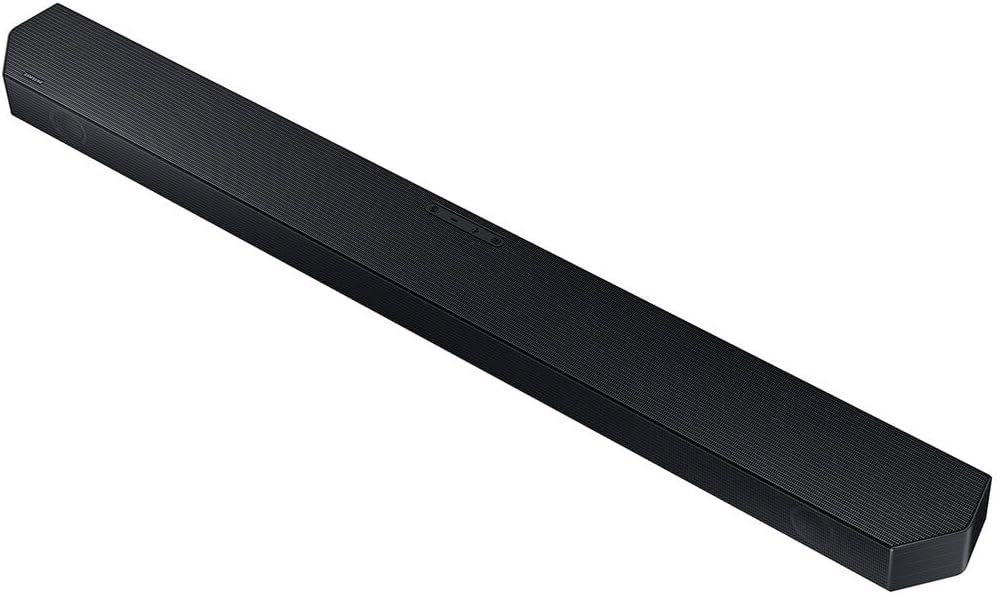
Figura 3: Detalhado view of the Samsung HW-Q6CC Soundbar unit.

Figura 4: Detalhado view of the Samsung HW-Q6CC Wireless Subwoofer unit.
2. Conexões
- Conexão de energia: Connect the AC power cords to the soundbar and the wireless subwoofer, then plug them into a wall outlet.
- Conexão HDMI eARC: For the best audio quality and control, connect the soundbar to your TV's HDMI eARC port using the provided HDMI cable. This allows for high-quality audio transmission and control of the soundbar volume using your TV remote.
- Conexão óptica (alternativa): If your TV does not have an HDMI eARC port, you can use an optical cable (not included) to connect the soundbar to your TV's optical digital audio output.
3. Emparelhamento de subwoofer sem fio
The wireless subwoofer should automatically pair with the soundbar upon powering on. If the connection is not established, check the indicator light on the subwoofer. If it's blinking, press the 'ID SET' button on the back of the subwoofer, then press the 'PAIR' button on the soundbar remote control. The indicator light should turn solid blue once paired.
Instruções de operação
1. Controles Básicos
The soundbar can be controlled using the buttons on the top panel or the included remote control.
- Botões do painel superior: Includes Power, Volume Up/Down, and Source Selection.
- Controle remoto: Provides comprehensive control over power, volume, sound modes, subwoofer level, and Bluetooth pairing.
2. Modos de som
Optimize your audio experience with various sound modes:
- Som Adaptativo Lite: Automatically analyzes content and optimizes sound settings for clear dialogue.
- Dolby Atmos & DTS Surround: Provides an immersive, virtualized surround sound experience for compatible content.
- Modo de jogo: Synchronizes gaming audio for a more dynamic and responsive experience.
3. Transmissão Bluetooth
Connect your mobile devices to the soundbar via Bluetooth to stream music, podcasts, and other audio content wirelessly. Use the 'Bluetooth Multi Connection' feature to switch between two connected devices effortlessly. For quick pairing, utilize the 'Tap Sound' feature by gently tapping your compatible Samsung mobile device to the soundbar.
Manutenção
To ensure the longevity and optimal performance of your soundbar system:
- Mantenha a barra de som e o subwoofer limpos, passando um pano macio e seco.
- Evite usar produtos de limpeza líquidos ou materiais abrasivos.
- Ensure proper ventilation around both units to prevent overheating.
- Não exponha os aparelhos a temperaturas extremas, umidade ou luz solar direta.
Solução de problemas
If you encounter issues with your soundbar system, try the following:
- Sem energia: Check if the power cords are securely connected to both the soundbar, subwoofer, and the wall outlets.
- Sem som: Verify the input source on the soundbar matches your TV's output. Check all cable connections. Ensure the TV's internal speakers are turned off or set to external audio.
- Subwoofer não conecta: Follow the wireless subwoofer pairing instructions in the Setup section. Ensure the subwoofer is within range and not obstructed.
- Problemas de conexão Bluetooth: Ensure Bluetooth is enabled on your mobile device and the soundbar is in Bluetooth pairing mode. Try unpairing and re-pairing the device.
- Controle remoto não funciona: Check the batteries in the remote control. Ensure there are no obstructions between the remote and the soundbar.
Especificações
| Recurso | Especificação |
|---|---|
| Nome do modelo | HW-Q6CC |
| Marca | Samsung |
| Tipo de alto-falante | Barra de som |
| Configuração do canal de som surround | 3.1 |
| Potência máxima de saída do alto-falante | 340 Watts |
| Tecnologia de Conectividade | Bluetooth, HDMI, Óptico |
| Modo de saída de áudio | Dolby Atmos, DTS Surround |
| Tecnologia de comunicação sem fio | Wifi Bluetooth |
| Tecnologia de conectividade de subwoofer | Sem fio |
| Dimensões do produto | 2.2"P x 40.6"L x 4.1"A |
| Peso do item | 25.1 libras |
| Cor | Preto |
| Material | Metal, Plástico |
| Tipo de montagem | Montagem na parede |
| Método de controle | Remoto |
Garantia e Suporte
This Samsung Soundbar System comes with a Garantia limitada. For specific terms and conditions, please refer to the warranty card included in your product packaging or visit the official Samsung support website.
For further assistance, technical support, or service inquiries, please contact Samsung Customer Service through their official website ou as informações de contato fornecidas na documentação do produto.


