1. Introdução
Welcome to the user manual for your Tracer TW7-BL FUN Smartwatch. This device is designed to enhance your daily life by combining convenience, style, and advanced health and fitness tracking features. Please read this manual carefully to understand the full capabilities of your smartwatch and ensure proper usage and maintenance.
The Tracer TW7-BL FUN features a 1.83-inch HD touchscreen, Bluetooth 5.0 connectivity for calls and notifications, multiple sport modes, and comprehensive health monitoring including heart rate, blood oxygen saturation, steps, and sleep tracking. It also boasts an IP65 water resistance rating, making it suitable for everyday use.
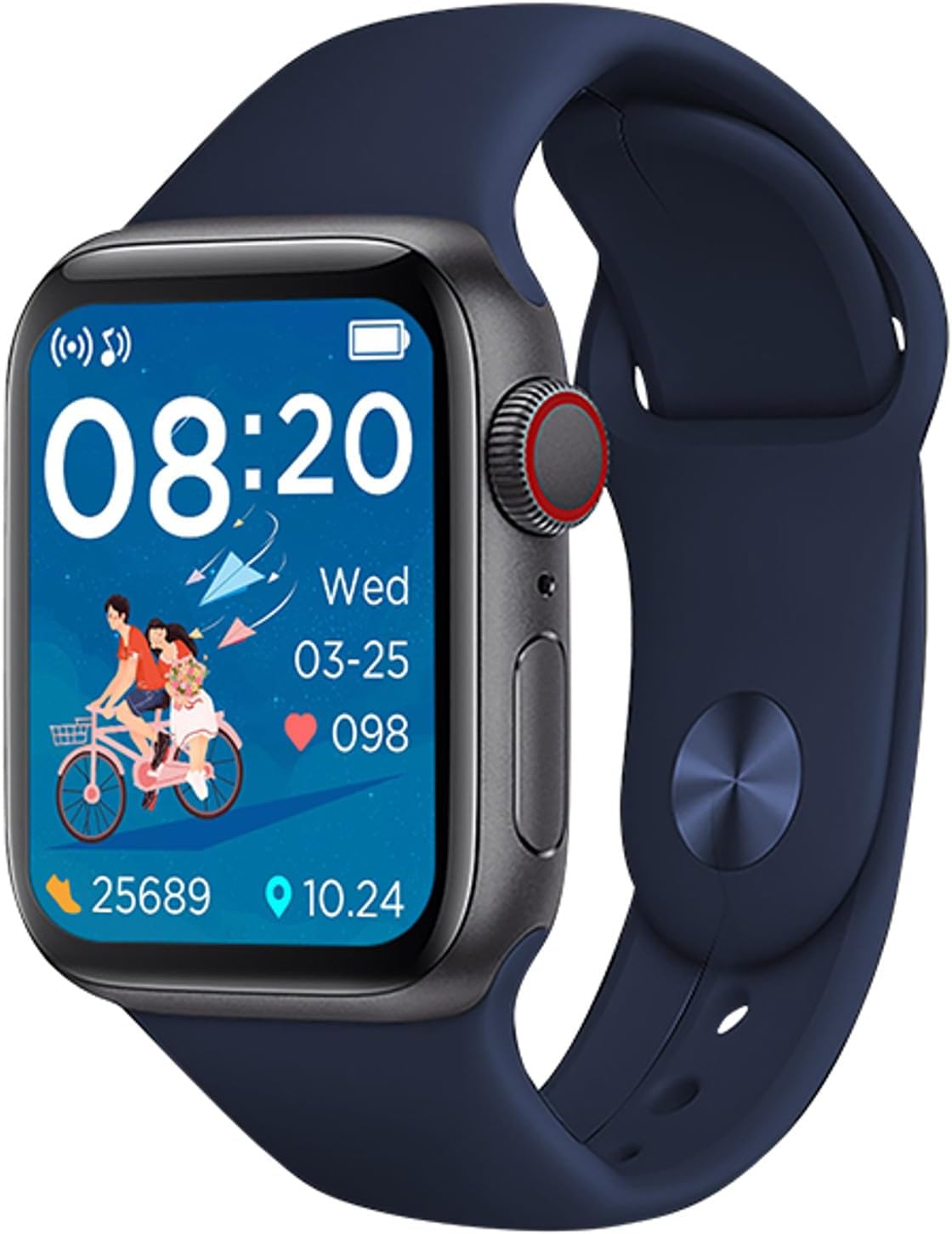
Figure 1: Tracer TW7-BL FUN Smartwatch. This image shows the smartwatch with a blue strap, displaying the time, date, heart rate, and step count on its main screen.
2. Conteúdo da embalagem
Ao abrir a embalagem, verifique se todos os seguintes itens estão incluídos:
- Tracer TW7-BL FUN Smartwatch (with strap)
- Charging Cable (clip-type)
- Manual do usuário

Figure 2: Retail packaging of the Tracer TW7-BL FUN Smartwatch. The box highlights key features like BT 5.0, heart pulse, sport modes, and IP65 rating.
3. Configuração
3.1 Carregando o Smartwatch
Before initial use, fully charge your smartwatch. Connect the provided clip-type charging cable to the charging contacts on the back of the watch and plug the USB end into a standard USB power adapter (not included) or a computer's USB port.
- Certifique-se de que os contatos de carregamento estejam limpos e secos.
- Um indicador de carregamento aparecerá na tela.
- Full charge typically takes approximately 2 hours.
3.2 Instalando o aplicativo complementar
To unlock the full functionality of your Tracer TW7-BL FUN Smartwatch, you need to install the FitPro aplicativo em seu smartphone.
- Scan the QR code in the manual or on the watch screen (if available) or search for "FitPro" in your smartphone's app store (Google Play Store for Android, Apple App Store for iOS).
- Download and install the FitPro app.
- Certifique-se de que seu smartphone atenda aos requisitos de compatibilidade: Android 5.0 ou superior ou iOS 9.0 ou superior.
3.3 Emparelhamento com seu smartphone
After installing the FitPro app, follow these steps to pair your smartwatch:
- Ative o Bluetooth no seu smartphone.
- Open the FitPro app and grant all necessary permissions (location, notifications, etc.).
- Navigate to the "Device" or "Mine" section within the app and select "Add Device" or "Bind device".
- The app will search for available devices. Select "TW7-BL FUN" or a similar device name from the list.
- Confirme o pedido de emparelhamento tanto no seu smartphone quanto no smartwatch, caso seja solicitado.
- Once paired, the time and date on your smartwatch will synchronize with your phone.
4. Instruções de operação
4.1 Navegação básica
The Tracer TW7-BL FUN Smartwatch features a 1.83-inch full touchscreen display for intuitive control. Swipe left, right, up, or down to navigate through menus and functions. Press the side button to return to the home screen or wake the device.

Figure 3: Smartwatch on a wrist, showing a vibrant watch face. This illustrates the device's display clarity and wearability.
4.2 Chamadas Bluetooth
The smartwatch supports Bluetooth calling, allowing you to make and receive calls directly from your wrist. Ensure your watch is connected to your phone via Bluetooth.
- Fazendo chamadas: Access the dial pad or contact list on your smartwatch to initiate a call.
- Recebendo chamadas: Ao receber uma chamada, você pode atendê-la ou rejeitá-la diretamente na tela do relógio.
- The built-in microphone and speaker facilitate hands-free communication.
4.3 Monitoramento de Saúde
Your smartwatch is equipped with advanced sensors to monitor various health metrics:
- Monitor de frequência cardíaca: Measures your heart rate throughout the day. Access this feature from the health menu on the watch or view detailed data in the FitPro app.
- Monitor de oxigênio no sangue (SpO2): Provides estimates of your blood oxygen saturation levels.
- Pedometer & Calorie Counter: Automatically tracks your steps taken and calories burned.
- Monitor de sono: Monitora seus padrões de sono, incluindo sono profundo, sono leve e horários de despertar. View sleep analysis in the FitPro app.
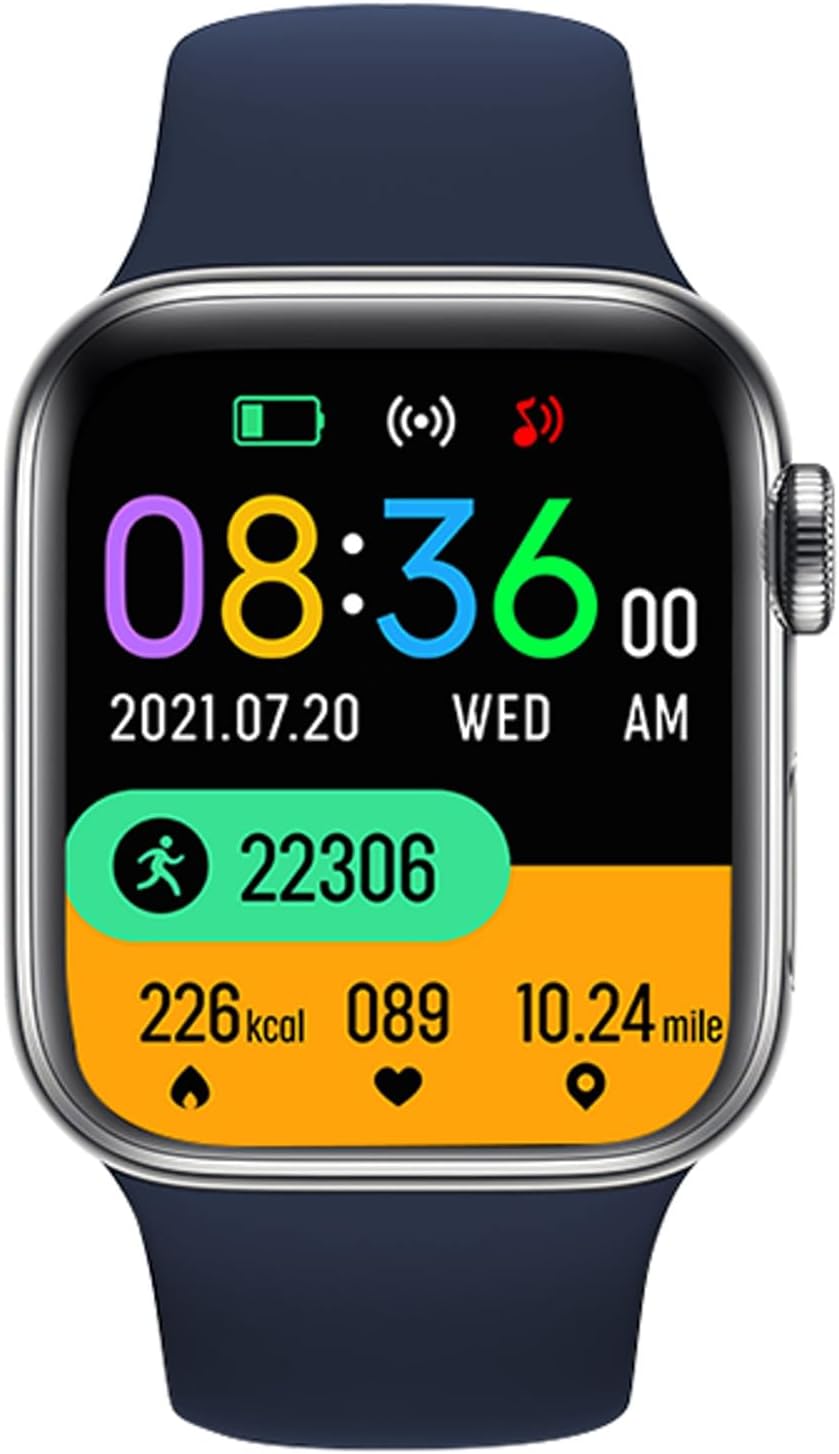
Figure 4: Smartwatch screen showing various health metrics. This display includes step count, calories burned, heart rate, and distance covered, indicating its fitness tracking capabilities.
4.4 Modos esportivos
The smartwatch offers multiple sport modes to track your workouts more accurately. Select the appropriate mode before starting an activity to record specific data such as duration, distance, calories, and heart rate during exercise.

Figure 5: User engaging in a fitness activity while wearing the smartwatch. This image demonstrates the watch's use during exercise, highlighting its sport mode functionality.
4.5 Notificações e outras funcionalidades
- Notificações de mensagem: Receive alerts for incoming calls, SMS messages, and notifications from various social media applications (e.g., Messenger) directly on your watch. Configure these in the FitPro app.
- Previsão do tempo: View current weather conditions and forecasts on your smartwatch after synchronization with the app.
- Controle remoto da câmera: Use your smartwatch as a remote shutter for your phone's camera (feature availability may vary).
- Controle de música: Control music playback on your smartphone from your wrist.
5. Manutenção
5.1 Limpeza e cuidados
- Regularly clean your smartwatch and strap with a soft, dry, lint-free cloth.
- Se necessário, use um pouco damp Passe um pano com sabão neutro e, em seguida, seque-o.
- Evite usar produtos químicos agressivos, produtos de limpeza abrasivos ou solventes, pois estes podem danificar o aparelho.
- Ensure the charging contacts are free of dust and debris.
5.2 Resistência à água (IP65)
The Tracer TW7-BL FUN Smartwatch has an IP65 rating, which means it is protected against dust ingress and low-pressure water jets from any direction. This makes it suitable for:
- Everyday splashes, rain, and hand washing.
- Isso é não suitable for swimming, showering, or prolonged submersion in water.
- Evite expor o relógio à água quente ou ao vapor.
6. Solução De Problemas
Se você encontrar problemas com seu smartwatch, consulte as seguintes soluções comuns:
- Relógio que não liga: Certifique-se de que o relógio esteja totalmente carregado. Conecte-o ao carregador por pelo menos 30 minutos.
- Não foi possível emparelhar com o telefone:
- Certifique-se de que o Bluetooth esteja ativado em seu telefone.
- Certifique-se de que o relógio esteja dentro do alcance do Bluetooth (normalmente 10 metros).
- Reinicie o seu telefone e o smartwatch.
- Limpe o cache Bluetooth do seu telefone ou esqueça o dispositivo e tente emparelhar novamente.
- Ensure the FitPro app has all necessary permissions.
- As notificações não estão aparecendo:
- Check notification settings in the FitPro app.
- Ensure your phone's notification access is granted to the FitPro app.
- Verifique se o relógio está devidamente conectado ao aplicativo.
- Dados de saúde imprecisos:
- Certifique-se de que o relógio esteja bem ajustado ao seu pulso, a cerca de um dedo de distância do osso do pulso.
- Mantenha o sensor limpo.
- Note that these devices are not medical instruments and provide data for reference only.
- Vida curta da bateria:
- Reduza o brilho da tela.
- Disable unnecessary features or continuous monitoring if not needed.
- Certifique-se de que o relógio esteja totalmente carregado sempre que for utilizá-lo.
7. Especificações
| Recurso | Especificação |
|---|---|
| Número do modelo | TRAFON47134 |
| Mostrar | 1.83-inch HD Touchscreen (240 x 286p) |
| Versão Bluetooth | 5.0 |
| Capacidade da bateria | 180 mAh |
| Tempo de espera | 20-22 dias |
| Classificação de resistência à água | IP65 |
| Compatibilidade | Android 5.0+ / iOS 9.0+ |
| Aplicativo complementar | FitPro |
| Monitoramento de Saúde | Heart Rate, SpO2, Pedometer, Calorie Counter, Sleep Monitor |
| Características especiais | Bluetooth Calling (Mic & Speaker), Sport Modes, Notifications, Weather Forecast |
| Porta de carregamento | Clip-type |
| Dimensões (A x L x P) | 3.8 x 1.1 x 4.4 cm |
| Peso | 53 g |
8. Garantia e Suporte
Tracer products are designed for reliability and performance. For warranty information, please refer to the warranty card included with your product or visit the official Tracer website. If you encounter any issues not covered in this manual, please contact Tracer customer support for assistance.
Guarde o comprovante de compra para reclamações de garantia.


