1. Introdução
This manual provides essential information for the safe and efficient operation of your JVC TiVo LT-40VF5355 40-inch Full HD Smart TV. Please read these instructions thoroughly before using the television and retain them for future reference.
The JVC TiVo LT-40VF5355 offers a vibrant Full HD display, HDR10 support for enhanced contrast, and an integrated triple tuner for versatile reception options (DVB-C, DVB-T2, DVB-S2). Powered by the TiVo Smart TV operating system, it provides access to a wide range of streaming services and smart features.
2. Informações de segurança
Observe sempre as seguintes precauções de segurança para evitar choque elétrico, incêndio ou ferimentos:
- Não exponha a TV à chuva ou umidade.
- Não abra a TV casing; encaminhe todos os serviços de manutenção para pessoal qualificado.
- Garanta ventilação adequada ao redor da TV.
- Evite colocar a TV sobre superfícies instáveis.
- Desligue a TV da tomada durante tempestades com raios ou quando não for utilizá-la por longos períodos.
- Mantenha as peças pequenas e as baterias fora do alcance das crianças.
3. Conteúdo da embalagem
Verifique se todos os itens estão presentes na embalagem:
- JVC TiVo LT-40VF5355 40-inch Full HD Smart TV
- Controle remoto (com 2 pilhas AAA incluídas)
- Suporte de TV (pés)
- Manual do usuário (este documento)
4. Configuração
4.1 Configuração Física
Fixação do suporte: Carefully place the TV face down on a soft, flat surface. Align the stand feet with the screw holes on the bottom of the TV and secure them with the provided screws. Ensure the stand is firmly attached before placing the TV upright.
Montagem na parede (opcional): This TV supports VESA wall mounts. Refer to the wall mount manufacturer's instructions for installation. The VESA mounting pattern for this model is M4 100x100.

Imagem: Traseira view of the JVC TiVo LT-40VF5355 TV showing dimensions (Width 90.9 cm, Height with stand 57.9 cm, Depth with stand 23.5 cm, 40 inches / 102 cm diagonal) and VESA M4 100x100 mounting points.
4.2 Conexões
Connect external devices to your TV using the available ports:
- HDMI (x2): For high-definition audio and video from devices like Blu-ray players, game consoles, or set-top boxes. HDMI 1 supports ARC (Audio Return Channel) for simplified audio connections to soundbars or AV receivers.
- USB (x1): Para conectar dispositivos de armazenamento USB para reproduzir mídia. files.
- Saída de áudio digital: Para conexão a sistemas de áudio externos.
- Antena (RF/F): For connecting a terrestrial (DVB-T2) or cable (DVB-C) antenna.
- Satélite (LNB): Para conectar uma antena parabólica (DVB-S2).
- Fones de ouvido: Para conectar fones de ouvido.
- Slot CI: For inserting a Conditional Access Module (CAM) and smart card to access encrypted channels.
- LAN: Para uma conexão de internet com fio.
- Wi-fi: Para conexão de internet sem fio.

Imagem: Close-up view of the TV's rear panel showing various connection ports including 2x HDMI, 1x USB, Digital Audio Output, Antenna (RF/F), Headphones, Bluetooth, CI Slot, and LAN.
4.3 Primeira instalação
After connecting the power cable and turning on the TV for the first time, follow the on-screen instructions to:
- Selecione seu idioma.
- Conecte-se à sua rede Wi-Fi ou utilize uma conexão LAN com fio.
- Scan for available TV channels (DVB-C, DVB-T2, DVB-S2).
- Log in to your TiVo account or create a new one to access Smart TV features.
5. Operação
5.1 Controle Remoto
The included remote control allows you to navigate the TV's functions. It features dedicated buttons for popular streaming services like Netflix, YouTube, Prime Video, and Disney+ for quick access.
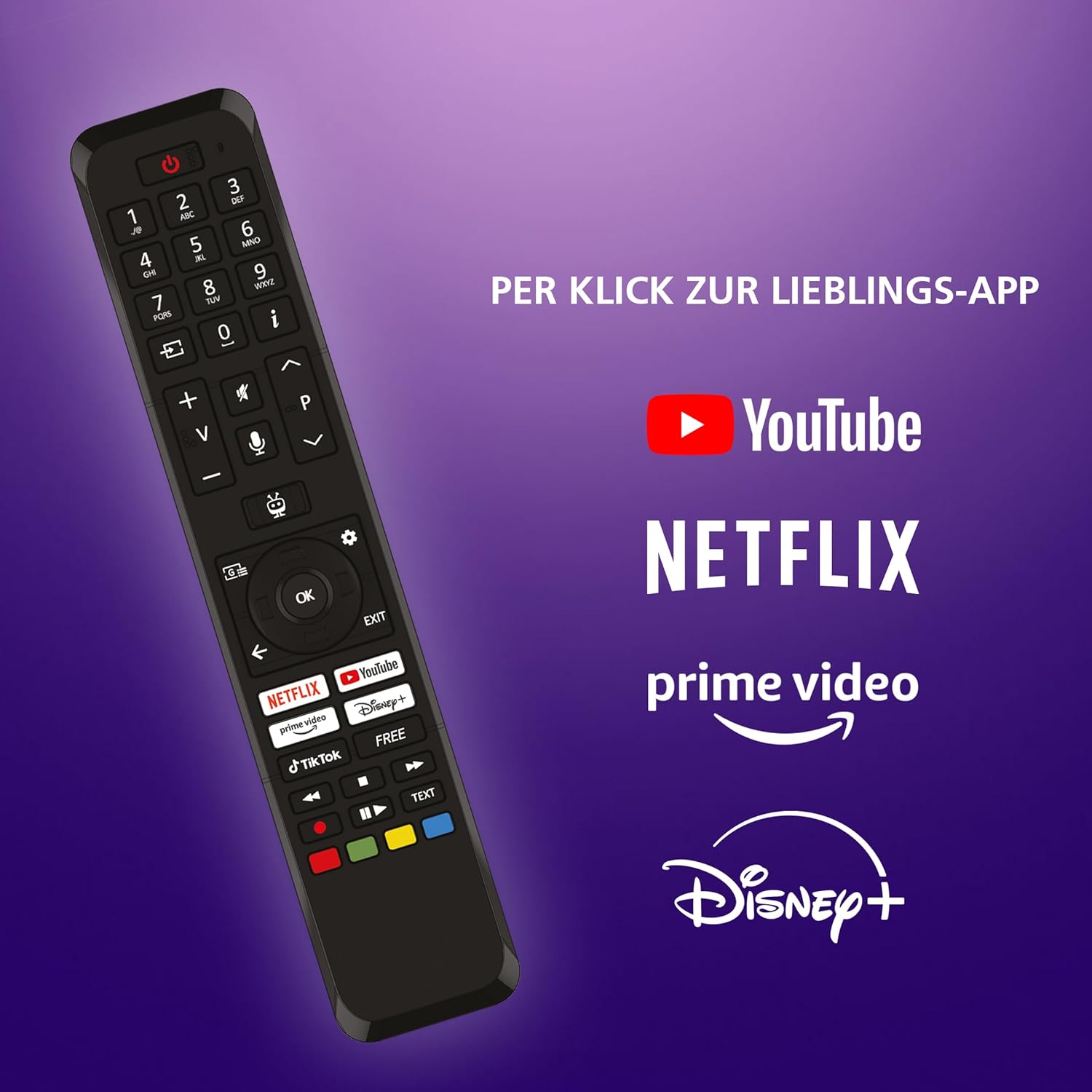
Image: The TV remote control, highlighting dedicated buttons for YouTube, Netflix, Prime Video, and Disney+.
5.2 Recursos da Smart TV TiVo
Your JVC TV is powered by the TiVo Smart TV operating system, offering a personalized and intuitive user experience.
- Navegação Inteligente: Search across streaming apps and live TV to find content.
- Recomendações personalizadas: TiVo learns your viewing habits to suggest content you might enjoy.
- Controle de voz: Use voice commands to change channels, adjust volume, open apps, and more.
- Acesso ao aplicativo: Enjoy a wide range of applications including Netflix, Prime Video, Disney+, YouTube, DAZN, and many others.
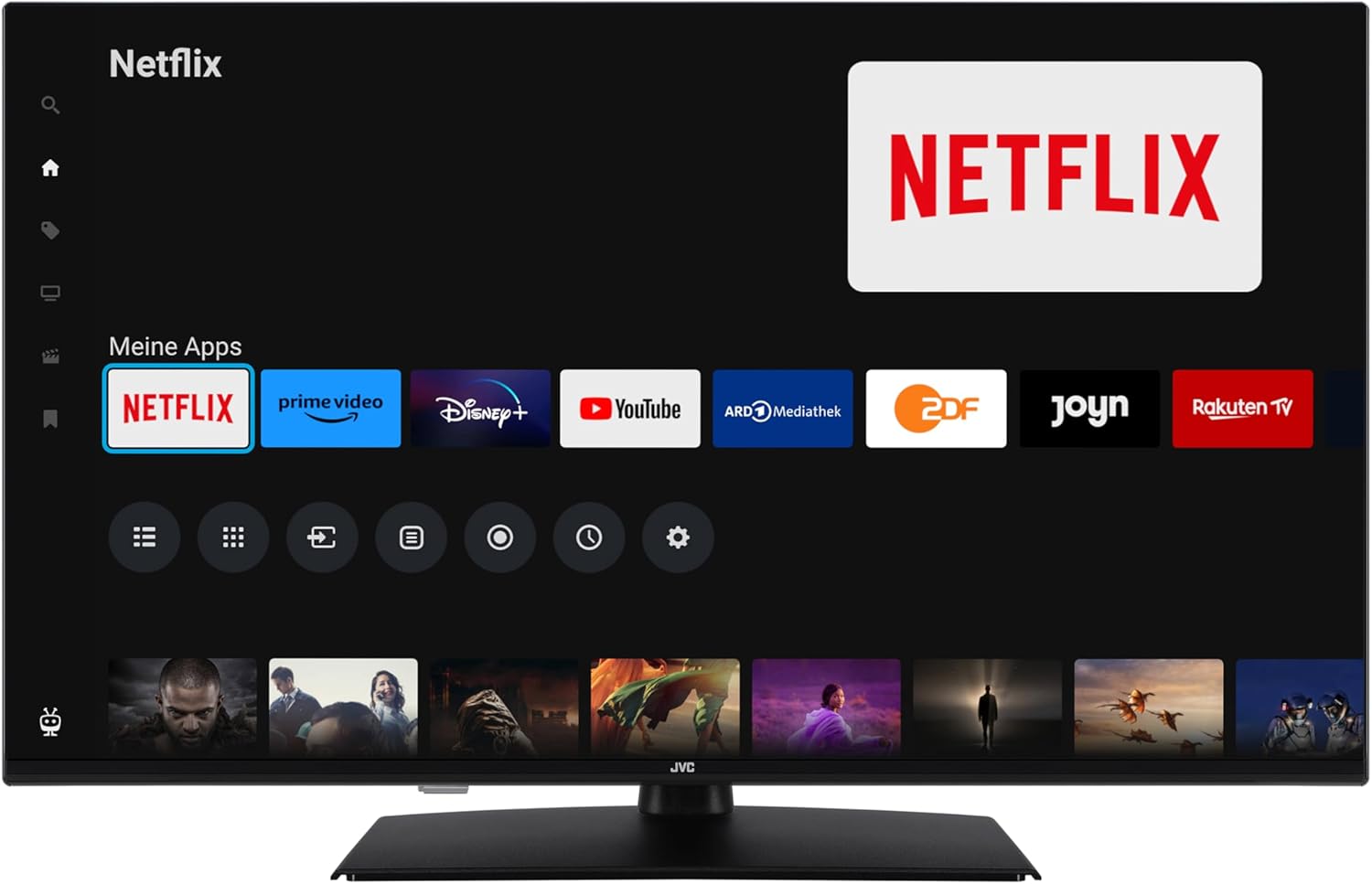
Image: The TiVo Smart TV home screen displaying various applications such as Netflix, Prime Video, Disney+, YouTube, ARD Mediathek, ZDF, Joyn, and Rakuten TV.

Image: Infographic explaining the benefits of TiVo Smart TVs, including intelligent navigation, simple user experience, intelligent recommendations, and continuous improvements.
5.3 Configurações de imagem e som
Your TV supports advanced picture technologies for an optimal viewexperiência de aprendizagem:
- HDR10: High Dynamic Range provides greater contrast and a wider range of colors for more realistic images.
- Super resolução: Enhances image clarity and detail.
- Micro escurecimento: Improves contrast by analyzing and adjusting brightness in different areas of the screen.
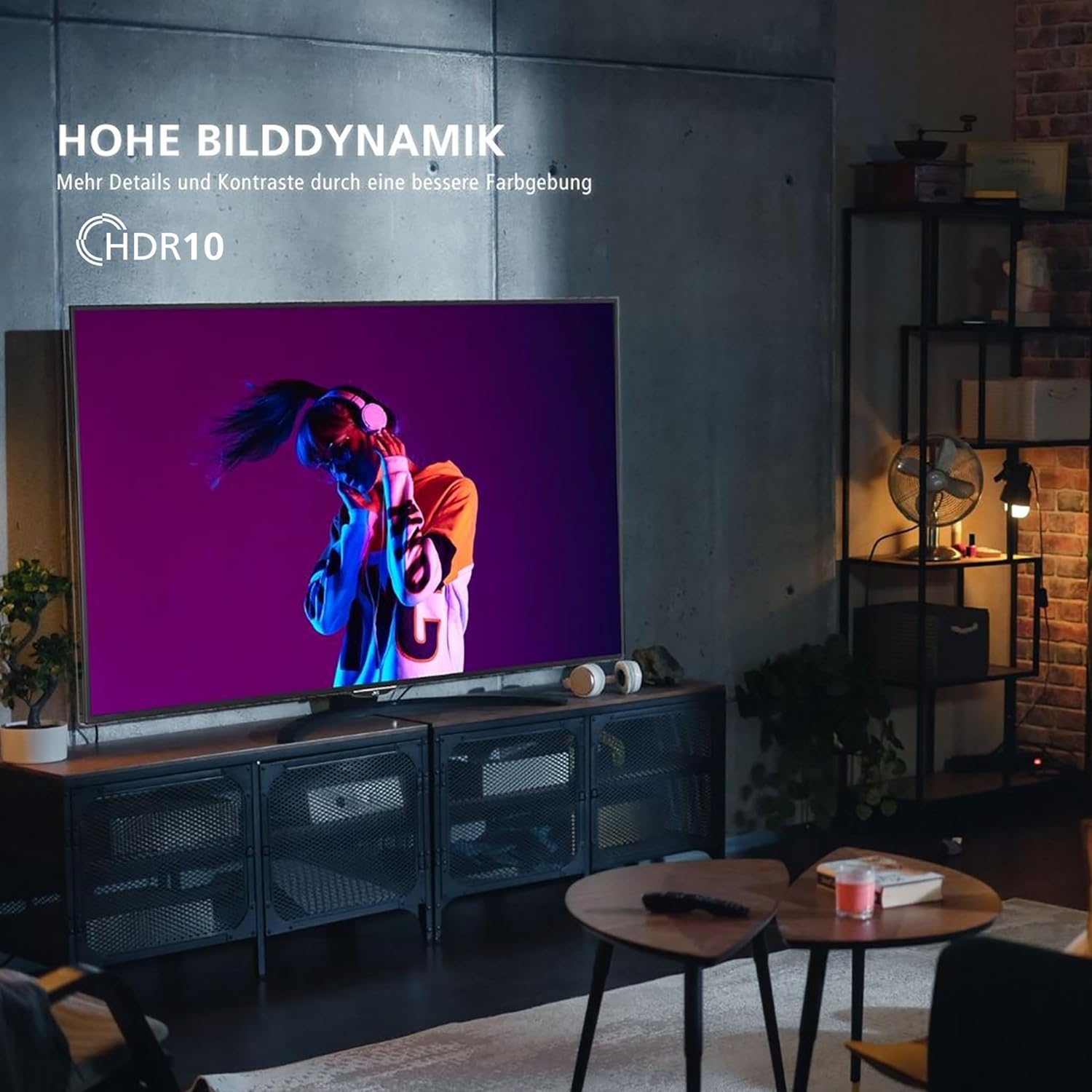
Image: A television screen displaying a vibrant image, illustrating the "High Dynamic Range" (HDR10) feature for more details and contrast.

Image: A television screen displaying a detailed underwater scene, highlighting "Super Resolution" and "Micro Dimming" for breathtaking picture quality.
You can select various picture modes to optimize the display for different content types:
- Cinema: Optimized for movies.
- Esporte: Enhanced for fast-paced sports.
- Jogos: Reduced input lag for gaming.
- Dinâmico: Vivid and bright picture.

Image: A TV screen divided into four sections, each showing a different picture mode: Cinema, Sport, Gaming, and Dynamic.
5.4 Operação do sintonizador
The integrated triple tuner allows reception via antenna (DVB-T2), cable (DVB-C), or satellite (DVB-S2) without an additional receiver. Use the TV's menu to perform channel scans and manage your channel list.
The TV also supports the HD+ TV App, which may offer additional HD channels (availability depends on region and subscription).
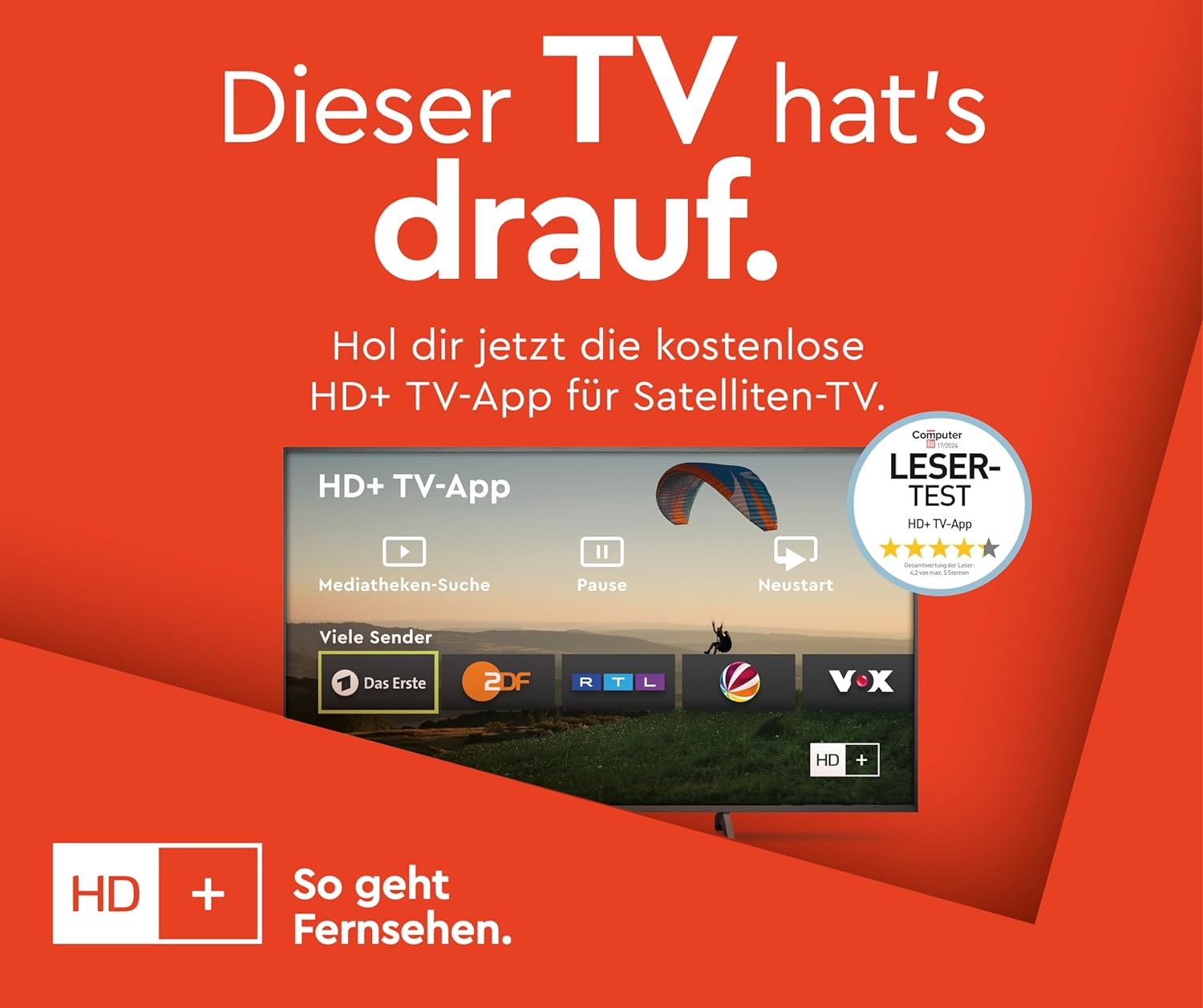
Image: Information about the HD+ TV App, showing features like private HD/UHD channels, restart, media libraries, and a 6-month test period.
5.5 Reprodução de mídia
Connect a USB storage device to the USB port to play compatible media files (photos, music, videos) directly on your TV using the built-in media player.
6. Manutenção
6.1 Limpeza
Desligue sempre a TV da tomada antes de limpá-la. Use um pano macio e seco para limpar a tela e o gabinete. Não use produtos de limpeza líquidos ou sprays aerossóis diretamente na TV.
6.2 Atualizações de Software
The TV may receive regular software updates to improve performance and add new features. Ensure your TV is connected to the internet to receive these updates. You can usually check for updates in the TV's settings menu.
7. Solução De Problemas
Se você tiver problemas com sua TV, consulte as seguintes soluções comuns:
- Sem energia: Ensure the power cable is securely connected and the wall outlet is functioning.
- Sem imagem/som: Check all cable connections (HDMI, antenna). Ensure the correct input source is selected.
- Controle remoto não funciona: Substitua as pilhas. Certifique-se de que não haja obstruções entre o controle remoto e a TV.
- TV Shuts Down Automatically: Check the power saving settings in the TV menu. Disable any automatic shutdown timers.
- App Issues (e.g., Netflix not loading): Try restarting the TV by unplugging it from the power outlet for a few minutes, then plugging it back in. Ensure your internet connection is stable.
- "Cannot find HD channels" error: This message may appear even after successful channel installation. Ensure your tuner settings are correct and try rescanning channels. If the message persists but channels are available, it might be a minor software notification.
For persistent issues, consult the online support resources or contact customer service.
8. Especificações
| Marca | JVC |
| Número do modelo | LT-40VF5355 |
| Tamanho da tela | 40 polegadas (102 cm na diagonal) |
| Tecnologia de exibição | LED-LCD |
| Resolução | 1080p (Full HD, 1920x1080 pixels) |
| Taxa de atualização | 120 Hz |
| Sistema operacional | Smart TV TiVo |
| Características especiais | HDR10, Micro Dimming, Super Resolution, 6 months HD+ included (via SAT in Germany) |
| Conectividade | 2x HDMI (CEC + ARC), 1x USB, Wi-Fi, LAN, Digital Audio Output, Headphones, CI Slot |
| Dimensões (com suporte) | 23.5 cm de profundidade x 90.9 cm de largura x 57.9 cm de altura |
| Classe de Eficiência Energética (SDR) | E |
| Classe de Eficiência Energética (HDR) | G |
| Consumo de energia (SDR) | 37.0 W |
| Consumo de energia (HDR) | 67.0 W |
| Disponibilidade de peças de reposição | 7 anos |

Image: Table illustrating recommended viewing distances for different TV sizes (24" to 70") and resolutions (4K, Full HD, HD).
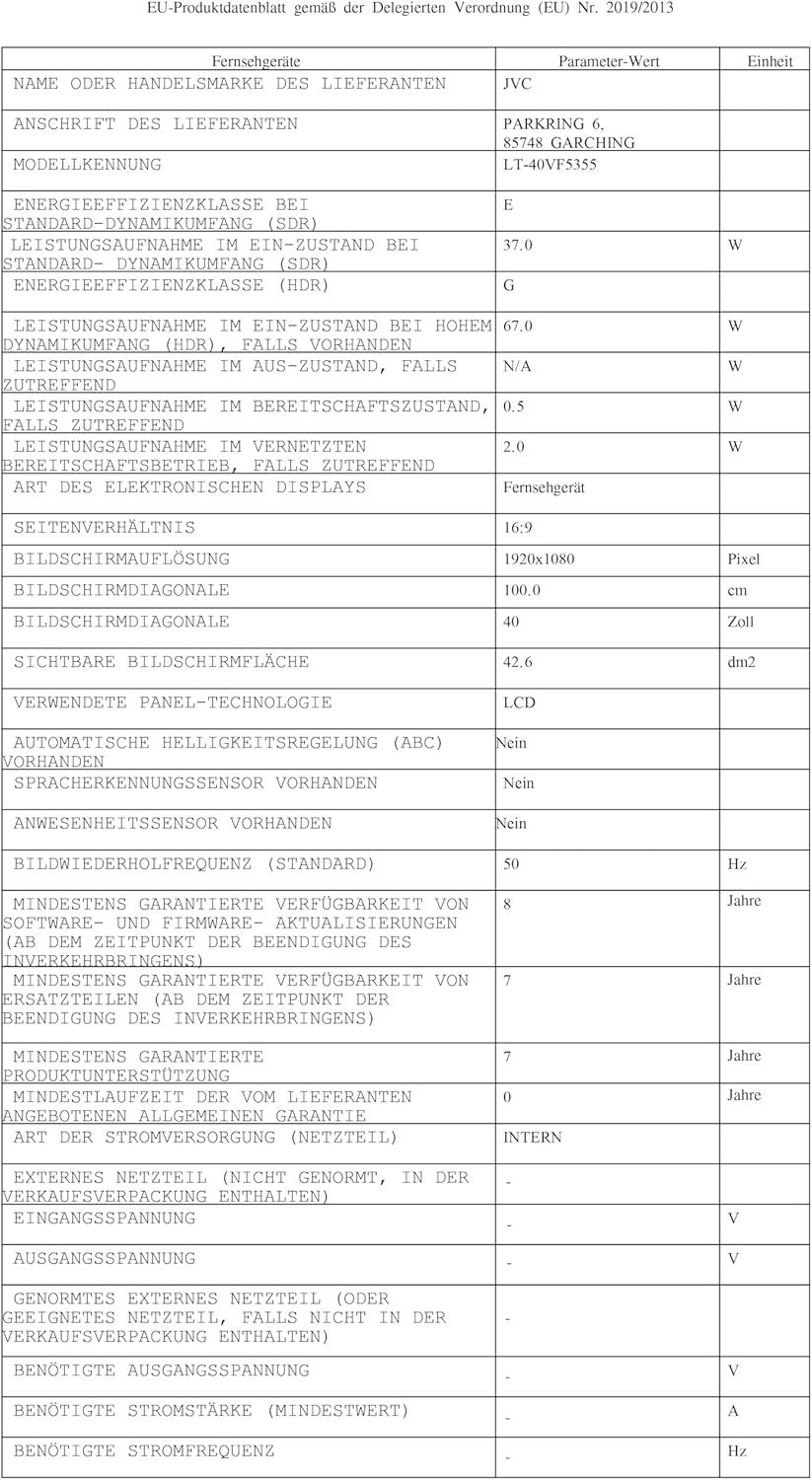
Image: EU Delegated Regulation product data sheet for the JVC LT-40VF5355, detailing technical specifications and energy consumption. For more details, visit eprel.ec.europa.eu/qr/1880376.

Image: EU Energy Label for the JVC LT-40VF5355, showing energy efficiency class E (SDR) and G (HDR), and power consumption values.
9. Garantia
JVC products are manufactured with high-quality components and are subject to rigorous quality control. For detailed warranty information, please refer to the warranty card included with your product or visit the official JVC website for your region. Spare parts are guaranteed to be available for 7 years from the date of placing the product on the market.
10. Suporte
For further assistance, technical support, or service inquiries, please visit the official JVC support website or contact your local JVC customer service center. Keep your model number (LT-40VF5355) and serial number ready when contacting support.
Online resources may include FAQs, software downloads, and additional troubleshooting guides.


