1. Introdução
The TOPTECH AL-212 is a powerful and versatile wireless Bluetooth speaker designed to deliver high-fidelity sound with dynamic LED lighting. Featuring dual 12-inch woofers, it provides robust audio for various occasions, from home entertainment to outdoor parties. This manual provides detailed instructions for setting up, operating, and maintaining your speaker to ensure optimal performance.

Imagem: Frente view of the AL-212 speaker, showcasing its dual 12-inch woofers and vibrant LED lighting.
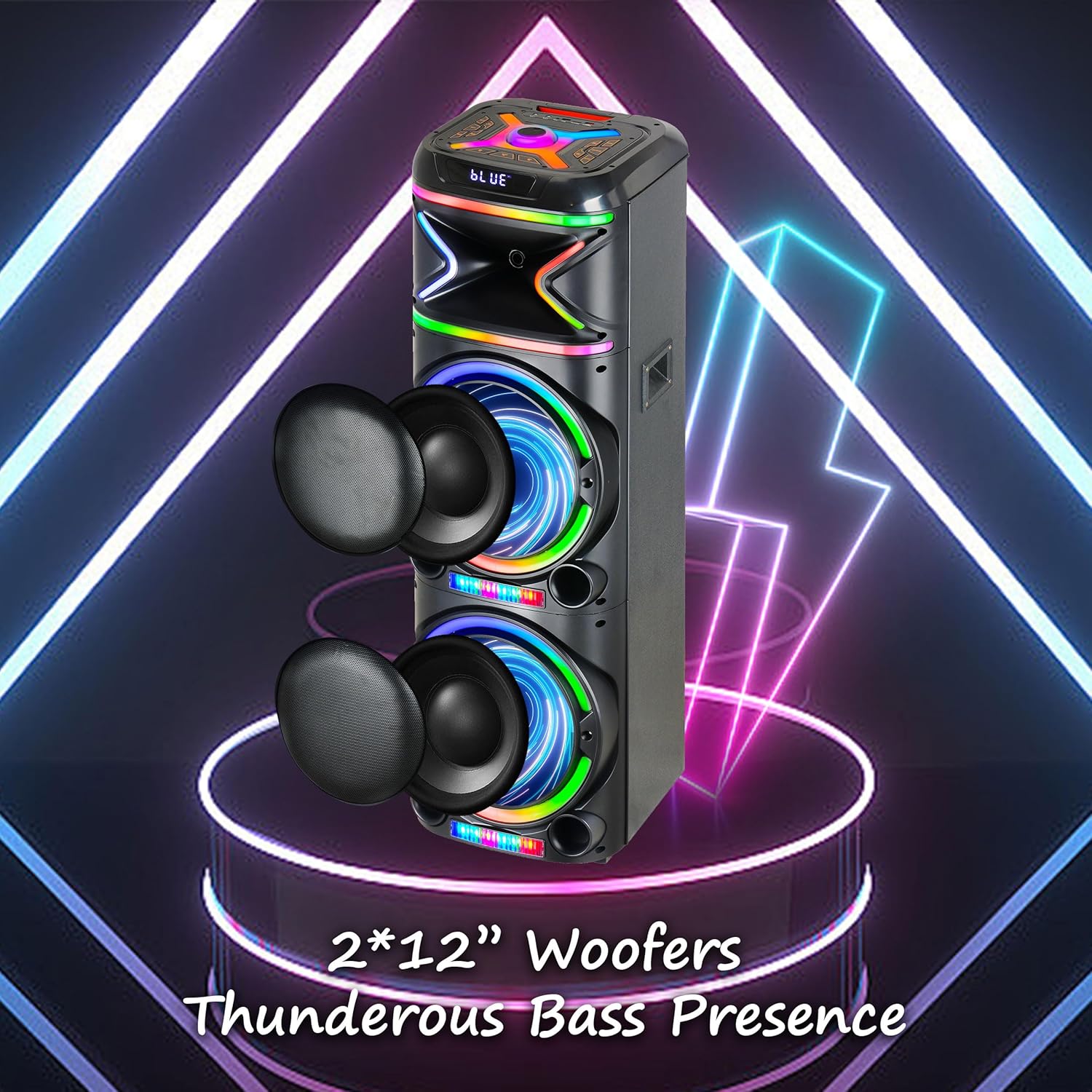
Imagem: Close-up view emphasizing the two 12-inch woofers, responsible for the speaker's powerful bass and clear audio output.
2. O que está incluído
Por favor, verifique o conteúdo da embalagem para garantir que todos os itens estejam presentes:
- AL-212 Wireless Bluetooth Speaker
- Controle remoto
- Microfone com fio
- Adaptador de energia
- Manual do usuário (este documento)
- Cartão de garantia

Image: Visual representation of the speaker's dimensions and the accessories included in the package: wireless microphone, remote control, and portable wheels.
3. Controles e Portas
Familiarize yourself with the control panel and various input/output ports located on the top and rear of the speaker.
Controles do painel superior:

Imagem: Detalhada view of the speaker's top control panel, showing buttons for various functions and input ports.

Image: A simplified diagram highlighting the key control buttons and their functions on the speaker's interface.
- Botão de energia: Liga ou desliga o alto-falante.
- Botão de modo: Alterna entre os modos Bluetooth, rádio FM, AUX, USB e cartão TF.
- Botão de volume: Ajusta o volume principal.
- Botão de volume do microfone: Ajusta o volume do microfone.
- Botão de eco: Adjusts the microphone echo effect.
- LED Mode Button: Changes the LED light patterns.
- Botão Reproduzir/Pausar: Reproduz ou pausa a reprodução de áudio.
- Botões de faixa anterior/próxima: Pula para a faixa anterior ou seguinte.
- Botão de gravação: Records microphone input to USB/TF card.
- Botão TWS: Inicia o emparelhamento True Wireless Stereo.
Portas de entrada / saída:
- Porta USB: For USB drive playback and charging external devices.
- Slot para cartão TF: Para reprodução em cartão TF (MicroSD).
- Entrada AUX (3.5 mm): Connect external audio devices via an audio cable.
- Entrada de microfone (6.35 mm): Conecte o microfone com fio.
- Entrada para guitarra (6.35 mm): Connect a guitar or other instrument.

Image: The AL-212 speaker displayed with icons representing its versatile connectivity options, including Bluetooth, USB, TF card, AUX, microphone, and remote control.
4. Configuração
4.1 Carregando o alto-falante
The AL-212 speaker is battery-powered. Before first use, fully charge the speaker using the provided power adapter. The charging indicator light will show the charging status and turn off when fully charged.
4.2 Inicialização Inicial
Press and hold the Power button on the top panel to turn on the speaker. You will hear a power-on prompt, and the LED lights will illuminate.
5. Instruções de operação
5.1 Emparelhamento Bluetooth
- Ligue a caixa de som. Ela entrará automaticamente no modo de emparelhamento Bluetooth, indicado por um "AZUL" piscando no visor e um aviso sonoro.
- Ative o Bluetooth no seu smartphone, tablet ou outro dispositivo com Bluetooth.
- Procurar "AL-212" in the list of available devices and select it to connect.
- Once connected, you will hear a confirmation sound, and the 'BLUE' indicator will stop flashing.

Image: A smartphone screen showing the Bluetooth pairing menu, with the AL-212 speaker and a Bluetooth icon, illustrating the connection process.
Emparelhamento estéreo sem fio verdadeiro (TWS) 5.2.
To achieve a stereo sound experience, you can pair two AL-212 speakers together using the TWS function.
- Ensure both AL-212 speakers are powered on and not connected to any Bluetooth device.
- Press the 'TWS' button on one of the speakers. It will emit a sound indicating it's searching for another speaker.
- Os dois alto-falantes se conectarão automaticamente. Assim que a conexão for estabelecida, você ouvirá um som de confirmação.
- Now, connect your Bluetooth device to one of the paired speakers (the master speaker) as described in Section 5.1. Audio will play in stereo through both speakers.

Image: Two AL-212 speakers positioned outdoors, demonstrating the True Wireless Stereo (TWS) feature with a dotted line indicating the wireless connection between them.

Image: A simplified diagram showing two AL-212 speakers with a dotted line and 'TWS' label, illustrating the True Wireless Stereo connection.
5.3 Reprodução de cartão USB/TF
Insira um pen drive USB ou um cartão TF (MicroSD) na porta correspondente. O alto-falante alternará automaticamente para o modo USB/TF e começará a reproduzir áudio. files. Use the Play/Pause and Previous/Next Track buttons to control playback.
5.4 Entrada AUX
Connect an external audio device (e.g., MP3 player, laptop) to the AUX input port using a 3.5mm audio cable. The speaker will automatically switch to AUX mode. Control playback from your connected device.
5.5 Utilização do microfone
Connect the provided wired microphone to the Microphone Input port. Adjust the microphone volume using the 'Mic Vol' knob and add echo effects with the 'Echo' knob. You can sing along with music playing from any source.
Rádio 5.6 FM
Press the 'Mode' button until you hear the FM radio prompt. Press the 'Play/Pause' button to auto-scan and save available FM stations. Use the Previous/Next Track buttons to switch between saved stations.
5.7 modos de luz LED
Press the 'LED Mode' button to cycle through different LED light patterns and effects. Press it repeatedly to find your preferred lighting display.

Image: The AL-212 speaker illuminated with its vibrant, multi-color LED lights, showcasing o recurso de show de luzes dinâmico.
5.8 Funções de controle remoto
The included remote control provides convenient access to all speaker functions from a distance. Refer to the remote control diagram in the package for specific button layouts and functions.
6. Manutenção
- Limpeza: Use um pano macio e seco para limpar a parte externa da caixa de som. Não use produtos de limpeza abrasivos, ceras ou solventes.
- Armazenar: Quando não estiver em uso por longos períodos, guarde a caixa de som em local fresco e seco, longe da luz solar direta e de temperaturas extremas.
- Cuidados com a bateria: Para prolongar a vida útil da bateria, evite descarregar completamente a caixa de som com frequência. Carregue-a regularmente, mesmo quando não estiver em uso.
- Exposição à água: Este alto-falante não é à prova d'água. Evite expô-lo à água ou umidade excessiva.
7. Solução De Problemas
If you encounter issues with your AL-212 speaker, please refer to the following common problems and solutions:
| Problema | Possível causa | Solução |
|---|---|---|
| A caixa de som não liga. | A bateria está fraca ou descarregada. | Connect the speaker to the power adapter and charge it fully. |
| Nenhuma saída de som. | O volume está muito baixo; o modo selecionado está incorreto; o dispositivo não está conectado corretamente. | Increase the speaker volume. Ensure the correct input mode (Bluetooth, AUX, USB/TF) is selected. Reconnect your device. |
| A conexão Bluetooth falha. | Speaker is not in pairing mode; Device is too far; Interference. | Ensure the speaker is in Bluetooth pairing mode. Move your device closer to the speaker. Avoid obstacles and other wireless devices. |
| O microfone não está funcionando. | Microphone not plugged in correctly; Mic volume is low. | Ensure the microphone is securely plugged into the correct input. Increase the 'Mic Vol' knob. |
| O emparelhamento TWS falha. | Speakers are already connected to another device; Speakers are too far apart. | Disconnect both speakers from any Bluetooth devices. Ensure they are within close proximity (within 10 meters) during pairing. |
8. Especificações
| Recurso | Detalhe |
|---|---|
| Nome do modelo | AL-212-BK |
| Tipo de alto-falante | Alto-falante |
| Tamanho do alto-falante | Duplo 12 polegadas |
| Tecnologia de Conectividade | Bluetooth, Auxiliar, USB |
| Tecnologia de comunicação sem fio | Bluetooth |
| Alcance Bluetooth | 33 pés (10 metros) |
| Modo de saída de áudio | Estéreo (Configuração de canal de som surround 2.0) |
| Características especiais | LED Light, Built-In Microphone, USB Port, Display, FM Radio, Remote Control |
| Fonte de energia | Alimentado por bateria |
| Dimensões do produto | 14.96"P x 7.48"L x 14.96"A |
| Cor | Preto |
| Tipo de montagem | Autônomo, montagem em plugue |
| Fabricante | Áudio de alta tecnologia |
| UPC | 755824425927 |
9. Garantia e Suporte
The TOPTECH AL-212 speaker comes with a Limited Warranty. Please refer to the included Warranty Card for detailed terms and conditions, including coverage period and claim procedures.
For technical support, troubleshooting assistance beyond this manual, or warranty inquiries, please contact TOPTECH customer service. Contact information can typically be found on the warranty card or the official TOPTECH website.
Note: No official product videos from the seller were found to be embedded based on the provided criteria.