1. Introdução
Obrigado pela compra.asing the MEGUO K38 Portable Bluetooth Karaoke Machine. This device is designed to provide an enjoyable audio experience with its powerful speaker, wireless microphones, and dynamic lighting. Please read this manual thoroughly before use to ensure proper operation and to maximize your enjoyment of the product.
2. Conteúdo da embalagem
Verifique se todos os itens estão presentes na embalagem:
- 1 x alto-falante sem fio
- 2 x microfones sem fio
- 1 x cabo de carregamento USB
- 1 x Manual do Usuário
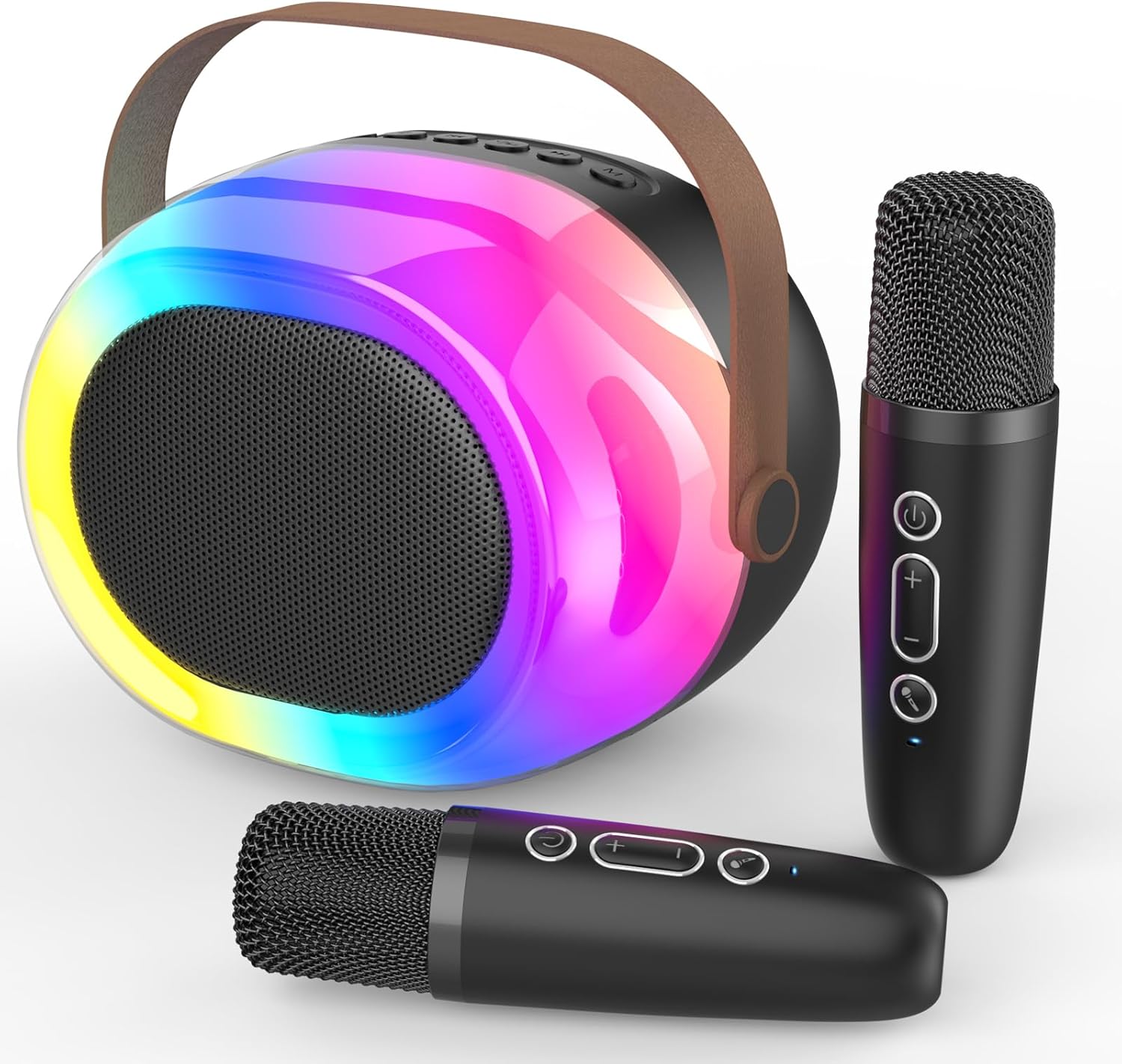
Image: The MEGUO K38 Portable Bluetooth Karaoke Machine, including the main speaker unit and two wireless microphones.
3. Produto acabadoview
Unidade de 3.1 alto-falantes
The main speaker unit features a 12W powerful driver and bass radiator for clear and balanced sound. It includes a convenient handle for portability.
- Botões de controle: Power, Volume Up/Down, Play/Pause, Mode Selection.
- Portas: USB-C charging port, TF card slot, USB-A port, AUX input.
- Dynamic Lights: Integrated colorful dynamic atmosphere lights with multiple modes.

Imagem: Uma explosão view of the speaker unit highlighting its 12W speaker and 4-inch bass radiator for enhanced sound.
3.2 microfones sem fio
The two wireless microphones are lightweight and designed for ease of use. Each microphone is rechargeable.
- Botões de controle: Power, Volume Up/Down, Voice Changer.
- Efeitos de voz: Baby, Female, Male, and Monster voice changing effects.

Image: A family enjoying the karaoke machine, illustrating the various voice changing effects available on the microphones.
4. Configuração
4.1 Carregamento Inicial
Before first use, fully charge both the speaker unit and the wireless microphones. Use the provided USB charging cable. A full charge typically takes 2-3 hours.
- Connect the USB-C end of the cable to the charging port on the speaker/microphone.
- Conecte a extremidade USB-A a um adaptador de energia USB compatível (não incluído).
- A luz indicadora mostrará o status do carregamento e se apagará quando a carga estiver completa.
4.2 Ligar/Desligar
- Palestrante: Press and hold the Power button on the speaker unit until you hear a power-on prompt.
- Microfones: Press and hold the Power button on each microphone until you hear a power-on prompt.
- To power off, repeat the process.
4.3 Emparelhamento Bluetooth
The speaker and microphones will automatically attempt to pair with each other upon powering on. For external device connection:
- Ensure the speaker is in Bluetooth mode (indicated by a voice prompt).
- On your smartphone or other Bluetooth-enabled device, search for "K38" in the Bluetooth settings.
- Selecione "K38" para conectar. Um comando de voz confirmará o emparelhamento bem-sucedido.

Image: The speaker and microphones, illustrating the various playback modes including Bluetooth, TF card, USB, and AUX input.
5. Instruções de operação
5.1 Modos de reprodução
The speaker supports multiple playback options:
- Modo Bluetooth: Connect wirelessly to your device to stream music.
- Modo de cartão TF: Insert a TF (MicroSD) card with MP3 files no compartimento designado.
- Modo USB: Insira uma unidade flash USB com MP3 files na porta USB-A.
- Entrada AUX: Connect an external audio device using a 3.5mm AUX cable (not included).
Press the 'M' (Mode) button on the speaker to switch between modes.
5.2 Controle de volume
- Volume do alto-falante: Use the Volume Up (+) and Volume Down (-) buttons on the speaker unit.
- Volume do microfone: Use the Volume Up (+) and Volume Down (-) buttons on each microphone.
5.3 Voice Changing Effects
Each microphone features four magic voice changing effects:
- Voz Original
- Voz de bebê
- Voz Feminina
- Voz Masculina
- Voz do Monstro
Press the dedicated Voice Changer button on the microphone to cycle through the effects.
5.4 Dynamic Lights
The speaker unit includes colorful dynamic atmosphere lights. These lights can be changed to different modes to enhance the ambiance. Refer to the speaker's control buttons for light mode selection (usually integrated with the 'M' button or a dedicated light button if available).
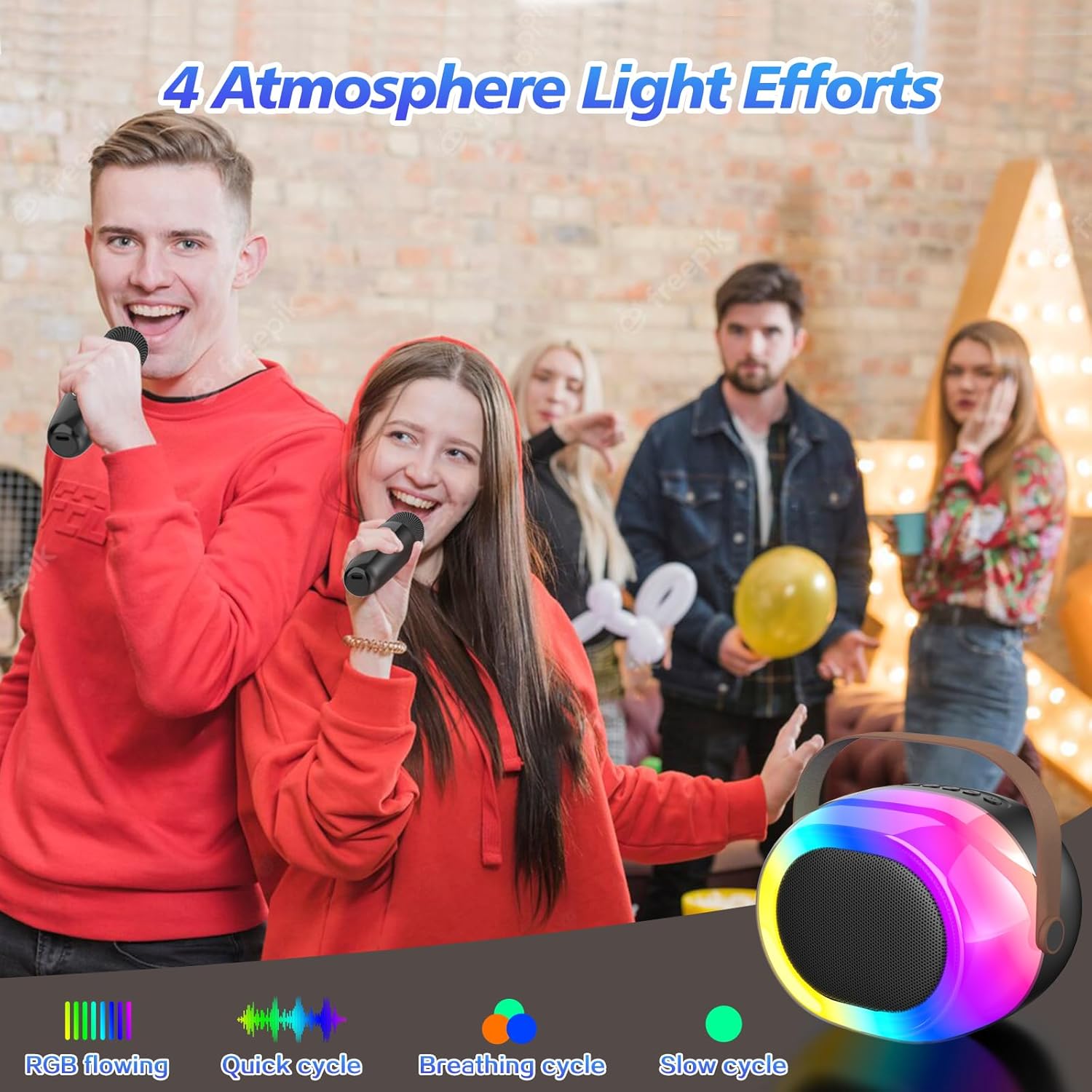
Image: The dynamic atmosphere lights of the karaoke machine creating a lively environment.
6. Carregamento
Both the speaker and microphones are equipped with built-in rechargeable Lithium-Ion batteries. Use the provided USB-C cable for charging.
- Tempo de carregamento: Aproximadamente 2 a 3 horas para uma carga completa.
- Hora de brincar: Up to 5-10 hours on a full charge, depending on usage and volume levels.
- A red indicator light typically signifies charging, turning off or changing color when fully charged.

Image: The portable karaoke machine being used outdoors, emphasizing its built-in battery and extended playtime.
7. Manutenção
- Mantenha o dispositivo longe de água, umidade e temperaturas extremas.
- Limpe as superfícies com um pano macio e seco. Não utilize produtos de limpeza abrasivos ou solventes.
- Guarde em local fresco e seco quando não estiver em uso.
- Evite deixar cair ou submeter o dispositivo a impactos fortes.
8. Solução De Problemas
| Problema | Possível causa | Solução |
|---|---|---|
| Sem energia | A bateria está fraca ou descarregada. | Charge the speaker/microphones fully. |
| Sem som do microfone | Microphone is off or not paired. Volume is too low. | Ensure microphone is powered on and paired. Increase microphone volume. |
| Bluetooth não conecta | Speaker is not in Bluetooth mode. Device is too far. Interference. | Switch speaker to Bluetooth mode. Move device closer. Avoid obstacles. |
| Má qualidade de som | Low battery. Interference. Source audio quality. | Charge devices. Move away from other electronic devices. Use high-quality audio files. |
9. Especificações
- Marca: MEGUO
- Modelo: K38
- Dimensões do produto: 3.9 x 6.2 x 4.8 polegadas
- Peso do item: 2.29 libras
- Fonte de energia: Alimentado por bateria (1 bateria de íon de lítio incluída)
- Recurso especial: Modificador de Voz
- Componentes incluídos: 1 Wireless Speaker, 2 Microphones
10. Informações de segurança
- Não desmonte nem modifique o dispositivo.
- Mantenha fora do alcance de crianças pequenas para evitar risco de asfixia com peças pequenas.
- Utilize apenas o cabo de carregamento e o adaptador de energia especificados.
- Avoid prolonged exposure to loud volumes to prevent hearing damage.
11. Garantia e Suporte
For warranty information or technical support, please refer to the product packaging or contact MEGUO customer service directly. Contact details are typically provided on the product box or on the official MEGUO website.


