1. Introdução
This manual provides detailed instructions for the safe and efficient operation of your TIDRADIO TD-H3 Ham Radio. Please read this manual thoroughly before using the device to ensure proper functionality and to prevent damage.
2. Produto acabadoview
2.1 Conteúdo da embalagem
The TIDRADIO TD-H3 package includes the following components:
- TIDRADIO TD-H3 Ham Radio Unit
- Type-C Battery (2500mAh)
- 6.1-inch Ham Antenna
- 15.12-inch 771 AM Antenna
- Fone de ouvido com microfone
- USB Charger with Cable
- Clipe traseiro
- Manual do usuário (este documento)
- Cordão
- Carregador de mesa
2.2 Principais Características
- 8-Band Frequency Support (FM/AM, Aviation Band Receiving)
- Type-C and Bluetooth Wireless Programming
- Repetidor capaz
- Frequency Copy Function
- Dual PTT (Push-To-Talk) Buttons
- Enhanced Flashlight
- DTMF Lock
- Tela LCD colorida de 1.44 polegadas
- 199 Channel Banks
- Dual Watch Functionality
- Silenciador Ajustável

Figura 1: Voltar view of the TD-H3 radio, displaying model and FCC details.
3. Configuração
3.1 Instalação e carregamento da bateria
The TD-H3 radio uses a 2500mAh Type-C battery. Ensure the battery is fully charged before first use.
- Alinhe a bateria com o compartimento na parte traseira do rádio.
- Deslize a bateria no lugar até que ela se encaixe com segurança.
- To charge, connect the USB-C cable to the battery's Type-C port or place the radio in the desktop charger.
- O carregamento normalmente leva cerca de 3 horas.
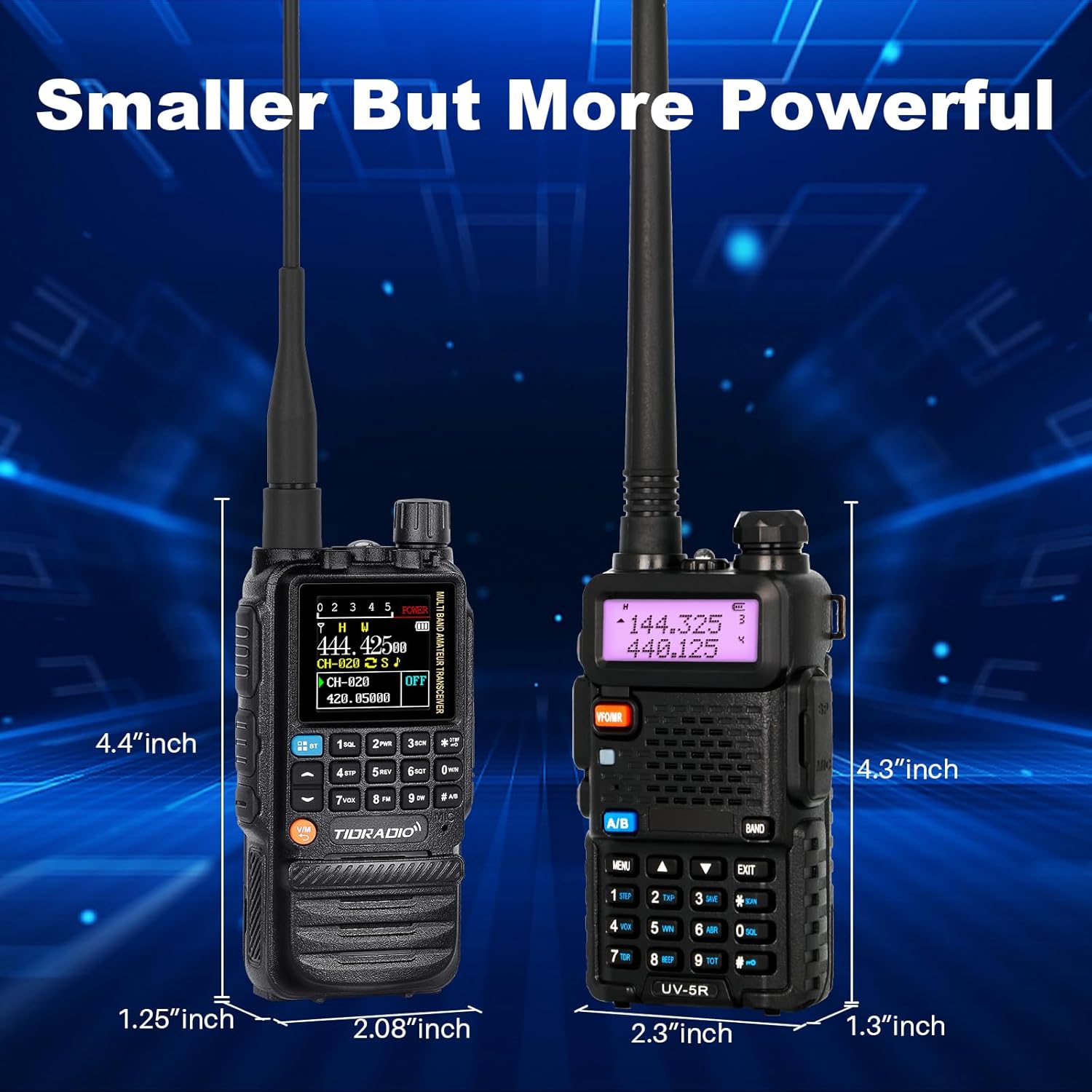
Figure 2: Charging options for the TD-H3 radio, including desktop and USB-C direct charging.
3.2 Fixação da Antena
Select the appropriate antenna for your desired frequency band and screw it clockwise onto the antenna connector at the top of the radio until it is finger-tight.
- Use the 6.1-inch Ham Antenna for general amateur radio use.
- Use the 15.12-inch 771 AM Antenna for enhanced air band reception.
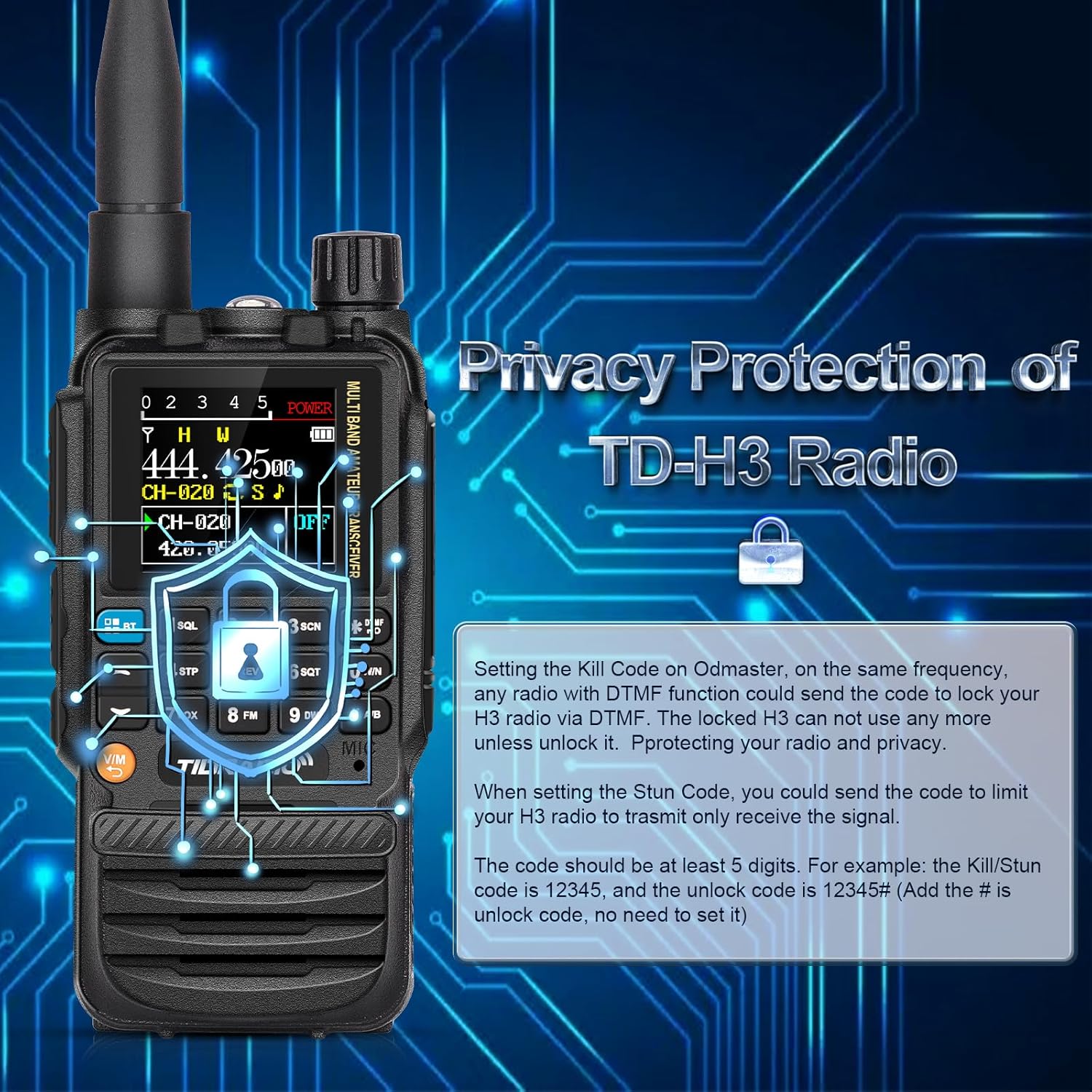
Figure 3: The flexible air band antenna, designed for improved reception.
4. Operação básica
4.1 Ligar/Desligar
Para ligar o rádio, gire o botão de volume no sentido horário. Para desligá-lo, gire-o no sentido anti-horário até ouvir um clique.
4.2 Ajuste de volume
Adjust the volume by rotating the volume knob located at the top of the radio.
4.3 Seleção de Canal
The TD-H3 supports 199 channel banks. Use the up/down arrow keys or the numeric keypad to select channels. The 1.44-inch color screen displays channel information clearly.

Figure 4: The 1.44-inch color screen provides clear display of radio status.
4.4 Dual Watch / Dual Display
The radio can monitor two different frequencies or channels simultaneously. The screen will display both, allowing you to switch between them for transmission.
4.5 Dual PTT
The TD-H3 features two Push-To-Talk (PTT) buttons, labeled A and B, allowing for quick transmission on either of the two monitored frequencies/channels.

Figure 5: The Dual PTT buttons (A and B) for convenient operation.
4.6 Lanterna
The radio includes an enhanced flashlight function. Refer to the on-screen menu or specific button for activation.

Figure 6: The enhanced flashlight feature of the TD-H3.
5. Recursos avançados
5.1 Métodos de Programação
O TD-H3 oferece diversas opções de programação:
- Type-C Port Programming: Use the side Type-C port with CHIRP or CPS Programming Software.
- Programação sem fio Bluetooth: Program the radio wirelessly via the Odmaster APP on your smartphone or a PC website (PC requires Bluetooth enabled).
- Kenwood Port Programming: Compatible with CHIRP and CPS Programming Software via the Kenwood port.

Figure 7: Various programming methods available for the TD-H3.

Figure 8: Programming the radio using the Odmaster APP.
5.2 One-Key Frequency Match (Frequency Copy)
This feature allows you to quickly identify and save a transmitting frequency from another radio.
- Hold down the '1' key on the radio.
- The radio will identify the frequency when another radio transmits.
- You can then save this frequency directly to a new channel. (Refer to Menu 47 for On/Off settings).

Figure 9: One-Key Frequency Match in action.
5.3 Replicação de rádio sem fio
The TD-H3 supports wireless replication, allowing you to copy channel data from one radio to another wirelessly.

Figura 10: Replicação de rádio sem fio entre duas unidades TD-H3.
5.4 DTMF Lock (Privacy Protection)
The DTMF Lock feature provides privacy protection by allowing you to remotely lock or stun a radio using DTMF codes.
- Código de eliminação: Setting a Kill Code on the Odmaster app allows another radio with DTMF functionality to send a code to lock your TD-H3, rendering it unusable until unlocked.
- Código de atordoamento: Setting a Stun Code limits your TD-H3 radio to only receive signals.
- Codes should be at least 5 digits. For example, a Kill/Stun code could be 12345, and the unlock code would be 12345#.

Figure 11: DTMF Lock feature for privacy protection.
5.5 Transmissão e Recepção Multibanda
O TD-H3 suporta uma ampla gama de frequências:
- SOU: 108-136MHz (Receive) - Aviation Band
- FM: 50-76MHz (Receive), 76-108MHz (Receive)
- VHF: 136-174MHz (Transmit/Receive), 174-350MHz (Receive), 350-400MHz (Receive)
- UHF: 400-470MHz (Transmit/Receive), 470-600MHz (Receive)
6. Manutenção
6.1 Cuidados com a bateria
Para maximizar a duração e o desempenho da bateria:
- Carregue totalmente a bateria antes do uso inicial.
- Evite sobrecarregar ou descarregar completamente a bateria.
- Guarde o rádio e a bateria em local fresco e seco quando não estiverem em uso.
- The 2500mAh battery provides approximately 12 hours of working time and 48 hours of standby time.

Figure 12: Battery capacity and usage times for the TD-H3.
6.2 Limpeza
Limpe o rádio com um pano macio, damp pano. Não use produtos químicos ou solventes agressivos.
7. Solução De Problemas
If you encounter issues with your TD-H3 radio, please refer to the following common solutions:
- Sem energia: Ensure the battery is properly installed and fully charged. Check the power/volume knob.
- Não é possível transmitir/receber: Verify the antenna is securely attached. Check frequency settings and ensure you are within range of another radio or repeater. Confirm your license status for transmission.
- Problemas de programação: Ensure the correct programming software (CHIRP/CPS) or app (Odmaster) is used. Check cable connections for wired programming or Bluetooth connection for wireless programming.
- Má qualidade de áudio: Adjust the squelch level. Check the earpiece/microphone connection if used.
For persistent issues, contact TIDRADIO customer support.
8. Especificações
| Recurso | Especificação |
|---|---|
| Número do modelo | TD-H3 |
| Marca | TIDRÁDIO |
| Número de canais | 199 |
| Faixa de frequência | AM: 108-136MHz (Rx) FM: 50-76MHz (Rx), 76-108MHz (Rx) VHF: 136-174MHz (Tx/Rx), 174-350MHz (Rx), 350-400MHz (Rx) UHF: 400-470MHz (Tx/Rx), 470-600MHz (Rx) |
| Alcance máximo de fala | 5 quilômetros |
| Bateria | 2500mAh Type-C (included) |
| Peso do item | 1.1 libras |
| Nível de resistência à água | Resistente à água |
| Recurso especial | Recarregável |
| Dispositivos compatíveis | Smartphone (para programação de aplicativos) |
9. Garantia e Suporte
TIDRADIO offers lifetime aftersales support for the TD-H3 Ham Radio. For warranty claims, technical assistance, or any inquiries, please contact TIDRADIO customer service through their official channels or the retailer where the product was purchased.

Figure 13: TIDRADIO provides lifetime aftersales support.


