Produto acimaview
The JTEMAN 360 Rotating Cell Phone Stand with Wireless Bluetooth Speaker with Light is a versatile device designed to enhance your mobile experience. It integrates a rotatable phone stand, a Bluetooth speaker, and an atmosphere light into a single unit. This manual provides detailed instructions for its setup, operation, and maintenance.
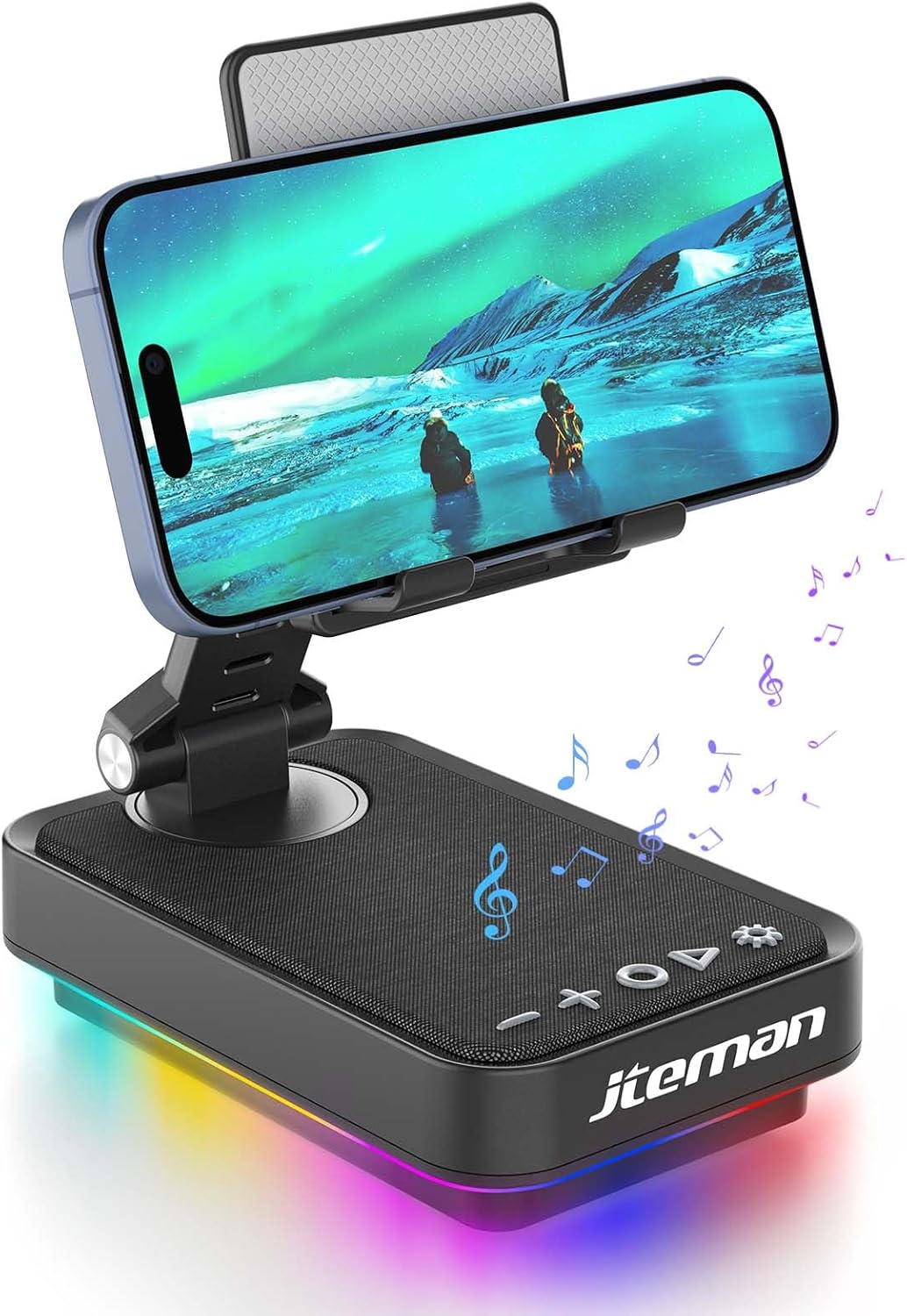
Figure 1: JTEMAN 360 Rotating Cell Phone Stand with Wireless Bluetooth Speaker with Light.
Componentes incluídos:
- Bluetooth Speaker (with integrated phone stand and light)
- Cabo Tipo C
- Manual de instruções
Guia de configuração
1. Unboxing and Initial Inspection:
Carefully remove all components from the packaging. Inspect the device and accessories for any signs of damage. Ensure all listed components are present.
Video 1: Unboxing and initial setup of the JTEMAN phone stand and Bluetooth speaker.
2. Preparing the Phone Stand:
Before first use, locate and remove the silicone protective patch from the device's base. This patch protects the surface during shipping.
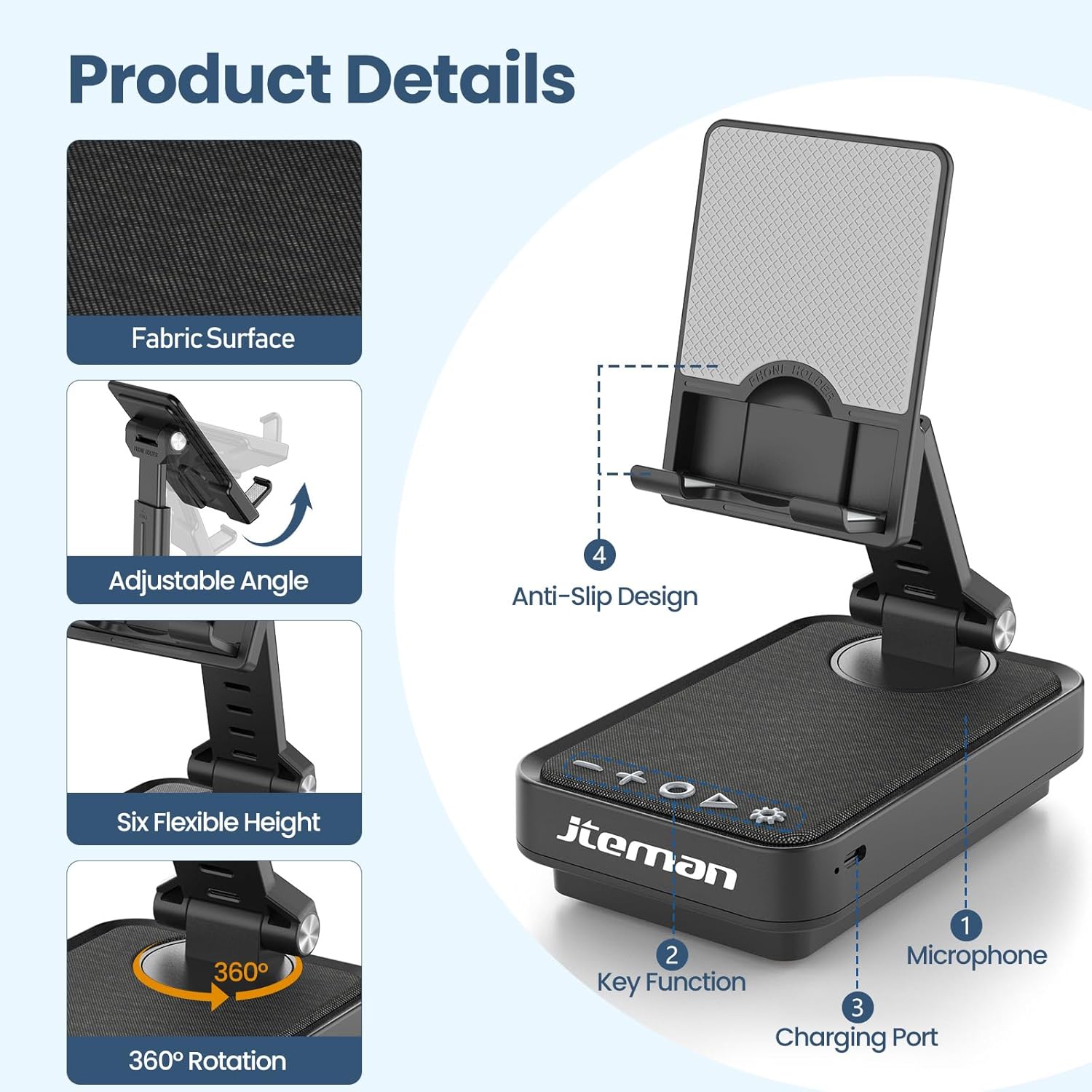
Figure 2: Product details and components. Note the anti-slip design and key functions.
3. Carregando o dispositivo:
Connect the provided Type-C cable to the charging port on the device and the other end to a compatible USB power adapter (not included). The power indicator light will show red during charging and turn green when fully charged.
- Luz vermelha: A bateria está carregando.
- Luz verde: A bateria está totalmente carregada.

Figura 3: Capacidade da bateria e tempos de utilização estimados.
4. Emparelhamento Bluetooth:
- Long press the Power ON/OFF button (3) for 3 seconds to turn on the speaker. The speaker will enter pairing mode, indicated by a flashing blue light.
- No seu smartphone ou tablet, acesse as configurações de Bluetooth.
- Select "L39-1" from the list of available devices.
- Once connected, the blue light will become solid.

Figure 4: Bluetooth connection with a laptop, demonstrating wireless audio playback.
Instruções de operação
Painel de controle encerradoview:

Figura 5: Detalhado view do painel de controle e suas funções.
- VOL- (1): Pressione para diminuir o volume.
- VOL+ (2): Pressione para aumentar o volume.
- Answer/Hang up/Play/Pause/Next (4):
- Pressione rapidamente para reproduzir/pausar a música.
- Short press to answer/hang up calls.
- Pressione e segure para pular para a próxima faixa.
- Power ON/OFF (3):
- Pressione longamente por 3 segundos para ligar/desligar o alto-falante.
- Double press to switch between Bluetooth and AUX modes.
- Short press to adjust the brightness of the atmosphere lights (4 levels).
- Atmosphere Light (5):
- Long press for 3 seconds to turn on/off the light.
- Short press to switch lighting mode (11 modes available, 3 modes sync with music).
- Microfone (6): Para chamadas em modo mãos-livres.
- Porta de carregamento (7): Type-C input for charging.
- Power Indicator Light (8): Shows charging status and Bluetooth connection status.
Phone Stand Adjustment:
The phone stand features 360° rotation and adjustable height and angle to suit various viewing needs. The anti-slip silicone pads ensure device stability.

Figure 6: The phone stand supports a wide range of devices, including smartphones and tablets (4-13 inches).
The stand is foldable for easy portability.

Figure 7: The foldable design allows for easy storage and transport.
Manutenção
Limpeza:
Wipe the device with a soft, dry cloth. Do not use abrasive cleaners, solvents, or harsh chemicals, as these may damage the surface or internal components. Avoid exposing the device to excessive moisture.
Armazenar:
When not in use for extended periods, store the device in a cool, dry place away from direct sunlight and extreme temperatures. Ensure the device is fully charged before storing to prolong battery life.
Cuidados com a bateria:
To maximize battery lifespan, avoid fully discharging the battery frequently. Charge the device regularly, even if not in constant use. Do not expose the battery to high temperatures.
Solução de problemas
| Problema | Possível causa | Solução |
|---|---|---|
| O dispositivo não liga. | Bateria fraca. | Carregue o dispositivo usando o cabo Tipo C fornecido. |
| Não consigo conectar via Bluetooth. | Bluetooth not enabled on device; speaker not in pairing mode; too far from speaker. | Ensure Bluetooth is enabled on your phone/tablet. Long press Power ON/OFF button to enter pairing mode (flashing blue light). Move device closer to the speaker. |
| Nenhum som sai do alto-falante. | Volume too low; device not connected; AUX mode active. | Increase volume on both the speaker and your connected device. Verify Bluetooth connection. Double press Power ON/OFF button to switch to Bluetooth mode if in AUX mode. |
| Atmosphere lights not working. | Luzes apagadas; bateria fraca. | Long press the Atmosphere Light button (5) to turn on. Charge the device. |
Especificações
| Recurso | Detalhe |
|---|---|
| Nome do modelo | L39-1 |
| Tipo de montagem | Suporte de mesa |
| Tipo de alto-falante | Som Surround |
| Recurso especial | Luz LED |
| Usos recomendados | Para smartphones ou tablets |
| Dispositivos compatíveis | Smartphone, Tablet (4-13 inches) |
| Tipo de controlador | Botão, toque |
| Canal de Som Surround | 2.0 |
| Dimensões do produto | 5.3"P x 3.5"L x 2.3"A |
| É à prova d'água | FALSO |
| Fonte de energia | Alimentado por bateria |
| Tipo de Bateria | 1 íon de lítio (incluído) |
| Tipo de driver de áudio | Driver Dinâmico |
| Conectividade sem fio | Bluetooth 5.3 |
| Potência máxima de saída do alto-falante | 5 Watts |
| Resposta de frequência | 1 kHz |
| Peso do item | 15.5 onças |
Informações de garantia
This JTEMAN product comes with a Garantia de um ano A garantia é válida a partir da data da compra. Esta garantia cobre defeitos de fabricação e mau funcionamento em condições normais de uso. Não cobre danos causados por uso indevido, acidentes, modificações não autorizadas ou desgaste normal.
Please retain your proof of purchase for warranty claims. For detailed warranty terms and conditions, refer to the official JTEMAN website ou entre em contato com o suporte ao cliente.
Suporte ao cliente
If you encounter any issues or have questions not covered in this manual, please contact JTEMAN customer support. Provide your product model number (L39-1) and a detailed description of the issue to assist our support team.
For the most up-to-date contact information, please visit the official JTEMAN website: JTEMAN Store on Amazon


