1. Introdução
Thank you for choosing the THOMSON 24-inch HD Google TV (Model 24HG2S14CW). This manual provides essential information for setting up, operating, and maintaining your new television. Please read these instructions carefully before using the product to ensure safe and optimal performance.
Experience complete entertainment for the whole family with the Thomson 24-inch HD Google TV. Google TV simplifies your entertainment experience by organizing content from your apps and subscriptions per user. Create multiple user profiles and benefit from organized recommendations. Enjoy a wide range of smart features, including access to over 400,000 movies and TV shows from numerous available apps, smart voice control with Google Assistant, and integrated Google Cast for wireless streaming of movies, music, and videos from compatible devices. Its elegant design with a 3-sided bezel-less frame allows you to fully concentrate on the on-screen action. Dolby Audio technology creates a dynamic sound experience. The integrated triple tuner allows reception via satellite antenna, terrestrial antenna, or cable, meaning you can receive all available channels without additional equipment. The ergonomic remote control with backlighting allows you to keep track of everything, even in dim lighting, and a dedicated 'Favorite' button provides quick access to your preferred app.
2. Informações de segurança
Siga sempre as precauções básicas de segurança ao usar este produto para reduzir o risco de incêndio, choque elétrico e ferimentos.
- Fonte de energia: Certifique-se de que a TV esteja conectada a uma fonte de alimentação com voltagem compatível com a potência da TV.tage specified on the rating label. For 12V operation, use only the provided 12V adapter.
- Ventilação: Não obstrua as aberturas de ventilação. Deixe espaço suficiente ao redor da TV para permitir a circulação adequada de ar e evitar o superaquecimento.
- Colocação: Place the TV on a stable, level surface. Avoid placing it in direct sunlight, near heat sources, or in environments with high humidity or dust.
- Água e Umidade: Não exponha a TV à chuva ou umidade. Não coloque objetos contendo líquidos, como vasos, sobre a TV.
- Limpeza: Desligue a TV da tomada antes de limpar. Use um pano macio e seco. Não use produtos de limpeza líquidos ou em aerossol.
- Manutenção: Não tente consertar este produto sozinho. Encaminhe todos os serviços de manutenção para pessoal de serviço qualificado.
3. Conteúdo da embalagem
Por favor, verifique se todos os itens estão incluídos em seu pacote:
- THOMSON 24-inch HD Google TV
- Controle remoto (com pilhas)
- Power Adapter (for standard AC outlet)
- 12V Power Cable (for camping/caravan use)
- Suportes para TV (2 peças)
- Parafusos para suportes de TV
- Guia de início rápido
- Manual de Instruções (este documento)
4. Configuração
4.1 Instalação Física
Fixação dos suportes:
- Coloque a TV com cuidado, virada para baixo, sobre uma superfície macia e limpa para evitar danos à tela.
- Align the stands with the screw holes on the bottom of the TV.
- Fixe os suportes utilizando os parafusos fornecidos. Certifique-se de que estejam firmemente presos.
The TV offers two stand positions to fit various furniture widths. Refer to the image below for guidance.

Montagem na parede (opcional):
If you plan to wall mount your TV, please consult a professional installer. Ensure the wall mount is compatible with the TV's VESA mounting pattern and weight.
4.2 Conexão de energia
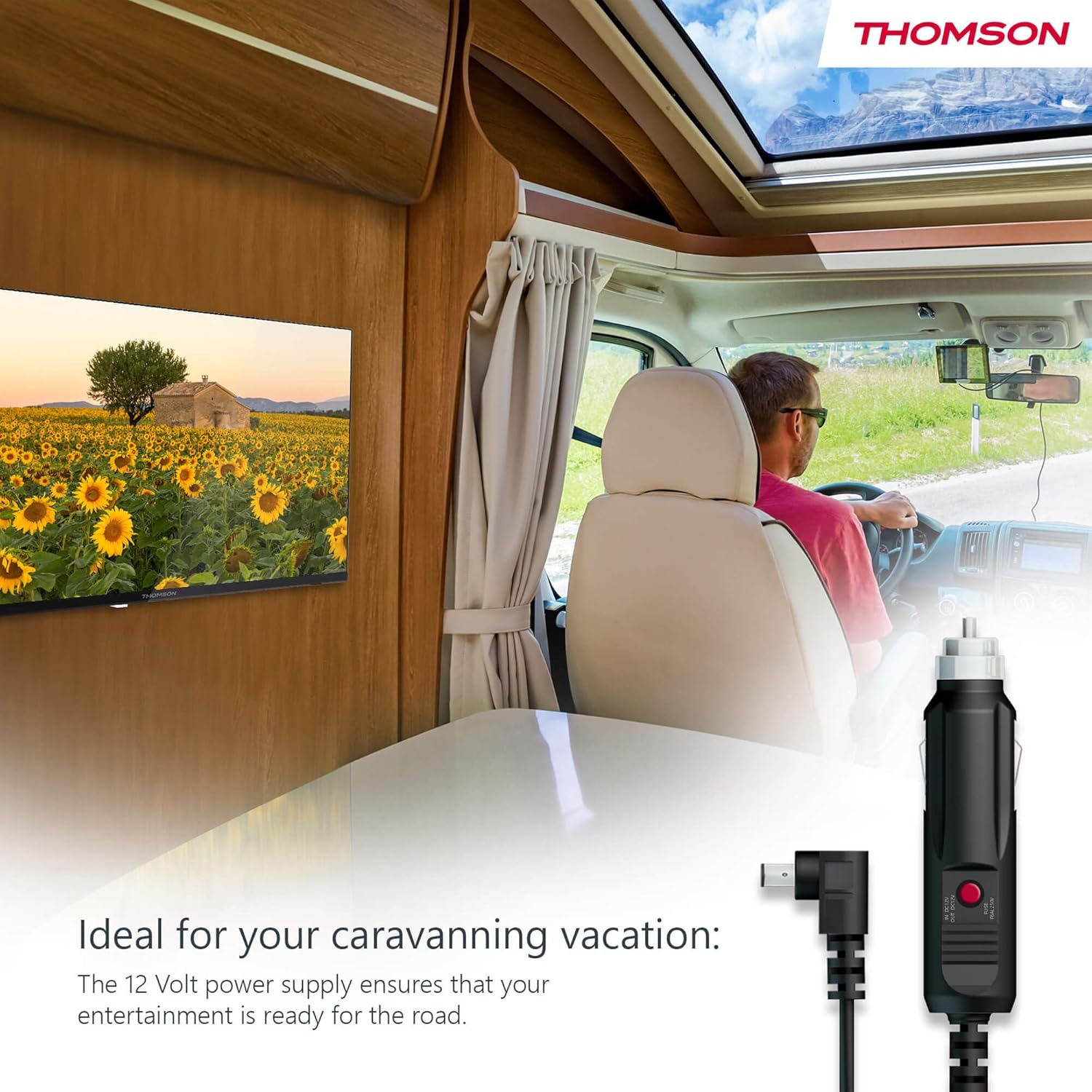
Your THOMSON TV supports both standard AC power and 12V DC power, making it ideal for camping or caravan use.
- Standard AC Power: Connect the provided power adapter to the TV's power input and then plug it into a standard wall outlet.
- 12V DC Power (Camppor): For mobile use, connect the 12V power cable to the TV's power input and then to a compatible 12V power source in your vehicle or caravan.
4.3 Connecting Antennas/Cables
The integrated triple tuner allows reception via DVB-T (terrestrial antenna), cable, or satellite antenna.
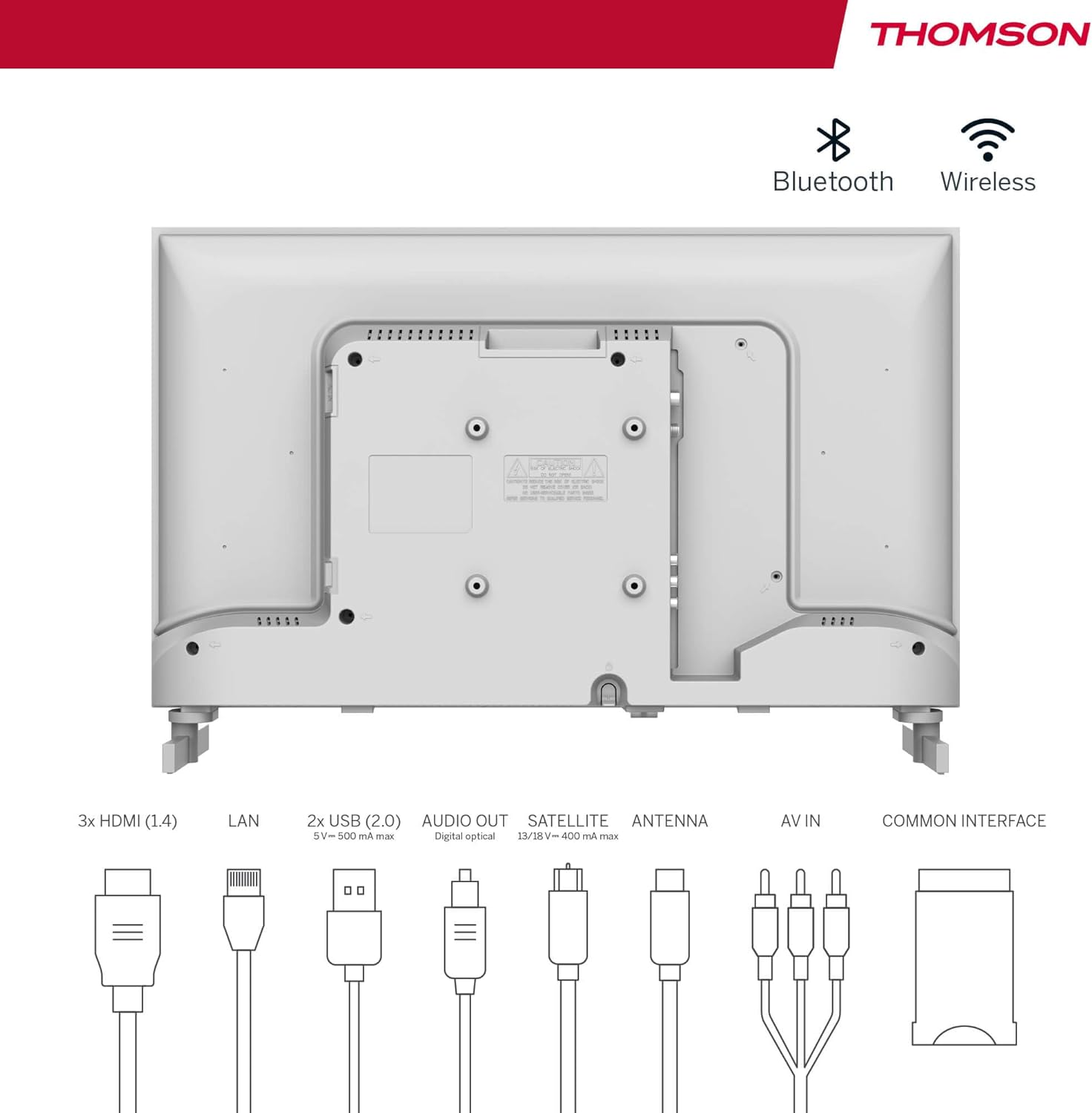
- Antena terrestre: Connect a DVB-T/T2 antenna cable to the 'ANTENNA' input on the TV.
- TV a cabo: Connect your cable TV coaxial cable to the 'ANTENNA' input on the TV.
- Antena parabólica: Connect your satellite dish cable to the 'SATELLITE' input on the TV.
4.4 Conectando dispositivos externos
- Dispositivos HDMI: Connect Blu-ray players, game consoles, or other HDMI devices to the HDMI ports (3 available).
- Dispositivos USB: Connect USB drives for media playback or software updates to the USB ports (2 available).
- Saída de áudio: Use the digital optical audio output to connect to a soundbar or home theater system.
- Entrada AV: For older devices, use the AV In ports.
- LAN: Para uma conexão de internet com fio, conecte um cabo Ethernet à porta LAN.
- Módulo CI+: Insert a CI+ module and smart card (if required by your service provider) into the Common Interface slot.
4.5 Configuração inicial (Google TV)
- Power on the TV. The initial setup wizard will guide you through the process.
- Selecione seu idioma preferido.
- Connect to a Wi-Fi network or use a wired LAN connection.
- Inicie sessão com a sua conta Google para aceder às funcionalidades, aplicações e recomendações personalizadas do Google TV.
- Follow the on-screen prompts to set up Google Assistant and tune channels (for antenna/cable/satellite).
5. Operando sua TV
5.1 Controle Remoto
The included remote control is designed for intuitive navigation of your Google TV.

- Botões retroiluminados: The remote features backlighting for easy use in dark environments.
- Controle de voz: Press the Google Assistant button and speak into the remote to control your TV, search for content, or ask questions.
- Botão de aplicativo favorito: Use the star button to quickly access your most frequently used application.
- Prófile Trocar: Alterne facilmente entre diferentes perfis de usuário.files set up on your Google TV.

5.2 Interface do Google TV
Google TV organizes content from your streaming services and apps into a single, easy-to-navigate interface.

- Recomendações personalizadas: The 'For You' tab provides content suggestions based on your viewing habits across all your streaming services.
- Aplicativos: Access a wide range of applications from the Google Play Store, including popular streaming platforms.
- Biblioteca: Find your purchased movies and shows from Google Play.
- Prófiles: Criar perfil de usuário separadofiles for each family member to get personalized content and recommendations.
5.3 Google Cast
Integrated Google Cast allows you to wirelessly stream movies, music, and videos from compatible devices (smartphones, tablets, computers) directly to your TV screen.
- Ensure your device and TV are connected to the same Wi-Fi network.
- Open a Cast-enabled app on your device (e.g., YouTube, Netflix).
- Toque no ícone Transmitir. (▶) within the app and select your THOMSON TV.
5.4 Áudio Dolby
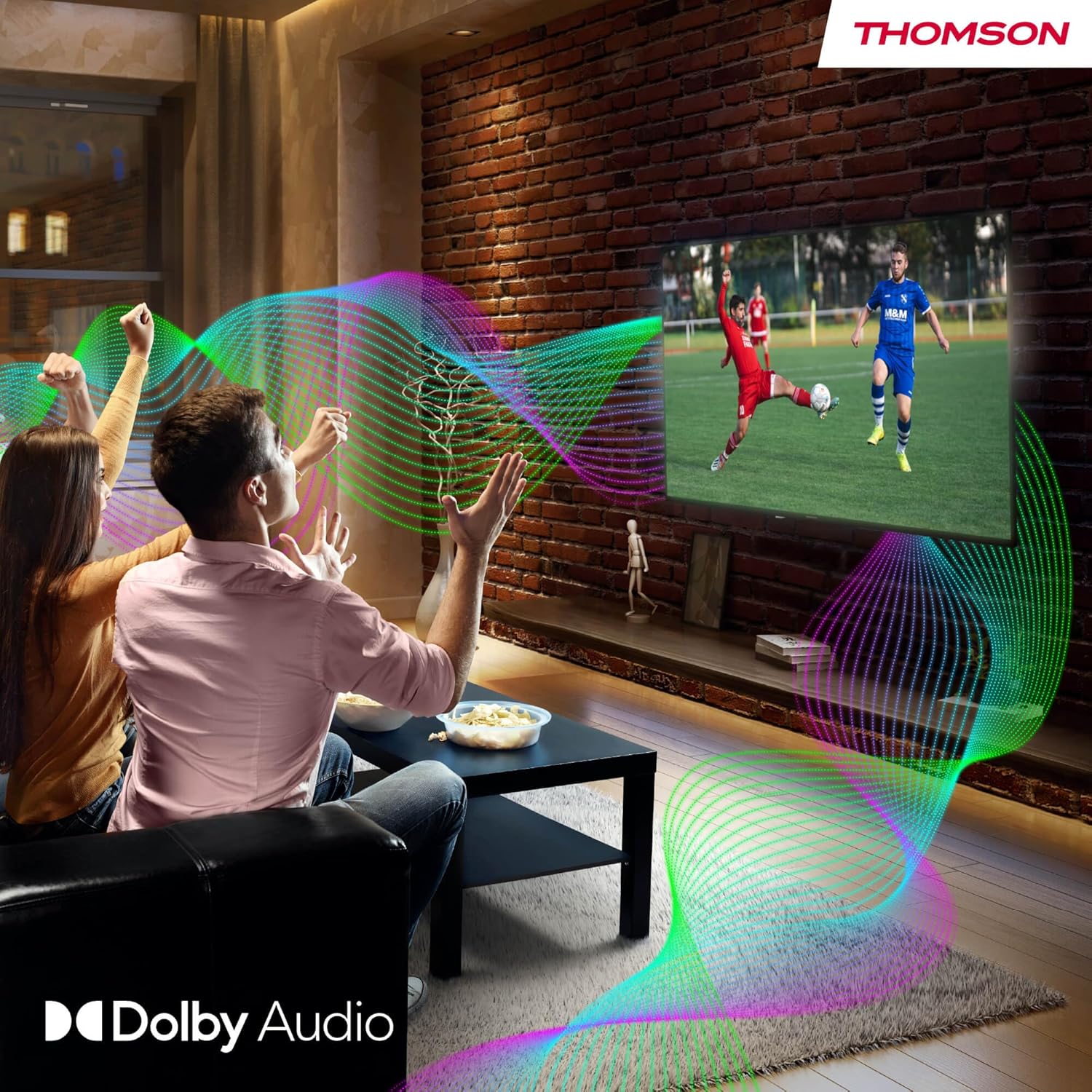
Your TV features Dolby Audio technology for an enhanced sound experience, delivering clear dialogue and immersive audio.
6. Manutenção
- Limpando a tela: Limpe suavemente a tela com um pano macio e sem fiapos. Para manchas persistentes, esfregue levemente.ampen the cloth with water or a specialized screen cleaner (ensure it's safe for LED screens). Never spray liquid directly onto the screen.
- Cleaning the TV Body: Use a soft, dry cloth to wipe the exterior of the TV.
- Atualizações de software: Your Google TV will periodically check for and install software updates. Ensure your TV is connected to the internet for these updates.
- Gerenciamento de cabos: Keep cables tidy and organized to prevent damage and ensure proper ventilation.
7. Solução De Problemas
If you encounter any issues with your TV, refer to the following common problems and solutions:
| Problema | Solução possível |
|---|---|
| Sem energia | Check if the power cable is securely connected to the TV and the power outlet. Ensure the outlet is working. Try a different power source. |
| Sem imagem, mas com som. | Verifique a fonte de entrada. Certifique-se de que os dispositivos externos estejam devidamente conectados e ligados. |
| Sem som, mas com imagem. | Check the volume level. Ensure mute is not activated. Check audio output settings and external audio device connections. |
| Controle remoto não funciona | Check and replace batteries. Ensure there are no obstructions between the remote and the TV. |
| Não é possível conectar ao Wi-Fi | Verifique se o roteador está ligado e funcionando. Digite novamente a senha do Wi-Fi. Tente reiniciar a TV e o roteador. |
| Baixa qualidade de imagem | Check antenna/cable connections. Adjust picture settings. For streaming content, check internet speed. |
8. Especificações
| Recurso | Detalhe |
|---|---|
| Marca | Thomson |
| Número do modelo | 24HG2S14CW |
| Tamanho da tela | 24 polegadas (60 cm) |
| Resolução | Alta definição (1366 x 768) |
| Tecnologia de exibição | LIDERADO |
| Taxa de atualização | 60 Hz |
| Sistema operacional | Google TV |
| Controle de voz | Assistente do Google |
| Tecnologia de Áudio | Áudio Dolby |
| Suporte HDR | HDR10 |
| Conectividade | Wi-Fi, Bluetooth 5.1, HDMI (3 ports), USB (2 ports), LAN, Digital Optical Audio Out, AV In, CI+ |
| Tipo de afinador | Triple Tuner (DVB-T/T2, DVB-C, DVB-S/S2) |
| Fonte de energia | 12V DC / Standard AC |
| Cor | Branco |
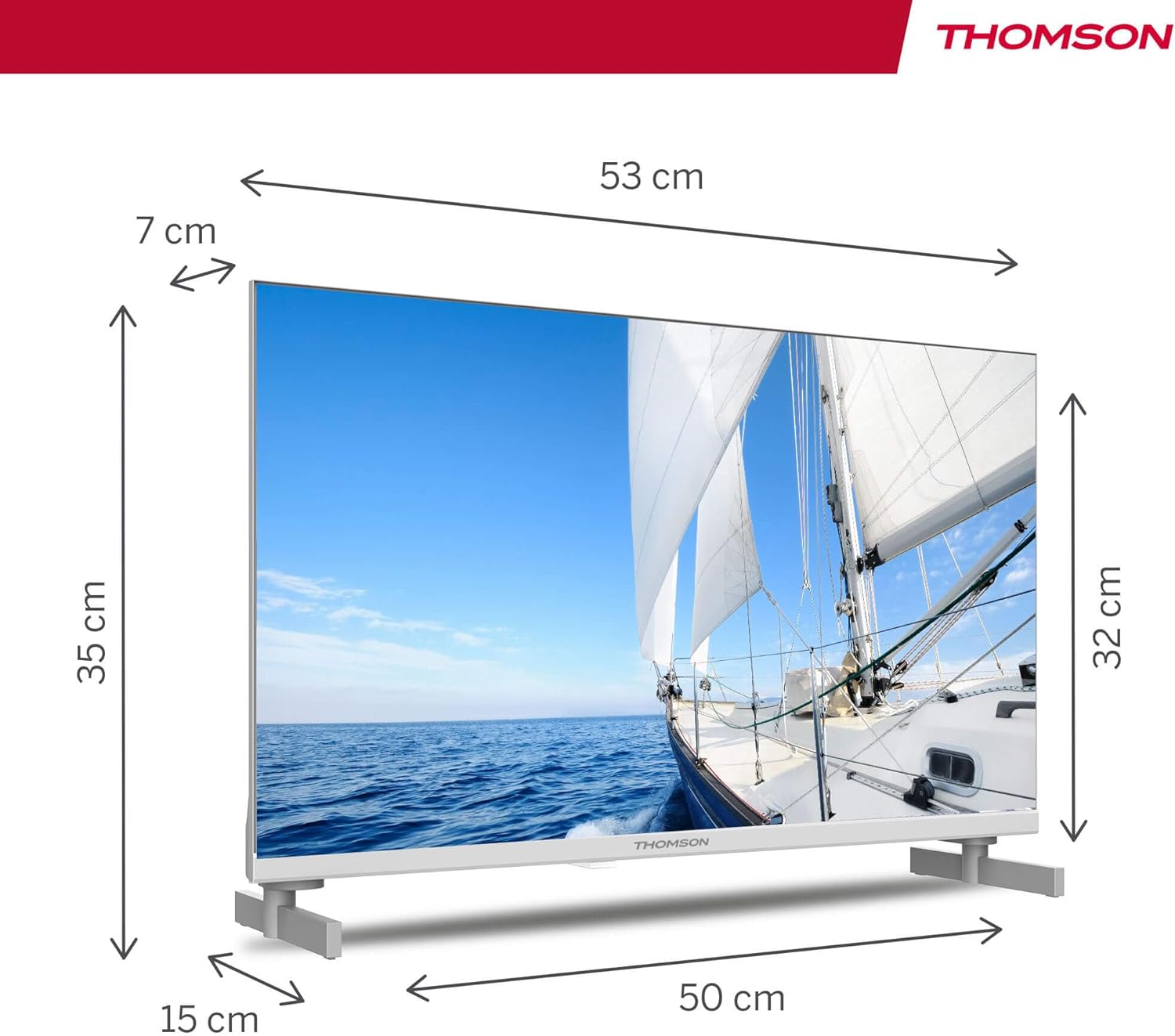
| Dimensões do produto (C x L x A) | 53.48 x 15.05 x 35.32 cm |
| Peso | 3.5 kg |
| Classe de Eficiência Energética | E |
| Power Consumption (1000h) | 18 kWh |

9. Garantia e Suporte
THOMSON products are designed and manufactured to the highest quality standards. This product is covered by a manufacturer's warranty. Please refer to the warranty card included in your package for specific terms and conditions, including the warranty period and coverage details.
For technical support, troubleshooting assistance, or warranty claims, please contact THOMSON customer service through their official website ou as informações de contato fornecidas na sua documentação de garantia.


