1. Introdução
Thank you for choosing the WELOCK Smart Door Lock PBL21EBL41. This smart lock provides secure keyless entry solutions for your home or office, offering multiple unlocking methods including password, smartphone application, and emergency USB power. This manual will guide you through the installation, setup, operation, and maintenance of your new smart lock. Please read these instructions carefully before installation and use to ensure proper function and safety.
2. Informações de segurança
- Do not expose the lock to water or direct sunlight for extended periods.
- Utilize somente pilhas AAA, conforme especificado. Não misture pilhas novas com usadas, nem pilhas de tipos diferentes.
- Keep your passwords confidential and change them regularly.
- Ensure the door is properly closed and locked after entry or exit.
- Não tente desmontar ou consertar a fechadura por conta própria. Entre em contato com o suporte ao cliente para obter assistência.
- Keep the QR code and lock ID in a safe place, as they are required for app setup.
3. Conteúdo da embalagem
Verifique se todos os componentes estão presentes na embalagem:
- 1 x WELOCK Smart Door Lock Cylinder
- 1 x Manual do Usuário
- 2 x Screwdrivers (for installation)
- (Note: 3 x AAA batteries are required but not included.)
4. Produto acabadoview
The WELOCK Smart Door Lock PBL21EBL41 is designed for convenience and security. It features a digital keypad, Bluetooth connectivity for smartphone app control, and an emergency USB power port.

Figure 1: WELOCK Smart Door Lock PBL21EBL41. This image displays the complete smart door lock cylinder with its integrated digital keypad and a smartphone screen showing the WELOCK app interface.
4.1 Métodos de desbloqueio
The lock supports multiple convenient unlocking methods:
- Desbloqueio de senha: Enter your predefined digital code on the keypad.
- Desbloqueio do aplicativo para smartphone: Use the WELOCK app via Bluetooth.
- Emergency USB Unlock: In case of battery depletion, connect a power bank via the USB port to temporarily power the lock.

Figura 2: Múltiplos métodos de desbloqueio. This image illustrates the three primary ways to unlock the WELOCK smart door lock: via the smartphone app, by entering a password on the keypad, and using a USB power bank for emergency access.
4.2 Temporary Password Sharing
The WELOCK app allows you to generate and share temporary passwords with visitors. These passwords can be set with specific validity periods, expiring automatically after use or a set time.
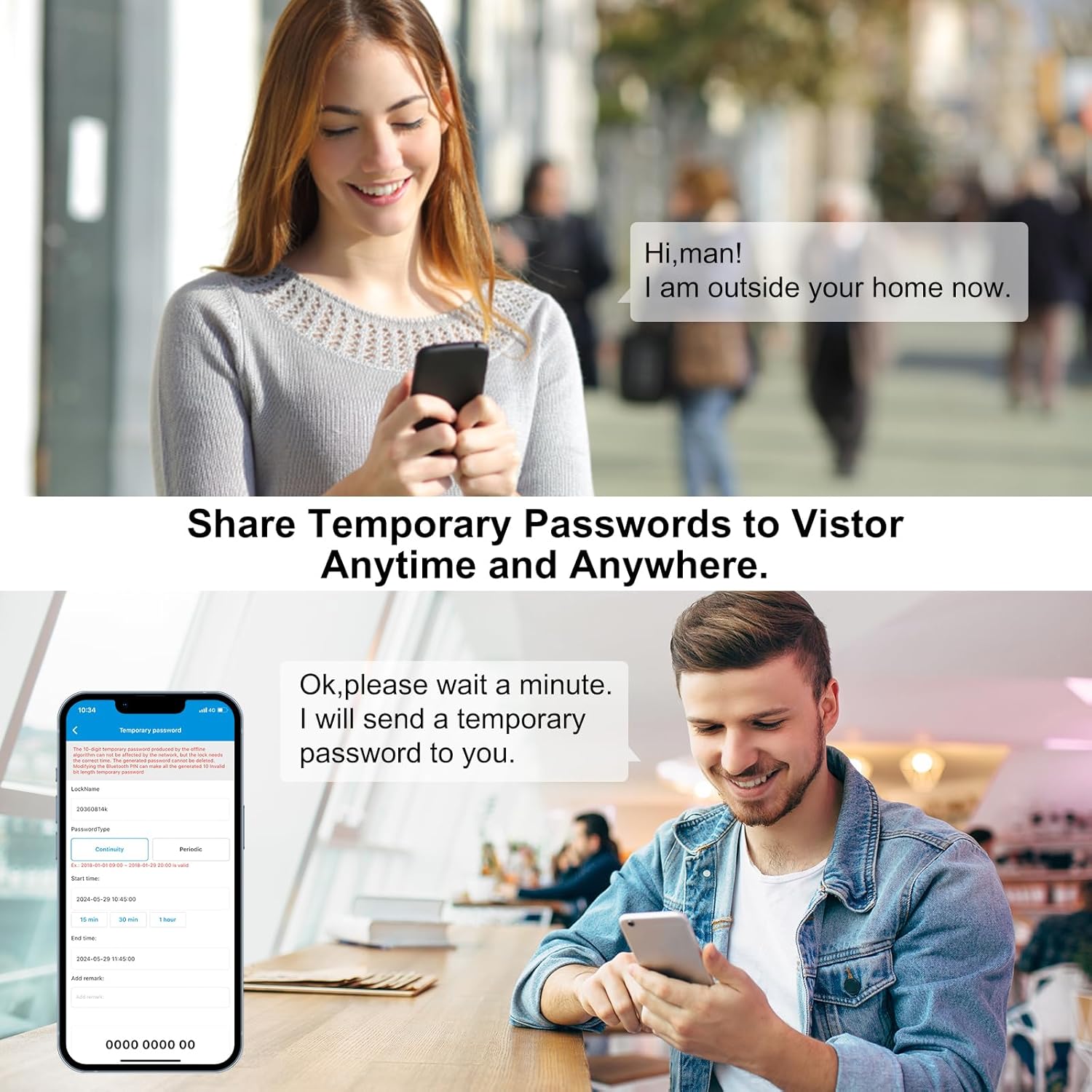
Figure 3: Temporary Password Sharing. This image depicts the process of sharing temporary passwords through the WELOCK app, enabling controlled access for guests or service providers.
4.3 Remote Control (Optional Gateway)
For remote unlocking capabilities and integration with smart home systems like Alexa, an optional WiFi gateway (not included) is required. This allows you to control your lock from anywhere.

Figure 4: Remote Control via Gateway. This image illustrates how the WELOCK smart lock can be controlled remotely using a smartphone app and an optional WiFi gateway, potentially integrating with smart home devices like Alexa.
5. Instalação
The WELOCK Smart Door Lock is designed for easy installation, typically without the need for professional assistance or drilling.
5.1 Requisitos de compatibilidade
- Espessura da porta: Compatible with doors ranging from 50mm to 100mm thick.
- Keyhole to Door Frame Distance: The distance from the center of the keyhole to the door frame must be 40mm or greater.
- Tipo de Cilindro: Designed to replace existing European standard cylinders. Not compatible with Swiss round cylinders or vintage door locks.

Figura 5: Verificação de compatibilidade. This image illustrates the critical dimensions for installation, including door thickness (50-100mm) and the minimum distance from the keyhole center to the door frame (≥40mm). It also shows incompatible lock types.
5.2 Etapas de instalação
- Remove Existing Cylinder: Locate the retaining screw on the edge of your door that secures the existing cylinder. Unscrew it and carefully pull out the old cylinder.
- Adjust WELOCK Cylinder Length: The WELOCK cylinder is adjustable. Measure your door's thickness and adjust the cylinder's length accordingly by loosening the grub screws on the internal and external handles, sliding them to the correct position, and then tightening the screws. Refer to Figure 6 for dimensions.
- Insira as baterias: Before inserting the new cylinder, open the battery compartment (usually by removing a cover or part of the handle) and insert 3 AAA batteries. Ensure correct polarity.
- Inserir novo cilindro: Slide the WELOCK smart lock cylinder into the door's mortise lock. Ensure it is flush with the door edge.
- Cilindro de segurança: Reinsert and tighten the retaining screw on the door edge to secure the WELOCK cylinder in place.
- Funcionalidade de teste: After installation, test the lock's rotation and keypad functionality before closing the door.

Figure 6: Product Dimensions and Adjustment. This image provides detailed measurements of the WELOCK smart lock components, including the adjustable cylinder length (50-100mm) and the dimensions of the keypad and internal knob.
6. Configuração
6.1 Download e instalação do aplicativo
Download the official WELOCK application to your smartphone. You can scan the QR code on the lock or visit the official download page: WELOCK App Download.
6.2 Pairing the Lock with the App
- Ative o Bluetooth no seu smartphone.
- Open the WELOCK app and create an account or log in.
- Follow the in-app instructions to add a new device. You will likely need to scan the QR code located on the lock cylinder or manually enter the lock ID. Ensure you note down the lock ID before fully installing the cylinder if it becomes hidden.
- Once paired, the app will display the lock's status and allow you to configure settings.
6.3 Setting Up Passwords
- Senha do administrador: The first password set is typically the administrator password. This password has full control over the lock.
- User Passwords: You can set up to 10 user passwords through the app.
- Senhas temporárias: Generate temporary passwords with specific timeframes for guests or service personnel via the app.
Refer to the in-app guide for detailed steps on password management.
7. Instruções de operação
7.1 Desbloqueio com senha
- Wake up the keypad by touching it.
- Enter your 6-digit password.
- Press the '#' key to confirm. The lock will unlock, and you can turn the handle to open the door.
7.2 Unlocking with Smartphone App
- Ensure Bluetooth is enabled on your smartphone and you are within range of the lock.
- Open the WELOCK app.
- Select your lock from the device list.
- Tap the "Unlock" button in the app. The lock will unlock.
7.3 Emergency USB Power Unlock
If the batteries are completely depleted, you can still unlock the door using a power bank:
- Locate the micro-USB port on the external handle (usually at the bottom or side).
- Connect a power bank to the USB port using a micro-USB cable.
- Once powered, the lock will activate, allowing you to unlock it using the app or a valid password.
7.4 Travando a porta
The WELOCK Smart Door Lock automatically locks after a short delay once the door is closed. You can also manually lock it by turning the internal knob or using the app.
8. Manutenção
8.1 Substituição da bateria
The lock operates on 3 AAA batteries. When the battery level drops below 20%, you will receive a low battery warning via the app and potentially on the lock's display.
- Access the battery compartment (refer to installation steps for location).
- Remova as pilhas velhas.
- Insert 3 new AAA batteries, ensuring correct polarity.
- Feche o compartimento da bateria com segurança.
8.2 Limpeza
Limpe a superfície da fechadura com um pano macio e seco. Evite usar produtos de limpeza abrasivos ou solventes que possam danificar o acabamento ou os componentes eletrônicos.
9. Solução De Problemas
- A fechadura não responde: Check battery level. If low, replace batteries or use emergency USB power.
- O aplicativo não está conectando: Ensure Bluetooth is enabled on your phone and you are within range. Restart the app or your phone. Re-pair the lock if necessary.
- A senha não está funcionando: Double-check the entered password. Ensure the keypad is active.
- Lock is loose after installation: Ensure the retaining screw on the door edge is tightened and the grub screws on the handles are secure.
For further assistance, please contact WELOCK customer support.
10. Especificações
| Marca | BEM-VINDO |
| Número do modelo | PBL21EBL41 |
| Nome do modelo | PBL41 |
| Dimensões (C x L x A) | 18 x 4 x 4 cm (7.09 x 1.57 x 1.57 polegadas) |
| Peso | 480 gramas (1.06 lbs) |
| Cor | Prata |
| Fonte de energia | 3 x pilhas AAA (não incluídas) |
| Compatibilidade de espessura de porta | 50 mm - 100 mm |
| Keyhole to Frame Distance | ≥ 40 mm |
| Métodos de desbloqueio | Password, Bluetooth App, Emergency USB Power |
11. Garantia e Suporte
WELOCK provides customer support and warranty services for its products.
- Garantia: Please refer to your purchase documentation or the official WELOCK website for specific warranty duration and terms.
- Suporte técnico: For any questions regarding installation, setup, or troubleshooting, please contact WELOCK customer service. Contact information can typically be found on the official website ou a embalagem do seu produto.


