1. Introdução
Thank you for choosing the KIDYWOLF KIDYMICPARENT Bluetooth Microphone. This all-in-one microphone features a built-in speaker, light effects, and Bluetooth connectivity, designed to provide an engaging music experience. This manual provides essential information for the safe and effective use of your device. Please read it thoroughly before use and retain it for future reference.
2. Informações de segurança
- Keep the microphone away from water and moisture.
- Não exponha o dispositivo a temperaturas extremas ou à luz solar direta.
- Evite deixar o microfone cair ou submetê-lo a impactos fortes.
- Não tente desmontar ou reparar o dispositivo por conta própria. Contate pessoal de serviço qualificado.
- Utilize apenas o cabo de carregamento USB-C fornecido ou um equivalente certificado.
- This product contains a rechargeable battery. Do not dispose of it in fire.
- Ensure children use the microphone under adult supervision.
3. Conteúdo da embalagem
Por favor, verifique se a embalagem contém os seguintes itens:
- 1 x KIDYWOLF KIDYMICPARENT Bluetooth Microphone
- Cabo de carregamento USB-C 1 x
4. Produto acabadoview
The KIDYWOLF KIDYMICPARENT is a versatile microphone designed for entertainment. It integrates a 5W speaker, dynamic light effects, and various voice modulation features.
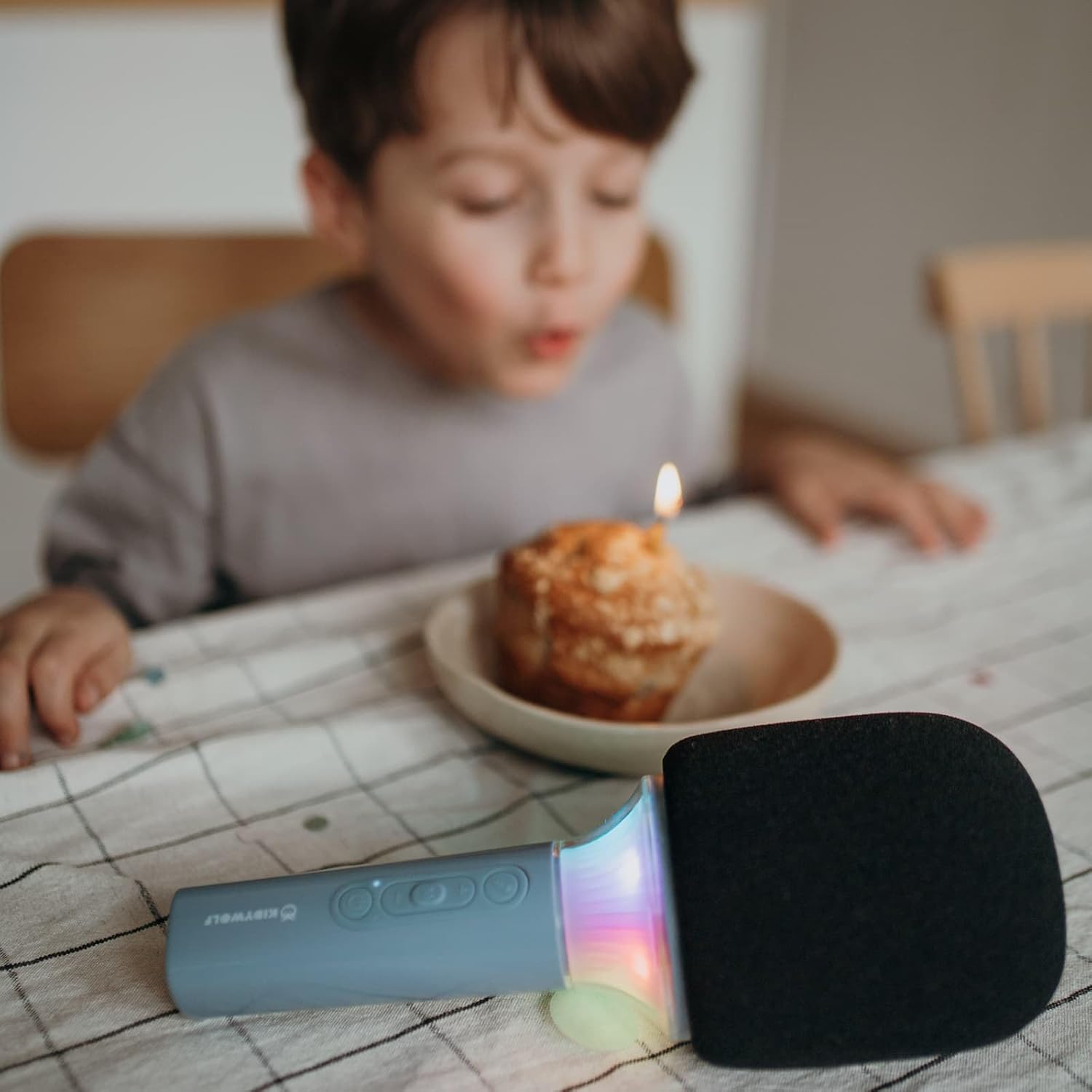
Figura 4.1: Frente view of the KIDYWOLF KIDYMICPARENT Bluetooth Microphone. This image shows the microphone head with its foam cover and the main body with control buttons.
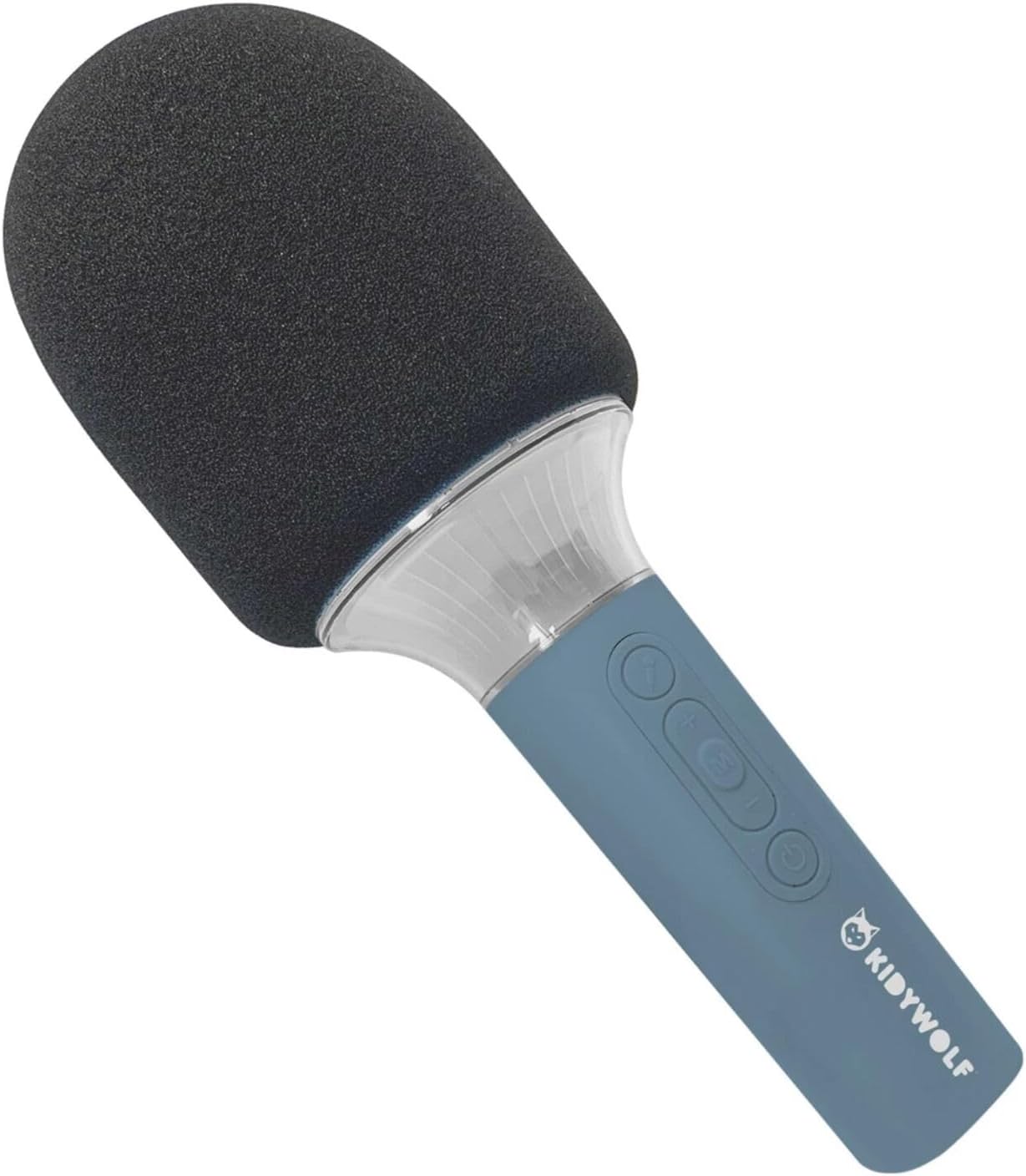
Figura 4.2: Angulado view of the KIDYWOLF KIDYMICPARENT Bluetooth Microphone. This perspective highlights the ergonomic design of the handle and the placement of the control buttons.

Figura 4.3: The KIDYWOLF KIDYMICPARENT Bluetooth Microphone with its integrated light effects active, showcasing the illuminated section below the microphone head.
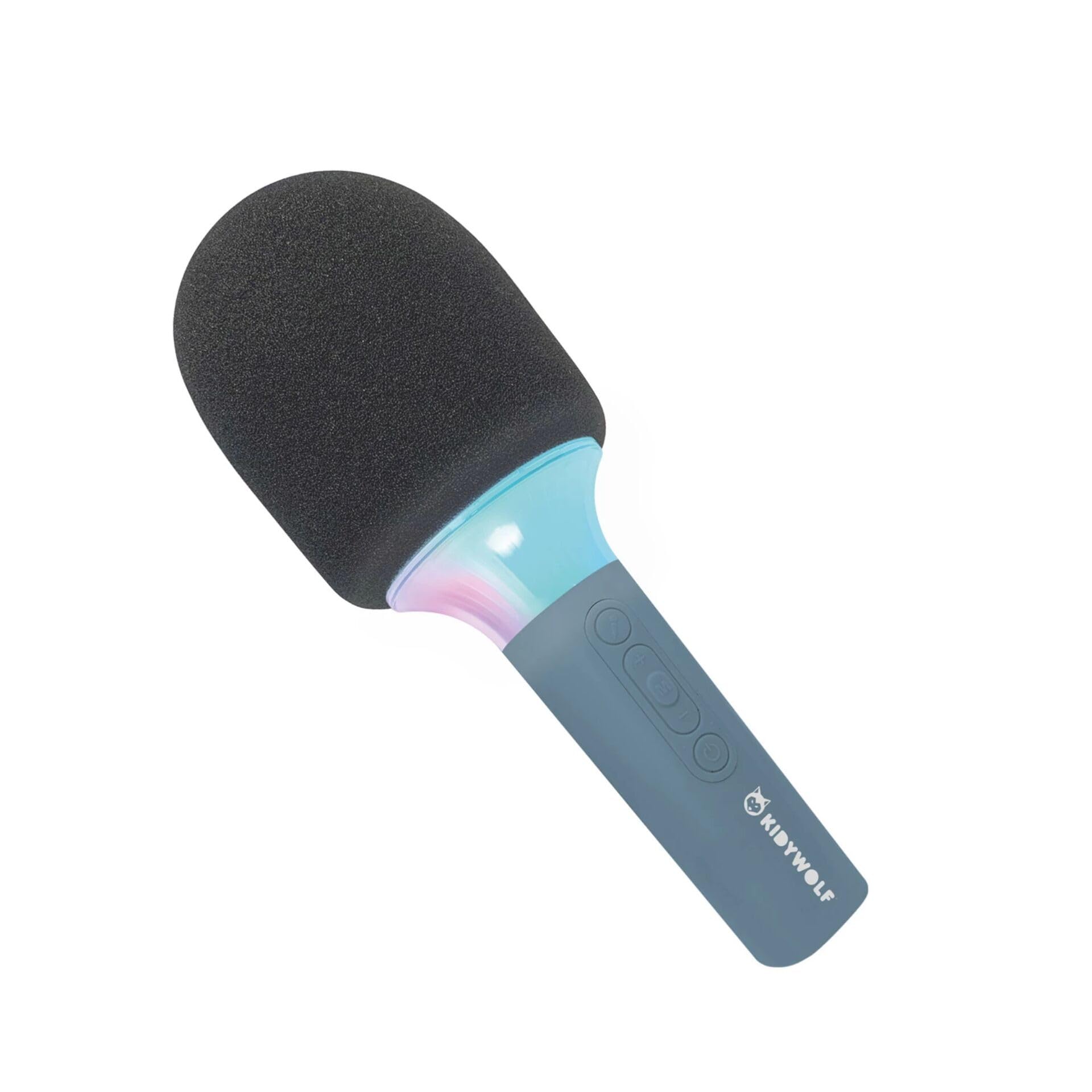
Figura 4.4: A child using the KIDYWOLF KIDYMICPARENT Bluetooth Microphone, demonstrating its intended use for entertainment.
5. Configuração
5.1 Carregando o microfone
- Locate the USB-C charging port on the microphone.
- Connect the provided USB-C cable to the microphone's charging port.
- Conecte a outra extremidade do cabo USB-C a um adaptador de energia USB compatível (não incluído) ou a uma porta USB do computador.
- A luz indicadora de carregamento acenderá durante o carregamento e se apagará ou mudará de cor quando a carga estiver completa.
- Uma carga completa normalmente leva de 2 a 3 horas.
5.2 Emparelhamento Bluetooth
- Ligar: Press and hold the Power button (usually marked with a power symbol) on the microphone until the indicator light turns on and you hear an audible prompt.
- Ative o Bluetooth: The microphone will automatically enter Bluetooth pairing mode, indicated by a flashing light or an audible prompt.
- Ative o Bluetooth no seu dispositivo: No seu smartphone, tablet ou outro dispositivo com Bluetooth, acesse as configurações de Bluetooth e verifique se ele está ativado.
- Selecionar dispositivo: Look for "KIDYMICPARENT" or a similar name in the list of available Bluetooth devices and select it to pair.
- Confirmação: Once successfully paired, you will hear a confirmation sound from the microphone, and the indicator light will stop flashing and remain solid.
Observação: If pairing fails, turn off the microphone and your device's Bluetooth, then repeat the steps. The microphone will automatically attempt to reconnect to the last paired device when powered on.
6. Instruções de operação
6.1 Ligar/Desligar
- Para ligar: Pressione e mantenha pressionado o botão Liga/Desliga por aproximadamente 3 segundos.
- Para desligar: Pressione e mantenha pressionado o botão Liga/Desliga por aproximadamente 3 segundos.
6.2 Controle de volume
- Use o '+' button to increase the microphone and speaker volume.
- Use o '-' button to decrease the microphone and speaker volume.
6.3 Reprodução de música
Once paired via Bluetooth, you can play music from your connected device. The microphone's built-in speaker will output the audio. Use your connected device to control music playback (play, pause, skip tracks).
6.4 Efeitos de Luz
The microphone features integrated light effects. Refer to the specific button (if available, often marked with a light bulb symbol or integrated with another function) to cycle through different light modes or turn them on/off. If no dedicated button is present, the lights may activate automatically with sound or be controlled via a multi-function button.
7. Voice Effects
The KIDYWOLF KIDYMICPARENT microphone offers 6 different voice settings to enhance your singing experience. To change voice effects:
- Locate the dedicated voice effect button (often marked with a microphone icon or "FX").
- Press the button repeatedly to cycle through the available voice effects.
- Listen to the audio output to select your desired voice effect.
8. Manutenção
8.1 Limpeza
- Wipe the microphone's exterior with a soft, dry, or slightly damp pano.
- Não utilize produtos químicos agressivos, produtos de limpeza abrasivos ou solventes.
- Ensure no liquid enters the microphone's openings.
8.2 Armazenamento
- Store the microphone in a cool, dry place away from direct sunlight.
- Keep it away from dust and extreme temperatures.
9. Solução De Problemas
| Problema | Possível causa | Solução |
|---|---|---|
| O microfone não liga. | A bateria está esgotada. | Carregue o microfone usando o cabo USB-C. |
| Não consigo conectar via Bluetooth. | Bluetooth is off on the device; microphone is not in pairing mode; device is too far. | Ensure Bluetooth is enabled on your device. Put the microphone into pairing mode. Move the device closer to the microphone (within 10 meters). |
| Sem som no alto-falante. | Volume is too low; microphone is muted; device is not playing audio. | Increase volume using the '+' button. Check if the microphone is muted. Ensure audio is playing on the connected device. |
| Voice effects are not changing. | Incorrect button pressed; feature not active. | Ensure you are pressing the correct voice effect button. |
10. Especificações
| Nome do modelo | KIDYMICPARENT |
| Marca | LOBO CRIANÇA |
| Fator de forma | Portátil |
| Dimensões (CxLxA) | 24 x 9 x 9 cm |
| Peso | 414 g |
| Fonte de energia | Bateria recarregável |
| Material | Plástico |
| Número de canais | 1 |
| Tecnologia de Conectividade | Bluetooth |
| Tipo de conexão | USB Tipo C |
| Características especiais | Volume Control, Light Effects, Voice Modulation (6 settings) |
| Componentes incluídos | Microphone, USB-C Charging Cable |
| Uso recomendado | Karaokê |
11. Garantia e Suporte
For warranty information and customer support, please refer to the documentation provided at the time of purchase or contact your retailer. You may also visit the official KIDYWOLF webSite com os recursos de suporte mais recentes e informações de contato.


