X9 Full-Size Bluetooth Keyboard with Phone Holder
Model: X9RBBLKBDOCKS | Brand: X9 Performance
Introdução
The X9 Full-Size Bluetooth Keyboard with Phone Holder is a versatile input device designed for enhanced productivity across multiple platforms. It features a full 110-key layout, integrated phone/tablet holder, and multi-device connectivity via 2.4G wireless and Bluetooth. This manual provides detailed instructions for setting up, operating, maintaining, and troubleshooting your keyboard.
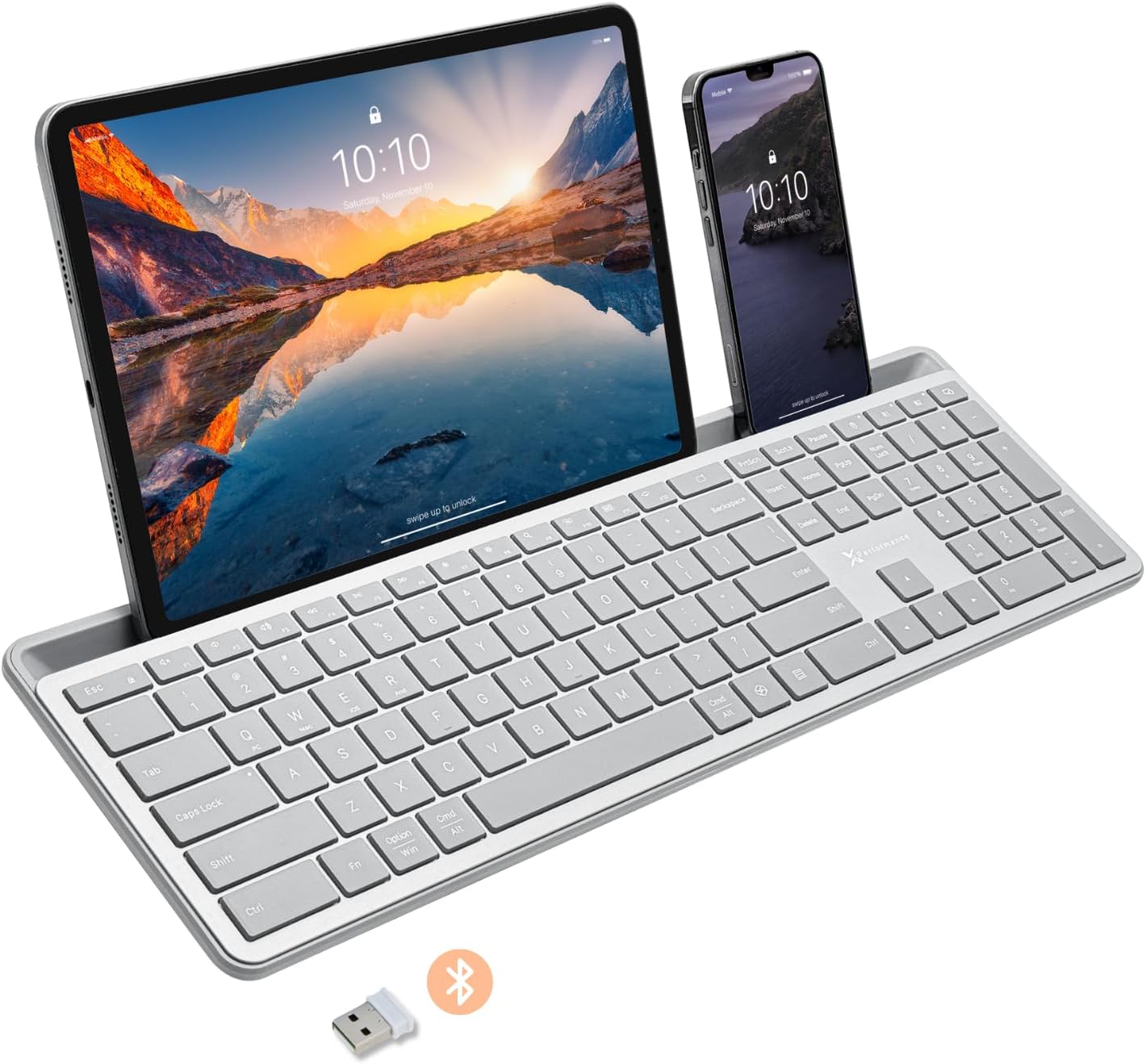
Image: The X9 Full-Size Bluetooth Keyboard in silver, featuring an integrated dock holding a tablet and a smartphone. A USB dongle and Bluetooth symbol are visible below the keyboard.
Principais características
- Conectividade em Modo Triplo: Seamlessly connect up to three devices using 2.4G wireless (via included USB dongle) and two independent Bluetooth channels.
- Integrated Device Dock: An extra-long dock (16.75" long x 0.45" wide) securely holds your smartphone and tablet simultaneously, allowing for easy transitions between devices. Note: May not fit devices with thick cases.
- Teclas retroiluminadas: Crisp white LED backlighting with 3 adjustable brightness levels for comfortable typing in various lighting conditions.
- Bateria recarregável: Equipped with a 1000 mAh rechargeable battery for extended use, with a USB-C charging cable included.
- Layout em tamanho real: A complete 110-key layout including a numeric keypad for efficient data entry and productivity.
- Compatibilidade com vários sistemas operacionais: Designed for Windows and Mac users, with seamless compatibility across macOS, iOS, and Android operating systems.
- Chaves silenciosas: Keys are designed for a quiet typing experience.

Image: Diagram illustrating the keyboard's ability to pair with up to three devices: a smartphone via Bluetooth (channel 1), a desktop monitor via 2.4GHz wireless (channel 2), and a laptop via Bluetooth (channel 3).

Imagem: Um close-up view of the keyboard's integrated dock, highlighting its extra-long design and a note indicating its dimensions (0.45" width) and potential incompatibility with thick device cases.

Image: A close-up of the keyboard's side, showing a USB-C cable plugged into the charging port, with text indicating a 1000mAh rechargeable battery.
Conteúdo da embalagem
Certifique-se de que todos os itens estejam presentes na embalagem:
- X9 Full-Size Bluetooth Keyboard
- Cabo de carregamento USB-C
- Dongle sem fio USB 2.4G
Guia de configuração
1. Carregando o teclado
Before first use, fully charge the keyboard. Connect the included USB-C charging cable to the keyboard's charging port and the other end to a USB power source (e.g., computer USB port, USB wall adapter). The charging indicator light will show charging status and turn off when fully charged.
2. Conectando-se aos dispositivos
The X9 keyboard supports three connection channels: one 2.4G wireless channel and two Bluetooth channels (B1 and B2).
2.1. Conexão sem fio 2.4G
- Locate the 2.4G USB wireless dongle, typically stored in a compartment on the keyboard.
- Conecte o dongle USB a uma porta USB disponível no seu computador.
- Turn on the keyboard. The keyboard should automatically connect to your computer via the 2.4G dongle.
2.2. Bluetooth Connection (B1 / B2)
- Ligue o teclado.
- Pressione e segure o B1 or B2 key for 3-5 seconds until the corresponding indicator light (B1 or B2) starts blinking rapidly. This indicates the keyboard is in pairing mode.
- No seu dispositivo (smartphone, tablet, computador), acesse as configurações de Bluetooth e ative o Bluetooth.
- Procurar new devices. The keyboard should appear as "X9 Keyboard" or similar.
- Select the keyboard from the list to pair. Follow any on-screen prompts to complete the pairing process. The indicator light will stop blinking and remain solid for a few seconds, then turn off, indicating successful connection.
- Repeat these steps for the second Bluetooth channel (B2) if you wish to connect another device.
Instruções de operação
1. Alternando entre dispositivos conectados
To switch between your connected devices, simply press the corresponding connection key:
- Imprensa 2.4G key to switch to the device connected via the USB dongle.
- Imprensa B1 key to switch to the device connected via Bluetooth Channel 1.
- Imprensa B2 key to switch to the device connected via Bluetooth Channel 2.
2. Adjusting Backlight Brightness
The keyboard features three levels of backlight brightness. To adjust:
- Pressione o Fn chave + Lâmpada elétrica key (usually located near the F12 key) repeatedly to cycle through the brightness levels (Low, Medium, High, Off).

Image: A close-up of the keyboard in a dark setting, showcasing its clear backlit keys. Indicators for Low, Medium, and High brightness levels are shown below the keyboard.
3. Using the Copilot AI Key
The keyboard includes a dedicated Copilot AI key for quick access to AI functionalities on compatible systems. Press this key to activate Copilot or similar AI features.
4. Operating System Specific Functions
The keyboard is optimized for various operating systems. Some function keys may behave differently or require the Fn key to access secondary functions depending on your OS (Windows, macOS, iOS, Android).
- For optimal compatibility, ensure your device's operating system is updated.
- Some systems may require specific key combinations (e.g., Fn + Option + R for Android, as mentioned in customer reviews for specific app compatibility). Refer to your device's documentation for advanced keyboard settings.
Manutenção
To ensure the longevity and optimal performance of your X9 keyboard, follow these maintenance guidelines:
- Limpeza: Use um pano macio e sem fiapos levementeampened with water or a mild cleaning solution to wipe the surface of the keyboard. Avoid excessive moisture. For cleaning between keys, use compressed air.
- Armazenar: Guarde o teclado em local fresco e seco, longe da luz solar direta e de temperaturas extremas.
- Cuidados com a bateria: Avoid fully discharging the battery frequently. For long-term storage, charge the battery to about 50% to preserve its lifespan.
- Evite derramamentos: Mantenha líquidos longe do teclado para evitar danos aos componentes internos.
Solução de problemas
If you encounter issues with your X9 keyboard, refer to the following common problems and solutions:
| Problema | Possível causa/solução |
|---|---|
| O teclado não liga. | Battery is depleted. Connect the keyboard to a power source using the USB-C cable and allow it to charge. |
| O teclado não se conecta via Bluetooth. |
|
| 2.4G wireless connection not working. |
|
| As teclas não estão respondendo ou estão digitando incorretamente. |
|
| Backlight is not working. |
|
Especificações
| Recurso | Detalhe |
|---|---|
| Número do modelo | X9RBBLKBDOCKS |
| Tecnologia de Conectividade | 2.4G sem fio, Bluetooth |
| Dispositivos compatíveis | Laptop, PC, Mac, iOS, Android (Smartphone, Tablet) |
| Layout do teclado | Full-Size, 110-key |
| Iluminação de fundo | Single Color (White), 3 Brightness Levels |
| Capacidade da bateria | 1000 mAh (recarregável) |
| Dimensões do produto (C x L x A) | 17.33" x 5.56" x 0.89" (44.02 cm x 14.12 cm x 2.26 cm) |
| Peso do item | 2.25 libras (1.02 kg) |
| Device Dock Dimensions (L x W) | 16.75" x 0.45" |
| Fabricante | Desempenho X9 |

Imagem: Vista aérea view of the X9 keyboard with measurements indicating its length (17.3"), width (5.55"), and height (0.89").
Informações de garantia
X9 Performance products are designed for reliability and performance. For specific warranty terms and conditions, please refer to the warranty card included with your product or visit the official X9 Performance webNormalmente, os produtos são cobertos contra defeitos de materiais e de fabricação por um período específico a partir da data da compra.
Apoiar
For further assistance, technical support, or to inquire about replacement parts, please contact X9 Performance customer support:
- Website: Visit the official X9 Performance webSite com perguntas frequentes, drivers e recursos de suporte.
- Contato: Consulte as informações de contato fornecidas na embalagem do produto ou no site oficial. webSite para suporte por telefone ou e-mail.
Please have your product model number (X9RBBLKBDOCKS) and purchase details ready when contacting support.


