1. Introdução
This manual provides essential instructions for the setup, operation, and maintenance of your SANSCO 4MP Dual Lens Wireless Solar Security Camera. Please read this guide thoroughly before installation and use to ensure optimal performance and safety.

Figure 1: SANSCO 4MP Dual Lens Wireless Solar Security Camera
2. O que está na caixa
- 1x Wire Free Camera
- Painel Solar 1x
- 1 cabo de carregamento (USB-C)
- 1x Guia de configuração
- 1x Set Screw (for mounting)
3. Recursos do Produto
- Dual Lens Dual Screen PTZ Outdoor Camera: Features a fixed lens and a rotating 355° horizontal lens with vertical 90° rotation for comprehensive 360° coverage. Dual screen view allows switching between bullet and dome screens. Includes 10X digital zoom.
- 2K High-Definition Live Video: Equipped with ultra-clear lenses providing 8MP (4MP + 4MP, 2304*1296P) full HD images and video for clear day and nighttime visibility.
- PIR Motion Detection & 2-Way Talk: Built-in microphone and speaker enable real-time, two-way audio communication. Intelligent motion alarm provides accurate alerts. Siren and flashing white light act as deterrents.
- IP66 à prova d'água: Designed for outdoor use in extreme weather conditions, suitable for wall or ceiling mounting.
- Alimentado por energia solar: Utilizes an adjustable 8W solar panel and a built-in 10000mAh rechargeable battery for continuous power.
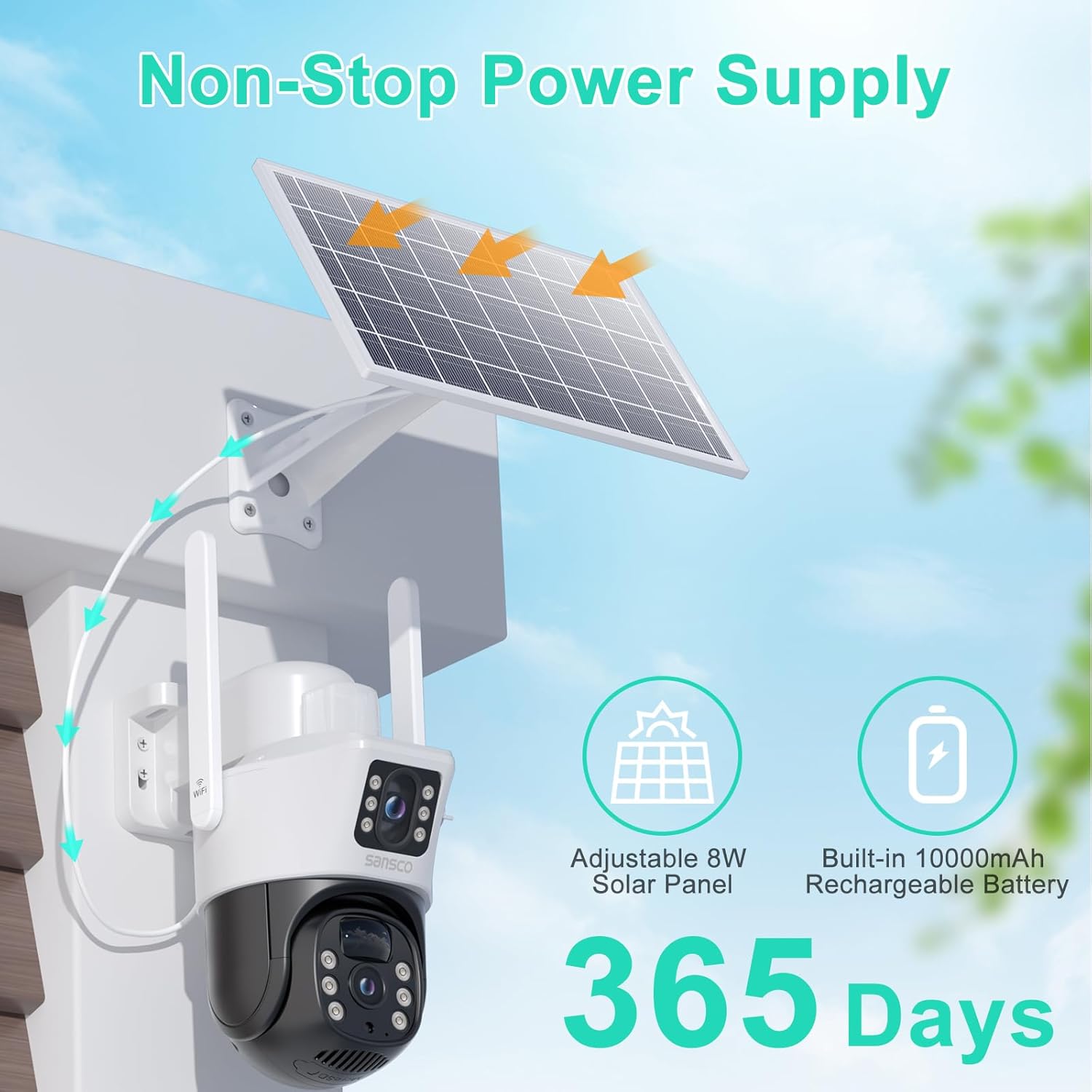
Figure 2: Solar panel for continuous power supply.

Figure 3: 2K Ultra HD video quality for day and night.

Figure 4: Dual view on one screen with digital zoom capability.
4. Configuração
4.1 Instalação Física
The camera and solar panel are designed for easy installation. Ensure you choose a location that provides optimal sunlight for the solar panel and a clear view para a câmera.
- Mount the camera at a height of 8-10 feet (2.5-3m) for optimal detection.
- Ensure the camera's distance to the monitoring area is up to 30 feet (9m).
- Avoid directly facing the camera towards the monitoring area to prevent potential blind spots.
- Position the solar panel in a location that receives sufficient sunlight, ideally pointing directly at the sun during midday in summer. The solar panel cable allows for flexible placement within 6.6 ft (2m) of the camera.

Figure 5: Mounting tips for camera and solar panel.

Figure 6: Guide for solar panel placement.
Video 1: General installation guide for a dual lens security camera.
4.2 Instalação e conexão do aplicativo
- Download the EseeCloud app from Google Play Store or Apple App Store.
- Connect your phone to your home WiFi (2.4GHz only). Turn on your phone's Bluetooth and location function. The app will automatically search for the camera and connect.
- Enter the correct WiFi password. The security camera only supports 2.4GHz WiFi networks.
- Wait for the camera to connect to the home WiFi. Connection progress will reach 100%, then you can use it normally.

Figure 7: App setup and WiFi connection steps.
Video 2: Detailed setup instructions for the SANSCO dual lens solar security camera.
5. Operação
5.1 Ao vivo View & Reprodução
Access real-time video streams from both camera lenses via the EseeCloud app. The dual screen view allows simultaneous monitoring of a fixed area and a pan-tilt-zoom (PTZ) controlled area. Recorded footage pode ser reviewed through the app's playback function.

Figure 8: Remote control of camera movement via the app.
5.2 Controle PTZ
The lower camera lens offers Pan-Tilt-Zoom functionality. Use the app to remotely adjust the camera's horizontal (355°) and vertical (90°) angles, and utilize the 10X digital zoom to focus on specific details.
Áudio bidirecional 5.3
The built-in microphone and speaker enable clear two-way communication. You can listen to audio from the camera's vicinity and speak through the camera to interact with visitors or deter intruders.

Figure 9: Real-time two-way talk feature.
5.4 Detecção de Movimento e Alertas
The camera features PIR motion detection and humanoid auto-tracking. When motion or a human figure is detected, the camera can activate spotlights, sound a siren, and send instant notifications to your mobile app. This helps reduce false alarms.

Figure 10: Motion detection features including spotlights and siren.

Figure 11: Humanoid tracking in action.
Video 3: Demonstration of motion detection zone function to reduce unwanted alerts.
5.5 Modos de Visão Noturna
The camera supports both black-and-white and full-color night vision modes, ensuring clear visibility even in low-light conditions. The intelligent motion alarm provides accurate alerts in black-and-white mode.

Figure 12: Black/White vs. Full Color Night Vision.
5.6 Opções de armazenamento
The camera supports local storage via a TF card (up to 256GB) and optional cloud storage services. Note that the battery-powered camera does not support 24/7 continuous recording; it is designed for live view and motion detection recording.

Figure 13: TF Card and Cloud Storage options.
6. Manutenção
6.1 Carregamento da bateria
The camera is primarily powered by its solar panel. If the battery is depleted, use a 5V 1A power adapter to charge the camera. Do not use 2.4A or 3A adapters.
6.2 Resistência às intempéries
The camera has an IP66 waterproof rating, making it suitable for outdoor use in various weather conditions, from -22°F to 140°F (-30°C to 60°C).

Figure 14: IP66 Waterproof rating.
Video 4: Waterproof testing of a similar outdoor security camera.
7. Solução De Problemas
- A câmera não está conectando ao Wi-Fi: Ensure your WiFi network is 2.4GHz. The camera does not support 5GHz networks. Check WiFi signal strength at the installation location.
- Alarmes falsos frequentes: Adjust motion detection sensitivity settings in the app. Utilize activity zones to focus detection on critical areas and ignore irrelevant movements.
- Bateria descarregando rapidamente: Verify the solar panel is receiving adequate direct sunlight. Reduce the frequency of motion detection alerts or adjust recording duration if possible. Ensure the correct 5V 1A adapter is used for direct charging.
- Sem áudio ou com má qualidade de áudio: Check app settings for microphone and speaker permissions. Ensure no physical obstructions are blocking the speaker or microphone.
- Não pode view 24/7 recording: This battery-powered camera is designed for live view and motion-triggered recording only, not continuous 24/7 recording.
8. Especificações
| Recurso | Detalhe |
|---|---|
| Número do modelo | EXF-QS12-B4L |
| Resolução de captura de vídeo | 1296p (2K Full HD) |
| Resolução Estática Efetiva | 4 MP, 8 MP (Dual Lens) |
| Tecnologia de Conectividade | Conectividade sem fio (Wi-Fi de 2.4 GHz, Bluetooth) |
| Fonte de energia | Solar Powered (10000mAh battery) |
| Funcionalidade PTZ | Rotação horizontal de 355°, inclinação de 90°, zoom digital de 10x. |
| Visão noturna | Color Night Vision, Black/White Night Vision |
| Áudio | Áudio bidirecional (microfone e alto-falante integrados) |
| Detecção de movimento | PIR Motion Detection, Humanoid Auto Tracking, Spotlight, Siren |
| Armazenar | TF Card (up to 256GB), Cloud Storage (optional) |
| Classificação à prova d'água | IP66 |
| Dimensões | 10 x 8 x 5.5 polegadas |
| Peso do item | 3.65 libras |
9. Garantia e Suporte
For warranty information and technical support, please refer to the contact details provided in your product packaging or visit the official SANSCO website. SANSCO is committed to providing continuous support for its products.


