Introdução
Obrigado pela compra.asing the Greadio GB-W18 Portable CD Player Boombox. This device offers multiple audio playback options including CD, cassette, FM radio, Bluetooth, USB, AUX, and TF/SD card. Please read this manual carefully before using the product to ensure proper operation and to maximize your listening experience. Keep this manual for future reference.
Informações de segurança
- Não exponha o aparelho à chuva ou umidade para evitar incêndio ou choque elétrico.
- Não abra o casing. Encaminhe todos os serviços de manutenção para pessoal qualificado.
- Evite colocar o aparelho perto de fontes de calor ou sob luz solar direta.
- Garanta ventilação adequada ao redor da unidade.
- Use only the specified power adapter (if applicable) or charge with a compatible 5V/2A Type-C charger.
- Mantenha fora do alcance de crianças.
Conteúdo da embalagem
Por favor, verifique se todos os itens estão presentes:
- Greadio GB-W18 Portable CD Player Boombox
- Controle Remoto (1)
- Manual do usuário (este documento)
- Cabo de carregamento USB (tipo C)
Produto acimaview
Familiarize yourself with the various parts and controls of your Greadio GB-W18 boombox.
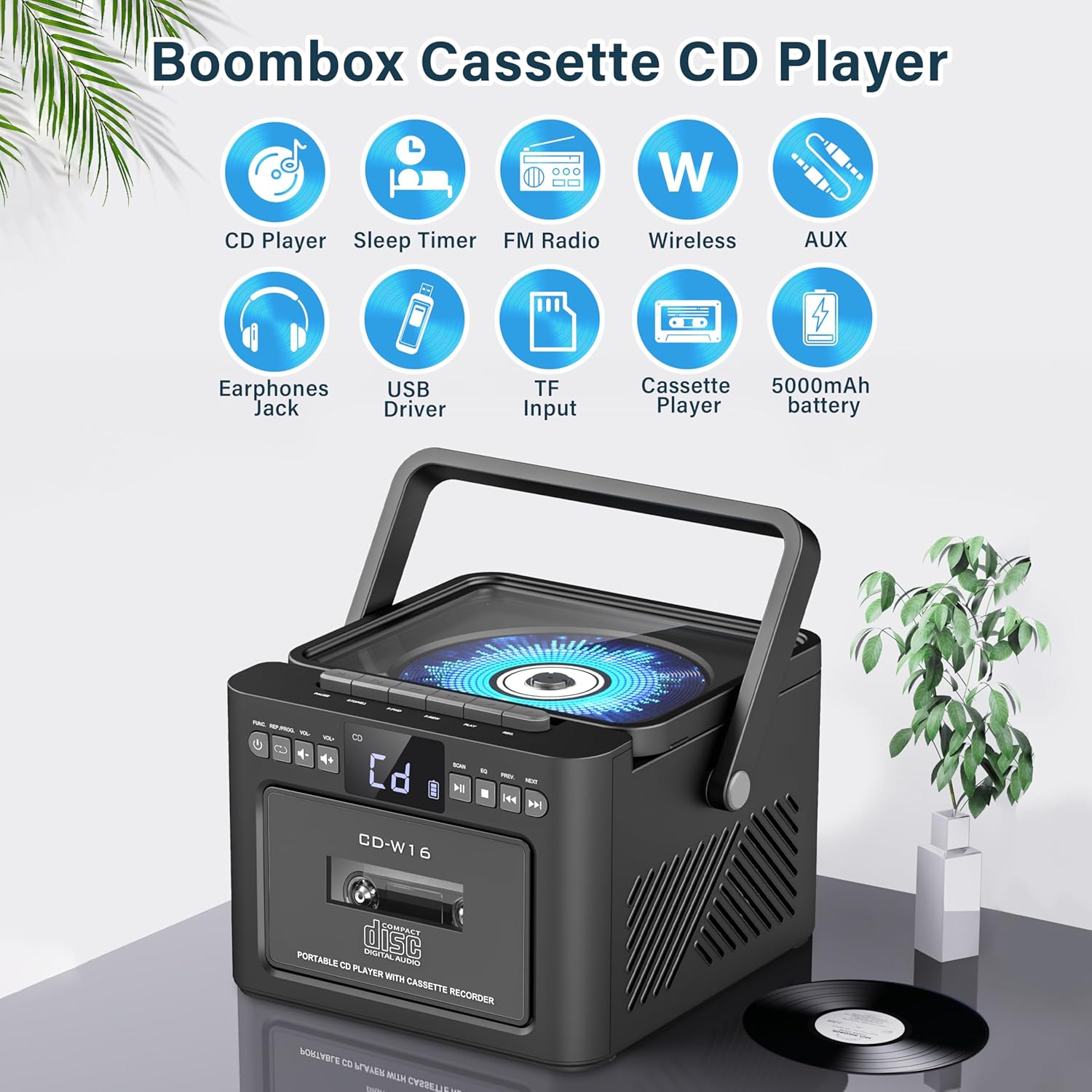
Imagem: Sobreview of the Greadio GB-W18 Portable CD Player Boombox, highlighting its multi-functional capabilities including CD, cassette, FM radio, Bluetooth, USB, TF/SD card, AUX, and a built-in 5000mAh rechargeable battery.
Controles do painel frontal
- Telão LED: Mostra o modo atual, o número da faixa, a frequência, etc.
- Botão de energia: Liga / desliga a unidade.
- Botão de modo: Switches between CD, Cassette, FM, Bluetooth, USB, AUX, TF/SD modes.
- Controle de volume: Ajusta o nível de saída de áudio.
- Botão Reproduzir/Pausar: Controls playback for CD, USB, TF/SD, Bluetooth.
- Botão de parada: Interrompe a reprodução.
- Botões de pular/pesquisar: Skips tracks or searches radio frequencies.
- Botão de gravação: Initiates cassette recording.
Side/Rear Panel Ports
- Compartimento para CD: Leitor de CD com carregamento superior.
- Deck de cassetes: Front-loading cassette player/recorder.
- Porta USB: Para reprodução a partir de unidade USB.
- Slot para cartão TF/SD: For TF/SD card playback.
- Entrada AUX: Entrada de 3.5 mm para dispositivos de áudio externos.
- Plug do fone de ouvido: Entrada de 3.5 mm para audição privada.
- DC 5V Input (Type-C): Para carregar a bateria interna.
- Antena FM: Antena telescópica para recepção de rádio.
Configurar
Ligando a unidade
The Greadio GB-W18 can be powered by its built-in rechargeable battery or via a Type-C USB power source.
- Carregando a bateria: Connect the provided USB Type-C cable to the DC 5V input port on the unit and the other end to a compatible USB power adapter (e.g., car charger, power bank, computer USB port). The LED display will indicate charging status. A full charge provides extended portable use.

Imagem: The Greadio GB-W18 boombox with its USB and TF/SD card slots highlighted, along with illustrations of various 5V Type-C charging methods: car charger, power bank, and computer.
Inicialização inicial
Pressione o Poder button to turn on the unit. The LED display will light up, and the unit will typically default to the last used mode or CD mode.
Instruções de operação
Use o Modo button to switch between different playback sources.
Reprodução de CD
- Pressione o Modo Pressione o botão até que 'CD' apareça no visor.
- Abra a tampa do compartimento de CDs.
- Place a CD (CD, CD-R, CD-RW) with the label side facing up onto the spindle.
- Close the CD compartment lid. The CD will begin to play automatically.
- Use o Reproduzir/Pausar, Parar, e Pular / Pesquisar botões para controlar a reprodução.

Imagem: A user operating the Greadio GB-W18 boombox, demonstrating CD playback and the use of the remote control for convenient operation.
Reprodução e gravação de cassetes
- Pressione o Modo button until 'TAPE' appears on the display.
- Abra a porta do toca-fitas.
- Insira uma fita cassete com a abertura voltada para cima.
- Feche a porta do toca-fitas.
- Pressione o Jogar button on the cassette deck controls to start playback.
- Para Registro: Ensure a blank or recordable cassette is inserted. Select your desired input source (e.g., FM radio, AUX, Bluetooth). Press the Registro button on the unit. Press Parar para terminar a gravação.

Imagem: The Greadio GB-W18 boombox in a social setting, illustrating the cassette player function with a hand inserting a tape.
Operação de rádio FM
- Estenda a antena telescópica de FM para obter a melhor recepção.
- Pressione o Modo Pressione o botão até que 'FM' apareça no visor.
- Pressione e segure o Pular / Pesquisar buttons to automatically scan for available stations. The unit can preset up to 30 stations.
- Pressione o Pular / Pesquisar buttons briefly to manually tune or cycle through preset stations.
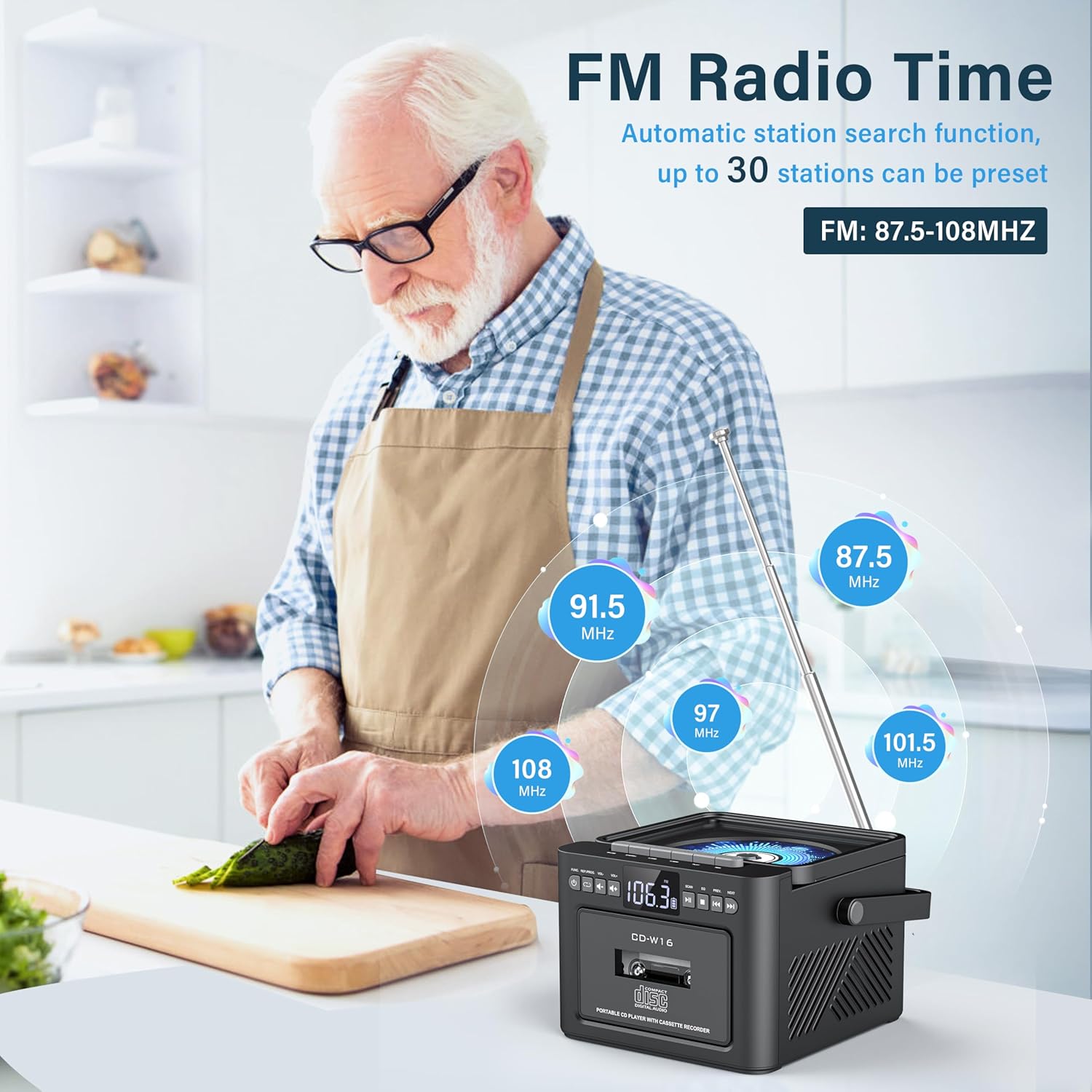
Imagem: A user in a kitchen setting with the Greadio GB-W18 boombox, demonstrating its FM radio capabilities and the range of frequencies it can receive.
Bluetooth (Wireless Receiver)
- Pressione o Modo button until 'BLUE' or 'BT' appears on the display. The unit will enter pairing mode, indicated by a flashing Bluetooth icon.
- No seu dispositivo móvel (smartphone, tablet, etc.), ative o Bluetooth e procure por dispositivos disponíveis.
- Select 'Greadio GB-W18' (or similar name) from the list to pair.
- Once paired, you can play audio from your device through the boombox.
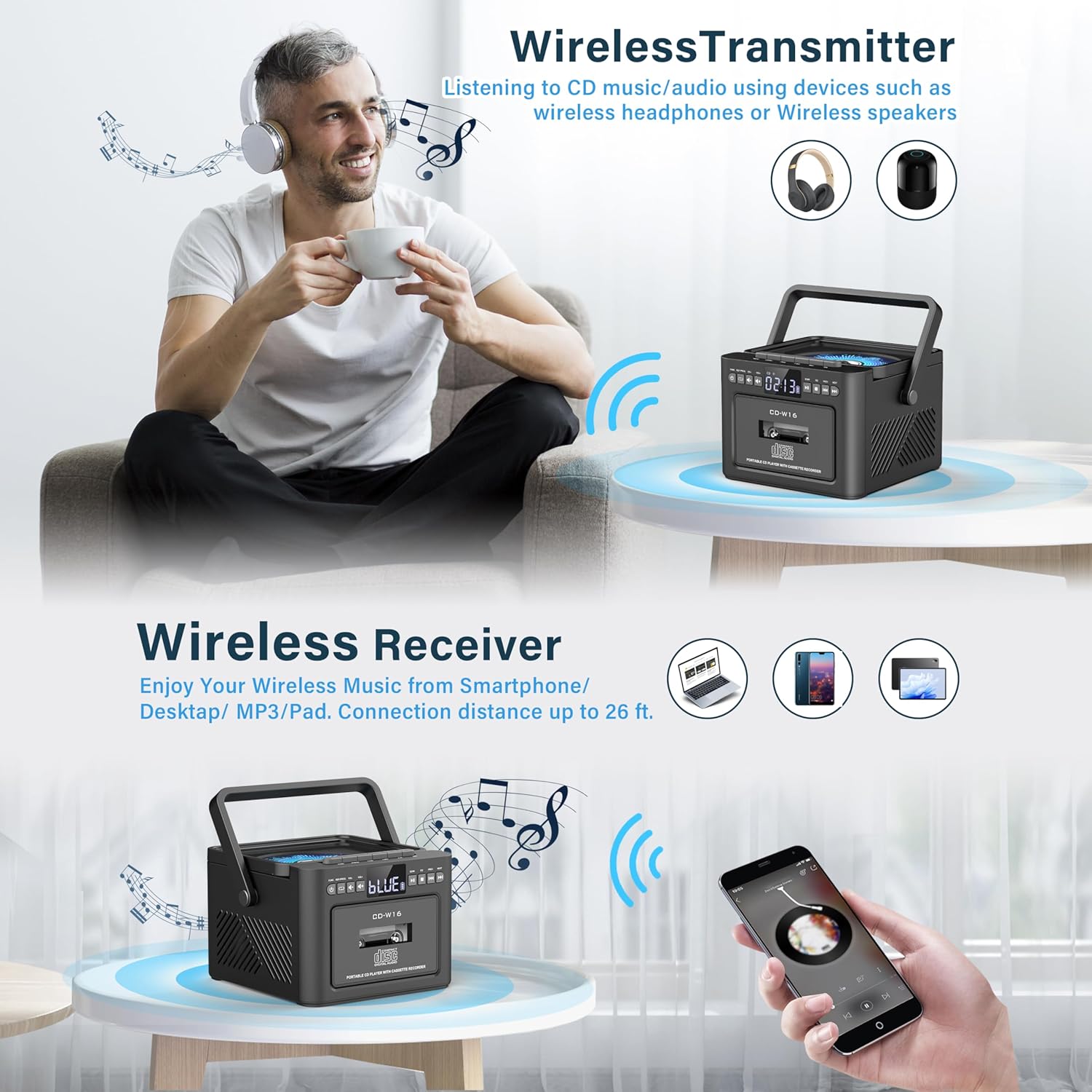
Imagem: The Greadio GB-W18 boombox demonstrating its wireless capabilities, functioning as both a wireless transmitter (for headphones/speakers) and a wireless receiver (for streaming from smartphones/tablets).
USB Drive & TF/SD Card Playback
- Insert a USB drive into the USB port or a TF/SD card into the TF/SD card slot.
- Pressione o Modo button until 'USB' or 'TF' appears on the display.
- The unit will automatically detect and play MP3 files do dispositivo de armazenamento.
- Use o Reproduzir/Pausar, Parar, e Pular / Pesquisar botões para controlar a reprodução.
Entrada AUX
- Connect an external audio device (e.g., MP3 player, smartphone) to the AUX input jack using a 3.5mm audio cable (not included).
- Pressione o Modo Pressione o botão até que 'AUX' apareça no visor.
- Reproduza áudio do seu dispositivo externo. O som será reproduzido pelos alto-falantes do boombox.
Controle remoto
The included remote control allows for convenient operation of most functions from a distance. Point the remote control directly at the front panel of the boombox. Functions include power on/off, mode selection, volume adjustment, playback controls (play, pause, stop, skip), and radio tuning.
Temporizador de sono
The unit features a sleep timer function. Refer to the remote control or specific button on the unit (if available) to set a timer for automatic power-off. This feature is useful for falling asleep to music.
Manutenção
- Limpeza: Use um pano macio e seco para limpar a parte externa da unidade. Não use produtos de limpeza abrasivos ou solventes.
- Cuidados com as lentes CD: If CD playback issues occur, use a specialized CD lens cleaner disc.
- Limpeza da cabeça de gravação do toca-fitas: Regularly clean the cassette heads with a cotton swab lightly dampFinalizado com álcool isopropílico para garantir a melhor qualidade de som e evitar danos à fita.
- Cuidados com a bateria: For optimal battery life, avoid fully discharging the battery frequently. Charge the unit regularly, even if not in use for extended periods.
- Armazenar: When not in use for a long time, store the unit in a cool, dry place away from direct sunlight and extreme temperatures.
Solução de problemas
| Problema | Possível causa | Solução |
|---|---|---|
| A unidade não liga. | A bateria está esgotada. | Connect the unit to a power source using the Type-C USB cable and allow it to charge. |
| Nenhum som dos alto-falantes. | Volume is too low or muted. Incorrect mode selected. Headphones connected. | Increase volume. Press the Modo button to select the correct source. Disconnect headphones. |
| O CD pula faixas ou não toca. | CD is dirty, scratched, or inserted incorrectly. CD lens is dirty. | Clean the CD. Reinsert the CD correctly. Use a CD lens cleaner. |
| Recepção de rádio FM ruim. | Antenna not extended. Weak signal. | Fully extend the FM antenna. Reposition the unit for better reception. |
| O dispositivo Bluetooth não pôde ser emparelhado. | Boombox not in pairing mode. Device too far. | Ensure boombox is in Bluetooth mode and flashing. Move device closer (within 26 ft). |
| Cassette playback distorted. | Cassette heads are dirty. Tape is old or damaged. | Clean cassette heads. Try a different tape. |
Especificações
- Número do modelo: GB-W18
- Dimensões do produto: 7.56 x 7.56 x 5.16 polegadas
- Peso do item: 2.99 libras
- Tecnologia de conectividade: Bluetooth 5.0
- Tipo de alto-falante: Alto-falante estéreo duplo
- Bateria: Built-in 5000mAh Rechargeable Lithium Ion Battery
- Entrada de energia: DC 5V (Tipo C)
- Mídia suportada: CD, CD-R, CD-RW, Cassette Tape, USB Drive (MP3 format, up to 32GB), TF/SD Card (MP3 format, up to 32GB), AUX Input
- Frequência de rádio FM: 87.5-108 MHz
Garantia e Suporte
Greadio products are designed for reliability and performance. For any questions, technical support, or warranty inquiries, please refer to the contact information provided with your purchase or visit the official Greadio website. Guarde o comprovante de compra para solicitações de garantia.


