1. Introdução
Thank you for choosing the SHIDU S95 40W Voice Amplifier. This portable and versatile device is designed to provide clear and powerful sound amplification for various settings, including classrooms, meetings, outdoor events, and karaoke. Featuring a wireless microphone, Bluetooth connectivity, and multiple playback options, the S95 ensures your voice is heard with clarity and impact.
2. O que está na caixa
- SHIDU S95 Voz Ampmais vivo
- Microfone sem fio
- Cabo de carregamento USB-C
- Cabo AUX 3.5mm
- Alça de ombro
- Manual do usuário
3. Produto acabadoview
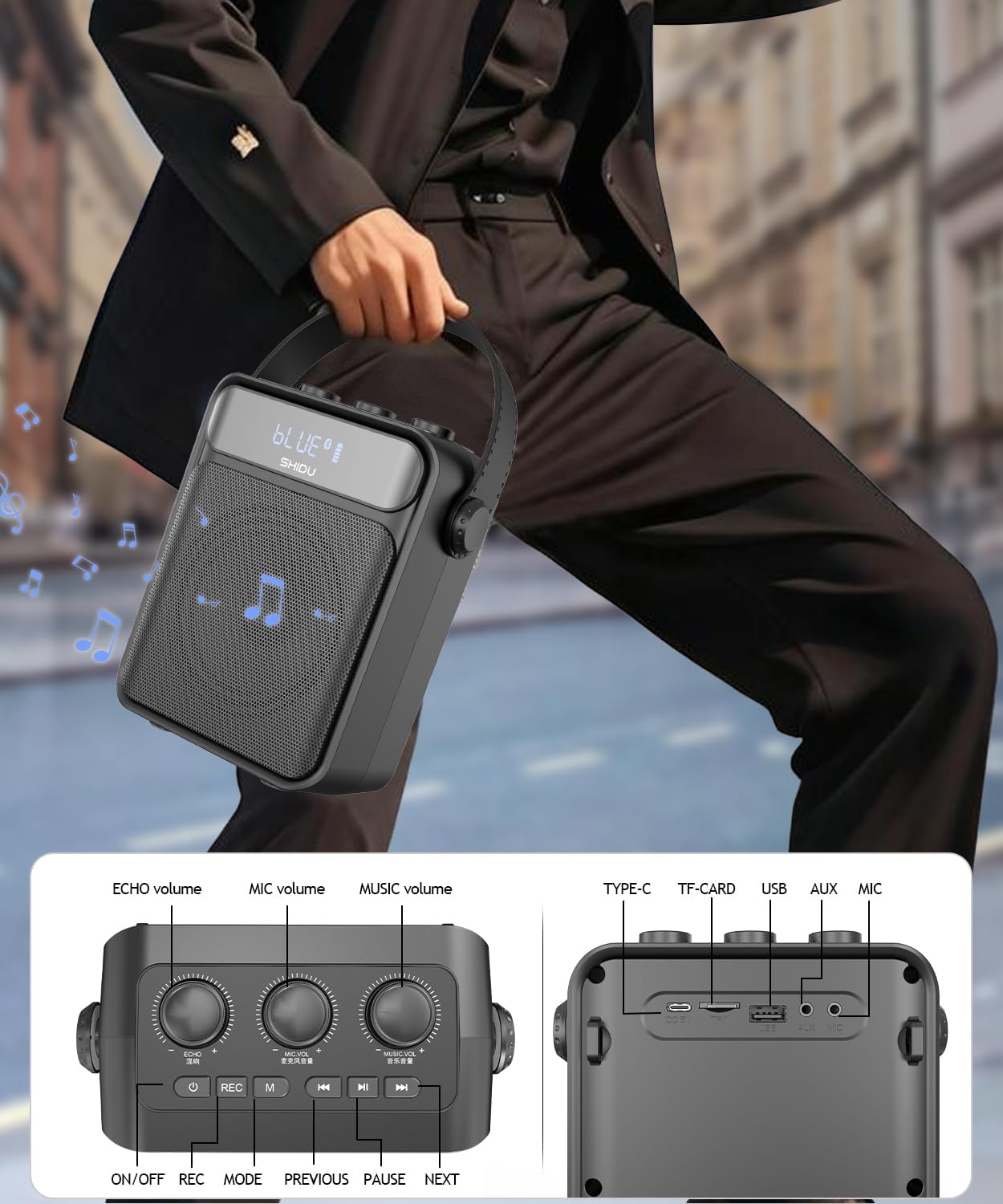
Principais características:
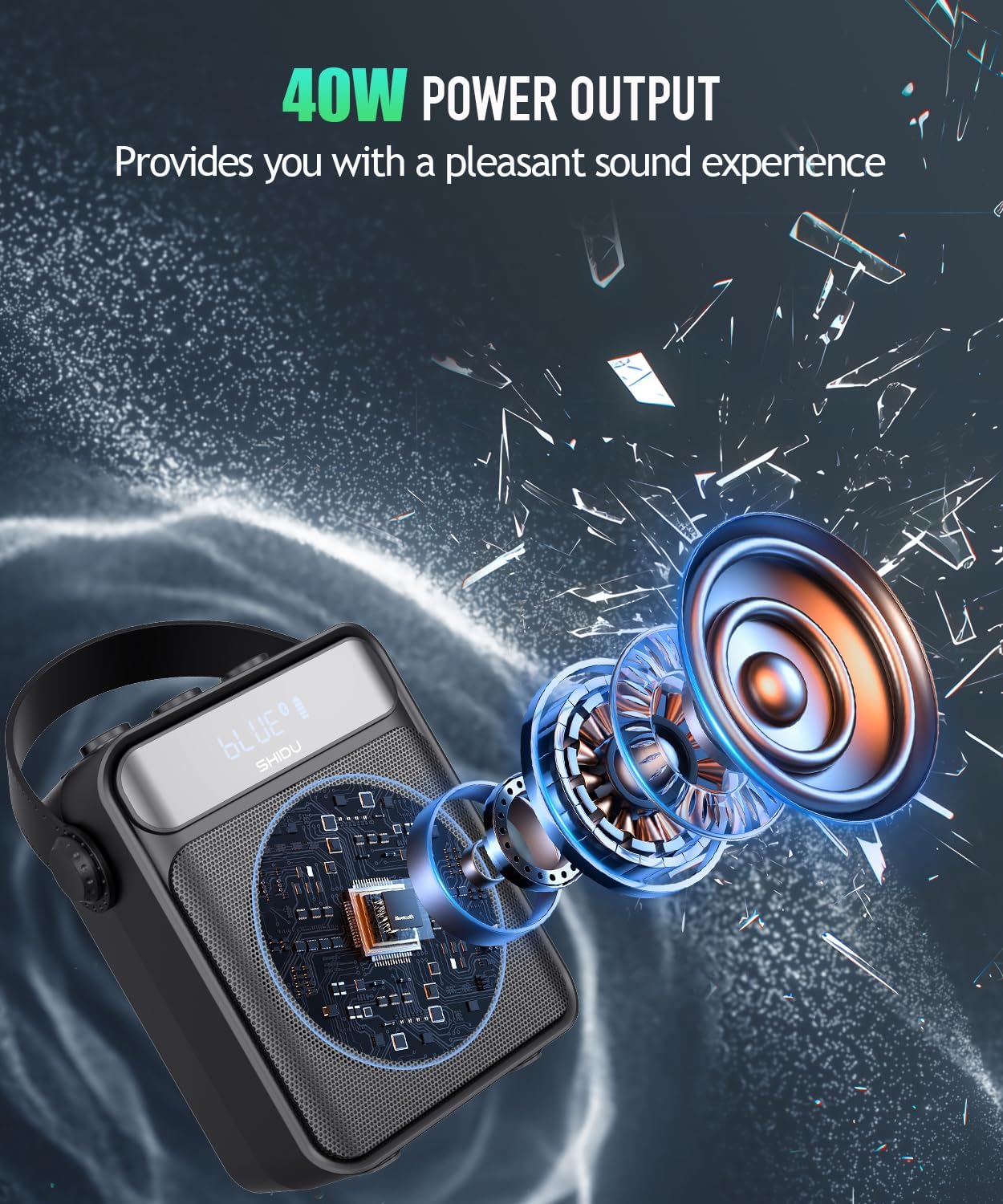
- Saída de potência de 40 W: Delivers clear and powerful sound, covering up to 22,600 sq.ft (2100 ㎡) for audiences of 300+ people.
- Wireless UHF Microphone: Provides stable signal reception and freedom of movement.
- Conectividade Bluetooth 5.0: Seamlessly connect to your devices for audio playback.
- Vários modos de reprodução: Supports TF card, USB disk, AUX audio input, and FM radio.
- Bateria recarregável de 4000mAh: Offers up to 15 hours of continuous use and can emergency charge mobile devices.
- Ajuste de eco: Enhances vocal effects for singing or presentations.
- Design portátil: Compact and lightweight with a carrying strap for easy transport.
4. Instruções de configuração
4.1 Carregando o dispositivo
Antes da primeira utilização, carregue totalmente o dispositivo de voz. amplifier e microfone sem fio.
- Ampmais vital: Connect the provided USB-C charging cable to the DC 5V port on the amplifier and a compatible USB power adapter (not included). The battery indicator on the screen will show charging status.
- Microfone sem fio: Connect the USB-C charging cable to the microphone's charging port. The blue light will flash during charging and turn solid when fully charged.
4.2 Ligar/Desligar
- Ampmais vital: Pressione longamente o botão liga/desliga no amplifier for 3 seconds to turn it on or off.
- Microfone sem fio: Long press the power button on the microphone for 3 seconds. The blue light will turn on.
4.3 Emparelhamento do microfone sem fio
- Ligue a voz amplifier. It will announce "Bluetooth is waiting for connection."
- Turn on the wireless microphone. The blue light will flash.
- Press the 'M' button on the amplifier three times quickly to switch to UHF mode. The screen will display 'UHF'.
- O microfone e amplifier will automatically pair. A voice prompt will confirm successful connection.
4.4 Guia em vídeo: Desembalagem e configuração
This video demonstrates the unboxing process and initial setup of the SHIDU S95 Voice Amplifier, including powering on and pairing the wireless microphone.
5. Instruções de operação
5.1 Volume Controls
- Volume MIC: Rotate the 'MIC.VOL' knob to adjust the microphone volume.
- Volume da música: Rotate the 'MUSIC.VOL' knob to adjust the music playback volume.
- Eco: Rotate the 'ECHO' knob to add or reduce echo effect to the microphone sound.
Seleção de 5.2 modos
Press the 'M' button on the amplifier to cycle through different modes: Bluetooth, TF Card, USB, AUX, and FM Radio.
5.3 Modo Bluetooth
- Troque o amplifier to Bluetooth mode (indicated by 'BLUE' on the screen).
- Enable Bluetooth on your mobile device and search for 'S95'.
- Select 'S95' to connect. A voice prompt will confirm successful connection.
5.4 TF Card/USB Disk Playback
- Insert a TF card or USB flash drive into the corresponding slot.
- O amplifier will automatically switch to TF/USB mode and begin playing audio files.
- Use the previous/next track buttons to navigate.
5.5 Entrada AUX
Connect an external audio device (e.g., smartphone, tablet) to the AUX port using the 3.5mm AUX cable. The amplifier will automatically switch to AUX mode for playback.
Rádio 5.6 FM
- Switch to FM mode using the 'M' button.
- Long press the play/pause button to initiate automatic channel searching.
- Use the previous/next track buttons to switch between saved FM channels.
5.7 Função de Gravação
Insert a TF card or USB flash drive. Press the 'REC' button to start recording. Press 'REC' again to stop and save the recording. Recordings are saved in MP3 format.
5.8 Função True Wireless Stereo (TWS)
If you have two SHIDU S95 amplifiers, you can pair them for True Wireless Stereo sound.
- Ligue as duas caixas de som e certifique-se de que estejam no modo Bluetooth.
- On one speaker, long press the 'M' button until you hear a prompt indicating TWS pairing mode.
- The two speakers will automatically connect, providing a stereo audio experience.
5.9 Video Guide: Product Features
This video provides a demonstration of the SHIDU S95 Voice Amplifier's various features, including volume controls, mode selection, and connectivity options.
6. Manutenção
- Limpe o dispositivo com um pano macio e seco. Não utilize produtos de limpeza abrasivos ou solventes.
- Evite expor o dispositivo a temperaturas extremas, luz solar direta ou umidade.
- Armazene o amplifier and microphone in a cool, dry place when not in use.
7. Solução De Problemas
| Problema | Solução possível |
|---|---|
| Nenhum som de ampmais vivo | Garantir o amplifier is powered on and charged. Check volume levels for both microphone and music. Verify correct mode selection (Bluetooth, AUX, etc.). |
| Wireless microphone not pairing | Garantir ambos amplifier and microphone are powered on. Switch the amplifier to UHF mode by pressing the 'M' button three times quickly. Make sure the microphone is charged. |
| Problemas de conexão Bluetooth | Garantir o amplifier is in Bluetooth mode. Forget 'S95' from your device's Bluetooth settings and try pairing again. Keep devices within range. |
| Poor sound quality/distortion | Adjust microphone and music volume levels. Reduce echo if it's causing feedback. Ensure microphone is not too close to the speaker. |
8. Especificações
| Recurso | Detalhe |
|---|---|
| Potência de saídatage | 25 Watts (Note: Product title states 40W, specifications list 25W. Please refer to product packaging for definitive wattage.) |
| Fonte de energia | Alimentado por bateria |
| Tipo de Bateria | Íon de lítio (4000mAh) |
| Tecnologia de Conectividade | Entradas AUX, Bluetooth e USB |
| Tipo de conector | Aux, USB |
| Material | Acrilonitrila Butadieno Estireno (ABS) |
| Peso do item | 2.58 libras |
| Número de canais | 1 |
| Entrada de áudio | TF card/USB/TYPE-C charging port/Microphone port |
| Resposta de frequência | 18 kHz |
| Nível de ruído | 70 decibéis |
| Impedância | 4 Ohms |
| Tamanho | 7.55*6.45*3.3 polegadas |
9. Garantia e Suporte
SHIDU offers a 36-month warranty for this product. For any questions or support needs, please contact SHIDU customer service. Refer to the product packaging or the official SHIDU website para detalhes de contato.


