1. Introdução
Welcome to the Divoom Tiivoo-2 Retro Bluetooth Speaker user manual. This guide provides detailed instructions on how to set up, operate, and maintain your new speaker. The Tiivoo-2 combines vintage aesthetics with modern functionality, offering high-quality audio, customizable pixel art display, FM radio, and various smart features to enhance your daily life.
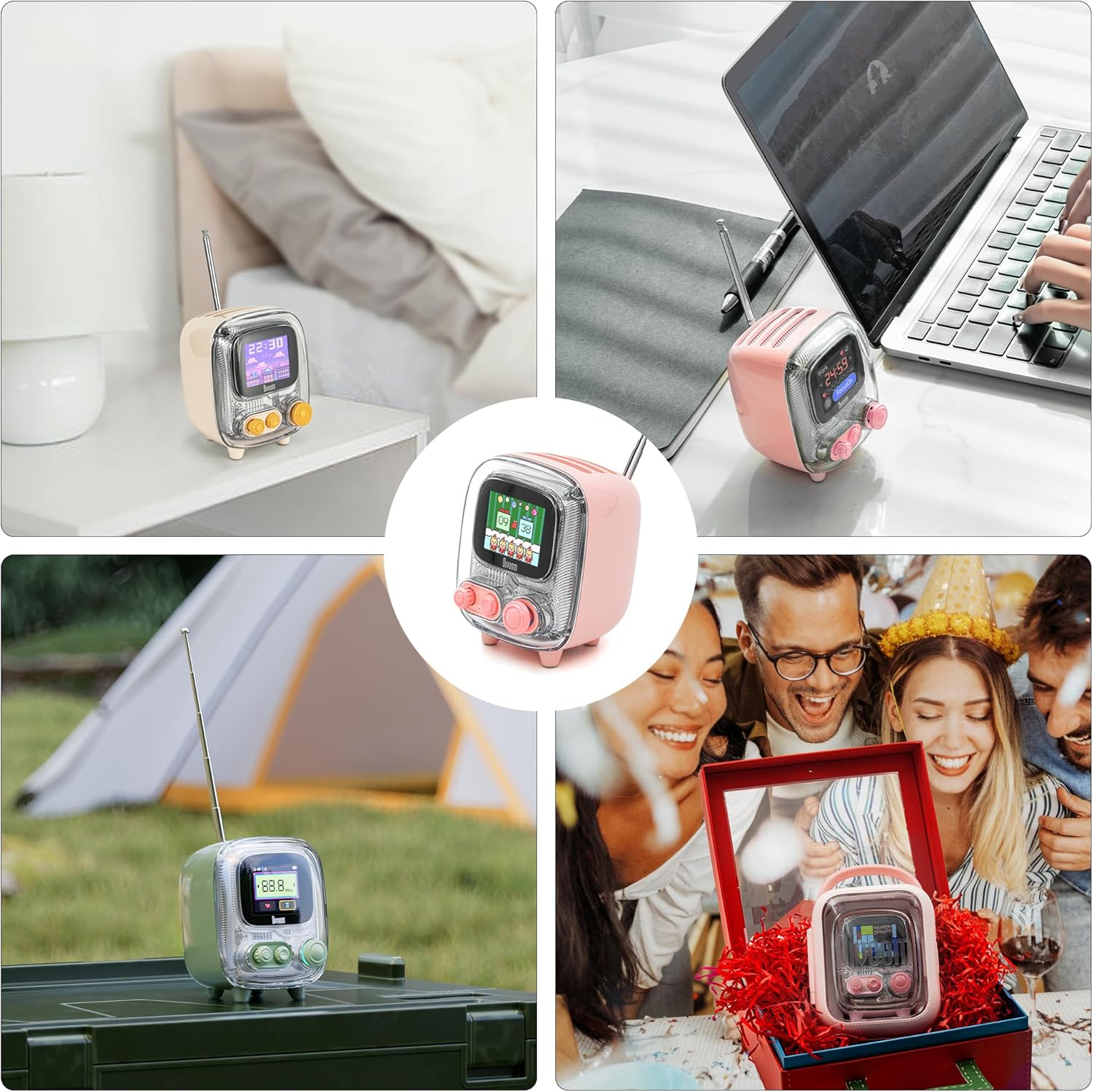
2. Produto acabadoview
The Divoom Tiivoo-2 is a compact and versatile retro-styled Bluetooth speaker. Its unique design features a transparent casing, piano lacquer finish, and an extendable antenna, reminiscent of vintage televisions. Beyond its aesthetic appeal, it houses a powerful 5W speaker for clear audio and offers a range of smart functionalities controlled via a dedicated mobile application.


3. Principais características
3.1 High-Quality Sound
Equipped with a 5W premium sound output, the Tiivoo-2 delivers crystal-clear audio with deep bass. Its 16-core 40mm speaker ensures delicate tones that make music flow in your ears. It supports Bluetooth connectivity for seamless streaming from your devices, a Type-C port for charging, and a TF card slot for local music playback.

3.2 Multi-Functional Pixel Art Speaker
More than just a speaker, the Tiivoo-2 features a vibrant pixel art display. You can create your own pixel art, upload photos, and utilize various built-in functions such as white noise for relaxation, an alarm clock, a Pomodoro timer for productivity, and a stopwatch.

3.3 Large Pixel Art Community
The Divoom app connects you to a thriving global pixel art community. Easily create your own pixel art with just a tap, or explore a vast gallery filled with stunning designs shared by over 1,000 designers. You can chat, comment, and connect with fellow pixel art enthusiasts.

3.4 Personalized Gift Features
The Tiivoo-2 can be customized to create a unique and unforgettable gift. You can pre-store photos, set custom boot-up screens, and pre-set greeting messages or holiday themes, making it a truly personal present for any special occasion.

4. Guia de configuração
4.1 Desembalagem
Upon unboxing your Divoom Tiivoo-2, ensure all components are present. The package typically includes the Tiivoo-2 speaker, a USB Type-C charging cable, a Quick Start Guide, and this Owner's Manual.
4.2 Inicialização Inicial
To power on the device, press and hold the power button located on the front panel. The screen will light up, displaying the Divoom logo and a boot-up sequence. You may be prompted to select a language upon first use.
4.3 Conexão do aplicativo
For full functionality and customization, download the Divoom app from your smartphone's app store. Open the app, enable Bluetooth on your phone, and follow the on-screen instructions to pair with your Tiivoo-2 speaker. The app allows you to control various features, including pixel art, FM radio, alarms, and more.
Note: No official 'Seller' videos demonstrating setup were available in the provided product data.
5. Instruções de operação
5.1 Controles Básicos
The Tiivoo-2 features intuitive controls for easy operation:
| Controlar | Função |
|---|---|
| Botão | Vire à esquerda: diminuir o volume Vire à direita: aumente o volume Clique único: Reproduzir/Pausar Clique duas vezes: Próxima faixa Clique triplo: faixa anterior Pressão longa: liga / desliga |
| Botão | Clique único: retornar ao menu anterior Double click: Quickly switch between Bluetooth/TF card/FM modes |
| Controle de videojogo | Single click: Confirm/Switch/Enter menu Up/Down: Select among the vertical list Left/Right: Select among the horizontal menu/Make adjustments for single settings/switch tracks in some modes |

Rádio 5.2 FM
The Tiivoo-2 features a built-in FM radio. Extend the antenna for better reception. You can tune to your favorite stations directly from the device using the controls or through the Divoom app for precise frequency selection.
5.3 Pixel Art Creation
Unleash your creativity by designing custom pixel art directly within the Divoom app. The app provides a canvas where you can draw and color pixels, and your creations will instantly appear on the Tiivoo-2's display. You can save your designs and share them with the community.

5.4 Photo Uploads
Personalize your Tiivoo-2 by uploading your favorite photos from your phone to the speaker's display. This feature allows you to showcase cherished memories or simply add a personal touch to your device.

5.5 Outras funções
- Ruído branco: Access 12 soothing white noise sounds through the app for relaxation and better sleep.

Figure 5.4: White Noise function for relaxation. - Despertador: Set alarms with four unique wake-up sounds and twelve ringtones for a novel and crisp start to your day.

Figure 5.5: Natural wake-up with alarm function. - Temporizador Pomodoro: Utilize the fashionable and innovative digital desktop timer for enhanced focus and productivity.

Figure 5.6: Pomodoro Timer for productivity. - Temporizador diário: Your fitness companion, offering a smart timer for every workout.

Figure 5.7: Daily Timer for fitness and routines.
5.6 Jogos
The Tiivoo-2 comes with built-in pixel games for entertainment. You can control these games directly from the device or through the Divoom app on your smartphone, offering a unique retro gaming experience.
Note: No official 'Seller' videos demonstrating gaming were available in the provided product data.
6. Manutenção
To ensure the longevity and optimal performance of your Divoom Tiivoo-2 speaker, follow these maintenance guidelines:
- Limpeza: Use a soft, dry cloth to clean the exterior of the speaker. Avoid using abrasive cleaners or solvents, as they may damage the finish.
- Armazenar: Quando não estiver em uso por longos períodos, guarde a caixa de som em local fresco e seco, longe da luz solar direta e de temperaturas extremas.
- Cuidados com a bateria: Para preservar a vida útil da bateria, evite descarregá-la completamente com frequência. Carregue o dispositivo regularmente, mesmo que não o esteja usando constantemente.
- Exposição à água: The Tiivoo-2 is not waterproof. Avoid exposing it to water or high humidity.
7. Solução De Problemas
If you encounter any issues with your Divoom Tiivoo-2, please refer to the following common problems and solutions:
- O aparelho não liga: Ensure the battery is charged. Connect the speaker to a power source using the provided Type-C cable.
- Sem som: Check the volume level on both the speaker and your connected device. Ensure the speaker is correctly paired via Bluetooth or that the TF card is properly inserted.
- Problemas de emparelhamento Bluetooth: Make sure the speaker is in Bluetooth mode. Turn off and on Bluetooth on your device, then try re-pairing. Ensure no other devices are connected to the speaker.
- Recepção de rádio FM deficiente: Fully extend the antenna. Try moving the speaker to a different location to improve signal strength.
- Problemas de conectividade do aplicativo: Ensure the Divoom app is updated to the latest version. Restart both the speaker and your smartphone, then try connecting again.
- Pixel art not displaying correctly: Check your internet connection if downloading new art. Ensure the image resolution is compatible with the speaker's display.
If the problem persists, please contact Divoom customer support for further assistance.
8. Especificações
| Recurso | Detalhe |
|---|---|
| Dimensões do produto | 2.91 x 2.91 x 3.8 polegadas |
| Peso do item | 1.3 libras |
| Número do modelo do item | Tiivoo-2 |
| Baterias | 1 bateria de íon de lítio necessária (incluída) |
| Fabricante | Divoom |
| País de origem | China |
| Marca | Divoom |
| Cor | Rosa |
| Recurso especial | Mostrar |
| Tecnologia de Conectividade | Bluetooth |
| Tecnologia de sintonizador | FM |
| Estilo | Retrô |
| Fonte de energia | Alimentado por bateria |
| Bandas de rádio suportadas | 8 bandas |
| Componentes incluídos | Quick Start Guide, Owner's Manual |
9. Garantia e Suporte
The Divoom Tiivoo-2 comes with a standard return policy allowing for refund or replacement within 30 days of purchase. Additionally, protection plans are available for extended coverage, including 2-Year, 3-Year, and a Complete Protect plan.
For further support, troubleshooting, or warranty claims, please visit the official Divoom website or contact their customer service through the Divoom app. The Divoom app also provides a support center for common inquiries and device settings.
You can find more information and connect with the Divoom community via their official brand store: Divoom Brand Store.