1. Introdução
Thank you for choosing the Thermalright TL-E12B V3 120mm PWM Case Fan. This manual provides essential information for the proper installation, operation, and maintenance of your new fan. Please read this manual thoroughly before installation to ensure optimal performance and longevity of your product.
The TL-E12B V3 is engineered for high performance, featuring a 120mm design with PWM speed control, an S-FDB bearing for quiet and stable operation, and optimized airflow for effective cooling of your computer components.
2. Informações de segurança
- Ensure your computer system is powered off and unplugged from the wall outlet before installation or maintenance.
- Manuseie o ventilador pela estrutura para evitar danificar as pás.
- Do not attempt to disassemble the fan motor or bearing. The S-FDB bearing is designed to be maintenance-free.
- Keep the fan away from liquids and excessive dust.
- Use only the provided cables and connectors.
- The fan blades are designed with anti-misfiring features, but exercise caution to prevent finger injury during handling or operation.
3. Conteúdo da embalagem
- 1x Thermalright TL-E12B V3 120mm Case Fan
4. Especificações
| Recurso | Especificação |
|---|---|
| Modelo | TL-E12B V3 |
| Dimensões | 120 mm (C) x 120 mm (L) x 25 mm (A) |
| Velocidade de rotação | 2000 RPM ±10% (Max) |
| Nível de ruído | ≤27.7 dBA |
| Capacidade de fluxo de ar | 72.37 CFM |
| Pressão do ar | 2.87 mm H2O (Máx.) |
| Tipo de conector de alimentação | PWM de pinos 4 |
| Volumetage | 12 Volts |
| Atual | 0.18 UMA |
| O quetage | 2.16 Watts |
| Tipo de rolamento | S-FDB (Fluid Dynamic Bearing) |
| Material | PBT+PC (Insulation Grade) |
| Comprimento do cabo | Até 55 cm |
5. Configuração e instalação
5.1 Instalação Geral
The Thermalright TL-E12B V3 fan is designed for versatile use, suitable for computer cases, CPU coolers, and water cooling radiators. Ensure proper airflow direction for optimal cooling performance.
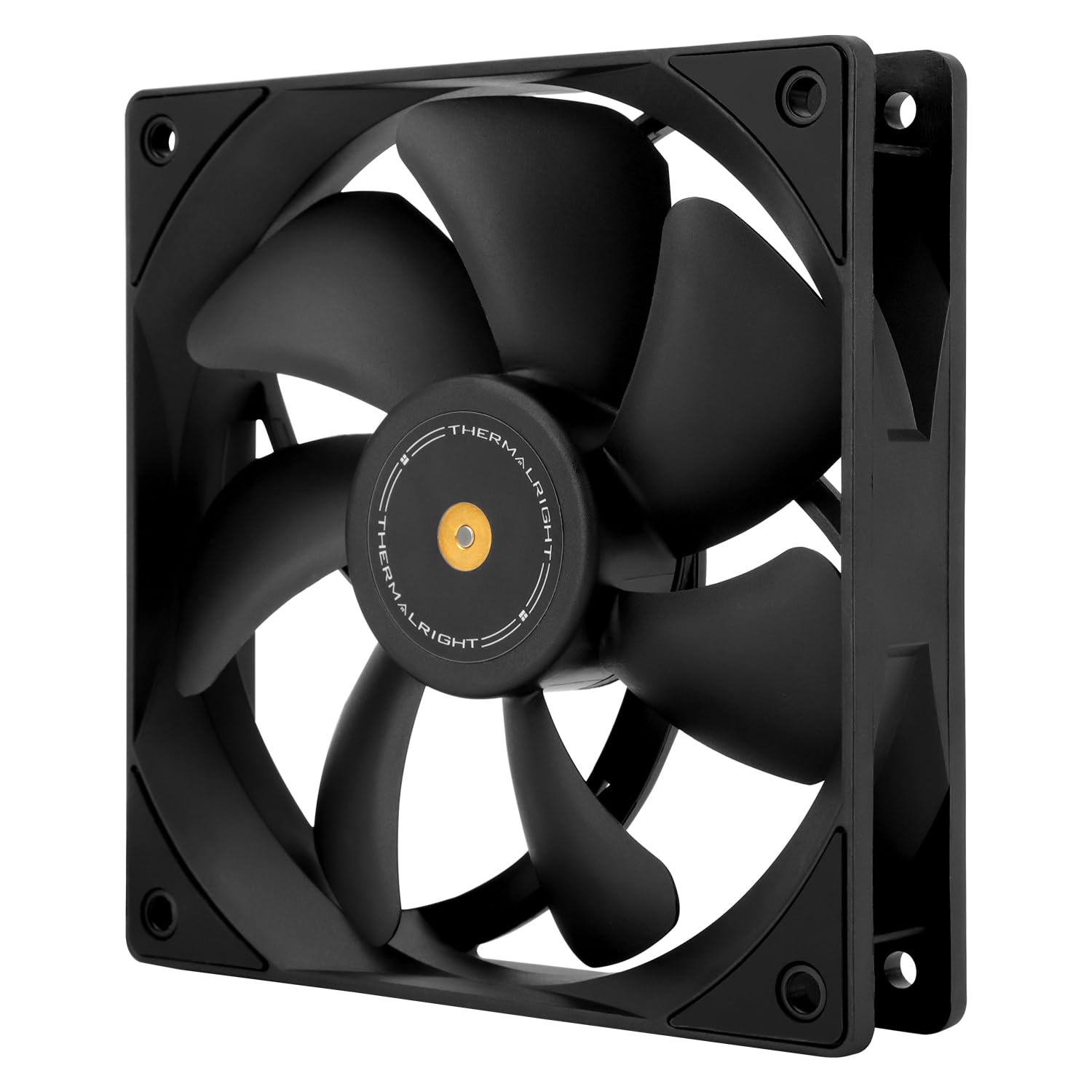
Imagem: Frente view of the Thermalright TL-E12B V3 fan, highlighting its balanced performance design.
5.2 Etapas de Instalação Física
- Preparar o local de montagem: Identify the desired mounting location within your PC case, on a CPU cooler, or a radiator. Ensure there is sufficient space and that the mounting holes align with the fan's dimensions (120x120mm).
- Orient the Fan: Determine the desired airflow direction. Fans typically have an arrow indicating airflow direction on the side of the frame. Position the fan to draw cool air in or exhaust hot air out, depending on your system's cooling strategy.
- Proteja o ventilador: Use the provided screws to secure the fan to the mounting location. The fan features shock-absorbing corner pads to reduce noise and vibration. Tighten screws evenly but do not overtighten.

Imagem: Traseira view of the TL-E12B V3 fan, showing the S-FDB bearing label and the soft-touch rubber pads on the corners designed for vibration absorption.
5.3 Conexões de Fiação
The TL-E12B V3 fan uses a 4-pin PWM connector for power and speed control.
- Conectar à placa-mãe: Locate an available 4-pin fan header on your motherboard (often labeled 'CHA_FAN' or 'SYS_FAN').
- Conexão segura: Carefully align the 4-pin connector from the fan with the pins on the motherboard header and push firmly until it is seated. The connector is keyed to prevent incorrect insertion.

Image: The Thermalright TL-E12B V3 fan with a close-up of its 4-pin PWM connector, which allows for automatic speed control via the motherboard.
6. Instruções de operação
The Thermalright TL-E12B V3 fan operates via PWM (Pulse Width Modulation) signal control. Once connected to a compatible 4-pin PWM header on your motherboard, the fan speed will automatically adjust based on the system's temperature, as determined by your motherboard's BIOS settings or fan control software.
- Controle automático de velocidade: The motherboard will detect the fan and regulate its speed from idle to a maximum of 2000 RPM, providing efficient cooling only when needed, thus reducing noise during lighter loads.
- BIOS/Software Configuration: You can typically adjust fan curves and profiles within your motherboard's BIOS/UEFI settings or through manufacturer-provided software to customize the fan's behavior according to your preferences.

Image: The TL-E12B V3 fan shown installed in a PC case for exhaust and mounted on a water cooling radiator, demonstrating its versatile application in different cooling setups.
7. Manutenção
A manutenção regular ajuda a garantir o desempenho ideal e prolonga a vida útil do seu ventilador.
- Limpeza: Periodically clean the fan blades and frame to remove dust buildup. Use compressed air or a soft brush. Ensure the fan is powered off and unplugged before cleaning.
- Inspeção: Check for any obstructions around the fan blades or unusual noises during operation.
- Consequência: The S-FDB (Fluid Dynamic Bearing) is designed for long-lasting, maintenance-free operation. Do not attempt to lubricate or disassemble the bearing, as this may damage the fan and void the warranty.
8. Solução De Problemas
| Problema | Possível causa | Solução |
|---|---|---|
| O ventilador não está girando | No power, loose connection, faulty header | Ensure 4-pin PWM cable is securely connected to the motherboard. Check BIOS settings for fan control. Try a different fan header. |
| Fan spinning too fast/slow | Incorrect BIOS settings, fan control software issue | Adjust fan speed settings in your motherboard's BIOS/UEFI or fan control software. Ensure PWM mode is enabled. |
| Ruído/vibração incomum | Loose mounting screws, obstruction, faulty bearing | Check and tighten mounting screws. Ensure no cables or objects are hitting the fan blades. If noise persists and no obstruction is found, contact support. |
| Baixo fluxo de ar | Dust buildup, incorrect fan orientation | Clean fan blades and surrounding area. Verify fan is oriented correctly for desired airflow (intake or exhaust). |
9. Garantia e suporte
Thermalright products are manufactured to the highest quality standards. This product is covered by a limited warranty against defects in materials and workmanship. For specific warranty terms and conditions, please refer to the warranty information provided with your purchase or visit the official Thermalright website.
For technical support, troubleshooting assistance, or warranty claims, please contact Thermalright customer service through their official website or the retailer from whom you purchased the product. Please have your product model number (TL-E12B V3) and proof of purchase ready when contacting support.