1. Introdução
Thank you for choosing the Anweller Fingerprint Electronic Door Lock L111-70mm. This manual provides detailed instructions for the installation, operation, and maintenance of your new smart lock. Please read this manual carefully before installation and use to ensure proper function and security. Keep this manual for future reference.
2. Produto acabadoview
The Anweller L111-70mm is an advanced electronic door lock cylinder designed for enhanced security and convenience. It offers multiple unlocking methods and smart features for modern access control.

Image 2.1: Anweller L111-70mm Fingerprint Electronic Door Lock components including the cylinder, keys, and IC cards.
Principais características:
- Five Unlock Modes: Fingerprint, Password, RFID Card, Tuya App, and Mechanical Keys.
- Alta Segurança: Constructed from heavy alloy material for durability and enhanced security.
- Fácil instalação: Designed for quick replacement of existing locks without additional drilling.
- Bateria de longa duração: Low power consumption ensures extended battery operation with low battery warnings.
- Controle de aplicativo inteligente: Manage users, generate temporary passwords, and monitor lock status via the Tuya app.
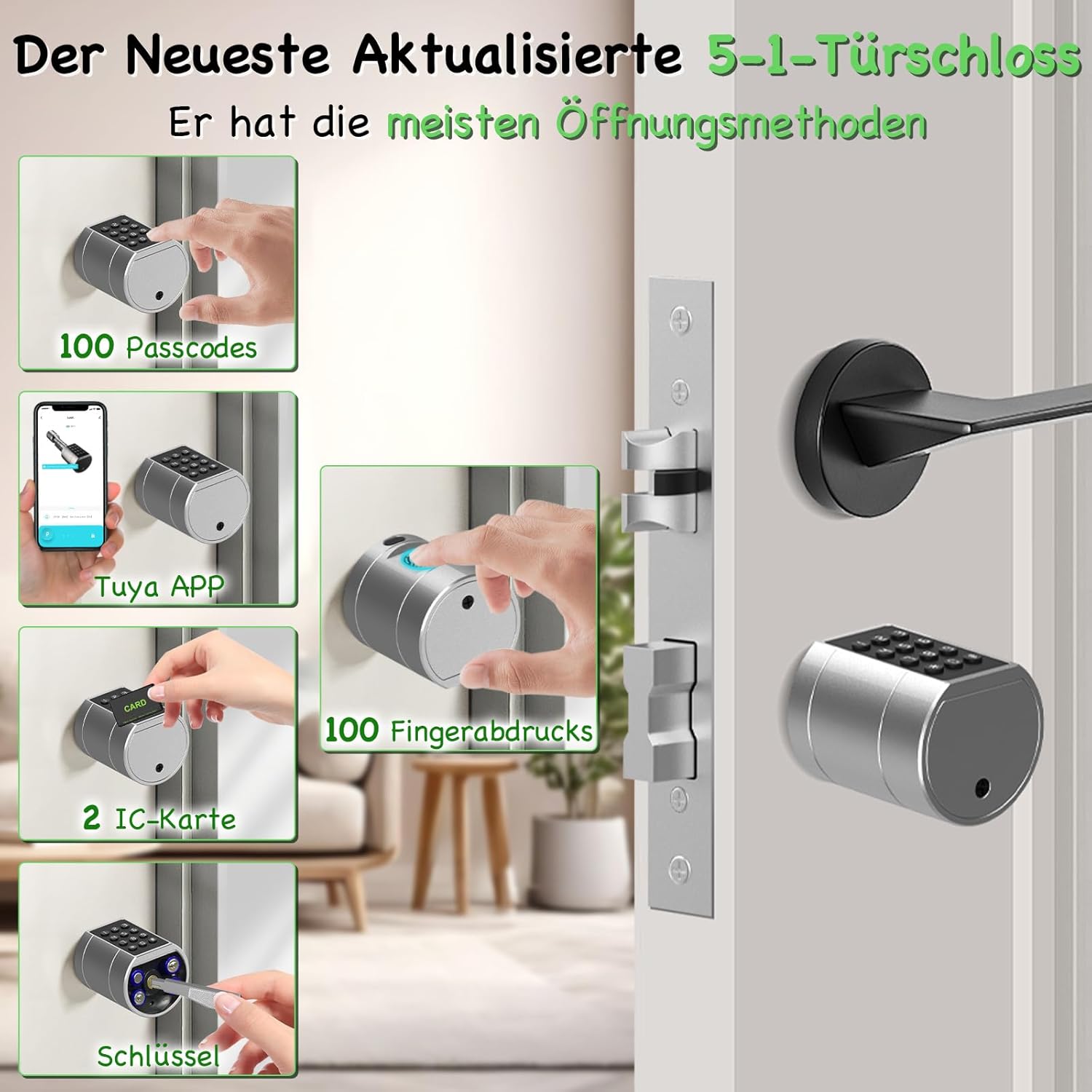
Image 2.2: Visual representation of the five available unlock methods: Passcode, Tuya APP, Fingerprint, IC Card, and Mechanical Key.
3. Configuração e instalação
The Anweller L111-70mm lock cylinder is designed for straightforward installation, typically replacing an existing lock without the need for drilling.
3.1 Compatibilidade com portas
- 70mm Lock Cylinder: Suitable for door thicknesses between 35mm and 70mm.
- Ensure the distance between the cylinder lock hole and the door frame is at least 50mm.
3.2 Etapas de Instalação (Guia Geral)
- Remove your existing lock cylinder.
- Insert the Anweller L111-70mm cylinder into the door.
- Secure the cylinder with the provided screw set.
- Install 4 AAA batteries (not included) into the battery compartment.
- Follow the instructions in the included user manual for initial setup and programming.

Image 3.1: Guide for measuring door thickness and ensuring compatibility for installation. The 70mm cylinder is suitable for doors 35-70mm thick.
4. Instruções de operação
The Anweller L111-70mm offers multiple convenient ways to unlock your door.
4.1 Desbloqueio por Impressão Digital
- The lock can store up to 100 unique fingerprints.
- To unlock, place your registered finger on the sensor. The lock will disengage upon successful recognition.
- The fingerprint sensor features enhanced sensitivity and recognition speed for reliable access.

Image 4.1: Illustration of the larger fingerprint recognition area and improved sensitivity for quick and accurate unlocking.
4.2 Desbloqueio de Senha
- The lock supports up to 100 passwords.
- Enter your registered password on the keypad, then press '#' to confirm and unlock.
- Senhas temporárias: The Tuya app allows you to generate various types of temporary passwords:
- Códigos únicos: For single use.
- Códigos com limite de tempo: Valid for a specific duration.
- Dynamic passwords: For flexible access.
- User-defined codes: Customizable codes.
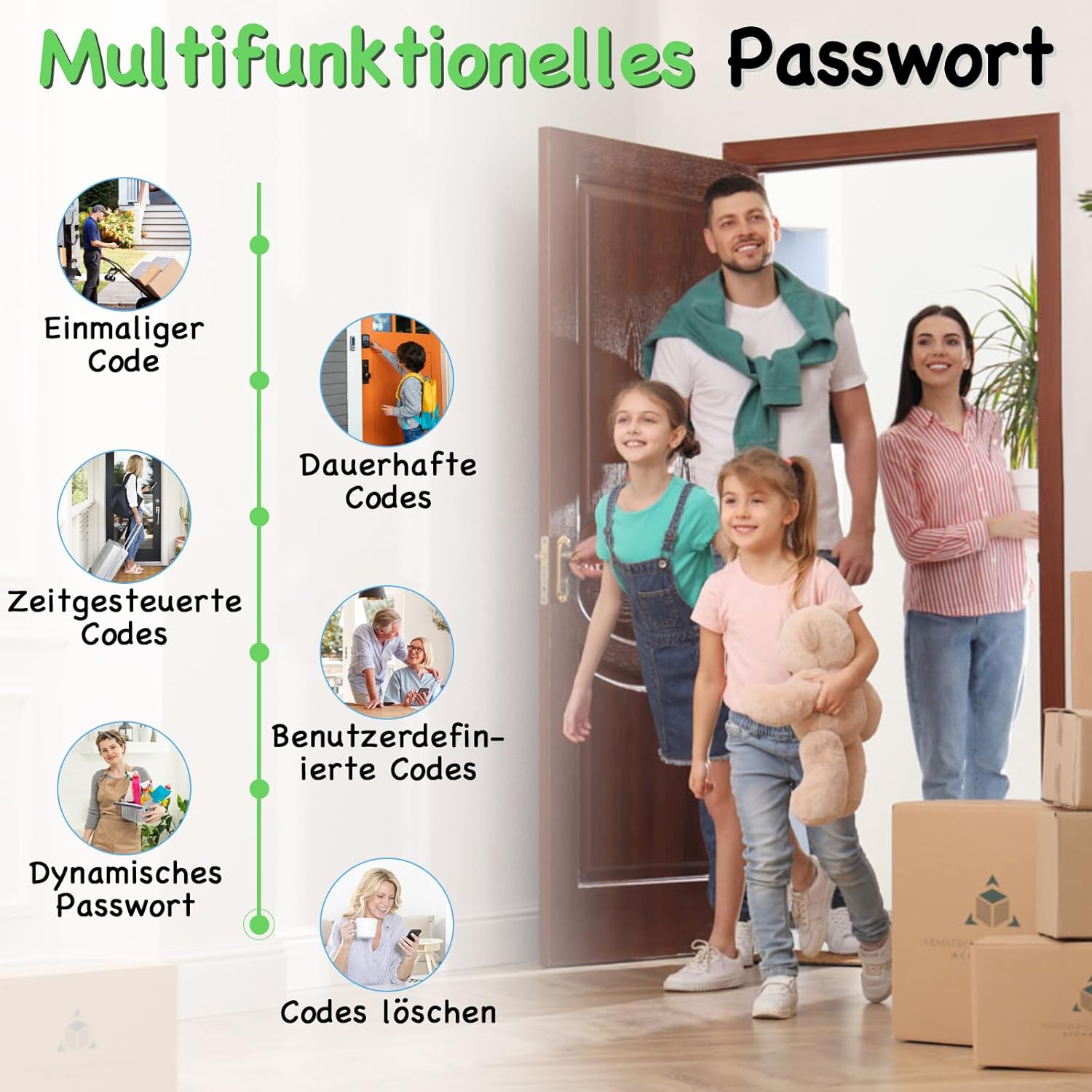
Imagem 4.2: Terminadoview of multifunctional password options available through the lock system.

Imagem 4.3: Example of generating and sharing temporary passwords remotely via the mobile application.
4.3 Desbloqueio do cartão RFID
- Two RFID cards are included with the lock.
- To unlock, present a registered RFID card to the designated sensor area on the lock.
4.4 Tuya App Control
- Download the Tuya app from your device's app store.
- Pair the lock with the app following the in-app instructions.
- The app allows for remote unlocking, user management, generation of temporary passwords, checking battery status, and viewing unlock logs.

Image 4.4: Features of the intelligent app control, including temporary password settings, user management, battery status, and access logs.
4.5 Desbloqueio por chave mecânica
- Two mechanical keys are provided for emergency access.
- Insert the key into the keyhole and turn to unlock the door manually.
4.6 Gerenciamento de bateria
- The lock operates on 4 AAA batteries (not included).
- It features low power consumption, providing approximately one year of battery life.
- A low battery warning will alert you when batteries need replacement.
- In case of complete battery depletion, the lock can be temporarily powered via a USB power bank for emergency access, or unlocked using the mechanical keys.

Image 4.5: Information on battery longevity and emergency power options for the lock.
5. Manutenção
To ensure the longevity and optimal performance of your Anweller L111-70mm lock, follow these maintenance guidelines:
- Limpeza: Wipe the lock surface with a soft, dry cloth. Avoid using abrasive cleaners, solvents, or harsh chemicals, as these can damage the finish and electronic components.
- Substituição da bateria: Replace all 4 AAA batteries when the low battery warning is activated. Use high-quality alkaline batteries for best performance.
- Sensor de impressão digital: Mantenha o sensor de impressões digitais limpo e seco para um reconhecimento preciso.
- Teclado: Ensure the keypad is free from dirt or debris that could obstruct button presses.
- Chaves Mecânicas: Store the mechanical keys in a safe, accessible location outside the property for emergency use.
6. Solução De Problemas
If you encounter issues with your Anweller L111-70mm lock, refer to the following common problems and solutions:
- A fechadura não responde: Check battery level. If batteries are depleted, use a USB power bank for emergency power or the mechanical key.
- Impressão digital não reconhecida: Certifique-se de que seu dedo esteja limpo e seco. Se o problema persistir, registre novamente sua impressão digital.
- A senha não está funcionando: Verify the correct password is being entered. Check for any debris on the keypad.
- Problemas de conectividade do aplicativo: Ensure Bluetooth is enabled on your phone and the lock is within range. Restart the app and try reconnecting.
- Lock is making unusual noises: Entre em contato com o suporte ao cliente para obter assistência.
For further assistance, consult the full user manual included with your product or contact Anweller customer support.
7. Especificações
| Recurso | Especificação |
|---|---|
| Fabricante | Anweller |
| Número do modelo | L111-70 |
| Tamanho | Cilindro de 70 mm |
| Material | Heavy alloy material |
| Peso do item | 600 g |
| Dimensões do produto | 16.75 x 4.9 x 4.9 cm |
| Métodos de desbloqueio | Fingerprint, Password, RFID Card, Tuya App, Mechanical Key |
| Capacidade de impressão digital | Até 100 |
| Capacidade da senha | Até 100 |
| Fonte de energia | 4 x pilhas AAA (não incluídas) |
| Energia de emergência | Porta USB-C |
| Componentes incluídos | Locking cylinder L111, 2 x keys, 2 x IC cards, Screw set, User Manual |
8. Garantia e Suporte
Specific warranty information is typically provided with the product packaging or can be obtained directly from the manufacturer. Please refer to the documentation included in your product box for warranty details.
For technical support, troubleshooting assistance, or any questions regarding your Anweller Fingerprint Electronic Door Lock, please contact Anweller customer service through the contact information provided in your product documentation or on the official Anweller website.


