Introdução
This manual provides detailed instructions for the setup, operation, and maintenance of your FEELWORLD T10 10.1-Inch Camera Field Monitor. Please read this manual thoroughly before using the product to ensure proper function and to prevent damage.

Image: FEELWORLD T10 10.1-Inch Camera Field Monitor, front view.
Principais características
- IPS 10.1-inch Touchscreen: Offers precise control via finger gestures.
- Clear Images: Features 500nit brightness, 1920x1200 resolution, 1500:1 contrast ratio, and a 16:10 aspect ratio for accurate image representation.
- Custom 3D LUT/Full Assist: Supports SD card loading of up to 32 LUTs for on-location color effects. Includes waveform, histogram, and vector range tools.
- 4K HDMI Transmission: Supports signals up to 4096x2160/60p with HDMI input and output, ensuring real-time audio and video synchronization.
- Placa de bateria F970: Compatible with NP-F series batteries (not included) to power the monitor and external accessories like wireless transmitters or lighting.
- Design durável: Constructed with a sturdy aluminum alloy shell and resilient rubber corner guards for shock protection.
O que está na caixa
Ao abrir a caixa, verifique se todos os componentes estão presentes:
- FEELWORLD T10 Camera Monitor
- F970 Battery Clasp Plate (pre-installed)
- Micro cabo HDMI
- Cabo HDMI padrão
- Suporte em U
- Guarda-sol
- Manual de instruções
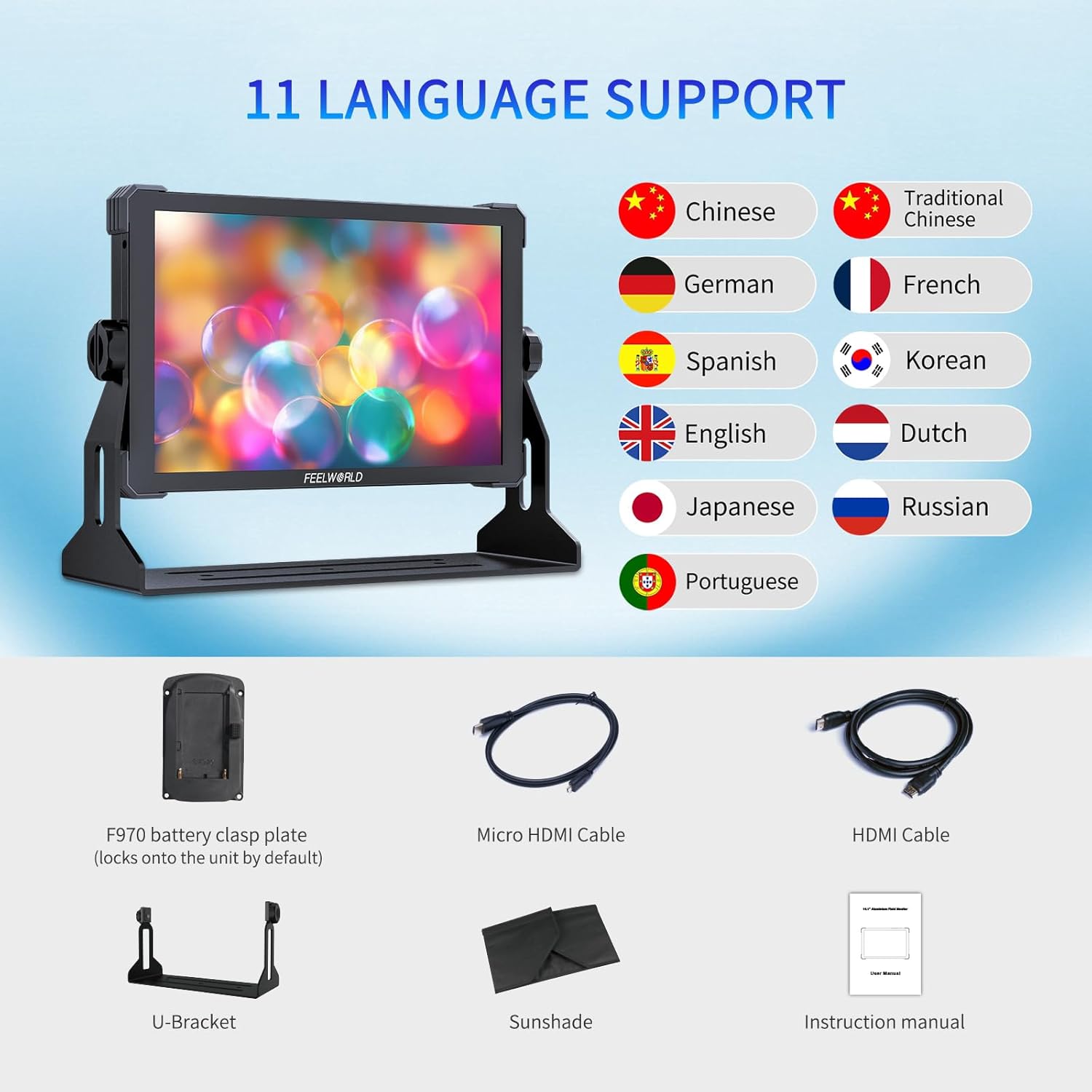
Image: Included accessories for the FEELWORLD T10 monitor, including cables, bracket, and sunshade.
Guia de configuração
1. Ligando o monitor
The T10 monitor can be powered via a DC 12V input or an NP-F series battery.
- Using DC 12V: Connect the provided power adapter to the "DC IN 12V" port on the side of the monitor and plug it into a power outlet.
- Utilizando a bateria NP-F: Attach a compatible NP-F series battery (e.g., NP-F970, NP-F750, NP-F550) to the F970 battery plate on the back of the monitor. Ensure it clicks securely into place.

Imagem: Traseira view of the FEELWORLD T10 showing the F970 battery plate and external power supply kit.
2. Connecting to a Camera (HDMI)
The T10 supports 4K HDMI input and output.
- Connect one end of the HDMI cable (Micro HDMI to HDMI or Standard HDMI to HDMI, depending on your camera's port) to your camera's HDMI output.
- Connect the other end of the HDMI cable to the "HDMI IN" port on the side of the T10 monitor.
- If you need to loop out the signal to another device, use another HDMI cable to connect the "HDMI OUT" port on the T10 to your desired device.

Imagem: Lado view of the FEELWORLD T10 highlighting the HDMI input and output ports.
3. Montagem do monitor
The monitor features multiple 1/4-inch screw mounting points for versatile attachment.
- Attach the U-Bracket to the bottom of the monitor using the screw mount.
- Secure the monitor to a camera rig, tripod, or other support using the U-Bracket or any of the 1/4-inch screw mounting points located on the sides and bottom.
4. Attaching the Sunshade
For outdoor use or in bright conditions, attach the sunshade to improve visibility.
- Align the sunshade with the edges of the monitor screen.
- Secure the sunshade using the Velcro straps or integrated attachment points.
Instruções de operação
1. Ligar/desligar
Press and hold the power button located on the top edge of the monitor to turn it on or off.
2. Navegação por tela sensível ao toque
The T10 features an intuitive touchscreen interface. Swipe and tap to navigate menus and adjust settings.

Image: FEELWORLD T10 demonstrating multiple operation methods, including touchscreen and physical buttons.
3. Menu System Overview
The main menu is accessed via the touchscreen. It is organized into several categories:
- Assistência: Contains various monitoring tools like Waveform, Vector, Histogram, Focus Assist, Embedded Audio, Over Exposure, Check Field, and False Colors.
- Marcador: Allows selection of Grids, Safe Frames, Center Marker, and Ratio Marker.
- Imagem: Adjusts Scan Mode, Aspect Ratio, Anamorphic Mode, Image Flip, Zoom Mode, Image Freeze, and P2P (Pixel-to-Pixel).
- Opção do usuário: Manages LUTs (import/selection), HDR settings, Display Adjustment (backlight, brightness, contrast, saturation), Color Adjustment (color temp, RGB gain), and Shortcut Key customization.
- Sistema: Includes User Switch, Language, OSD Option, EDID Settings, Volume, Reset, and Firmware Update.
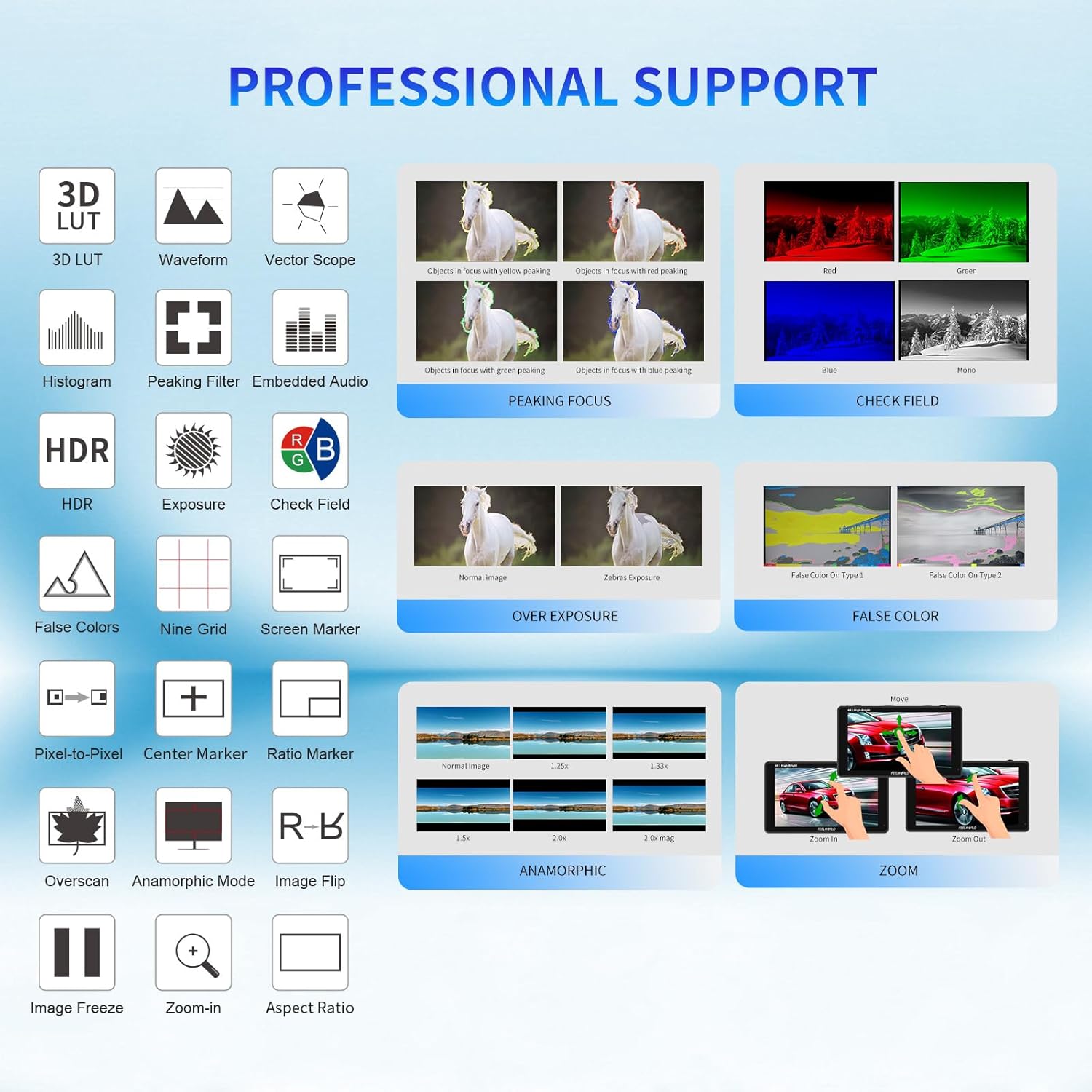
Image: Visual representation of the professional support features available on the FEELWORLD T10 monitor.
4. Using 3D LUTs
The T10 supports custom 3D LUTs for on-set color grading previews.
- Carregar LUT files (.cube format) onto an SD card.
- Insert the SD card into the monitor's USB port (via an adapter if necessary).
- Navegar para User Option > LUT > LUT Import to load your custom LUTs.
- Select the desired LUT from the list to apply it to your video feed.

Image: The 3D-LUT output feature of the FEELWORLD T10, showing before and after color grading effects.
5. HDR Monitoring
Enable HDR mode for enhanced dynamic range viewindo.
- Vá para User Option > HDR.
- Toggle HDR to "On" and select the appropriate HDR mode (HLG1, HLG2, HLG3) if available.

Image: The 10.1-inch touchscreen of the FEELWORLD T10 displaying Full HD HDR monitoring capabilities.
6. Customizing Shortcut Keys
The monitor features customizable function buttons (F1, F2, F3) for quick access to frequently used features.
- Navegar para User Option > Shortcut Key.
- Assign desired functions (e.g., Waveform, Focus Assist, Grids) to F1, F2, or F3.
7. Atualização de firmware
To ensure optimal performance and access new features, regularly check for and install firmware updates.
- Download the latest firmware from the official FEELWORLD website to a USB drive.
- Connect the USB drive to the monitor's USB port.
- Vá para System > Firmware Update e siga as instruções na tela.
Manutenção
- Limpeza: Use a soft, dry cloth to clean the monitor screen and body. For stubborn marks, slightly dampLimpe o pano com água ou uma solução de limpeza segura para telas. Evite produtos químicos agressivos.
- Armazenar: When not in use, store the monitor in a cool, dry place, away from direct sunlight and extreme temperatures. Use a protective case to prevent scratches and impacts.
- Cuidados com a bateria: If using NP-F batteries, ensure they are charged regularly and stored properly to prolong their lifespan. Remove batteries if the monitor will not be used for an extended period.
- Gerenciamento de cabos: Avoid bending or crimping cables excessively to prevent damage to the internal wires and connectors.
Solução de problemas
| Problema | Possível causa | Solução |
|---|---|---|
| O monitor não liga. | No power, low battery, or faulty power connection. | Check DC power adapter connection or ensure NP-F battery is charged and correctly installed. |
| Sem sinal de vídeo. | Incorrect HDMI connection, camera output settings, or incompatible signal. | Verify HDMI cable is securely connected to "HDMI IN". Check camera's HDMI output settings (resolution, frame rate). Ensure signal is within supported range (up to 4K 60Hz). |
| Tela sensível ao toque sem resposta. | Problema temporário de software ou de calibração da tela. | Restart the monitor. If the issue persists, perform a factory reset via the System menu. |
| Image appears distorted or incorrect aspect ratio. | Incorrect aspect ratio setting or anamorphic mode. | Adjust "Aspect Ratio" or "Anamorphic Mode" settings in the Image menu to match your source. |
Especificações
| Recurso | Detalhe |
|---|---|
| Tamanho da tela | 10.1 polegadas |
| Resolução | 1920x1200 |
| Brilho | 500 lêndeas |
| Taxa de contraste | 1500:1 |
| Proporção da tela | 16:10 |
| Entrada de vídeo | HDMI (up to 4096x2160/60p) |
| Saída de vídeo | HDMI |
| Fonte de energia | DC 12V, NP-F Battery |
| Protocolo de conectividade | Wi-Fi (for firmware updates via USB) |
| Peso do item | 2.64 libras |
| Dimensões | 10.63 x 8.27 x 4.33 polegadas (Embalagem) |
| Material da concha | Liga de alumínio |
Produto acimaview e Demonstração de Recursos
Assista a este vídeo para uma análise detalhada.view of the FEELWORLD T10 monitor, including unboxing, physical features, and a demonstration of its various monitoring tools and settings.
Vídeo: Análise detalhadaview and feature demonstration of the FEELWORLD T10 10.1-Inch Camera Field Monitor.
Garantia e Suporte
For warranty information, technical support, or service inquiries, please refer to the official FEELWORLD webAcesse o site ou entre em contato diretamente com o atendimento ao cliente. Guarde o recibo de compra como comprovante para solicitações de garantia.
- Suporte online: Visite o FEELWORLD Store on Amazon Para obter informações sobre o produto e recursos de suporte.
- Planos de proteção: Planos de proteção estendida podem estar disponíveis para compra. Consulte seu revendedor para obter mais detalhes.