1. Produto acabadoview
The Baseus Qi2 MagSafe Power Bank (Model: PPPG-0520S) is an ultra-slim, portable wireless charger designed for iPhone 12/13/14/15/16 series and other compatible devices. It features official Qi2 certification for up to 15W wireless fast charging, a versatile 360° rotatable ring stand, and the ability to charge two devices simultaneously via both wireless and wired connections. Its compact design and robust safety features make it an ideal companion for on-the-go power needs.

Image: The Baseus Qi2 MagSafe Power Bank in black, magnetically attached to the back of a silver iPhone. The integrated ring stand is extended, allowing the phone to stand upright. A smaller inset image shows the power bank detached, highlighting its slim profile and the Qi2 logo.
2. O que está na caixa
- 1 x Baseus PicoGo Qi2 Magnetic Power Bank (5000mAh)
- 1 x cabo USB-C para USB-C
- Quick Start Guide (This Manual)
3. Principais características
- Qi2 Certified 15W Wireless Fast Charging: Officially certified for fast and efficient wireless charging, capable of charging compatible iPhones from 0 to 35% in approximately 30 minutes.
- Design ultracompacto e leve: Measuring only 0.54 inches thick and weighing 6 ounces, it is designed for portability without obstructing the phone's camera.
- Multi-function 360° Rotatable Ring Stand: Features a built-in magnetic ring stand made of sturdy metal, allowing 360° rotation and adjustable angles from 40° to 120° for versatile viewing and secure grip.
- Carregue 2 dispositivos simultaneamente: Supports self-charging via the USB-C port while wirelessly charging another device. It can also charge two cell phones concurrently using both wired and wireless methods.
- Worry-free & Safe Charging: Includes a low current mode for small devices like AirPods and earbuds, preventing overcharging. Equipped with eight layers of protection against overcharging, over-discharging, overheating, and more, ensuring safe operation and compliance with international aviation standards.
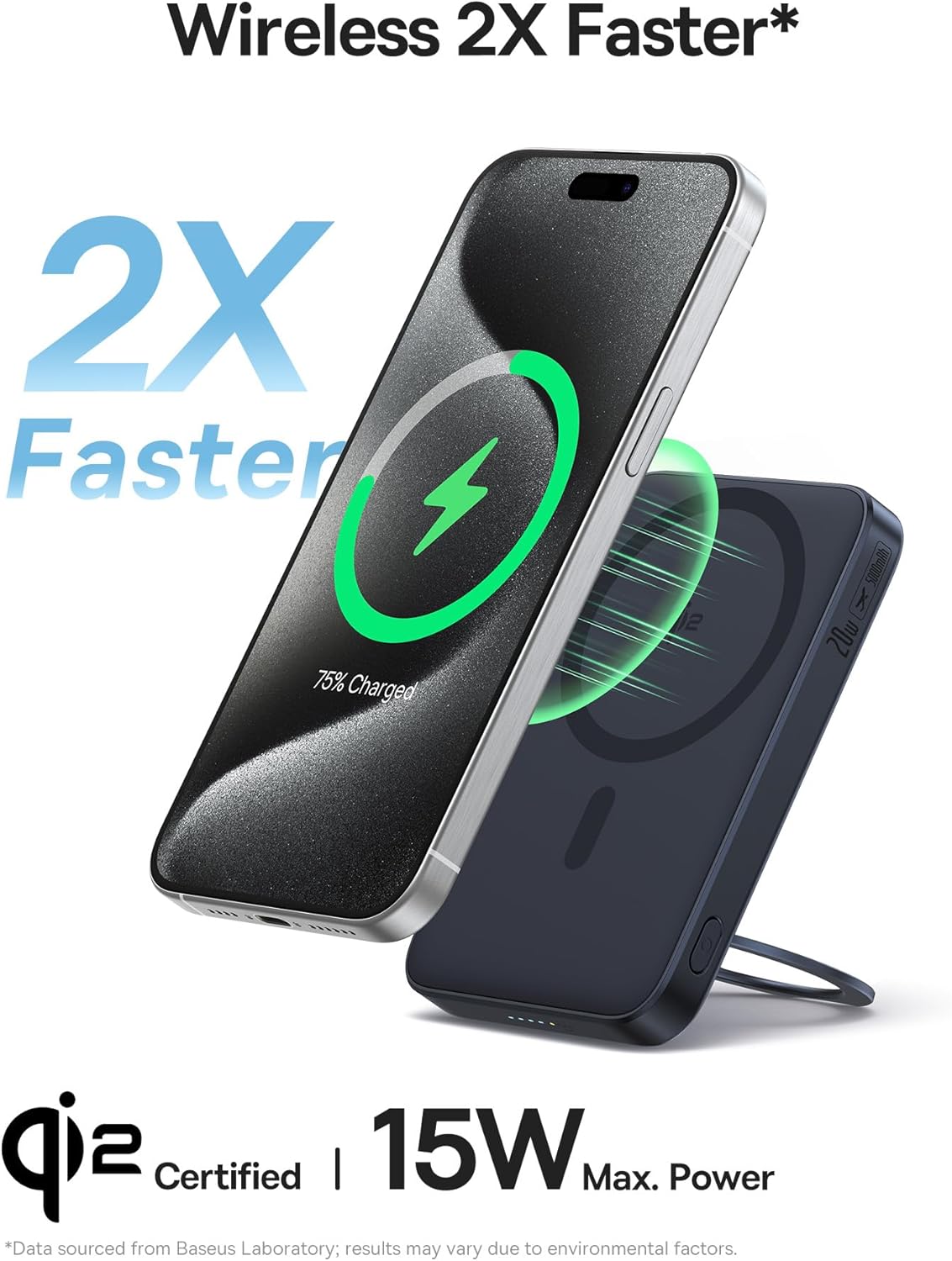
Image: An iPhone displaying a charging icon, positioned above the Baseus power bank, indicating 2X faster wireless charging at 15W. The image emphasizes the Qi2 certification.

Image: A hand gently holding the Baseus power bank, highlighting its ultra-slim and ultra-portable design. Inset diagrams show the precise dimensions of the device (4.07" x 2.63" x 0.54").

Image: Two illustrations demonstrating the flexibility of the integrated ring stand. One shows a 360° rotation, and the other illustrates the adjustable angle range from 40° to 120°, emphasizing its foldable and rotatable design.
4. Configuração
4.1 Carregamento inicial do Power Bank
Before first use, fully charge your Baseus Qi2 MagSafe Power Bank. Connect the provided USB-C to USB-C cable to the power bank's USB-C port and the other end to a compatible USB-C power adapter (not included). The LED indicators on the side of the power bank will illuminate to show the charging progress. A full charge is indicated when all LEDs are solid.
4.2 Attaching to Your iPhone
The power bank features strong magnetic force for secure attachment to MagSafe-compatible iPhones (iPhone 12 series and later) or MagSafe-compatible cases. Simply align the power bank with the back of your iPhone; the magnets will snap it into place. Ensure proper alignment for optimal charging efficiency.
5. Instruções de operação
5.1 Carregamento sem fio
- Certifique-se de que o banco de energia esteja suficientemente carregado.
- Attach the power bank magnetically to the back of your MagSafe-compatible iPhone.
- The power bank will automatically begin wireless charging. The LED indicator will show charging status.
5.2 Carregamento com fio
- Conecte uma extremidade do cabo USB-C para USB-C à porta USB-C do carregador portátil.
- Connect the other end of the cable to your device's USB-C port.
- The power bank will begin wired charging. This method supports up to 20W fast charging for compatible devices.

Image: The Baseus power bank connected to an iPhone via a USB-C cable, illustrating the wired charging capability. The image highlights its universal compatibility with USB-C devices and 20W fast charging.
5.3 Carregando Vários Dispositivos
The power bank supports simultaneous charging of two devices. You can wirelessly charge one device (e.g., iPhone) while simultaneously charging another device (e.g., AirPods, another phone) via the USB-C port using a cable.
5.4 Using the Ring Stand
The integrated ring stand can be pulled out from the back of the power bank. It rotates 360° and can be adjusted to various angles (40° to 120°) to provide a stable viewing experience in both portrait and landscape orientations. It also serves as a secure grip when holding your phone.
5.5 Indicadores LED
The power bank features LED indicators on its side. These LEDs show the current battery level of the power bank and indicate when it is actively charging or discharging. The outermost LED glows red during charging or discharging.
Video: An official product video from Baseus demonstrating the features and usage of the PicoGo Qi2 Power Bank with Kickstand, including its slim design, magnetic attachment, ring stand functionality, and charging capabilities.
6. Manutenção
- Mantenha o carregador portátil longe de água, umidade e temperaturas extremas.
- Evite deixar cair ou submeter o dispositivo a impactos fortes.
- Limpe a superfície com um pano macio e seco. Não utilize produtos químicos agressivos ou materiais abrasivos.
- Guarde em local fresco e seco quando não for utilizado por longos períodos.
7. Solução De Problemas
| Problema | Possível causa | Solução |
|---|---|---|
| O dispositivo não está carregando sem fio. | Improper alignment; power bank low on charge; non-MagSafe compatible device/case. | Ensure the power bank is centered on your iPhone's MagSafe area. Recharge the power bank. Use a MagSafe-compatible iPhone or case. |
| Velocidade de carregamento lenta. | Device not supporting fast charging; power bank low on charge; background apps consuming power. | Verify your device supports 15W wireless or 20W wired charging. Fully charge the power bank. Close unnecessary background applications on your device. |
| Magnetic attachment is weak or slides off easily. | Non-MagSafe case; thick case; foreign objects between power bank and phone. | Ensure you are using a MagSafe-compatible case or no case. Remove any foreign objects. |
| Power bank not turning on/LEDs not lighting up. | A bateria externa está completamente descarregada; defeito interno. | Connect the power bank to a power source and charge it for at least 30 minutes. If the issue persists, contact customer service. |
8. Especificações
| Recurso | Detalhe |
|---|---|
| Número do modelo | PPPG-0520S |
| Dimensões do produto | 4.07 x 2.63 x 0.54 polegadas |
| Peso do item | 6 onças |
| Capacidade da bateria | 5000 Miliamp Horas (mAh) |
| Tipo de conector | USB Tipo C |
| Saída de carregamento sem fio | Até 15W (Certificação Qi2) |
| Saída de carregamento com fio | Até 20 W (USB-C) |
| Características especiais | Fast Charging, LED Indicator Lights, Lightweight, Qi2 Magsafe Wireless Charging, Slim, 360° Rotatable Ring Stand |
9. Garantia e Suporte
The Baseus PicoGo Qi2 Magnetic Power Bank comes with a Garantia de 24 meses. For any product problems or inquiries, please contact our friendly customer service team. We are committed to resolving any issues in a timely manner.
Para obter mais assistência, visite o site oficial da Baseus. webou entre em contato com os canais de suporte ao cliente.


