1. Introdução
This manual provides essential information and instructions for the proper use and maintenance of your Casio G-Shock GMDB300-1 Step Tracker Digital Watch. Please read this manual thoroughly before using the watch to ensure optimal performance and longevity.
The Casio G-Shock GMDB300-1 is designed as a robust sports-oriented timepiece, featuring a step tracker and smartphone connectivity to support an active lifestyle. Its key resin components, including the case, bezel, and band, are crafted from bio-based resin, reflecting a commitment to environmental responsibility.

Image 1: The Casio G-Shock GMDB300-1 Step Tracker Digital Watch in black with light blue accents.
2. Configuração
2.1 Inicialização e configuração de hora
Upon first use or after a battery change, the watch may require initial setup. Follow these steps:
- Ensure the watch is exposed to light to charge the solar battery.
- Pressione e segure o AJUSTAR button (top left) until the city code starts flashing.
- Use o MODO (bottom left) and COMEÇAR (bottom right) buttons to select your home city code.
- Imprensa AJUSTAR again to confirm and exit the setting mode. The time will automatically adjust based on the selected city.
2.2 Smartphone Link Setup
The GMDB300-1 can be linked with a smartphone for enhanced functionality and data management.
- Download the official Casio G-SHOCK Connected app from your smartphone's app store.
- Ative o Bluetooth no seu smartphone.
- No relógio, pressione e segure o CONECTAR button (middle left) until the Bluetooth icon appears and flashes.
- Abra o aplicativo G-SHOCK Connected e siga as instruções na tela para emparelhar seu relógio.
- Once paired, the watch time will synchronize with your smartphone, and tracked data can be managed within the app.
3. Instruções de operação
3.1 Modos de Navegação
Pressione o MODO button (bottom left) to cycle through the different watch modes:
- Modo de cronometragem: Exibe a hora, a data e o dia da semana atuais.
- Step Tracker Mode: Shows daily step count and progress towards goals.
- Modo cronômetro: Para medir o tempo decorrido.
- Modo Temporizador: Uma função de temporizador de contagem regressiva.
- Modo de alarme: Set and manage daily alarms.
- Modo Hora Mundial: View horários em diferentes fusos horários.
3.2 Step Tracker Function
The built-in accelerometer automatically counts your steps. The watch displays your total daily steps and progress towards a set goal. Detailed activity logs can be viewed via the G-SHOCK Connected app.
- In Step Tracker Mode, press COMEÇAR (bottom right) to view daily step data.
- Use o MODO e COMEÇAR buttons to navigate through different step data views (e.g., daily, weekly, monthly).
3.3 Backlight (Illuminator)
Pressione o LUZ button (bottom center) to illuminate the display for easy reading in low-light conditions. The illumination duration can be configured in the watch settings or via the smartphone app.

Imagem 2: Uma descrição detalhada view of the Casio G-Shock GMDB300-1 watch face, highlighting its digital display and various indicators.
4. Principais características
- Bio-based Resin Construction: The watch incorporates bio-based resin in its case, bezel, and band, contributing to reduced environmental impact. This material maintains the renowned G-SHOCK durability and shock resistance.
- Link para smartphone: Seamlessly connect your watch to the G-SHOCK Connected app on your smartphone via Bluetooth. This allows for automatic time adjustment, easy watch setting configuration, and management of life log data, including step counts and calorie burn.
- Rastreador de passos: An integrated 3-axis accelerometer accurately counts your steps throughout the day. Set daily step goals and monitor your progress directly on the watch display or through the connected app.
- Resistência à água até 200 metros: Designed for robust use, the watch is water-resistant up to 200 meters, making it suitable for swimming, snorkeling, and other water activities.
- Resistência ao choque: True to its G-SHOCK heritage, the GMDB300-1 features a shock-resistant structure that protects against impacts and vibrations, ensuring reliability in demanding environments.
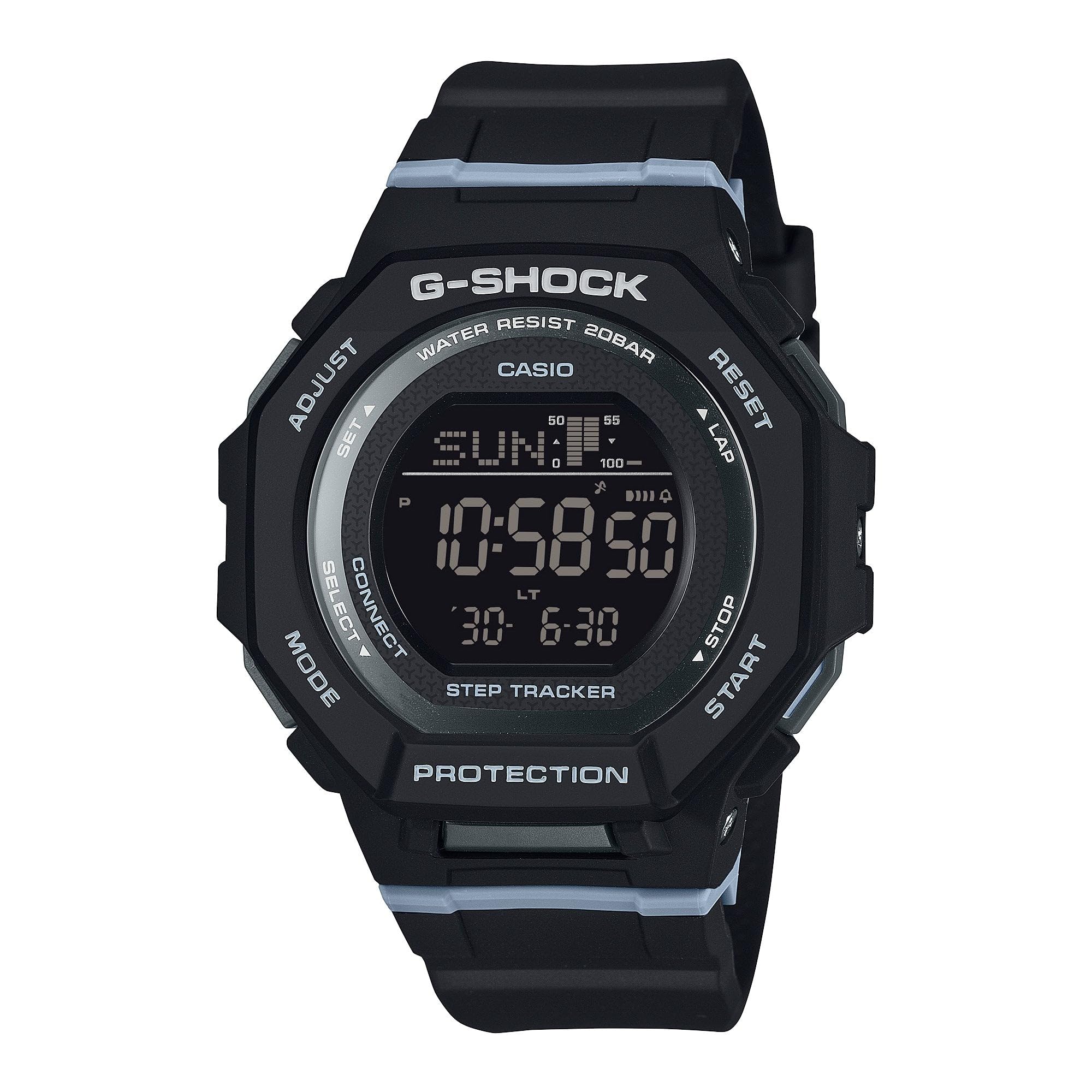
Image 3: The Casio G-Shock GMDB300-1 watch worn by an individual, showcasinseu design e ajuste.
5. Manutenção
5.1 Limpando seu relógio
Para manter a aparência e a funcionalidade do seu relógio:
- Limpe o relógio com um pano macio e seco para remover a sujeira e a umidade.
- For stubborn dirt, use a soft cloth dampened with water and a mild neutral detergent. Avoid harsh chemicals or solvents.
- Após exposição à água salgada, enxágue bem o relógio com água doce e seque-o completamente.
5.2 Precauções quanto à resistência à água
While water-resistant, observe the following:
- Do not operate watch buttons while submerged in water.
- Avoid exposing the watch to hot water or steam, as this can damage seals.
- If the watch is exposed to extreme temperature changes, condensation may appear inside the crystal. This should clear up quickly. If it persists, consult an authorized service center.
5.3 Battery Charging (Solar Powered)
This watch is equipped with a solar charging system. Ensure regular exposure to light to keep the battery charged. Avoid prolonged storage in dark places.
- Coloque o relógio em um local onde seu mostrador fique exposto à luz intensa.
- The charging time varies depending on the light intensity.
- Refer to the battery level indicator on the display to monitor charge status.
6. Solução De Problemas
6.1 Time is Incorrect
- Verificar configuração da cidade natal: Ensure your home city is correctly set. Incorrect city settings can lead to incorrect time display.
- Link para smartphone: Verify that the watch is successfully paired and connected to the G-SHOCK Connected app for automatic time synchronization.
- Ajuste manual: If automatic adjustment fails, manually set the time and date as described in the
Documentos relacionados - GMDB300-1

Casio G-SHOCK GBA-800 G-SQUAD: Seu companheiro inteligente para exercícios
Discover the Casio G-SHOCK GBA-800 G-SQUAD, a smartphone-linked watch designed to enhance your daily workouts. Features include automatic step tracking, customizable timers, stopwatch functions, and a comfortable fine-fit band. Stay connected and motivated with G-SHOCK Connected app integration.
Guia do Usuário do Relógio Conectado Casio EQB-500
Um guia completo do usuário para o relógio conectado Casio EQB-500, detalhando seus recursos, configuração, operação e especificações para uma integração perfeita com o smartphone.
Instruções para Casio G-SHOCK (Modelo 5623) e garantia mecânica
Obtenha informações e informações sobre a garantia do dispositivo para o seu Casio G-SHOCK (Modelo 5623) de i-Watch.Ru, instruções de uso para эксплуатации, настройке функций, conexão Bluetooth e устранению неполадок.
CASIO Operation Guide 3475: Your Smartwatch Companion
This operation guide details the CASIO 3475 smartwatch, covering GPS tracking, heart rate monitoring, fitness analysis, mobile connectivity, and advanced training features.
Banco de dados Casio G-Shock: durabilidade e especificações
Explore o banco de dados Casio G-Shock para obter detalhes completos sobre relógios resistentes a choques e à água. Encontre especificações, recursos e informações.tage da icônica linha G-Shock.
Guia de Operação Casio 3482: Manual do Usuário Completo
This operation guide provides detailed instructions for the Casio Operation Guide 3482 watch, covering setup, features, functions, and troubleshooting. Learn how to navigate modes, adjust time, use training functions, manage notifications, and more.