1. Introdução
The EZAIoT EZ-TP3W WiFi Thermostat Plug is an intelligent temperature control device designed for precise climate management in various environments. It supports both heating and cooling applications, offering versatile control options through a dedicated mobile application, voice commands, or direct device interaction. This manual provides comprehensive instructions for the safe and efficient use of your EZ-TP3W thermostat plug.

Figure 1: EZAIoT EZ-TP3W Thermostat Plug with its mobile application interface and included temperature sensor.
2. Informações de segurança
Please read all safety instructions carefully before using the EZAIoT EZ-TP3W WiFi Thermostat Plug. Failure to follow these instructions may result in electric shock, fire, or other hazards.
- Desconecte a energia: Always disconnect the device from the power supply before performing any maintenance, cleaning, or repair.
- Evite umidade: Do not expose the device to moisture or use it in wet environments. This includes direct water contact or high humidity.
- Inspecione quanto a danos: Do not use the device if it is damaged, shows signs of electrical problems, or if the power cord or plug is frayed.
- Reparação Profissional: All repairs must be performed by qualified service personnel. Do not attempt to disassemble or repair the device yourself.
- Volume adequadotage: Certifique-se de que o dispositivo esteja conectado a uma fonte de alimentação dentro do vol especificadotage range (AC 100-240V; 50-60 Hz).
- Carga máxima: Do not exceed the maximum load capacity of 16A / 3680W to prevent overheating and potential fire hazards.
- Segurança infantil: Keep the device out of reach of children. Utilize the child lock function available through the app for added safety.
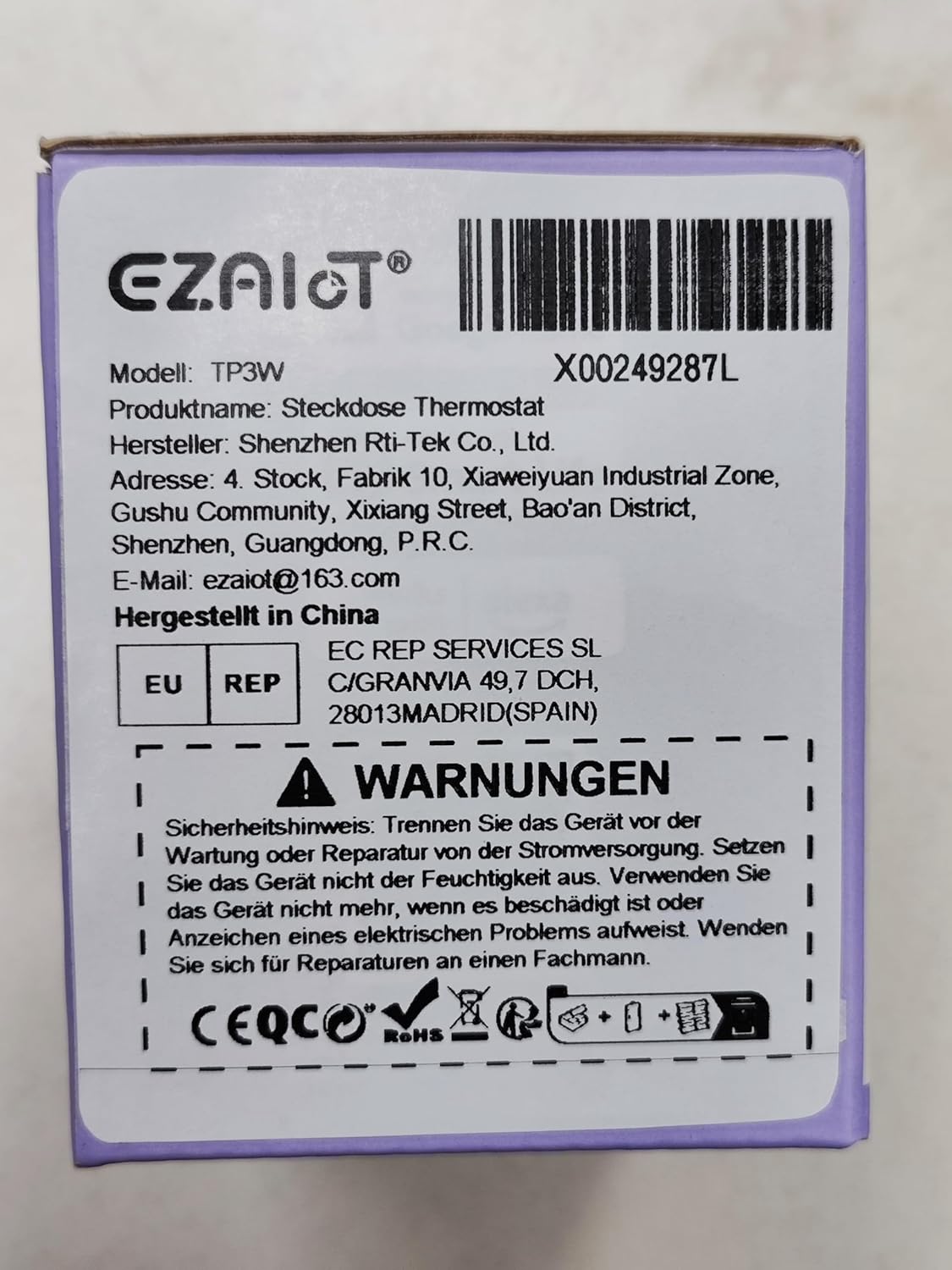
Figure 2: Product packaging displaying important safety warnings and manufacturer information.
3. Produto acabadoview
3.1 Conteúdo da embalagem
Verifique se todos os componentes estão presentes na embalagem:
- 1 x EZAIoT EZ-TP3W Thermostat Plug
- 1 x 3-meter Temperature Sensor (waterproof)
- 1 x 5-cm Temperature Sensor (waterproof)
3.2 Principais Características
- Design Plug and Play: Instalação fácil, sem necessidade de fiação complexa.
- Modos de operação versáteis: Supports heating, cooling, weekly scheduling, cycle timer, and countdown timer.
- Ampla faixa de temperatura: Measures from -9.5°C to 99.5°C (device display) and -30°C to 110°C (app display).
- Waterproof Sensors: Includes 3m and 5cm sensors for diverse applications.
- Controle inteligente: Remote control via TUYA Smart Life app, voice control with smart speakers (Google Assistant, Amazon Alexa).
- Controle manual: Interactive buttons on the device for offline operation.
- Funções de segurança: Child lock, temperature alarm, sensor error alarm, and anti-freeze function.
- Construção robusta: Made from flame-retardant PC material.

Figura 3: Overview of EZAIoT EZ-TP3W features, highlighting precision and safety.
3.3 Especificações do produto
| Especificação | Valor |
|---|---|
| Nome do modelo | EZ-TP3W |
| Tipo de conector | DIN VDE 0620-1 |
| Carga Máx. | 16 UMA |
| Potência Máxima | 3680 W |
| Fonte de energia | CA 100-240 V; 50-60Hz |
| Device Display Temp. Range | -9.5 °C a 99.5 °C |
| App Display Temp. Range | -30 °C a 110 °C |
| Dimensões do produto | 7.8 x 5.4 x 7.65 cm; 190 g |
| Tipo de controlador | iOS (and Android via Smart Life app) |
| Características especiais | Audible Alert, Fan Control, Temperature Indicator, Removable Interface, Programmable |

Figure 4: The EZAIoT EZ-TP3W featuring its LED display and key functionalities.
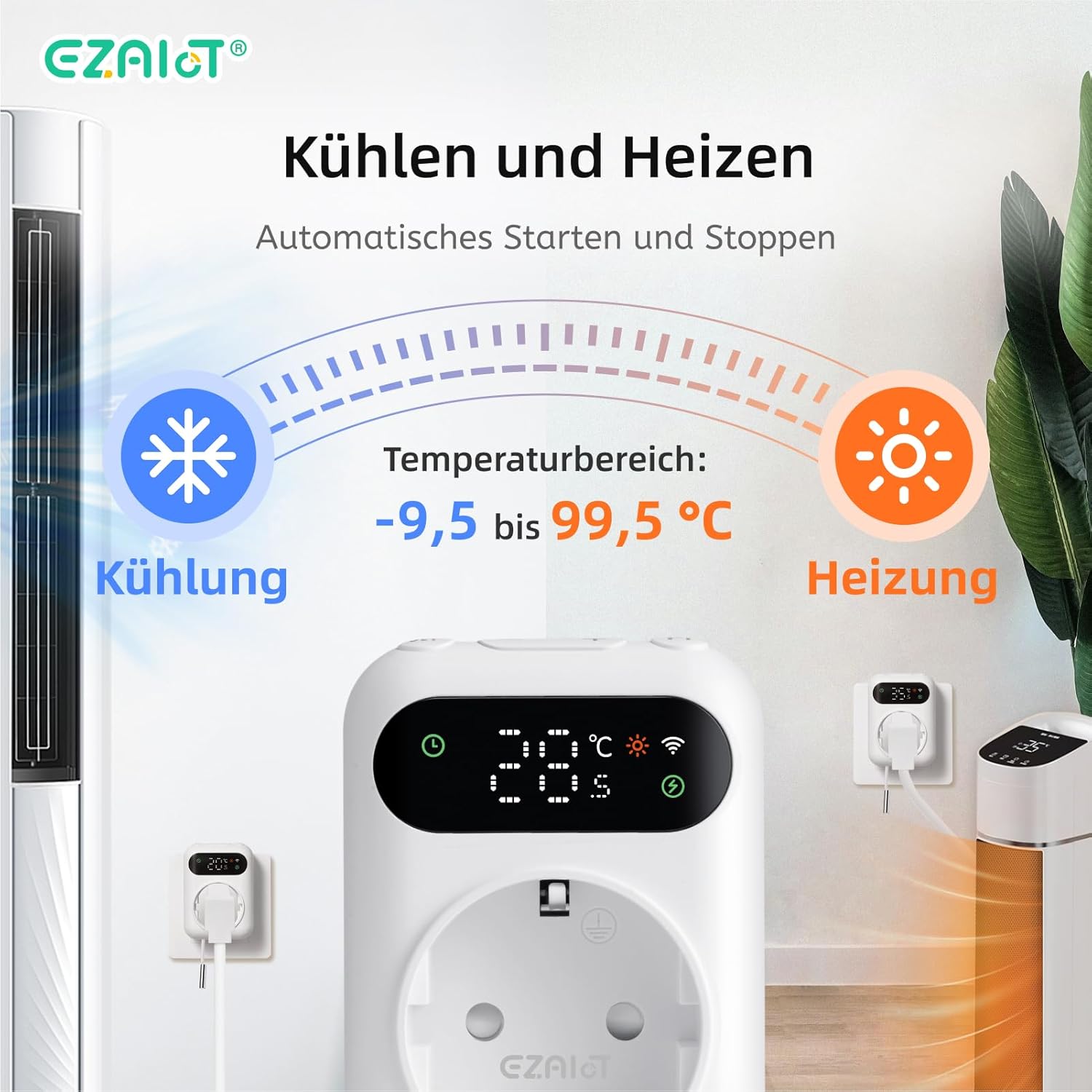
Figure 5: Visual representation of the heating and cooling capabilities of the thermostat plug, showing its operational temperature range.
4. Configuração
The EZAIoT EZ-TP3W is designed for easy plug-and-play installation.
4.1 Instalação Física
- Conectar sensor: Insert one of the provided temperature sensors into the designated port on the bottom of the thermostat plug.
- Sensor de posição: Place the sensor in the area where you wish to monitor and control the temperature. Ensure it is not directly exposed to heat sources or drafts that could skew readings.
- Dispositivo de conexão: Plug the EZAIoT EZ-TP3W thermostat into a standard electrical outlet.
- Conectar aparelho: Plug your heating or cooling appliance (e.g., heater, fan, incubator) into the socket on the front of the thermostat plug.
Figure 6: The thermostat plug, highlighting its plug-and-play design and the QR code for accessing the online manual.
For detailed setup instructions and app pairing, scan the QR code above or visit the official online manual: EZAIoT EZ-TP3W Online Manual
Figura 7: Detalhado view of the thermostat plug, showing its dimensions and the interchangeable temperature sensors.
4.2 App Pairing (TUYA Smart Life)
- Baixar aplicativo: Download the "TUYA Smart Life" app from your smartphone's app store (iOS or Android).
- Registrar/Login: Abra o aplicativo e registre uma nova conta ou faça login com uma conta existente.
- Adicionar dispositivo: Toque no ícone "+" no canto superior direito do aplicativo para adicionar um novo dispositivo.
- Selecione o tipo de dispositivo: Choose "Electrical" -> "Socket (Wi-Fi)" or search for "Thermostat Plug".
- Insira os detalhes da sua conexão Wi-Fi: Follow the on-screen instructions to connect the device to your 2.4GHz Wi-Fi network. Ensure your phone is connected to the same Wi-Fi network.
- Confirmar pareamento: The device's Wi-Fi indicator will flash during pairing and become solid once connected.
5. Instruções de operação
Modos de Operação 5.1
The EZ-TP3W offers several operating modes to suit various temperature control needs:
- Modo de aquecimento: Maintains a minimum temperature by activating the connected appliance when the temperature drops below the set point.
- Modo de resfriamento: Maintains a maximum temperature by activating the connected appliance when the temperature rises above the set point.
- Cronograma semanal: Allows you to program different temperature settings for specific times and days of the week.
- Temporizador de ciclo: Configures the device to turn on and off in repeating cycles.
- Temporizador de contagem regressiva: Sets a specific duration for the device to operate before turning off.
5.2 App Control (TUYA Smart Life)
The TUYA Smart Life app provides comprehensive control and monitoring capabilities:
- Monitoramento Remoto: View current temperature, set temperature, and device status from anywhere.
- Seleção de modo: Easily switch between heating, cooling, and other programmed modes.
- Gerenciamento de cronograma: Create, edit, and activate weekly schedules and timers.
- Alarmes de temperatura: Set high and low-temperature alerts to receive notifications on your smartphone.
- Bloqueio para crianças: Activate the child lock function to prevent accidental changes to settings on the device.
- Controle de voz: Integrate with smart speakers like Google Assistant or Amazon Alexa for hands-free control.
- Example: "OK Google, set the EZ-TP3W to auto."
- Example: "Alexa, what's the temperature of EZ-TP3?"

Figure 8: Demonstrates remote control via the app and voice commands, alongside local manual control.
5.3 Controle Manual
The device features interactive buttons for direct control, even without an internet connection:
- Botão de energia: Liga ou desliga o dispositivo.
- Botão de modo: Alterna entre os modos de operação disponíveis.
- Botões para cima / para baixo: Adjusts temperature set points or timer values.
- Confirmation Button: Confirms selections or enters settings menus.
6. Aplicações
The EZAIoT EZ-TP3W is suitable for a wide range of temperature control applications:
- Home Heating/Cooling: Optimize room temperature.
- Estufas: Maintain ideal growing conditions for plants.
- Aquários: Regulate water temperature for aquatic life.
- Recintos para répteis: Ensure stable temperatures for reptiles.
- Incubadoras: Precise temperature control for hatching eggs.
- Home Brewing/Fermentation: Maintain specific temperatures for brewing processes.
- Caves de vinho: Control temperature for optimal wine storage.
- Outros eletrodomésticos: Can be used with attic fans, evaporative coolers, window air conditioners, etc.
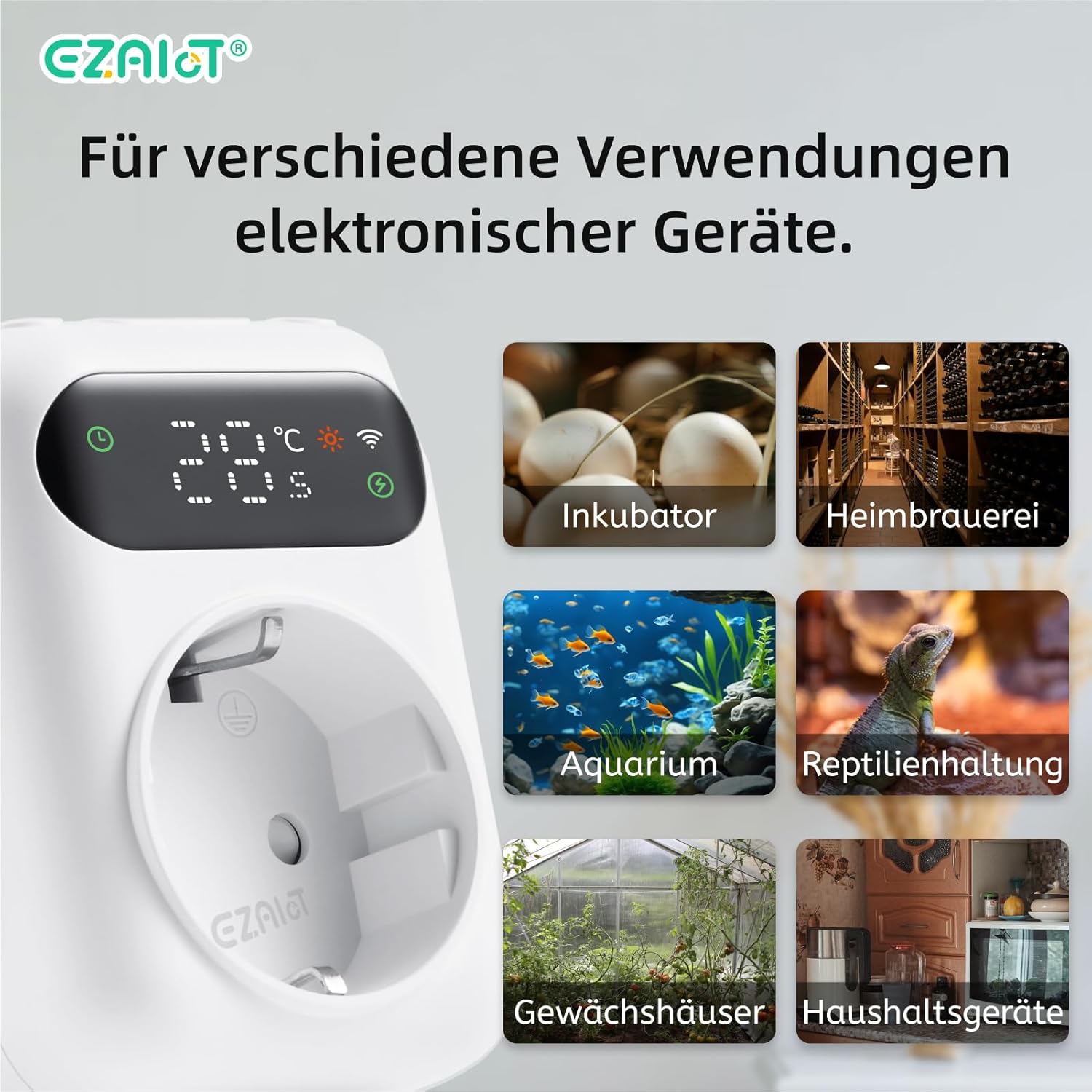
Figura 9: Examples of diverse applications for the EZAIoT EZ-TP3W thermostat plug.
7. Manutenção
Regular maintenance ensures optimal performance and longevity of your device.
- Limpeza: Disconnect the device from power before cleaning. Wipe the exterior with a soft, dry cloth. Do not use abrasive cleaners or solvents.
- Cuidados com o sensor: Ensure the temperature sensors are clean and free from debris. Avoid bending or damaging the sensor cables.
- Atualizações de firmware: Periodically check the TUYA Smart Life app for any available firmware updates for the device to ensure you have the latest features and bug fixes.
8. Solução De Problemas
If you encounter issues with your EZAIoT EZ-TP3W, refer to the following common problems and solutions:
| Problema | Possível causa | Solução |
|---|---|---|
| O dispositivo não liga. | No power from outlet; device damaged. | Check the power outlet with another appliance. Ensure the device is not damaged. |
| Não é possível conectar ao Wi-Fi. | Senha de Wi-Fi incorreta; rede de 5 GHz; dispositivo muito distante do roteador. | Ensure correct 2.4GHz Wi-Fi password. Move device closer to router. Reset device and try pairing again. |
| A leitura da temperatura está incorreta. | Sensor improperly placed; sensor damaged; sensor error alarm. | Reposition the sensor away from direct heat/cold sources. Check sensor connection. Replace sensor if damaged. |
| O aparelho não liga/desliga. | Incorrect mode/settings; appliance not working; exceeding max load. | Verify operating mode and set points in the app. Test the appliance directly. Ensure total load is below 3680W. |
| Device display is off. | Display timeout setting. | The display may turn off after a set period (e.g., 120 seconds) to save power. This setting can usually be adjusted in the app, though a permanent "always on" option might not be available. |
9. Garantia e Suporte
EZAIoT products are designed for reliability and performance. For warranty information, please refer to the documentation provided with your purchase or contact your retailer.
For technical support or inquiries, you may contact the manufacturer directly:
- Fabricante: Shenzhen Rti-Tek Co., Ltd.
- E-mail: ezaiot@163.com
- Online Manual & Support: https://manual.rti-tek.org/en/TP3
Please have your model number (EZ-TP3W) and purchase details ready when contacting support.


