Introdução
The Stealth Cam Revolver is a cellular trail camera designed for advanced outdoor surveillance and wildlife monitoring. It features a 36MP camera, 1080P HD video recording, and a unique 360-degree panoramic view capability. This manual provides detailed instructions for setting up, operating, and maintaining your Revolver trail camera to ensure optimal performance.

Image: Stealth Cam Revolver trail camera with its antenna extended, positioned in an open field with trees in the background.
Características do produto
- Imagens de alta resolução: Captures 36 Megapixel still images for detailed observation.
- Vídeo em alta definição: Records 1080P High Definition video at 30 frames per second.
- Rapid Trigger Speed: Possui velocidade de disparo de 0.4 segundos para capturar objetos em movimento rápido.
- Panorâmica 360 ° View: Offers a comprehensive 360-degree field of view for extensive coverage.
- GPS integrado: Provides location data for camera placement and tracking.
- Conectividade celular: Supports Verizon and AT&T networks for remote data transmission.
- PIR Zones: Utilizes multiple Passive Infrared (PIR) zones for precise motion detection.
- Command Pro App Compatibility: Gerenciar as configurações da câmera e view media remotely via the Command Pro smartphone application.
- External Power Options: Compatible with external battery packs and solar panels for extended operation.

Image: A multi-panel image demonstrating the 360-degree panoramic capture capability of the camera, showing various outdoor scenes with wildlife.
Conteúdo da embalagem
Verifique se todos os itens estão presentes no seu pacote:
- Stealth Cam Revolver Cellular Trail Camera
- Stealth Cam 5,000MAH FIELDMAX External Lithium Rechargeable Battery
- Stealth Cam Durable Solar Battery Pack
- Lexar 32GB SD Card
Configurar
1. Instalação da bateria
Open the camera's battery compartment. Insert the required batteries (16 AA, not included for internal power, or use the provided 5,000MAH FIELDMAX External Lithium Rechargeable Battery) ensuring correct polarity. Close the compartment securely.

Image: A person's hands opening the side compartment of the Stealth Cam Revolver camera, revealing battery slots.
2. Inserção do cartão SD
Locate the SD card slot inside the camera. Insert the provided Lexar 32GB SD card with the label facing up until it clicks into place. Ensure the card is fully seated.

Image: The Stealth Cam Revolver camera with its main compartment open, clearly showing the SD card slot, battery bays, and internal controls.
3. Fixação da antena
Screw the cellular antenna firmly into the designated port on top of the camera. Ensure it is upright and unobstructed for optimal signal reception.
4. Montando a Câmera
Secure the camera to a tree or pole using the provided mounting strap or a compatible mounting accessory. Position the camera to achieve the desired field of view, considering the 360-degree panoramic capability.
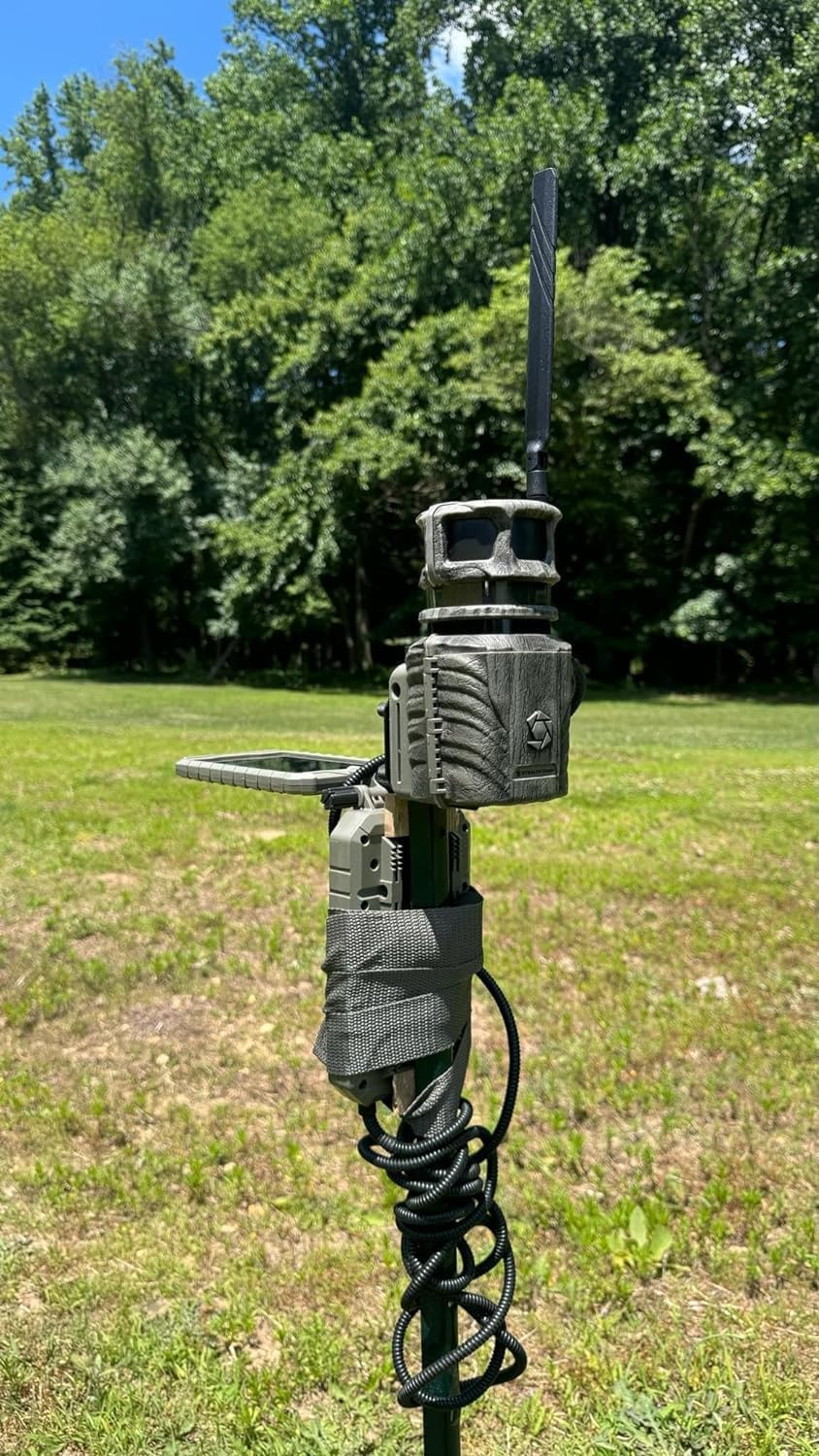
Image: The Stealth Cam Revolver camera mounted on a metal pole in a grassy outdoor area, with trees in the background.
5. Cellular Activation and App Connection
Download the Stealth Cam Command Pro app from your smartphone's app store. Follow the in-app instructions to activate your cellular plan (Verizon or AT&T) and connect your Revolver camera. This will enable remote monitoring and control.
Instruções de operação
1. Ligar / desligar
Locate the ON/OFF switch inside the camera's compartment. Slide the switch to 'ON' to power up the camera. Slide to 'OFF' to power down.
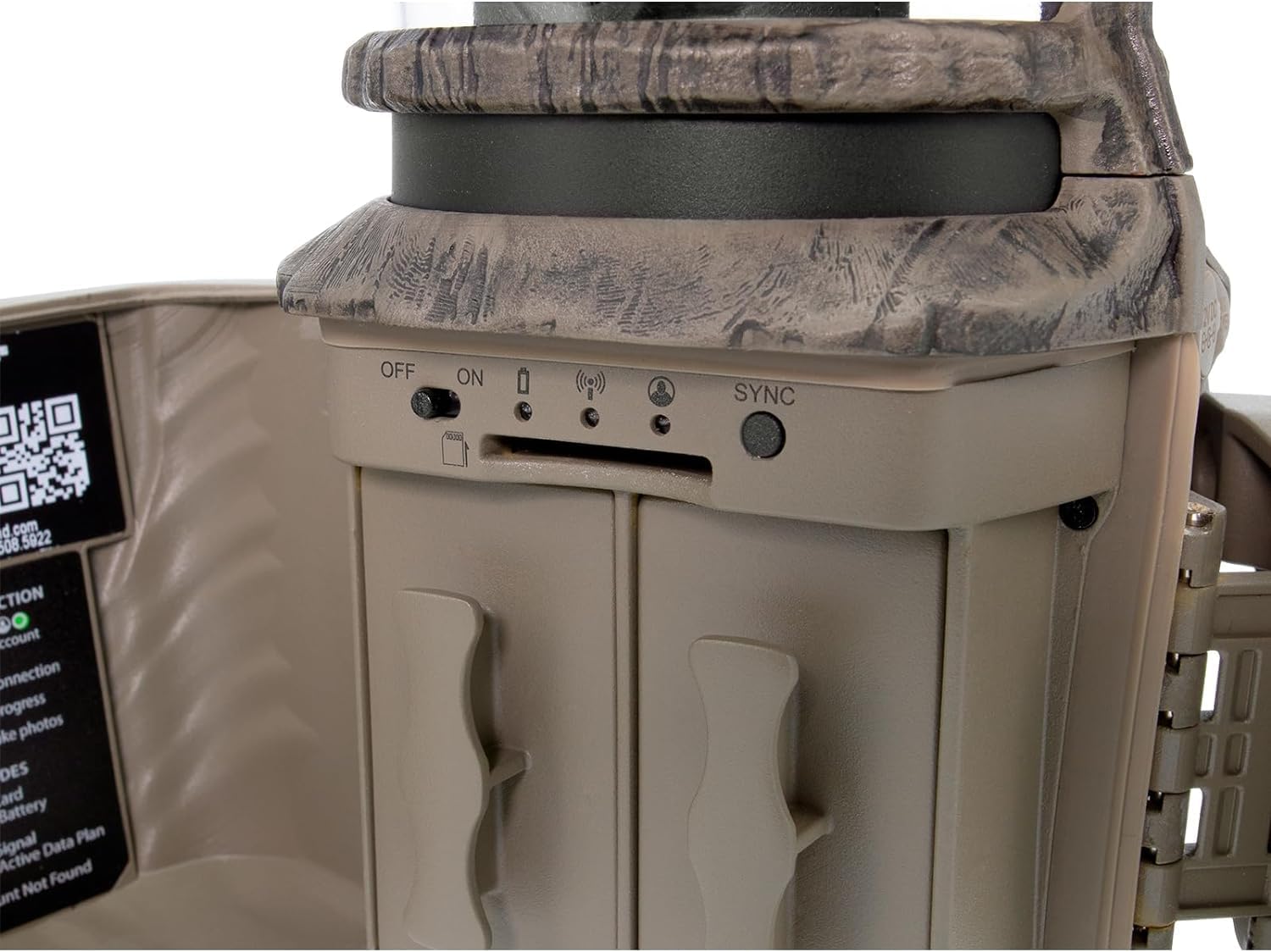
Imagem: Um close-up view of the internal controls of the Stealth Cam Revolver, showing the ON/OFF switch, SD card slot, and SYNC button.
2. Botão de sincronização
Press the 'SYNC' button to initiate a connection with the Command Pro app or to force a data transmission, depending on your camera's current mode and settings.
3. Understanding PIR Zones and 360° Operation
The Revolver camera utilizes multiple PIR zones to detect movement across its 360-degree field of view. When motion is detected in a specific zone, the camera will rotate to capture the event. The Command Pro app will indicate the zone of detection.
Video: An official product video demonstrating the 360-degree panoramic view and PIR zone detection capabilities of the Stealth Cam Revolver camera, showing how it rotates to capture movement.
4. Modos de foto e vídeo
Configure your camera's capture settings via the Command Pro app. You can select between still image capture (up to 36MP), video recording (1080P at 30 FPS), or a combination of both. Adjust burst mode settings for multiple photos per trigger event.
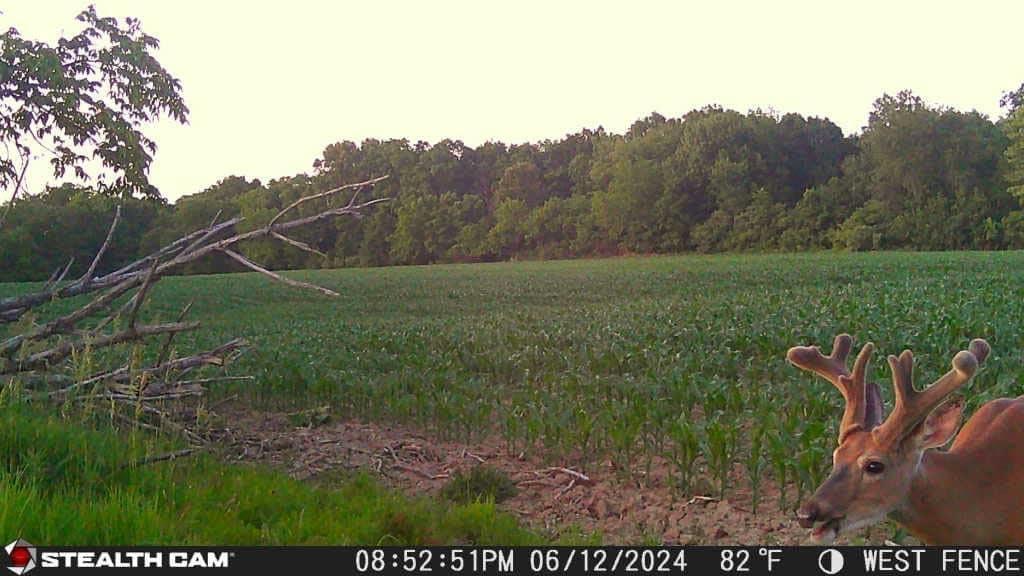
Image: A still image captured by the Stealth Cam Revolver, showing a deer in a field with a timestamp and temperature overlay.
Manutenção
- Limpeza: Regularly clean the camera lens, PIR sensors, and solar panel (if used) with a soft, dry cloth to ensure clear images and proper function. Avoid abrasive materials.
- Cuidados com a bateria: If using rechargeable batteries, ensure they are fully charged before deployment. For external battery packs and solar panels, periodically check connections and ensure the solar panel is free of debris for efficient charging.
- Gerenciamento de cartão SD: Format the SD card periodically to prevent data corruption and ensure optimal storage performance. Back up important media before formatting.
- Atualizações de firmware: Check the Stealth Cam website or Command Pro app for available firmware updates. Keeping your camera's firmware up-to-date can improve performance and add new features.
Solução de problemas
- A câmera não liga:
- Ensure batteries are correctly installed and fully charged. Check external power connections if applicable. Verify the ON/OFF switch is in the 'ON' position.
- Nenhuma imagem/vídeo capturado:
- Check if the SD card is properly inserted and has sufficient free space. Ensure the camera is in an active mode (e.g., Photo or Video). Verify PIR sensor sensitivity settings and clear any obstructions from the sensor's view.
- Poor Cellular Signal/No Transmission:
- Confirm your cellular plan is active and the camera is within network coverage. Ensure the antenna is securely attached and unobstructed. Try repositioning the camera to an area with better signal. Check signal strength indicators in the Command Pro app.
- Camera Not Rotating for 360° View:
- Verify that the 360° panoramic mode is enabled in the Command Pro app settings. Ensure there are no physical obstructions preventing the camera's rotation mechanism.
Especificações
| Resolução Estática Efetiva | 36 MP |
| Resolução de captura de vídeo | 1080p |
| Taxa de quadros | 30 qps |
| Velocidade do Gatilho | 0.4 segundos |
| Protocolo de conectividade | Cellular (Verizon/AT&T) |
| Tecnologia de comunicação sem fio | Wi-Fi (para conexão/configuração local) |
| Fonte de energia | Battery Powered (16 AA) or External Battery/Solar Panel |
| Battery Power (External) | 5000 Miliampantes da hora (mAh) |
| Tipo de montagem | Montagem em árvore |
| Dimensões do produto | 4 x 4 x 10 polegadas |
| Peso do item | 4 libras |
| Nome do modelo | Revólver |
| Número do modelo do item | STC-RVLR |
Garantia e Suporte
Para informações sobre garantia, suporte técnico ou solicitações de serviço, consulte o site oficial da Stealth Cam. webou entre em contato com o departamento de atendimento ao cliente. Guarde o comprovante de compra para validação da garantia.
Câmera furtiva oficial Website: www.stealthcam.com


