Introdução
This manual provides essential instructions for the setup, operation, and maintenance of your SLuB ZW60 Smartwatch. Please read this guide thoroughly before using your device to ensure proper function and longevity. The SLuB ZW60 features a 1.43-inch touchscreen, Bluetooth 5.3 connectivity, music player capabilities, various sports modes, IP67 dust and water resistance, and comprehensive health monitoring functions.
Nota importante: The health management functions of this smartwatch are for reference only and cannot be used for medical purposes. This product is not a medical device.
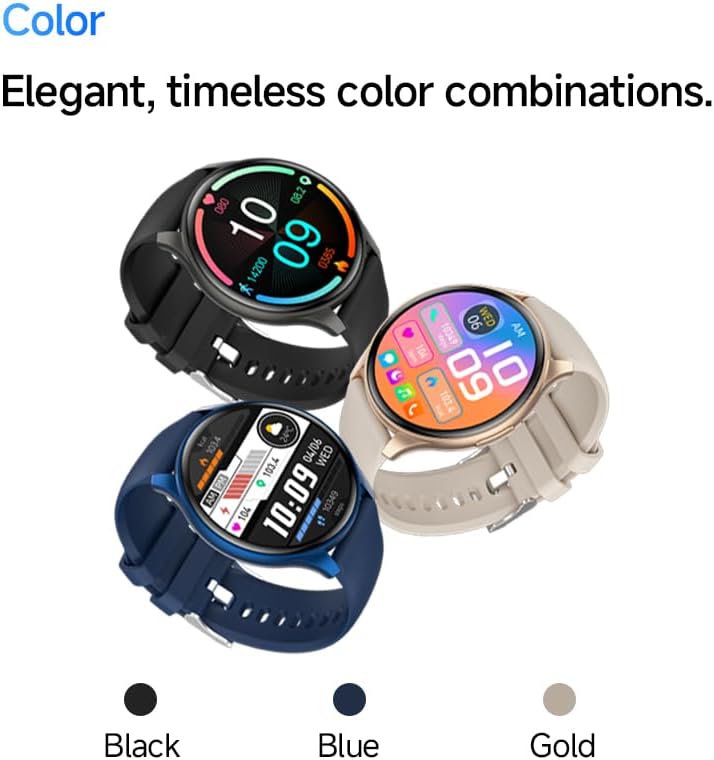
Image: The SLuB ZW60 Smartwatch in various color options (Black, Blue, Gold), highlighting its round display and overall design.
O que está na caixa
Ao abrir a embalagem, verifique se todos os seguintes itens estão presentes:
- SLuB ZW60 Smartwatch
- Cabo de carregamento magnético
- Manual do usuário (este documento)

Image: Contents of the SLuB ZW60 Smartwatch package, showing the smartwatch, its magnetic charging cable, and the printed user manual.
Configurar
1. Carregando o smartwatch
Before initial use, fully charge your SLuB ZW60 Smartwatch. Connect the magnetic charging cable to the charging contacts on the back of the watch and plug the USB end into a standard USB power adapter (not included) or a computer's USB port. The watch display will indicate charging status. A full charge typically takes approximately 2 hours.
2. App Installation: H Band
To unlock the full functionality of your smartwatch, download and install the dedicated "H Band" application on your smartphone. Procurar "H Band" in your device's app store (Google Play Store for Android or Apple App Store for iOS).

Image: The smartwatch screen showing a grid of colorful application icons, illustrating the "H Band" app integration and multi-menu screen options.
3. Emparelhamento Bluetooth
- Certifique-se de que seu smartwatch esteja carregado e ligado.
- Ative o Bluetooth no seu smartphone.
- Open the "H Band" app.
- Follow the in-app instructions to search for and connect to your SLuB ZW60 Smartwatch. The app will guide you through the pairing process.
- Confirme o pedido de emparelhamento tanto no seu smartphone quanto no smartwatch, caso seja solicitado.
Once paired, the smartwatch will synchronize data with the app and enable features like call notifications and message alerts.
Instruções de operação
Navegação básica
- Tela sensível ao toque: Deslize para a esquerda, direita, para cima ou para baixo para navegar pelos menus e telas. Toque para selecionar um item.
- Botão lateral: Normalmente usado para ativar a tela, retornar à tela inicial ou acessar o menu de aplicativos. Consulte as instruções na tela para obter informações sobre as funções específicas.
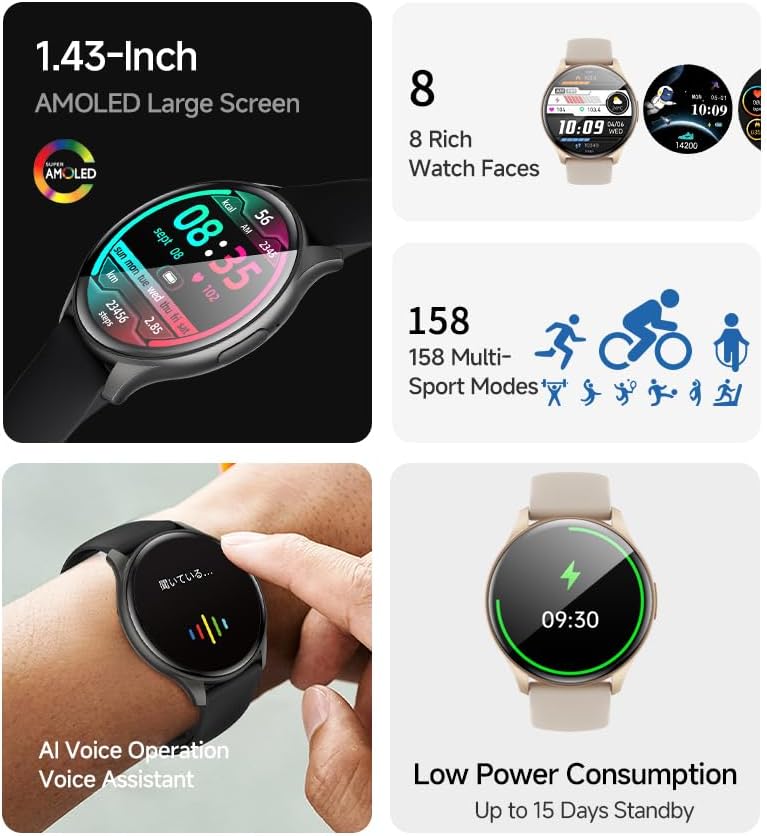
Imagem: O smartwatch mostraasing its 1.43-inch AMOLED display with a customizable watch face, and visual cues for its 158 multi-sport modes, AI voice operation, and low power consumption.
Função de Chamada
With the smartwatch connected to your smartphone via Bluetooth, you can make and receive calls directly from your wrist. The built-in speaker and microphone allow for hands-free communication.
- Fazendo chamadas: Acesse o teclado de discagem ou a lista de contatos do seu smartwatch para iniciar uma chamada.
- Recebendo chamadas: When a call comes in, the smartwatch will display the caller ID. Tap the green icon to answer or the red icon to reject.
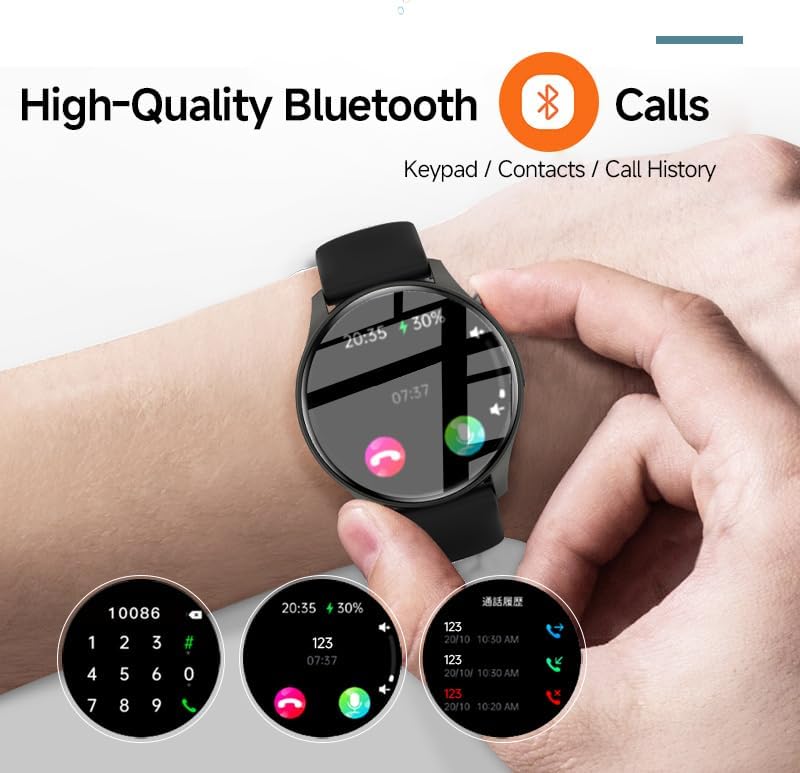
Image: The smartwatch screen showing the Bluetooth calling feature, including a numeric keypad for dialing, recent call history, and contact access.
Notificações de mensagens
Once paired with your smartphone, the smartwatch can display notifications from various apps, including emails, social media, and messaging services. This allows you to stay informed without needing to check your phone constantly.
- Ensure app notifications are enabled in your smartphone's settings and within the "H Band" app.
- Deslize para baixo no mostrador do relógio para view notificações recentes.

Image: The smartwatch showing a message notification, indicating its ability to sync alerts from popular communication applications like WeChat, LINE, and others.
Health Management Functions
The SLuB ZW60 Smartwatch is equipped with multiple sensors to monitor various health metrics. Access these features through the watch menu or the "H Band" app.
- Monitorização da frequência cardíaca: Continuously or periodically measures your heart rate.
- Monitoramento do sono: Monitora seus padrões de sono, incluindo sono profundo, sono leve e horários de despertar.
- Consumo de calorias: Estimates calories burned based on activity levels.
- Dados do exercício: Records steps, distance, and other activity metrics.
Disclaimer: The data provided by these functions is for general wellness and fitness purposes only and should not be used for medical diagnosis or treatment.

Image: The smartwatch illustrating its 24-hour health management capabilities, including heart rate, body temperature, and sleep quality monitoring.
Modos esportivos
The smartwatch supports over 150 sports modes, allowing you to accurately track your workouts. Common modes include running, cycling, badminton, basketball, and football.
- Select your desired sport from the watch's sports menu.
- The watch will record duration, calories burned, and other relevant metrics for your activity.
- Review detailed statistics in the "H Band" app after your workout.
Controle do Music Player
Control music playback on your connected smartphone directly from your smartwatch. You can play, pause, skip tracks, and adjust volume.
Assistente de voz de IA
Utilize the integrated AI Voice Assistant for quick commands and information retrieval. Activate the assistant via the watch interface and speak your commands.
Mostradores de relógio personalizáveis
Choose from a variety of pre-installed watch faces or customize your own through the "H Band" app to match your style and display preferred information.
Manutenção
Como limpar seu smartwatch
A limpeza regular ajuda a manter a aparência e a funcionalidade do seu dispositivo.
- Limpe a tela e a carcaça com um pano macio e sem fiapos.
- Para sujeira persistente, levementeampMolhe o pano com água. Evite usar produtos químicos agressivos ou materiais abrasivos.
- Certifique-se de que os contatos de carregamento estejam limpos e secos antes de carregar.
Resistência à água (IP67)
The SLuB ZW60 Smartwatch is rated IP67, meaning it is dust-tight and can withstand immersion in water up to 1 meter (3.3 feet) for up to 30 minutes. This makes it suitable for daily use, such as washing hands or light rain exposure.
- Não use the watch for swimming, diving, or showering with hot water.
- Evitar exposing the watch to high-pressure water or steam.
- Se o relógio se molhar, seque-o completamente antes de carregar ou usar.
Dicas para duração da bateria
- Reduza o brilho da tela.
- Desative as notificações desnecessárias.
- Limit continuous heart rate monitoring if not required.
- Ensure the "H Band" app is running efficiently in the background on your phone.
Solução de problemas
| Problema | Solução possível |
|---|---|
| O relógio não liga. | Certifique-se de que o relógio esteja totalmente carregado. Conecte-o ao carregador por pelo menos 30 minutos. |
| Não foi possível emparelhar com o smartphone. |
|
| Notificações não são recebidas. |
|
| Dados de saúde imprecisos. |
|
| A tela não responde. | Tente reiniciar o relógio pressionando e segurando o botão lateral até que ele desligue e, em seguida, ligue-o novamente. |
Especificações
| Recurso | Detalhe |
|---|---|
| Nome do modelo | ZW60 |
| Marca | SLuB |
| Tamanho da tela | 1.43 polegadas |
| Tipo de exibição | AMOLED |
| Conectividade | Bluetooth 5.3 |
| Resistência à água | IP67 (Resistente à poeira e à água) |
| Dimensões do produto | 1.77 x 0.43 x 1.97 polegadas |
| Peso do item | 3.23 onças (91.5 gramas) |
| Duração da bateria | Up to 15 Days Standby |
| Aplicativo compatível | Banda H |
| Fabricante | SLuB |
Garantia e Suporte
For warranty information and technical support, please refer to the documentation included with your purchase or contact SLuB customer service. Contact details can typically be found on the manufacturer's official website or within the "H Band" application.
Recursos on-line: For the latest updates, FAQs, and additional support, visit the official SLuB website.


