1. Introdução
This manual provides essential information for the safe and efficient operation of your LEESKY 4000 Watt Pure Sine Wave Inverter. This device converts 12V DC battery power into 110V/120V AC household power, suitable for a wide range of applications including RVs, boats, off-grid solar systems, and emergency power backup. Please read this manual thoroughly before installation and use.
2. Informações de segurança
Adhering to safety guidelines is crucial when operating power inverters. Failure to do so may result in personal injury or damage to equipment.
- Ventilação: Certifique-se de que o inversor esteja instalado em uma área bem ventilada para evitar superaquecimento. Não bloqueie as aberturas de ventilação.
- Dimensionamento do cabo: Use appropriate gauge cables (4 AWG or thicker for this model) to connect the inverter to the battery. Undersized cables can lead to overheating and power loss.
- Polaridade: Always connect the positive (+) terminal of the battery to the positive (+) terminal of the inverter, and the negative (-) terminal of the battery to the negative (-) terminal of the inverter. Reverse polarity can cause severe damage.
- Aterramento: Properly ground the inverter chassis to a reliable earth ground or vehicle chassis.
- Sobrecarregando: Do not exceed the inverter's continuous power rating of 4000W. While it supports a 7000W surge for 2 seconds, sustained overload can trigger protection mechanisms or damage the unit.
- Água e Umidade: Keep the inverter away from water, rain, snow, or excessive moisture.
- Crianças: Mantenha o inversor fora do alcance de crianças.
- Componentes Certificados: This inverter features ETL-listed transformers, UL458-certified fuses, and FCC-approved anti-interference technology for enhanced safety.

Image: The inverter is designed with 8 advanced safety protections including reverse polarity, high temperature, overload, high input voltage, low input voltage, short circuit, output low voltage, e projeto de entrada/saída isolada.
3. Produto acabadoview
The LEESKY HS-4000KAR is a robust 4000W pure sine wave inverter designed for reliable power conversion. It delivers clean, stable AC power suitable for sensitive electronics.
Principais características:
- Saída de alta potência: Provides 4000W continuous power and a 7000W surge peak power for up to 2 seconds, capable of handling inductive loads like air conditioners and power tools.
- Saída de onda senoidal pura: Ensures stable and clean power, ideal for sensitive electronics, medical equipment, and appliances.
- Vol de entrada ajustáveltage: Features customizable input voltage settings to optimize compatibility with various battery types, including lithium batteries, and to protect battery health.
- Tela LCD: A clear LCD screen provides real-time information on battery status, input/output voltage, load watts, and protection codes. It includes an automatic screen rest function to save energy.
- Controle remoto: A 30ft RJ10 remote controller allows for convenient remote on/off operation and battery monitoring.
- Portas de carregamento USB: Equipped with PD36W USB-C and 3.6A USB-A ports for charging smartphones, tablets, and other mobile devices.
- Várias opções de saída: Includes 4 AC outlets and a 40A hardwire terminal for connecting high-power devices directly.
- Proteções de segurança aprimoradas: Incorporates 8 advanced safety features: short circuit, input over/under-voltage, overload, over-temperature, reverse polarity, and low-output voltage proteção.
- Construção durável: Housed in a robust aluminum alloy case for excellent heat dissipation and impact resistance.

Image: The LEESKY 4000W Pure Sine Wave Inverter shown with its LCD display, battery cables, and remote control.

Image: The inverter's capability to handle high-power devices with its 7000W surge peak power is illustrated with examples like a chainsaw and an air conditioner.
O que está na caixa:
- 1 x LEESKY 4000W Pure Sine Wave Inverter
- 1 x 30ft Remote Controller
- 1 x Manual do Usuário (este documento)
- 4 pairs of Battery Cables

Image: A visual representation of the package contents, including the inverter, remote control, and various cables.
4. Configuração e instalação
Proper installation is critical for the safe and efficient operation of your inverter.
4.1 Choosing an Installation Location:
- Instale o inversor em uma área seca, fresca e bem ventilada.
- Evite a luz solar direta, fontes de calor e umidade.
- Ensure sufficient clearance around the inverter for airflow.
4.2 Battery Connection:
- Ensure the inverter is turned off before making any connections.
- Connect the included battery cables to the inverter's DC input terminals. Ensure correct polarity: red cable to positive (+), black cable to negative (-).
- Connect the other ends of the battery cables to your 12V battery. Again, ensure correct polarity. Use 4 AWG or thicker cables for optimal performance and safety.
- Secure all connections tightly to prevent loose contacts, which can cause overheating.
- Connect the inverter's grounding terminal to a reliable earth ground or vehicle chassis.

Image: The inverter's compatibility with various battery types (GEL, SLA, LI, AGM, LifePo4, USER, FLD) is highlighted, along with a table detailing adjustable low voltage shutdown settings for different battery chemistries.
4.3 Remote Control Connection:
Plug the RJ10 cable from the remote controller into the designated RJ10 port on the inverter. The remote allows for convenient power control and monitoring from a distance.
4.4 AC Output Connections:
- Plug your AC appliances into the 4 standard AC outlets on the inverter.
- For high-power devices requiring a direct connection, use the 40A hardwire terminal. Consult a qualified electrician for hardwire installations.
- Utilize the PD36W USB-C and 3.6A USB-A ports for charging compatible USB devices.
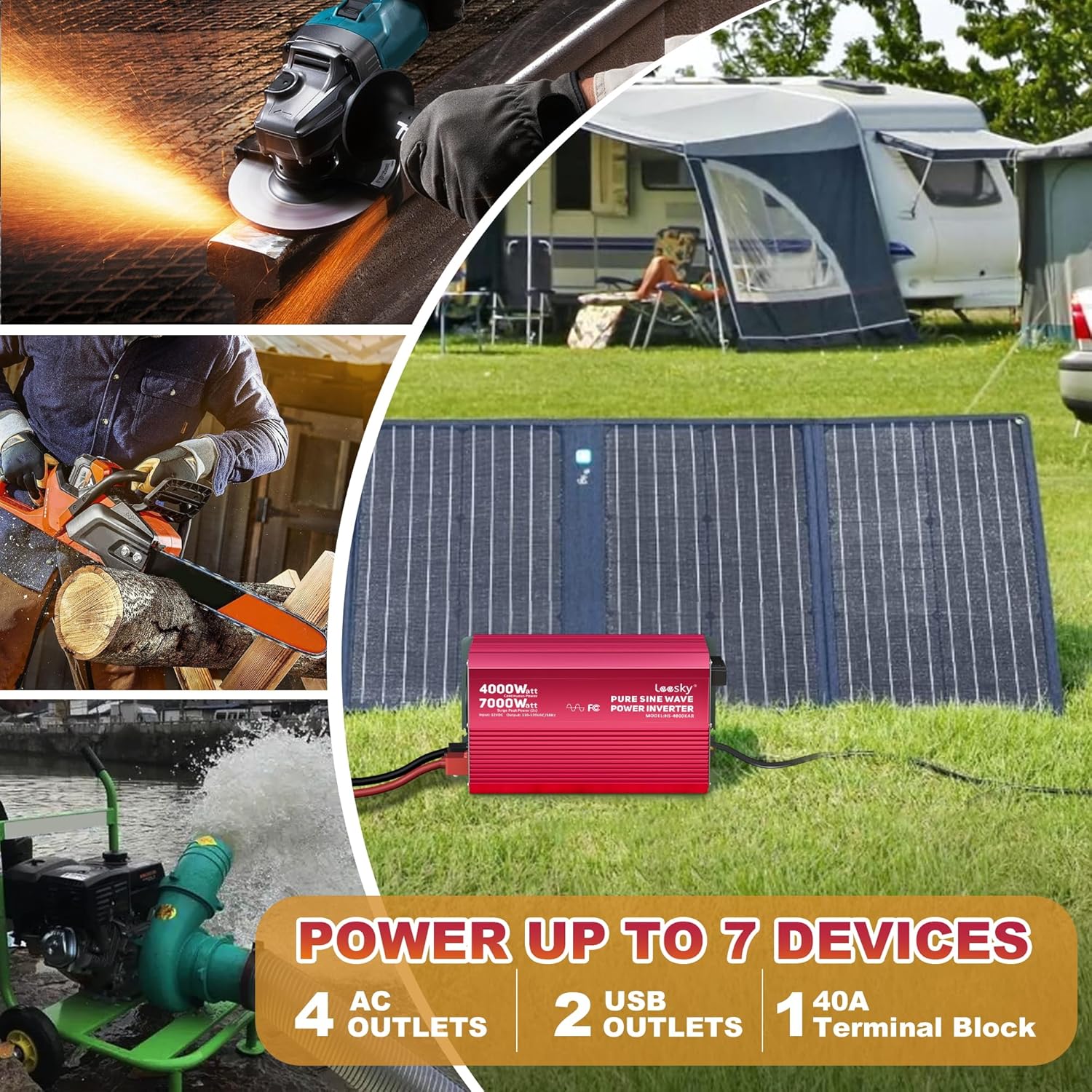
Image: The inverter is shown in an outdoor setting, connected to a solar panel, demonstrating its ability to power up to 7 devices simultaneously through its 4 AC outlets, 2 USB outlets, and 1 40A terminal block.
5. Instruções de operação
5.1 Ligar/Desligar:
Press the power button on the inverter or the remote control to turn the unit on or off. The LCD screen will illuminate upon startup.
5.2 LCD Display Functions:
The LCD screen provides real-time operational data:
- Status da bateria: Indicates the current charge level of the connected battery.
- Vol de entradatage: Exibe a tensão CCtage da bateria.
- Volume de saídatage: Mostra a tensão de saída CAtage (110V/120V).
- Load Watts: Indicates the current power consumption of connected AC devices.
- Códigos de proteção: Displays specific codes if a fault or protection event occurs. Refer to the troubleshooting section for code interpretations.
The screen features an automatic rest function, dimming or turning off after one minute of inactivity to conserve energy and prolong screen life.
5.3 Adjustable Input Voltage:
The inverter allows for customization of the low voltage shutdown threshold, particularly useful for different battery types (e.g., Lithium, Lead-Acid). Refer to the detailed instructions in the included user manual for specific steps on how to adjust these settings to match your battery system's requirements.
5.4 Using AC Outlets and USB Ports:
Once the inverter is on, plug your devices into the available AC outlets or USB ports. Ensure the total power draw does not exceed the inverter's continuous rating.
6. Manutenção
A manutenção regular ajuda a garantir a longevidade e o desempenho ideal do seu inversor.
- Limpeza: Limpe periodicamente a parte externa do inversor com um pano seco e macio. Certifique-se de que as aberturas de ventilação estejam livres de poeira e detritos.
- Conexões: Regularly check all electrical connections (battery cables, AC outlets, grounding) to ensure they are secure and free from corrosion.
- Armazenar: Se for armazenar o inversor por um período prolongado, desconecte-o da bateria e guarde-o em local fresco e seco.
7. Solução De Problemas
Esta seção aborda problemas comuns que você pode encontrar com seu inversor.
| Problema | Possível causa | Solução |
|---|---|---|
| O inversor não liga. | Conexões de bateria soltas; baixa voltagem da bateriatage; Fusível queimado | Check and tighten battery connections; Charge or replace battery; Check and replace internal fuses (consult support if unsure). |
| Sem saída CA | Overload protection activated; Over-temperature protection activated; Low input voltage protection; Short circuit on output | Reduce load; Allow inverter to cool down; Charge battery; Disconnect all AC loads and restart. |
| LCD displays a protection code | Specific fault detected (e.g., OVP for over-voltage, LVP for low-voltage, OTP for over-temperature, OLP for overload) | Refer to the detailed code list in the full user manual. Address the underlying cause (e.g., reduce load, check battery voltage, assegure a ventilação). |
| Controle remoto não funciona | Loose RJ10 cable connection; Damaged cable | Check and secure the RJ10 cable connection; Replace the RJ10 cable if damaged. |
If you encounter issues not covered here or require further assistance, please contact LEESKY customer support.
8. Especificações
| Recurso | Especificação |
|---|---|
| Nome do modelo | HS-4000KAR |
| Wat contínuotage | 4000 watts |
| Pico de potência de surto | 7000 watts (for 2 seconds) |
| Vol de entradatage | 12 V CC |
| Volume de saídatage | 110V - 120V CA |
| Forma de onda de saída | Pure Sine Wave |
| Dimensões do produto | 14.3 x 8 x 6.8 polegadas |
| Peso do item | 15.4 libras |
| Fonte de energia | Energia solar e de bateria |
| Usos recomendados | Home, Car, Power Outage, Vehicles, Truck, Outdoors, Boat, RV, Trip, Off-Grid Solar |
| Fabricante | LEESKY |
9. Garantia e Suporte
Your LEESKY 4000 Watt Pure Sine Wave Inverter is backed by a comprehensive Garantia de 18 meses, garantindo tranquilidade em relação à qualidade e ao desempenho do produto.
The product is also covered by AIG product liability insurance, providing an additional layer of protection.
For any questions, technical assistance, or warranty claims, LEESKY offers 24/7 real-person customer support. Please refer to the contact information provided with your product or visit the official LEESKY website para detalhes de suporte.


