1. Introdução
This manual provides essential instructions for the safe and efficient use of your DALI IO-8 Wireless/Wired Hi-Fi Headphones. Please read this manual thoroughly before using the product and retain it for future reference. The DALI IO-8 headphones are designed to deliver a high-fidelity audio experience with advanced features such as Active Noise Cancellation (ANC), Bluetooth AptX Adaptive connectivity, and a long-lasting battery.
2. Produto acabadoview
Familiarize-se com os componentes e controles dos seus fones de ouvido DALI IO-8.

Figura 2.1: Frente view of the DALI IO-8 headphones, showcasing the caramel and white color scheme and overall design.

Figura 2.2: Careca view of the DALI IO-8 headphones, highlighting the earcups and visible control buttons on the side.
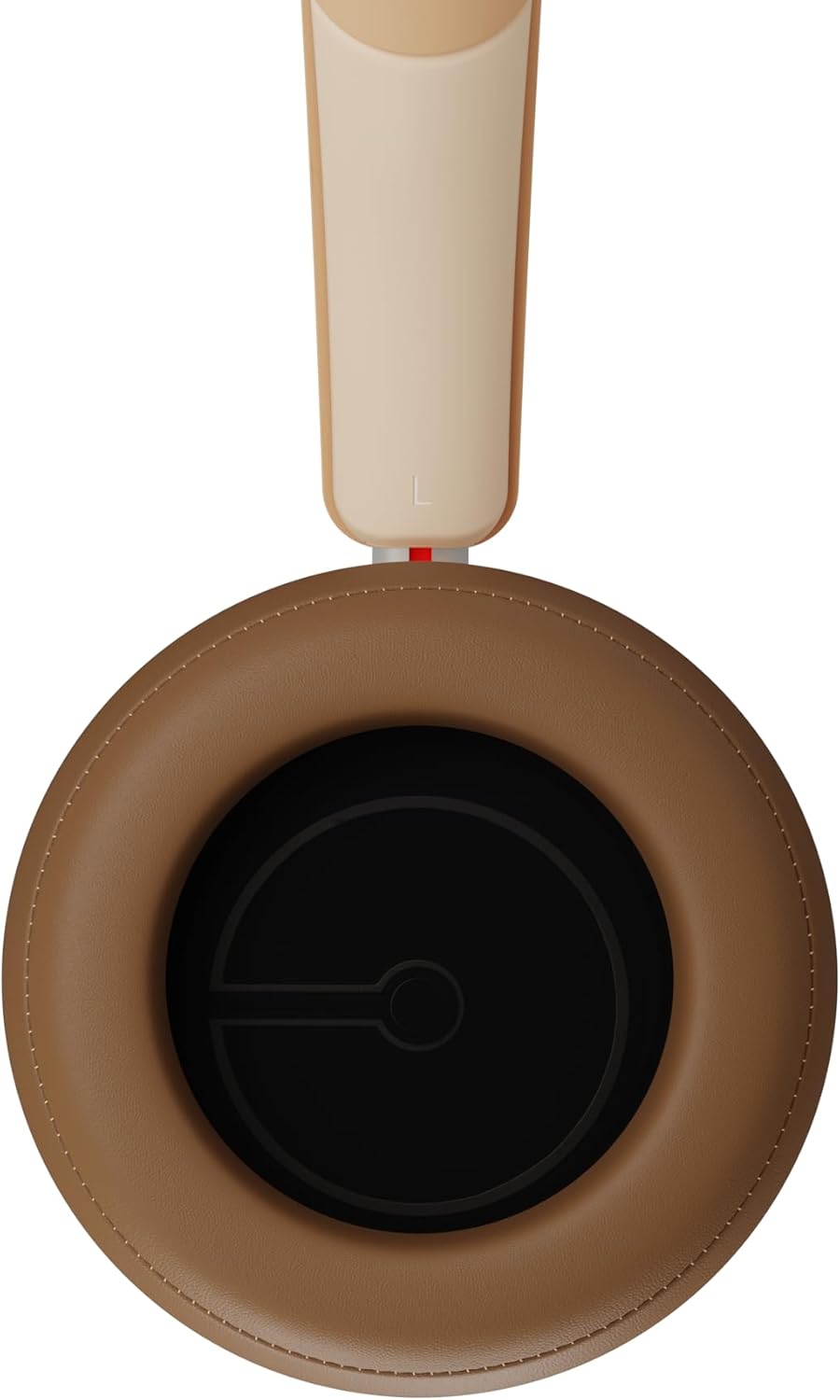
Figura 2.3: Interior view of a DALI IO-8 earcup, showing the soft padding and driver grille, designed for comfort and sound delivery.

Figura 2.4: Fechar-se view of the DALI IO-8 earcup, showing the USB-C charging port and other control buttons.
2.1 Conteúdo da embalagem
- Fones de ouvido DALI IO-8
- Cabo de carregamento USB-C
- Cabo de áudio de 3.5 mm
- Travel Case (if included)
- Manual do usuário (este documento)
2.2 Componentes de fone de ouvido

Figura 2.5: Explodiu view illustrating the internal components of the DALI IO-8 headphones, including the 50mm driver, circuitry, and earcup structure.
- Headband (Adjustable)
- Earcups (Over-ear design with genuine leather)
- 50mm Driver (SMC Driver Technology)
- Control Buttons (Power, Volume, ANC, Multifunction)
- USB-C Port (Charging and Wired Audio)
- 3.5mm Audio Jack (Wired Audio)
- Microphones (for ANC and calls)
3. Configuração
3.1 Carregando os fones de ouvido
Before initial use, fully charge your DALI IO-8 headphones.
- Connect the supplied USB-C cable to the USB-C port on the headphone earcup.
- Conecte a outra extremidade do cabo USB-C a uma fonte de alimentação USB compatível (por exemplo, porta USB do computador, adaptador de parede USB).
- O indicador LED mostrará o status do carregamento. Uma carga completa proporciona até 35 horas de reprodução com o cancelamento de ruído ativo (ANC) ativado.
- Depois de totalmente carregado, desconecte o cabo.
3.2 Ligar/Desligar
- Para ligar: Press and hold the Power button for approximately 2 seconds until the LED indicator illuminates.
- Para desligar: Pressione e mantenha pressionado o botão Liga/Desliga por aproximadamente 3 segundos até que o indicador LED se apague.
3.3 Emparelhamento Bluetooth
The DALI IO-8 supports Bluetooth AptX Adaptive for high-quality wireless audio.
- Certifique-se de que os fones de ouvido estejam desligados.
- Press and hold the Power button for approximately 5 seconds until the LED indicator flashes blue rapidly. This indicates pairing mode.
- No seu dispositivo de áudio (smartphone, tablet, computador), ative o Bluetooth e procure por dispositivos disponíveis.
- Select "DALI IO-8" from the list of found devices.
- Once paired, the LED indicator will glow solid blue or flash slowly.
- Os fones de ouvido tentarão se reconectar automaticamente ao último dispositivo emparelhado ao serem ligados.
3.4 conexão com fio
The DALI IO-8 can be used with a wired connection via the 3.5mm audio jack or USB-C.
- Cabo de áudio de 3.5 mm: Connect one end of the supplied 3.5mm audio cable to the headphone's 3.5mm jack and the other end to your audio source's headphone output. The headphones can be used passively in this mode, or actively with ANC and amplification if powered on.
- Áudio USB-C: Connect the supplied USB-C cable to the headphone's USB-C port and the other end to a compatible USB audio output on your computer or device. This mode allows for digital audio transmission and charging simultaneously.
4. Operando os fones de ouvido
4.1 Cancelamento Ativo de Ruído (ANC)
The DALI IO-8 features three distinct ANC modes and wind noise suppression.
- Press the dedicated ANC button to cycle through the available modes:
- ANC ligado: Maximum noise cancellation.
- Modo de transparência: Allows ambient sounds to pass through for situational awareness.
- ANC desligado: Active noise cancellation is disabled.
- Wind noise suppression is automatically engaged in ANC modes to reduce interference from wind.
4.2 Modos de som
Customize your listening experience with two sound profiles.
- Press the Sound Mode button (if available, or refer to specific button on device) to switch between:
- Modo Hi-Fi: Delivers a balanced and neutral sound signature.
- Modo baixo: Enhances low-frequency response for a more impactful bass.
4.3 Playback and Volume Control
Use the control buttons on the earcup for media playback and volume adjustments.
- Aumentar o volume: Pressione o botão '+'.
- Volume baixo: Pressione o botão '-'.
- Reproduzir/Pausar: Pressione o botão Multifuncional uma vez.
- Próxima faixa: Double-press the Multifunction button.
- Faixa anterior: Triple-press the Multifunction button.
4.4 Gerenciamento de Chamadas
Manage phone calls when connected via Bluetooth.
- Atender/encerrar chamada: Pressione o botão Multifuncional uma vez.
- Rejeitar chamada: Pressione e segure o botão multifuncional por 2 segundos.
- Ative o Voice Assistant: Press and hold the Multifunction button for 2 seconds (when not on a call).
5. Manutenção
5.1 Limpeza
- Limpe os fones de ouvido com um pano macio, seco e sem fiapos.
- Não utilize produtos de limpeza abrasivos, solventes ou sprays químicos.
- Para limpar as conchas auriculares, passe um pano levemente umedecido.amp Se necessário, passe um pano e seque imediatamente.
- Certifique-se de que não entre umidade nas portas ou aberturas.
5.2 Armazenamento
- When not in use, store the headphones in their protective travel case to prevent damage.
- Evite expor os fones de ouvido a temperaturas extremas, umidade ou luz solar direta.
6. Solução De Problemas
| Problema | Possível causa | Solução |
|---|---|---|
| Sem energia | A bateria está esgotada. | Carregue os fones de ouvido usando o cabo USB-C fornecido. |
| Não é possível emparelhar via Bluetooth. | Fones de ouvido não estão em modo de emparelhamento; Bluetooth do dispositivo desligado; dispositivo muito distante. | Ensure headphones are in pairing mode (rapid blue LED flash). Turn on Bluetooth on your device. Move headphones closer to the device. Forget "DALI IO-8" on your device and re-pair. |
| Sem som | Volume too low; incorrect input source; headphones not connected. | Increase volume on headphones and source device. Check Bluetooth connection or wired cable. Ensure the correct audio output is selected on your device. |
| O ANC não está funcionando de forma eficaz. | ANC mode off; poor earcup seal. | Ensure ANC is enabled. Adjust headphones for a proper seal around your ears. |
7. Especificações
| Recurso | Detalhe |
|---|---|
| Nome do modelo | DALI IO-8 |
| Marca | DALI |
| Tecnologia de Conectividade | Com fio, sem fio (Bluetooth) |
| Tecnologia de comunicação sem fio | Bluetooth (AptX Adaptive) |
| Cancelamento de ruído | Active Noise Suppression (ANC) with Wind Noise Suppression |
| Colocação da orelha | Sobre a orelha |
| Tamanho do driver | 50mm (SMC Driver Technology) |
| Impedância | 25 ohms |
| Entrada para fone de ouvido | 3.5 milímetros |
| Duração da bateria | Até 35 horas (com ANC) |
| Materiais | Genuine Leather (earcups) |
8. Informações de segurança
Please observe the following safety guidelines to ensure safe operation and prevent damage to your headphones or injury to yourself.
- Do not expose the headphones to water, rain, or moisture.
- Evite temperaturas extremas.
- Do not disassemble, repair, or modify the headphones. This voids the warranty.
- Ouça em volume moderado para evitar danos à audição.
- Mantenha fora do alcance de crianças.
- Elimine o produto de forma responsável de acordo com os regulamentos locais.
9. Garantia e Suporte
DALI products are manufactured to high standards and are covered by a limited warranty. For specific warranty terms and conditions, please refer to the warranty card included with your product or visit the official DALI website. For technical support, troubleshooting assistance, or service inquiries, please contact your authorized DALI dealer or DALI customer support.

Figura 9.1: A person wearing the DALI IO-8 headphones, demonstrating their comfortable fit and use in a real-world environment.


