1. Produto acabadoview
The BESTHERM ILLO CONNECT 2000W is a Wi-Fi connected ceramic dry inertia electric radiator designed for efficient and homogeneous heating of indoor spaces. It features a ceramic heating core that provides lasting warmth even after the unit is switched off. This radiator offers smart control options via mobile applications and includes various energy-saving modes.
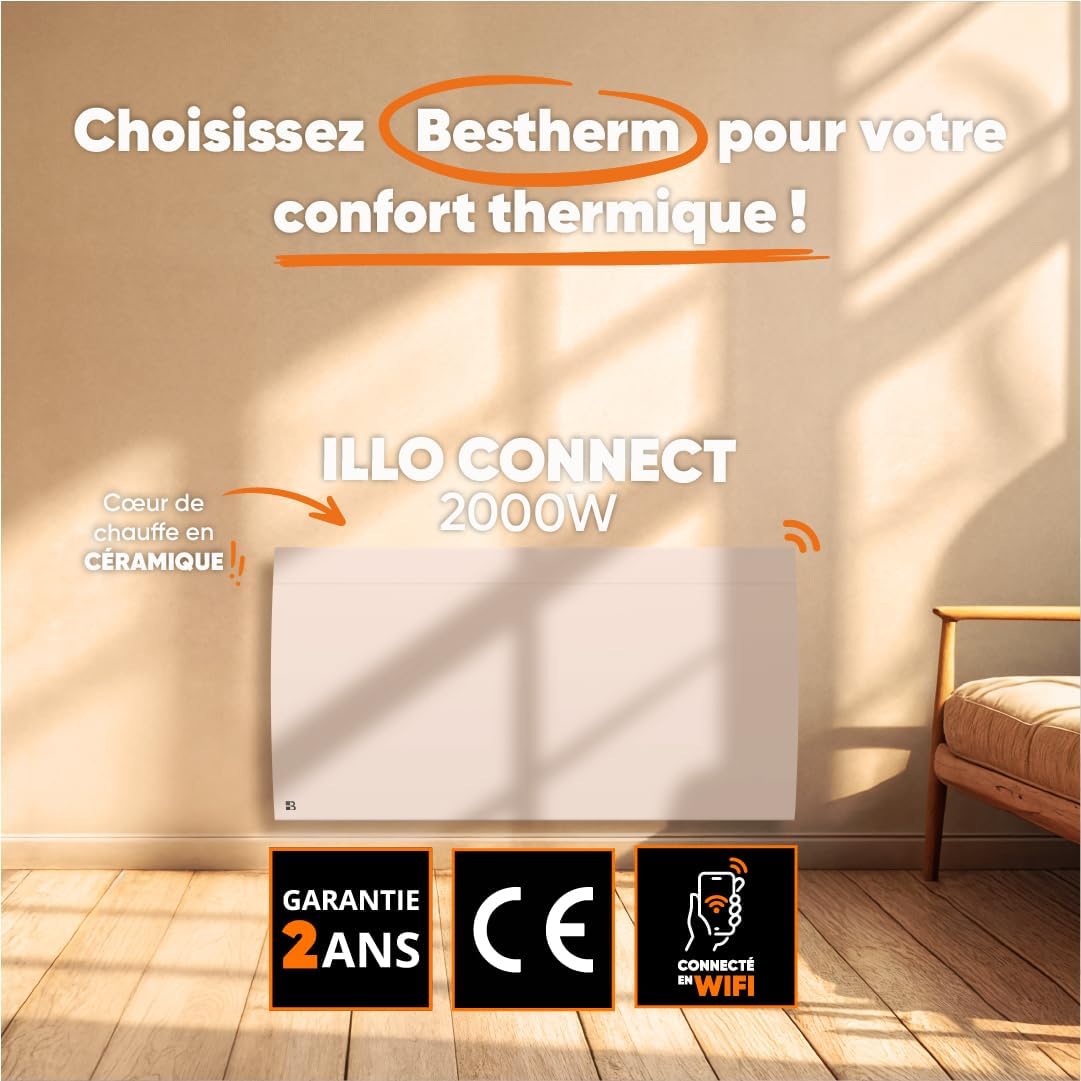
Imagem 1.1: Frente view of the BESTHERM ILLO CONNECT 2000W electric radiator.
2. Informações de segurança
Leia atentamente todas as instruções de segurança antes da instalação e utilização. Guarde este manual para futuras consultas.
- Segurança elétrica: Ensure the power supply matches the radiator's requirements. Do not operate with a damaged cord or plug. Avoid overloading electrical circuits.
- Colocação: Install the radiator on a stable, flat surface or securely wall-mount it. Maintain adequate clearance from combustible materials (curtains, furniture). Do not cover the radiator.
- Crianças e Pessoas Vulneráveis: Este aparelho pode ser usado por crianças com 8 anos ou mais e pessoas com capacidades físicas, sensoriais ou mentais reduzidas ou falta de experiência e conhecimento, se tiverem recebido supervisão ou instruções sobre o uso do aparelho de forma segura e entenderem os perigos envolvidos. As crianças não devem brincar com o aparelho. A limpeza e a manutenção do usuário não devem ser feitas por crianças sem supervisão.
- Proteção contra superaquecimento: The radiator is equipped with an overheat protection system. If it overheats, it will automatically shut off. Unplug the unit and allow it to cool before restarting.
- Limpeza: Desligue sempre o radiador da tomada antes de o limpar. Utilize um pano macio e seco.amp pano. Não utilize produtos de limpeza abrasivos nem mergulhe a unidade em água.
- Somente para uso interno: This appliance is designed for indoor use only. Do not use outdoors or in wet environments.
3. Conteúdo da embalagem
Verifique se todos os componentes estão presentes na embalagem:
- BESTHERM ILLO CONNECT 2000W Electric Radiator
- Kit de montagem na parede (suportes, parafusos, buchas)
- Manual do usuário
4. Recursos do Produto
- Ceramic Dry Inertia Heating Core: Provides homogeneous and long-lasting heat distribution.
- Conectividade Wi-Fi: Remote control via Tuya or Smart Life mobile applications.
- Smart Energy Savings: Customizable weekly programming, 6 Pilot Wire modes, and 4 operating modes.
- Design elegante: Discreet finish with an integrated LCD screen.
- Segurança aprimorada: Electronic thermostat, parental lock, and overheat protection.

Image 4.1: Detail of the ceramic heating core, highlighting its efficient design.
5. Instalação
The BESTHERM ILLO CONNECT 2000W radiator is designed for wall mounting. Ensure you have the appropriate tools and follow local electrical codes.
5.1. Escolhendo um local
- Select a wall location away from direct drafts, windows, and doors for optimal performance.
- Ensure there is sufficient clearance around the radiator (minimum 15 cm from the floor, 30 cm from the ceiling, and 20 cm from sides).
- The wall must be capable of supporting the radiator's weight (approximately 11.1 kg).
5.2. Montagem do Radiador
- Mark the desired mounting points on the wall using the provided template or by measuring the bracket positions on the back of the radiator.
- Drill holes at the marked points and insert the wall anchors.
- Fixe os suportes de montagem na parede usando os parafusos.
- Com cuidado, levante o radiador e encaixe-o nos suportes de parede instalados. Certifique-se de que esteja bem encaixado.
- Ligue o radiador a uma tomada elétrica adequada.

Imagem 5.1: Voltar view of the radiator, showing mounting points for wall installation.
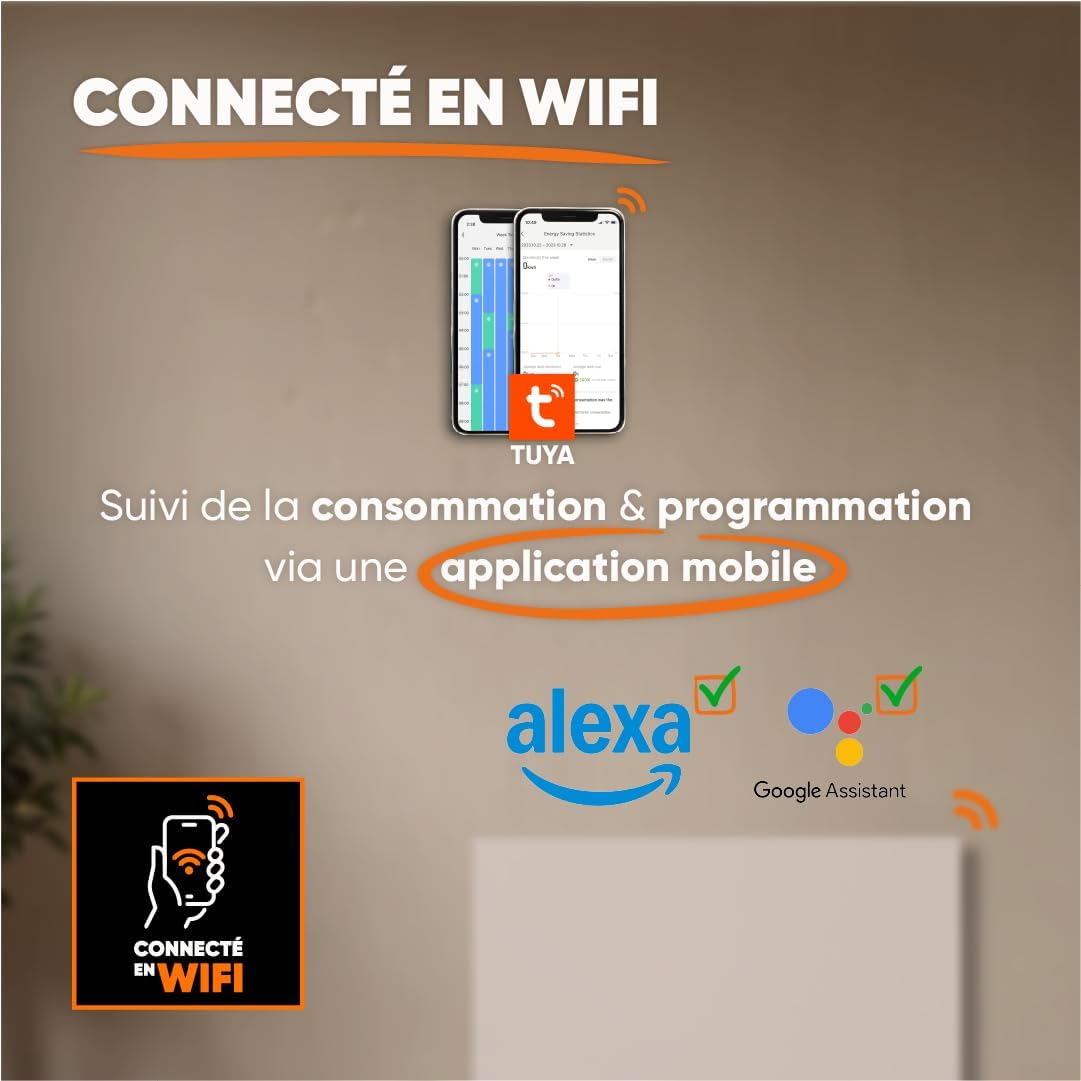
Image 5.2: Radiator dimensions (85 cm width, 45 cm height, 11 cm depth) and weight (11.1 kg).
For detailed visual instructions on installation and programming, scan the QR code below or visit the BESTHERM YouTube channel:

Image 5.3: Scan this QR code to access installation and programming videos.
Video resources: Canal do YouTube BESTHERM
6. Configuração
6.1. Initial Power-on
After installation, plug the radiator into a grounded electrical outlet. The LCD screen will illuminate, indicating the unit is powered on. Follow the on-screen prompts for initial setup, such as setting the current time and date.
6.2. Conexão wifi
The ILLO CONNECT 2000W radiator can be controlled remotely via a mobile application. This requires a 2.4 GHz Wi-Fi network.
- Baixe o Tuya Inteligente or Vida Inteligente Aplicativo disponível na loja de aplicativos do seu smartphone (disponível para iOS e Android).
- Register or log in to your account within the application.
- Ensure your radiator is powered on and in pairing mode (refer to the radiator's display for specific instructions, usually indicated by a blinking Wi-Fi icon).
- In the app, tap '+' to add a new device. Select 'Heater' or 'Radiator' from the device list.
- Follow the in-app instructions to connect the radiator to your Wi-Fi network. This typically involves entering your Wi-Fi password.
- Once connected, you can control the radiator, monitor consumption, and set programming schedules from your smartphone. The radiator is also compatible with voice assistants like Amazon Alexa and Google Assistant.

Image 6.1: The radiator supports Wi-Fi connectivity via the Tuya Smart or Smart Life app, and is compatible with Alexa and Google Assistant for smart home integration.
7. Instruções de operação
7.1. Painel de controle finalizadoview
The radiator features an integrated LCD screen and control buttons for direct operation. Refer to the specific icons and button functions detailed in the full product manual for precise control.
7.2. Modos de operação
The radiator offers 4 distinct operating modes to suit various heating needs:
- Modo de conforto: Maintains a set comfortable temperature.
- Modo Eco: Reduces the temperature by a few degrees compared to Comfort Mode for energy savings.
- Modo de proteção contra gelo: Mantém uma temperatura mínima (ex.: 7°C) para evitar o congelamento.
- Modo de programa: Segue um cronograma de aquecimento semanal predefinido.
7.3. Programação Semanal
Customize your heating schedule for each day of the week to optimize energy consumption. This can be done directly on the radiator's control panel or more conveniently through the Tuya/Smart Life mobile application.
7.4. Pilot Wire Modes (6 Modes)
For installations with a pilot wire system, the radiator supports 6 different pilot wire commands, allowing integration into a centralized heating management system. Consult a qualified electrician for pilot wire connection and configuration.
7.5. Bloqueio para crianças
To prevent accidental changes to settings, activate the child lock feature. This will disable the physical control buttons on the radiator. The child lock can typically be activated and deactivated by pressing and holding a specific button combination on the control panel, or via the mobile app.
8. Manutenção
8.1. Limpeza
Regular cleaning helps maintain the radiator's efficiency and appearance.
- Before cleaning, always unplug the radiator from the power outlet and allow it to cool completely.
- Limpe as superfícies exteriores com um pano macio, damp pano. Não utilize produtos de limpeza abrasivos, solventes ou produtos químicos agressivos, pois podem danificar o acabamento.
- Certifique-se de que não entre água nos componentes internos.
- Dust the air vents regularly to ensure proper airflow.
8.2. Armazenamento
If storing the radiator for an extended period, ensure it is clean and dry. Store it in a cool, dry place, preferably in its original packaging, to protect it from dust and damage.
9. Solução De Problemas
Se você tiver problemas com o seu radiador, consulte os problemas comuns e suas soluções a seguir:
| Problema | Possível causa | Solução |
|---|---|---|
| O radiador não liga. | Sem energia, cabo de alimentação solto, proteção contra sobreaquecimento ativada. | Check power outlet, ensure cord is securely plugged in. Unplug and allow to cool for 30 minutes if overheat protection is suspected. |
| Sem saída de calor. | Temperature setting too low, operating mode incorrect, child lock active. | Increase target temperature. Select an appropriate operating mode (e.g., Comfort). Deactivate child lock. |
| A conexão Wi-Fi falha. | Incorrect Wi-Fi password, router too far, 5 GHz network used, radiator not in pairing mode. | Verify Wi-Fi password. Move radiator closer to router. Ensure router is broadcasting 2.4 GHz. Put radiator into pairing mode. |
| O radiador está fazendo barulhos estranhos. | Normal expansion/contraction, loose mounting. | Minor clicking is normal during heating/cooling. Check mounting screws for tightness. If noise persists or is loud, contact support. |
Se o problema persistir após tentar essas soluções, entre em contato com o suporte ao cliente da BESTHERM.
10. Especificações
| Recurso | Especificação |
|---|---|
| Marca | Bestherm |
| Modelo | ILLO CONNECT 2000W |
| Potência de saída | 2000 W |
| Método de aquecimento | Convection, Ceramic Dry Inertia |
| Cor | Branco |
| Recurso especial | Child Lock, Wi-Fi Connectivity |
| Uso interno/externo | Interior |
| Fonte de energia | Cabo elétrico |
| Dimensões do produto (P x L x A) | 11 cm x 85 cm x 45 cm |
| Peso do produto | 11.1 kg |
| Tipo de montagem | Montagem na parede |
| Tamanho de quarto recomendado | 15 a 20 m² |
11. Garantia e Suporte
11.1. Garantia
The BESTHERM ILLO CONNECT 2000W radiator comes with a Garantia de 2 ano from the date of purchase, covering manufacturing defects under normal use conditions. Please retain your proof of purchase for warranty claims.
11.2. Suporte ao cliente
Our after-sales service is based in France, providing fast and efficient support to ensure your satisfaction.

Image 11.1: BESTHERM After-Sales Service contact information.
- Perguntas frequentes on-line: Visite nosso webSite com perguntas frequentes: www.bestherm.fr/pages/faq
- Suporte por telefone: 03 20 47 05 37
- Suporte por e-mail: sav@hom-y.fr


