1. Introdução
Welcome to the world of Thomson Smart TVs. This manual provides essential information for setting up, operating, and maintaining your new Thomson 32-inch Full HD Google Smart TV, model 32FG2S14. This television combines a vibrant Full HD display with the intelligent features of Google TV, offering personalized content, voice control, and immersive Dolby Audio.
Please read this manual thoroughly before using your TV and keep it for future reference.
2. Informações de segurança
Instruções importantes de segurança
- Fonte de energia: Certifique-se de que a TV esteja conectada a uma tomada com a voltagem correta.tage. Não sobrecarregue as réguas de energia.
- Ventilação: Allow adequate space around the TV for proper ventilation. Do not block ventilation openings.
- Água e Umidade: Não exponha a TV à chuva ou umidade. Não coloque objetos contendo líquidos, como vasos, sobre a TV.
- Limpeza: Desligue a TV da tomada antes de limpar. Use um pano macio e seco. Não use produtos de limpeza líquidos ou em aerossol.
- Colocação: Coloque a TV em uma superfície estável e nivelada. Evite colocá-la sob luz solar direta ou perto de fontes de calor.
- Manutenção: Não tente consertar a TV por conta própria. Encaminhe todos os serviços de manutenção a pessoal qualificado.
3. Conteúdo da embalagem
Verifique se todos os itens estão presentes na caixa:
- Thomson 32-inch Full HD Google Smart TV
- Controle remoto
- Cabo de energia
- Suportes para TV (2 peças)
- Parafusos para suportes
- Manual do usuário (este documento)

Figura 3.1: Frente view of the Thomson 32-inch Full HD Google Smart TV.

Figure 3.2: The included remote control for your Thomson Smart TV.
4. Configuração
4.1 Montagem dos Suportes
- Coloque a TV com cuidado, virada para baixo, sobre uma superfície macia e plana para evitar danos à tela.
- Alinhe cada suporte com os encaixes correspondentes na parte inferior da TV.
- Fixe os suportes utilizando os parafusos fornecidos. Certifique-se de que estejam bem apertados.

Figure 4.1: TV dimensions and stand placement for the 32-inch model.
4.2 Montagem na parede (opcional)
If you choose to wall mount your TV, ensure you use a VESA-compatible wall mount kit (not included) that supports the TV's weight and size. Follow the instructions provided with your wall mount kit. Always consult a professional for wall mounting to ensure safety.
4.3 Conexão de energia
Connect the power cable to the TV's power input and then to a suitable wall outlet. The TV will enter standby mode.
4.4 Inicialização e Configuração
Press the power button on the remote control or the TV. The TV will guide you through the initial setup process, which includes:
- Seleção de idioma
- Conexão de rede (Wi-Fi ou Ethernet)
- Google account sign-in (optional, but recommended for full Google TV features)
- Channel scanning for DVB-T2/C/S2

Figure 4.2: The Google TV home screen during initial setup or normal operation.
5. Conexões
Conectando dispositivos externos
Your Thomson TV offers various ports for connecting external devices:
- HDMI: Connect Blu-ray players, game consoles, or other HDMI-enabled devices. Your TV features HDMI 1.4 with ARC support.
- USB 2.0: Para conectar dispositivos de armazenamento USB para reproduzir mídia. files.
- DVB-T2/C/S2 (Antenna/Satellite): Connect your terrestrial antenna or satellite dish for digital TV reception.
- Slot CI+: Insert a CI+ module with a smart card for encrypted channels.
- LAN (Ethernet): Para uma conexão de internet com fio.
- ENTRADA AV: Para conectar dispositivos mais antigos usando cabos de vídeo composto e áudio estéreo.
- Saída de áudio óptica digital: Para conexão a sistemas de áudio externos ou soundbars.

Figura 5.1: Traseira view of the TV with labeled connection ports.
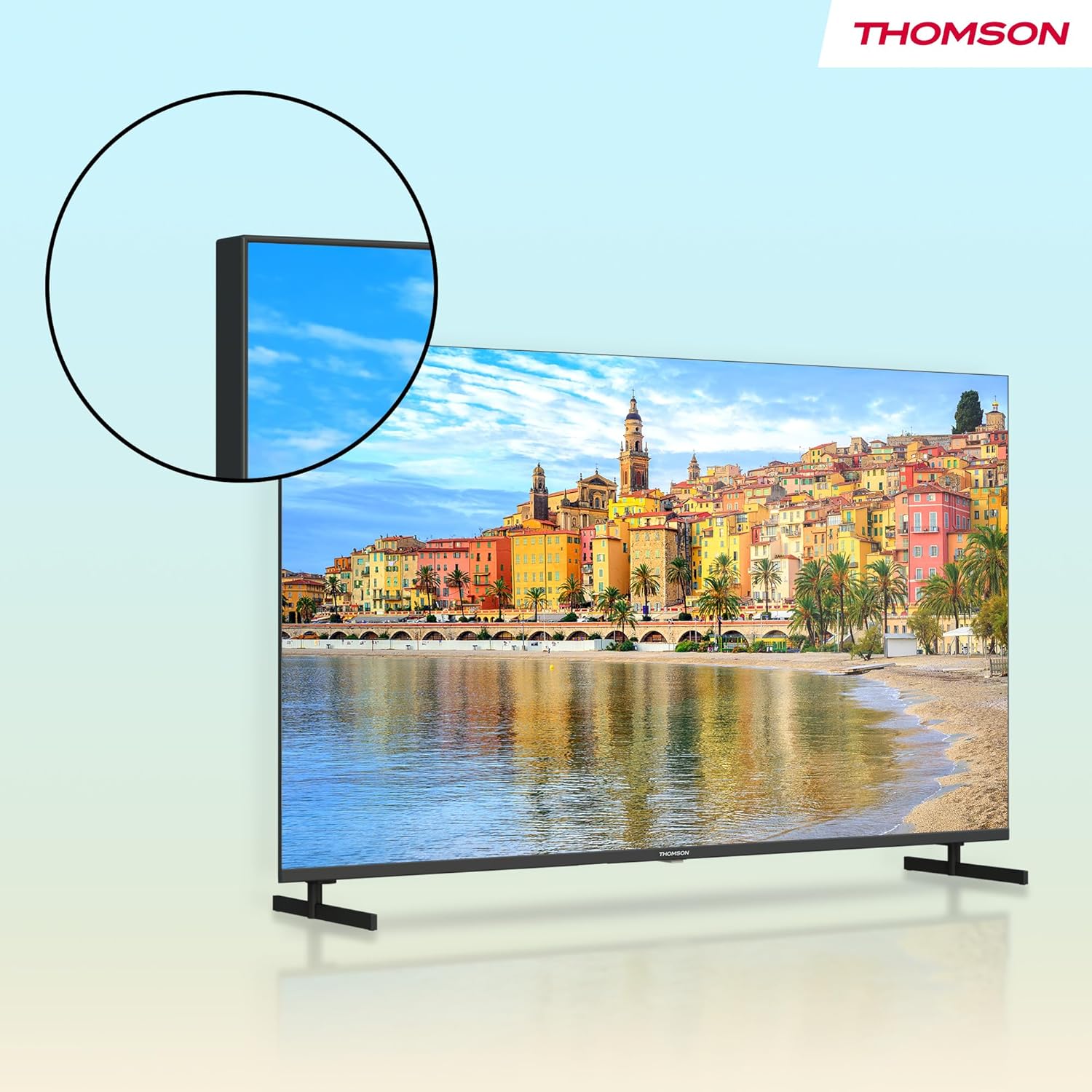
Figura 5.2: Detalhado view of the TV's connectivity options.
6. Operando sua TV
6.1 Funções de controle remoto
The remote control allows you to navigate the TV's features. Key functions include:
- Botão de energia: Liga/desliga a TV ou a coloca em modo de espera.
- Botões numéricos: Seleção direta de canal.
- Volume +/-: Ajusta o nível de volume.
- Canal +/-: Muda de canal na TV.
- Botão do Google Assistente: Ativa o controle por voz para pesquisar conteúdo, controlar dispositivos domésticos inteligentes e muito mais.
- Navigation Pad (Directional Buttons & OK): Navega pelos menus e seleciona as opções.
- Botões retroiluminados: Allows for easy navigation in low-light conditions.
- Botões de atalho do aplicativo: Quick access to popular streaming services like Netflix, Prime Video, YouTube, and Disney+.
- Botão Estrela: Customizable shortcut to your favorite app or function.

Figure 6.1: Using the Google Assistant voice control on the remote.
6.2 Interface do Google TV
Google TV organizes movies, shows, live TV, and more from your apps and subscriptions into one place. It provides personalized recommendations based on your viewing habits and allows for multiple user profiles.
- Tela inicial: Acesse conteúdo recomendado, aplicativos instalados e configurações.
- Aplicativos: Baixe e gerencie aplicativos da Google Play Store.
- Biblioteca: Acesse o conteúdo que você comprou ou alugou.
6.3 Using Google Cast
Google Cast allows you to stream content (photos, videos, music) from your compatible smartphone, tablet, or computer directly to your TV screen. Ensure your device and TV are connected to the same Wi-Fi network, then tap the Cast icon in a compatible app.

Figure 6.2: Google Cast allows seamless streaming from your devices.
6.4 Triple Tuner (DVB-T2/C/S2)
Your TV is equipped with a triple tuner, allowing reception of digital terrestrial (DVB-T2), cable (DVB-C), and satellite (DVB-S2) signals without an external set-top box. Use the channel scanning function in the settings menu to find available channels.
7. Configurações de áudio e vídeo
7.1 Configurações de imagem
Ajuste as configurações de imagem para otimizar sua experiência. viewexperiência de aprendizagem:
- Modo de imagem: Select from predefined modes (e.g., Standard, Vivid, Movie, Game) or customize your own.
- Brilho: Ajuste o brilho ou a escuridão geral da imagem.
- Contraste: Controla a diferença entre as partes mais claras e mais escuras da imagem.
- Cor: Ajusta a intensidade das cores.
- Nitidez: Enhances the edges of objects in the picture.
7.2 Configurações de som
Enhance your audio experience with various sound settings:
- Áudio Dolby: Experience dynamic and immersive sound with clear dialogue and rich details.
- Modo de som: Choose from modes like Standard, Music, Movie, Speech, or customize with an equalizer.
- Equilíbrio: Adjust the volume balance between left and right speakers.
- Saída de áudio digital: Configure the output format for external audio systems.

Figure 7.1: Enjoy enhanced audio with Dolby Audio technology.
8. Manutenção
Cuidados e Limpeza
- Limpeza de tela: Limpe suavemente a tela com um pano macio e sem fiapos. Para manchas persistentes, esfregue levemente.ampUmedeça o pano com água ou um produto de limpeza específico para telas (aplique no pano, não diretamente na tela).
- Limpeza de gabinete: Limpe o móvel da TV com um pano macio e seco.
- Evite produtos químicos: Do not use strong detergents, abrasive cleaners, or solvents as they can damage the TV's finish.
- Desligue antes de limpar: Desligue sempre a TV da tomada antes de limpá-la.
9. Solução De Problemas
Problemas e soluções comuns
| Problema | Solução possível |
|---|---|
| Sem energia | Verifique se o cabo de alimentação está firmemente conectado à TV e à tomada. Tente usar outra tomada. |
| Sem imagem, mas com som. | Certifique-se de que a fonte de entrada correta esteja selecionada. Verifique as conexões dos cabos com os dispositivos externos. |
| Sem som, mas com imagem. | Check volume level and mute status. Verify audio output settings if using external speakers. |
| Controle remoto não funciona | Substitua as pilhas. Certifique-se de que não haja obstruções entre o controle remoto e a TV. Se necessário, emparelhe novamente o controle remoto Bluetooth. |
| Não é possível conectar ao Wi-Fi | Check your router and modem. Ensure the Wi-Fi password is correct. Try restarting the TV and router. |
| Os aplicativos estão lentos ou não respondem. | Close unused apps. Clear app cache in settings. Ensure a stable internet connection. Restart the TV. |
10. Especificações
Technical Specifications (Model: 32FG2S14)
- Tamanho da tela: 32 Pollici (81 cm)
- Resolução: Full HD (1920x1080p)
- Tecnologia de exibição: LED, Direct LED
- Taxa de atualização: 60 Hz
- Proporção da tela: 16:9
- Plataforma de TV inteligente: Google TV
- Características especiais: Google TV, Voice Control, Streaming Services, Google Cast, HDR10
- Tecnologia de áudio: Áudio Dolby
- Conectividade: Wi-Fi, Bluetooth 5.1, HDMI (multiple ports, including ARC), USB 2.0, Triple-Tuner (DVB-T2/C/S2), CI+, LAN, AV IN, Digital Optical Audio Out
- Product Dimensions (with stands): Aproximadamente 72 cm (L) x 46 cm (A) x 15 cm (P)
- Peso: Aproximadamente 4.5 kg

Figure 10.1: Product data sheet with detailed technical specifications.
11. Garantia e Suporte
Informações de garantia
Thomson products are designed and manufactured to high-quality standards. This product is covered by a 3-year warranty from the date of purchase, covering manufacturing defects. Please retain your proof of purchase for warranty claims.
The warranty does not cover damage caused by misuse, accidents, unauthorized modifications, or normal wear and tear. For detailed warranty terms and conditions, please refer to the warranty card included with your product or visit the official Thomson support website.
Suporte ao cliente
If you encounter any issues that cannot be resolved using the troubleshooting guide in this manual, or if you require further assistance, please contact Thomson customer support. Contact details can typically be found on the official Thomson webno site ou no seu cartão de garantia.