Introdução
This manual provides essential information for setting up, operating, and maintaining your Thomson 32-inch QLED Google Smart TV. Please read this manual thoroughly before using the television to ensure proper functionality and safety.
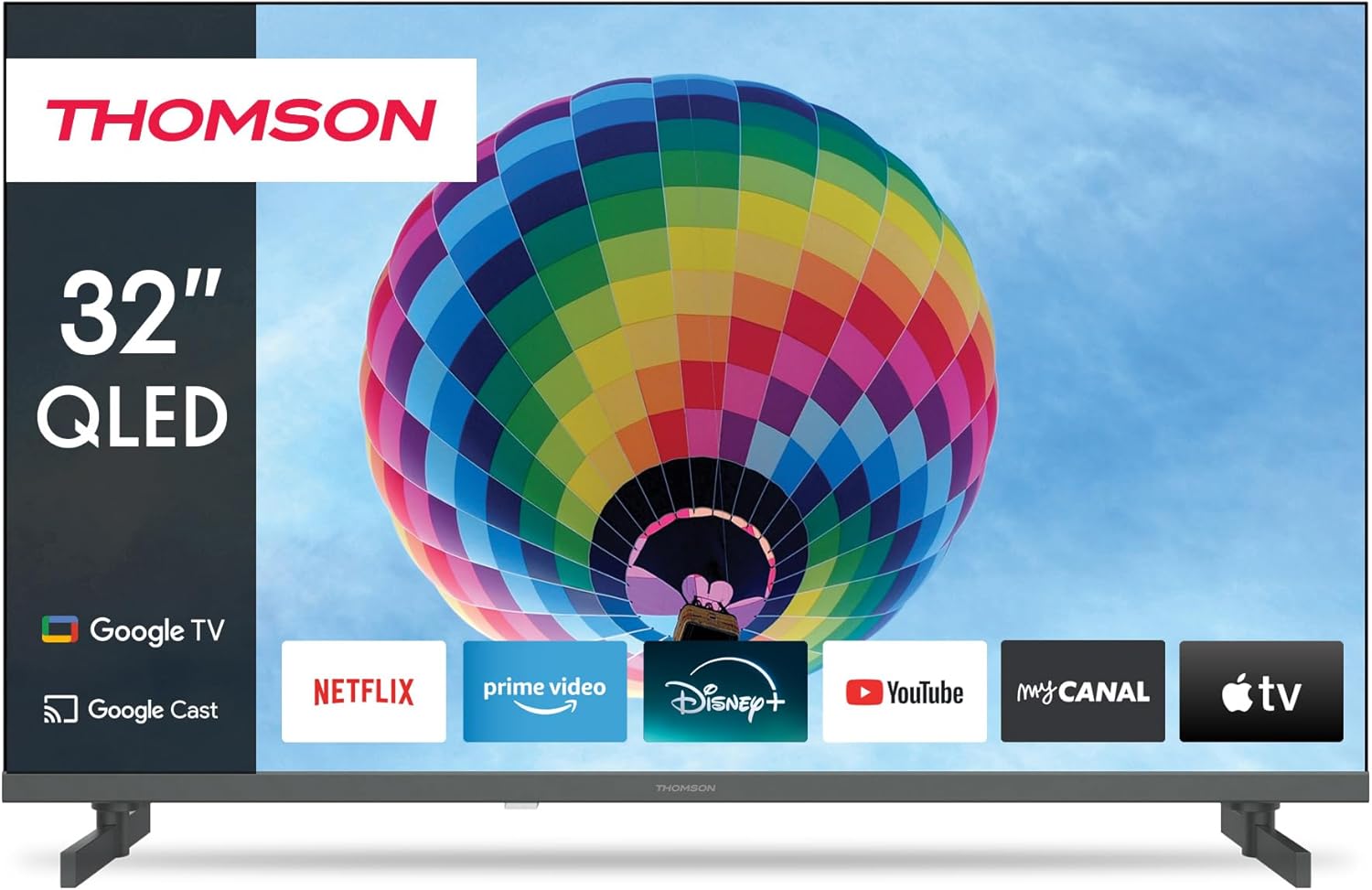
Imagem: Frente view of the Thomson 32-inch QLED Google Smart TV, showcasing its sleek design and integrated Google TV interface with popular streaming applications like Netflix, Prime Video, Disney+, YouTube, My Canal, and Apple TV.
1. Configuração
1.1 Desembalagem e Conteúdo da Embalagem
Retire cuidadosamente todos os componentes da embalagem. Certifique-se de que todos os itens listados abaixo estejam presentes:
- Thomson 32-inch QLED Google Smart TV
- Controle remoto
- Cabo de energia
- Suporte de mesa (2 peças)
- Parafusos para fixação do suporte
- Manual do usuário (este documento)
Retain the packaging for future transportation or service needs.
1.2 Fixação do suporte de mesa
To attach the table stands:
- Coloque a TV com a tela virada para baixo sobre uma superfície macia e plana para evitar arranhões.
- Alinhe cada suporte com os encaixes correspondentes na parte inferior da TV.
- Fixe os suportes utilizando os parafusos fornecidos. Certifique-se de que estejam bem apertados.

Imagem: Lado view of the Thomson 32-inch QLED Google Smart TV, illustrating its compact dimensions of 8 cm depth, 72 cm width, and 46 cm height (with stand), making it suitable for various living spaces.
1.3 Conectando dispositivos externos
Your Thomson TV offers various connection ports for external devices. Refer to the diagram below for port locations and types:

Imagem: Traseira view of the Thomson 32-inch QLED Google Smart TV, detailing the available connection ports: 2x USB 2.0, DVB-T2/C/S2 (Antenna/Satellite), HDMI 1.4 + ARC, 2x HDMI 1.4, AV IN, Digital Optical Audio Out, and LAN (Ethernet).
- HDMI: Connect Blu-ray players, game consoles, or set-top boxes. The HDMI 1.4 + ARC port supports Audio Return Channel for simplified audio connections to soundbars or AV receivers.
- USB: Para conectar dispositivos de armazenamento USB para reproduzir mídia. files.
- Antenna/Satellite (DVB-T2/C/S2): Connect your terrestrial antenna, cable, or satellite dish for broadcast TV.
- LAN: For a wired internet connection. Alternatively, use Wi-Fi.
- Saída de áudio óptica digital: Para conexão a sistemas de áudio externos com entrada óptica.
- ENTRADA AV: For older devices using composite video and stereo audio connections.
- IC+: Common Interface Plus slot for conditional access modules (CAM) to decrypt pay TV channels.
1.4 Inicialização e Configuração Inicial
After connecting all necessary cables:
- Conecte o cabo de alimentação a uma tomada elétrica.
- Pressione o botão liga/desliga na TV ou no controle remoto para ligá-la.
- Siga as instruções na tela para concluir a configuração inicial, que inclui:
- Seleção de idioma
- Conexão de rede (Wi-Fi ou LAN com fio)
- Google Account sign-in (for Google TV features)
- Channel scanning (Antenna, Cable, or Satellite)
- Aceitação dos termos e condições
The Google TV interface will guide you through personalizing your viewing experience, including setting up streaming services and Google Assistant.
2. Operação
2.1 Funções de controle remoto
The remote control is your primary interface for navigating the TV. Key features include:

Image: The Thomson Smart TV remote control, illustrating its intuitive layout. Features include number keys for direct channel access, a dedicated Google Assistant button for voice control, backlit keys for visibility in low light, and quick access buttons for popular streaming apps like YouTube, Netflix, Prime Video, and Disney+.
- Botão de energia: Liga ou desliga a TV.
- Teclas numéricas: Seleção direta de canal.
- Teclado de navegação (Cima/Baixo/Esquerda/Direita/OK): Para navegação e seleção no menu.
- Botões Voltar/Início: Return to previous screen or home screen.
- Aumentar/diminuir volume: Ajusta o volume do áudio.
- Canal para cima/para baixo: Muda de canal na TV.
- Botão do Google Assistente: Ativa o controle por voz para pesquisar conteúdo, controlar dispositivos domésticos inteligentes e muito mais.
- Botões de acesso rápido: Dedicated buttons for popular streaming services (e.g., Netflix, Prime Video, YouTube, Disney+).
2.2 Recursos do Google TV
Your Thomson Smart TV runs on Google TV, providing a personalized and integrated entertainment experience.

Image: The Google TV home screen, displaying personalized content recommendations and easy access to a wide array of streaming applications, allowing users to manage multiple profiles.
- Agregação de conteúdo: Access over 400,000 movies and series from various streaming services like Netflix, Prime Video, YouTube, Disney+, and Canal+ all in one place.
- Assistente do Google: Use voice commands to find content, control playback, get answers, and manage smart home devices.
- Chromecast integrado: Cast photos, videos, and music directly from your smartphone, tablet, or computer to the TV.
- Profissional Personalizadofiles: Criar vários usuários profissionaisfiles para recomendações e listas de observação personalizadas.
2.3 Input Selection and Channel Tuning
To switch between different input sources (HDMI, AV, TV tuner) or manage channels:
- Seleção de entrada: Press the "Input" or "Source" button on your remote control to bring up the input menu. Select the desired source (e.g., HDMI 1, AV, TV).
- Sintonização de canais: If you need to rescan for channels or adjust settings for your antenna, cable, or satellite connection, navigate to the "Settings" menu, then "Channels & Inputs" or "Channel Setup".
3. Manutenção
3.1 Limpando a televisão
Regular cleaning helps maintain the TV's appearance and performance:
- Tela: Gently wipe the screen with a soft, lint-free cloth (e.g., microfiber cloth). For stubborn marks, lightly dampLimpe o pano com água ou com uma solução de limpeza específica para telas. Não borrife líquido diretamente na tela.
- Corpo: Use um pano macio e seco para limpar a moldura e o suporte da TV.
- Ventilação: Certifique-se de que as aberturas de ventilação na parte traseira da TV não estejam bloqueadas para evitar superaquecimento.
Desligue sempre a TV da tomada antes de limpá-la.
3.2 Atualizações de Software
Your Google Smart TV may receive software updates to improve performance, add new features, or fix bugs. It is recommended to keep your TV's software up to date.
- Atualizações automáticas: By default, the TV is set to receive automatic updates when connected to the internet.
- Verificação manual: You can manually check for updates by navigating to "Settings" > "System" > "About" > "System update".
4. Solução De Problemas
Se você tiver problemas com sua TV, consulte os problemas e soluções comuns a seguir:
4.1 Problemas e soluções comuns
| Problema | Possível causa/solução |
|---|---|
| Sem energia |
|
| Sem imagem / Tela preta |
|
| Sem som |
|
| Controle remoto não funciona |
|
| Problemas de conexão de rede |
|
4.2 Assistência adicional
If the problem persists after trying the above solutions, please refer to the official Thomson support webPara obter mais assistência, visite o site ou entre em contato com o serviço de atendimento ao cliente.
5. Especificações
Detailed technical specifications for your Thomson 32-inch QLED Google Smart TV (Model 32QG4S14):
| Recurso | Detalhe |
|---|---|
| Marca | Thomson |
| Número do modelo | 32QG4S14 |
| Tamanho da tela (diagonal) | 80 cm (32 polegadas) |
| Tecnologia de exibição | QLED |
| Resolução | 1920 x 1080 (Full HD) - Note: While the product title mentions 4K UHD, the detailed specifications and energy label indicate a resolution of 1920 x 1080. |
| Taxa de atualização | 60 Hz |
| Sistema operacional | Google TV |
| Tecnologia de Conectividade | Bluetooth, USB, HDMI, Wi-Fi (WLAN) |
| Portas HDMI | 3 (1x HDMI 1.4 with ARC, 2x HDMI 1.4) |
| Portas USB | 2x USB 2.0 |
| Tipo de afinador | Triple-Tuner (DVB-T2/C/S2 for Cable/Satellite/Antenna) |
| Serviços de Internet suportados | Netflix, Prime Video, YouTube, Disney+, Canal+ |
| Dimensões do produto (L x A x P) | 72 x 46 x 8 cm (aprox. com suporte) |
| Peso | 4.86 quilos |
| Tipo de montagem | Table Mount (Side Feet) |
| Classe de Eficiência Energética | E |

Image: The energy efficiency label for the Thomson 32QG4S14 TV, indicating an 'E' rating and 26 kWh/1000h energy consumption.
6. Garantia e Suporte
Thomson is committed to providing high-quality products and reliable support.
- Garantia: Your Thomson TV comes with a 3-year warranty, ensuring peace of mind and coverage against manufacturing defects. This commitment reflects the brand's dedication to quality and customer satisfaction.
- A+ Panel: The TV features an A+ Panel, guaranteeing precise images without dead pixels.
- European Assembly: Highest quality standards are maintained through assembly in Europe.
For detailed warranty terms, technical support, or service requests, please visit the official Thomson support website or contact their customer service. You can find more information on the Thomson brand store: Thomson Store on Amazon.