Introdução
This manual provides comprehensive instructions for the setup, operation, and maintenance of your groov e Cuties Sleep Trainer Alarm Clock with LED Night Light. Please read this manual thoroughly before using the product to ensure proper function and longevity.

Imagem 1: Frente view of the groov e Cuties Sleep Trainer Alarm Clock, illuminated, displaying the time and sleep/wake indicators.
Características do produto
The groov e Cuties Sleep Trainer Alarm Clock is designed to assist children with sleep routines and provide a comforting night light. Key features include:
- Luz noturna LED: Offers 9 vibrant color options and 5 light modes. Tap the device to change colors.
- Despertador: Features 6 preset alarm sounds for wake-up.
- White Noise & Soothing Sounds: Includes 6 soothing sounds, such as white noise, to aid sleep.
- Sleep Trainer: Visual cues (sun/moon icons) help children understand when it's time to sleep and wake up.
- Material seguro: Constructed from safe silicone material.
- Função soneca: Permite o atraso temporário do alarme.
- Exibição de tempo: 12/24 hour clock format.
- Configurações do temporizador: Includes 30 and 60-minute timer options.
- Brilho ajustável: 5 levels of display brightness.
- Volume ajustável: 5 levels of sound volume.
- Bateria recarregável: Built-in 1800mAH rechargeable battery with USB-C charging.
Configurar
1. Carregamento inicial
Before first use, fully charge the device. Connect the included USB-C charging cable to the charging port on the back of the unit and plug the other end into a compatible USB power adapter (not included).
- A charging indicator light will typically show the charging status.
- The device can also be operated while connected to a USB power source.

Imagem 2: Traseira view of the alarm clock, highlighting control buttons and the USB-C charging port.
2. Ligar / desligar
Press and hold the Power button (usually located on the back) to turn the device on or off.
Instruções de operação
1. Definição da hora
- Pressione o TEMPO button (refer to Image 2 for button location).
- Use o Up e Abaixo Use as setas para ajustar a hora. Pressione TEMPO novamente para confirmar.
- Use o Up e Abaixo arrow buttons to adjust the minute. Press TEMPO novamente para confirmar.
- To switch between 12-hour and 24-hour format, typically this is done during the time setting process or via a dedicated button/menu option. Consult the quick start guide if available for specific button combinations.
2. Configurando o Alarme
- Pressione o ALARME button (refer to Image 2).
- Use o Up e Abaixo arrow buttons to set the desired alarm hour. Press ALARME de novo.
- Use o Up e Abaixo arrow buttons to set the desired alarm minute. Press ALARME de novo.
- To select an alarm sound (from 6 preset options), use the Nota musical button or arrow buttons during the alarm setting process. Press ALARME para confirmar.
- To activate/deactivate the alarm, there is usually a dedicated switch or a long press on the ALARME botão.
3. Sleep Trainer Function
The sleep trainer uses visual cues to indicate sleep and wake times. The display will show a moon icon during sleep time and a sun icon during wake time.
- Access the sleep trainer settings (specific button combination may vary, often involves holding the TEMPO or ALARME botão).
- Set the desired "sleep time" (when the moon icon appears).
- Set the desired "wake time" (when the sun icon appears).
- Confirm settings. The device will then visually guide your child.
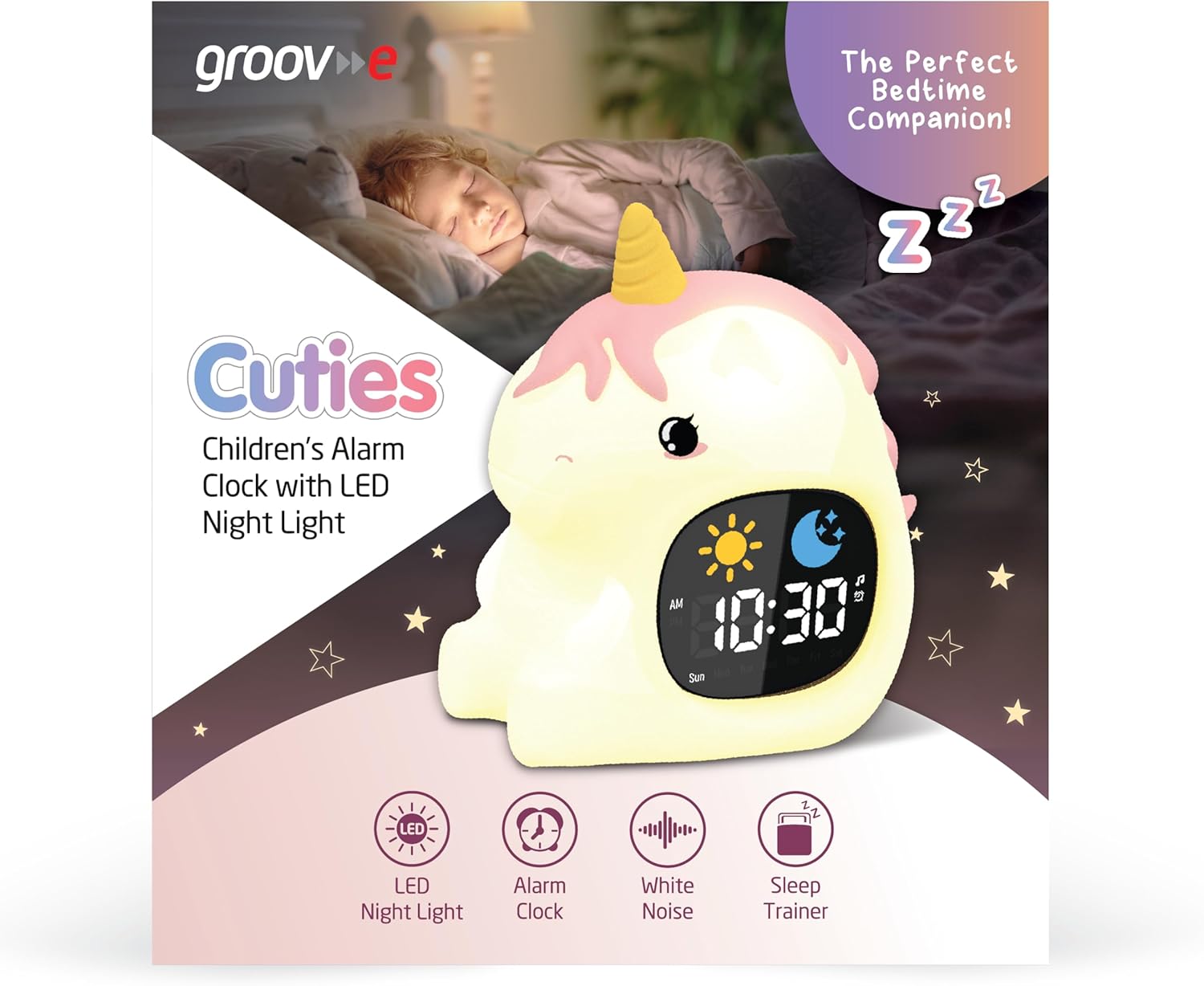
Image 3: The alarm clock functioning as a sleep trainer, displaying the sun icon for wake-up.
4. LED Night Light
The device features an integrated LED night light with multiple color and brightness options.
- Mudança de cores: Tap the silicone body of the device to cycle through 9 vibrant colors and 5 light modes.
- Ajustando o brilho: Use dedicated brightness buttons (if available) or a combination with the TEMPO Botão para ajustar entre 5 níveis de brilho.
5. White Noise and Soothing Sounds
To activate soothing sounds:
- Pressione o Nota musical button (refer to Image 2) to cycle through the 6 available soothing sounds, including white noise.
- Ajuste o volume usando o Up e Abaixo arrow buttons (5 volume levels available).
6. Função soneca
When the alarm sounds, press any button (other than the power button) or tap the device to activate the snooze function. The alarm will temporarily pause and sound again after a set interval (e.g., 9 minutes).
7. Configurações do cronômetro
The device includes 30 and 60-minute timer settings, useful for short sleep cycles or quiet time.
- Consult the quick start guide for specific button presses to activate and select timer durations.
Manutenção
- Limpeza: Limpe o dispositivo com um pano macio, damp pano. Não use produtos de limpeza abrasivos nem mergulhe o dispositivo em água.
- Armazenar: Guarde o dispositivo em local fresco e seco quando não estiver em uso por longos períodos.
- Cuidados com a bateria: To prolong battery life, avoid fully discharging the battery frequently. Recharge when the low battery indicator appears.
Solução de problemas
| Problema | Possível causa | Solução |
|---|---|---|
| O dispositivo não liga. | A bateria está esgotada. | Connect the device to a USB power source using the provided USB-C cable and allow it to charge for at least 30 minutes before attempting to power on. |
| O alarme não dispara. | O alarme não está ativado ou o volume está muito baixo. | Ensure the alarm is set and activated. Check the volume level and adjust if necessary. |
| Night light is not changing colors. | Incorrect tapping or mode selection. | Ensure you are tapping the silicone body firmly. Check if the device is in a specific light mode that prevents color changes. |
| Device is not charging properly. | Cabo, adaptador ou porta de carregamento com defeito. | Try using a different USB-C cable and/or a different USB power adapter. Ensure the cable is securely connected to both the device and the power source. If the issue persists, contact customer support. |
Especificações
| Marca | groov e |
| Modelo | Cuties Sleep Trainer Alarm Clock |
| Peso do item | 0.34 quilos |
| Bateria | 1800mAH Rechargeable Battery (USB-C charging) |
| Tipo de exibição | Digital |
| Recurso especial | Sleep Trainer, LED Night Light, White Noise |
Garantia e Suporte
For warranty information or technical support, please refer to the documentation included with your purchase or visit the official groov e website. Guarde o comprovante de compra para solicitações de garantia.
Manufacturer: Rashmian Ltd.


