Introdução
Welcome to your RCA Wave-68 True Wireless Earbuds. This manual provides detailed instructions on how to set up, operate, maintain, and troubleshoot your earbuds to ensure optimal performance and a seamless audio experience. Please read this manual thoroughly before using your device.
Conteúdo da embalagem
- Fones de ouvido sem fio RCA Wave-68 (esquerdo e direito)
- Estojo de carregamento
- Cabo de carregamento USB
- Manual do usuário
Produto acimaview
Familiarize yourself with the components of your RCA Wave-68 earbuds and charging case.

Imagem: The RCA Wave-68 earbuds are shown inside their open charging case. The case features a digital display indicating the battery levels of both the case and individual earbuds.
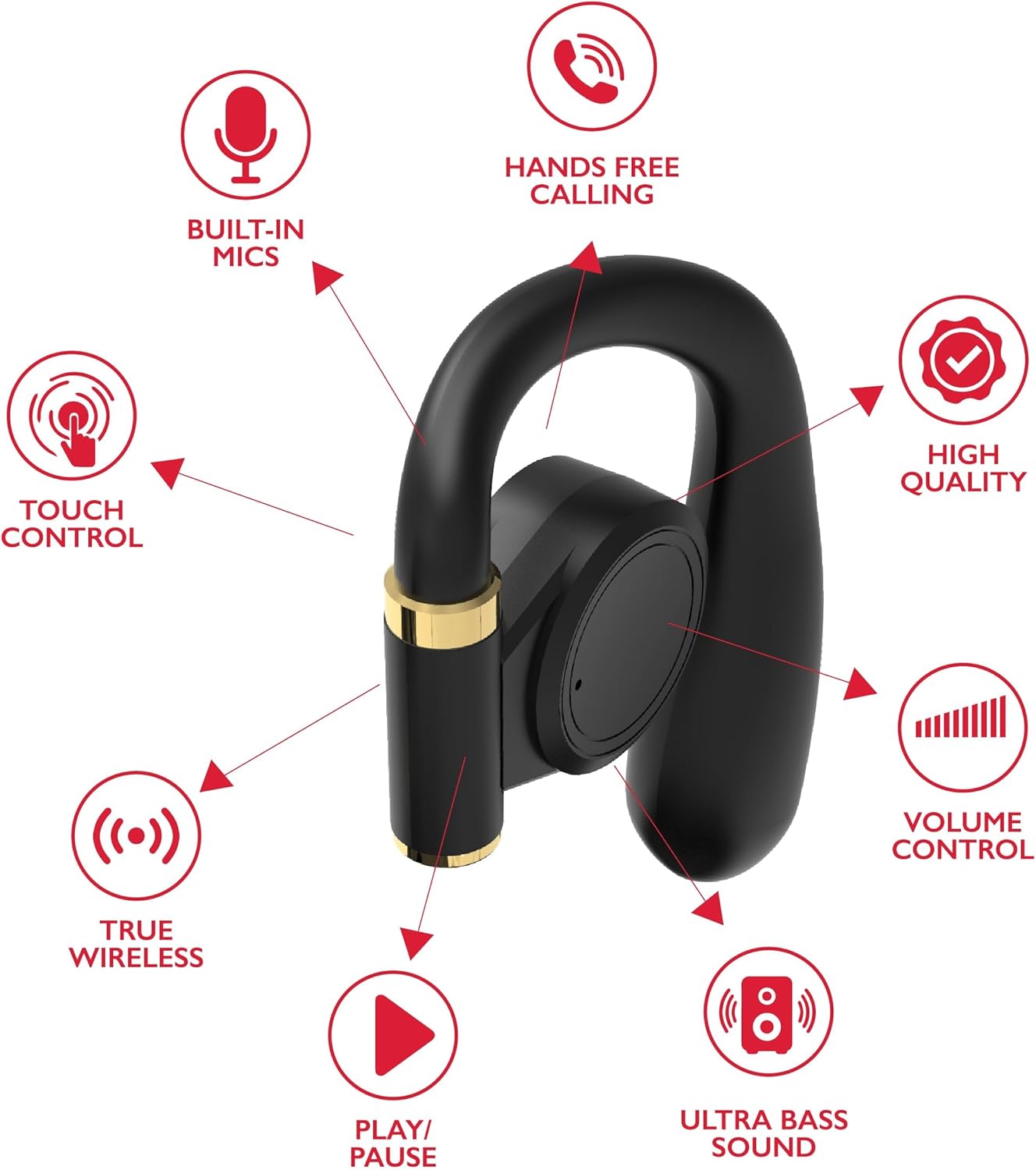
Imagem: A diagram highlights key features of a single RCA Wave-68 earbud, including built-in mics, hands-free calling, touch control, true wireless connectivity, play/pause function, ultra bass sound, volume control, and high-quality audio.
Configurar
1. Carregando os fones de ouvido e o estojo
Before first use, fully charge the earbuds and charging case. Place the earbuds into the charging case. Connect the USB charging cable to the charging port on the case and to a power source. The digital display on the case will show the charging status. A full charge provides approximately 20 hours of total playtime with the charging case.
2. Emparelhamento Bluetooth
- Ligar: Open the charging case. The earbuds will automatically power on and enter pairing mode. You may see a blinking light indicator on the earbuds.
- Ative o Bluetooth: No seu dispositivo (smartphone, tablet, etc.), ative o Bluetooth.
- Selecionar dispositivo: Procurar "RCA Wave-68" in the list of available Bluetooth devices and select it to connect.
- Confirmação: Once connected, the earbuds will indicate successful pairing, and the light indicator may stop blinking or turn off.
If pairing fails, ensure the earbuds are charged and within range of your device. Turn off Bluetooth on other nearby devices to avoid interference.
Instruções de operação
Ligar/Desligar
- Ligar: Abra o estojo de carregamento e os fones de ouvido ligarão automaticamente. Como alternativa, pressione e segure a área de controle por toque em ambos os fones de ouvido por 3 segundos.
- Desligar: Coloque os fones de ouvido de volta no estojo de carregamento e feche a tampa. Eles desligarão automaticamente. Como alternativa, pressione e segure a área de controle por toque em ambos os fones de ouvido por 5 segundos.
Controles de toque
The RCA Wave-68 earbuds feature intuitive touch controls for managing audio playback, calls, and voice assistant functions.
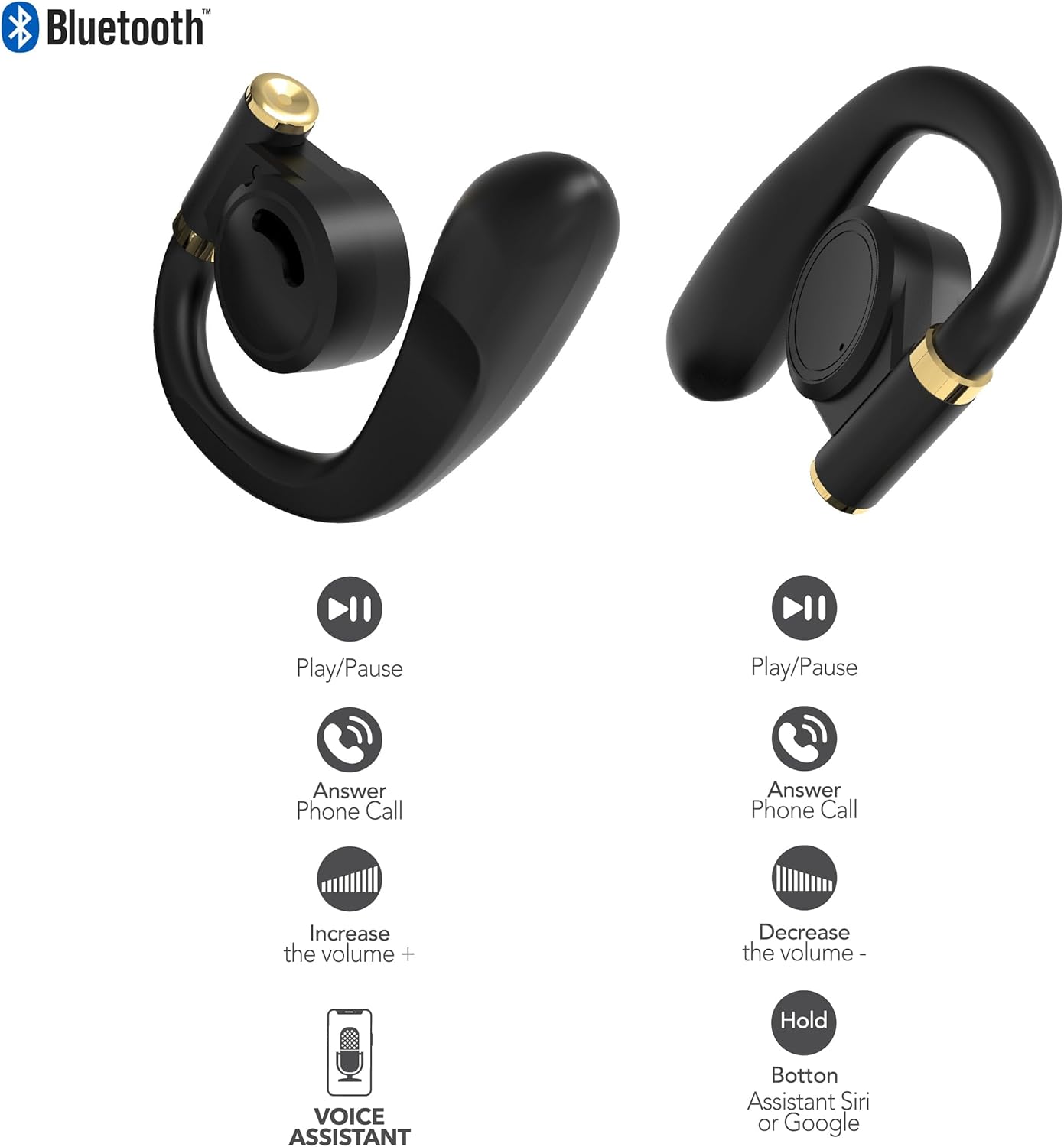
Imagem: This diagram illustrates the touch control functions for both the left and right RCA Wave-68 earbuds, including play/pause, answer phone call, volume increase/decrease, and activating the voice assistant.
- Reproduzir/Pausar: Toque uma vez em qualquer um dos fones de ouvido.
- Próxima faixa: Toque duas vezes no fone de ouvido direito.
- Faixa anterior: Toque duas vezes no fone de ouvido esquerdo.
- Aumentar o volume: Toque três vezes no fone de ouvido direito.
- Volume baixo: Toque três vezes no fone de ouvido esquerdo.
- Atender/encerrar chamada: Um único toque em qualquer um dos fones de ouvido durante uma chamada recebida ou em andamento.
- Rejeitar chamada: Durante uma chamada recebida, mantenha pressionado qualquer um dos fones de ouvido por 2 segundos.
- Ativar o assistente de voz (Siri/Google Assistente): Pressione e segure um dos fones de ouvido por 3 segundos.
Modo de Transparência
The Transparency Mode allows you to hear your surroundings while still enjoying your audio. This feature is useful for awareness in environments like busy streets or public transport.
- Ativar/Desativar o Modo Transparência: Consult your device's Bluetooth settings or specific app if available, or refer to the product's quick start guide for a specific touch control gesture if not listed above.
Manutenção
Limpeza
A limpeza regular ajuda a manter a qualidade do som e a higiene.
- Use um pano macio, seco e sem fiapos para limpar os fones de ouvido e o estojo de carregamento.
- Não utilize produtos de limpeza abrasivos, álcool ou solventes químicos.
- Gently remove any earwax or debris from the earbud tips and speaker mesh using a small, clean brush or cotton swab.
Armazenar
Quando não estiverem em uso, guarde os fones de ouvido no estojo de carregamento para protegê-los contra poeira e danos.
- Armazene em local fresco e seco, longe de temperaturas extremas.
- Avoid prolonged exposure to direct sunlight or moisture.
Solução de problemas
If you encounter issues with your RCA Wave-68 earbuds, refer to the following common solutions:
- Earbuds not powering on automatically: Ensure the charging case is charged. Place earbuds back in the case, close the lid, then open it again. If issues persist, manually power on by pressing and holding the touch control area for 3 seconds.
- Os fones de ouvido não estão emparelhando: Make sure both earbuds are fully charged. Turn off Bluetooth on your device, then turn it back on. Forget "RCA Wave-68" from your device's Bluetooth list and attempt to pair again. Ensure no other devices are actively connected to the earbuds.
- Sem som em um dos fones de ouvido: Place both earbuds back into the charging case, close the lid, and then take them out again. This often re-syncs them. Check your device's audio balance settings.
- Charging case not displaying battery info/not charging: Ensure the USB cable is securely connected to both the case and the power source. Try a different USB cable or power adapter. Clean the charging port on the case for any debris.
- Volume baixo ou má qualidade de som: Adjust the volume on both your device and the earbuds. Ensure the earbuds are properly seated in your ears for a good seal. Clean any debris from the earbud speaker mesh.
- Fones de ouvido que caem: Ensure you are using the correct ear tip size for a secure and comfortable fit.
Especificações
| Recurso | Detalhe |
|---|---|
| Nome do modelo | Onda-68 |
| Marca | RCA |
| Tecnologia de Conectividade | Wireless (Bluetooth) |
| Versão Bluetooth | 5.3 |
| Duração da bateria | Até 20 horas (com estojo de carregamento) |
| Método de controle | Tocar |
| Colocação da orelha | No ouvido |
| Fator de forma | No ouvido |
| Material | Plástico, Silicone |
| Características especiais | Built-In Voice Assistant, Transparency Mode |
| UPC | 850068964468 |
Informações de segurança
- Não desmonte nem modifique os fones de ouvido ou o estojo de carregamento.
- Evite expor o dispositivo a temperaturas extremas, umidade ou líquidos.
- Não utilize os fones de ouvido em volume alto por períodos prolongados para evitar danos à audição.
- Mantenha fora do alcance de crianças e animais de estimação.
- Descarte o dispositivo de forma responsável, de acordo com os regulamentos locais.
Garantia e Suporte
RCA products are designed for reliability and performance. For warranty information or technical support, please refer to the warranty card included in your package or visit the official RCA support website. Guarde o comprovante de compra para solicitações de garantia.


