1. Introdução
The Janmifly RS01S Laser Level Adapter is designed to provide precise positioning and fine adjustment for laser levels. It features a 360° rotating base and multi-directional fine-tuning capabilities, enhancing accuracy and efficiency in various measurement and alignment tasks. This manual provides instructions for the proper setup, operation, and maintenance of your RS01S adapter.
2. Componentes do produto
Familiarize yourself with the main components of the RS01S Laser Level Adapter:
- 1/4-inch Male Thread: Located on the top plate for attaching laser levels.
- 5/8-inch Female Thread: Located at the bottom for tripod mounting.
- X-axis Adjustment Knob: For horizontal fine adjustment.
- Y-axis Adjustment Knob: For front-to-back fine adjustment.
- 360° Rotation Knob: For precise rotational adjustment.
- Pés ajustáveis: Three screw-type feet for height adjustment and leveling on uneven surfaces.
- Bolha de nivelamento: Integrated bubble level for initial horizontal alignment.
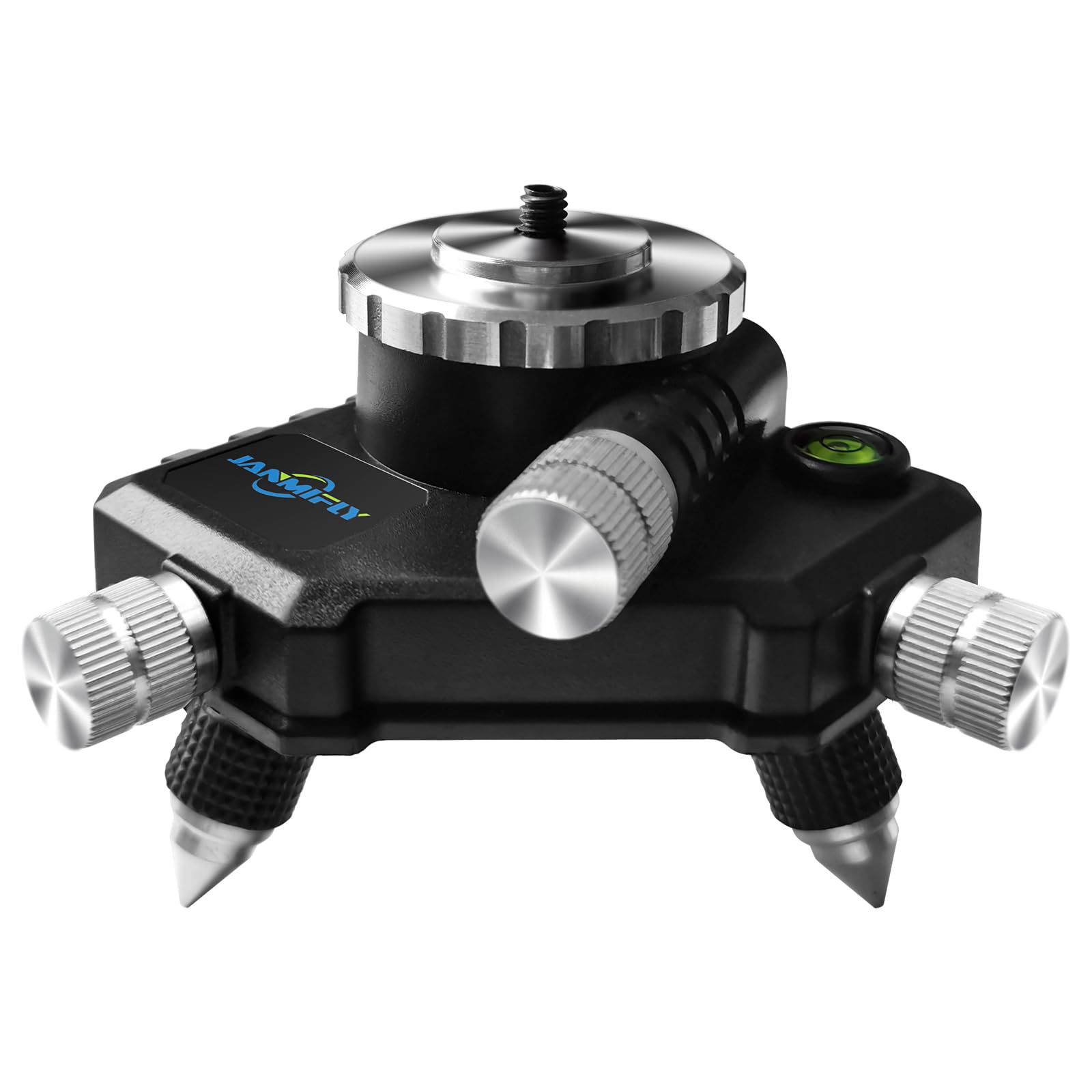
Figura 1: Overview of the Janmifly RS01S Laser Level Adapter with labeled components and dimensions.
3. Instruções de configuração
- Attach Laser Level:
Align your laser level with the 1/4-inch male thread on the top plate of the RS01S adapter. Rotate the laser level clockwise until it is securely fastened. Ensure it is stable and does not wobble.

Figure 2: Attaching a laser level to the adapter's 1/4-inch male thread.
- Mount to Tripod (Optional):
If using a tripod, locate the 5/8-inch female thread at the bottom of the RS01S adapter. Screw the adapter onto your tripod's mounting screw until it is firmly attached. This provides a stable base for your laser level.
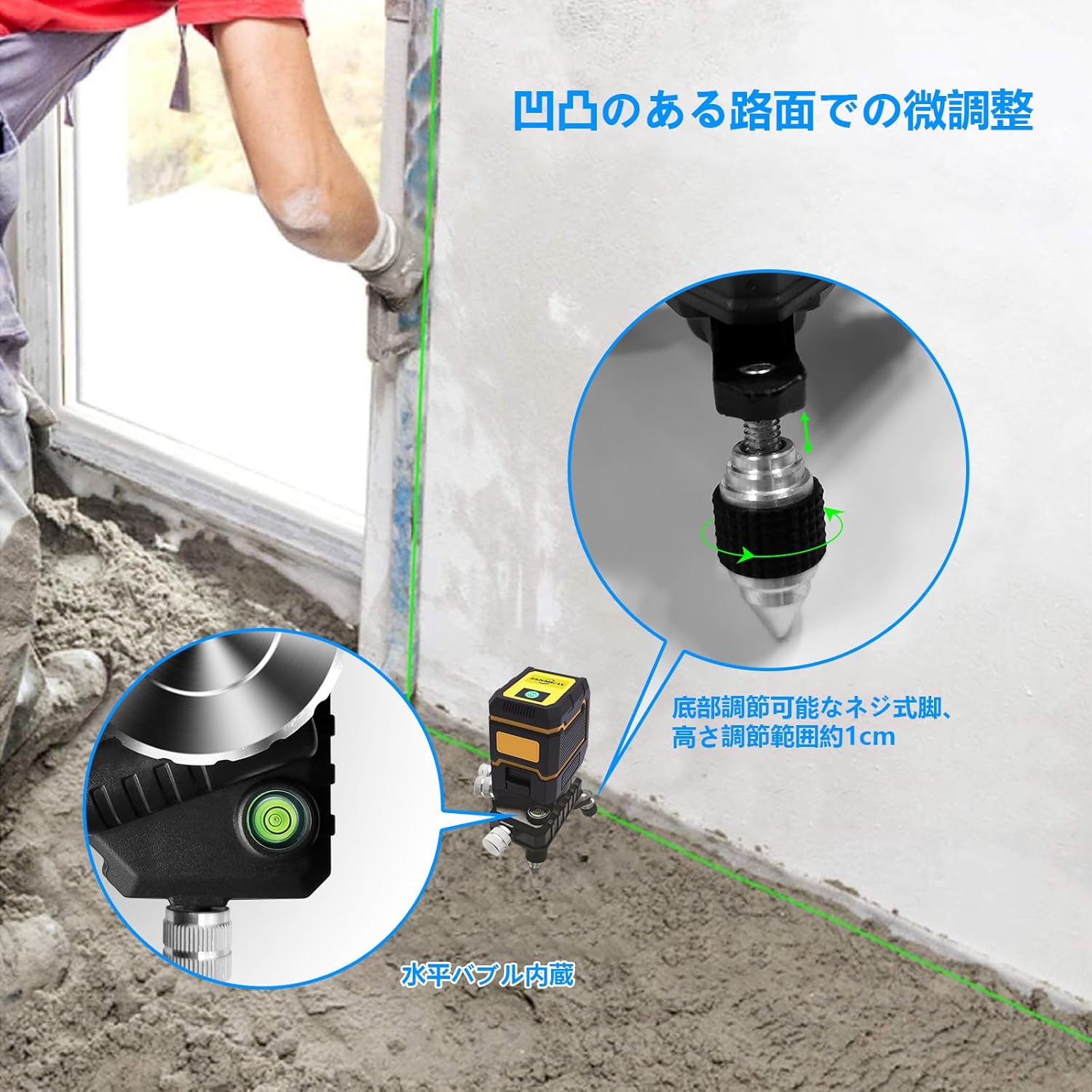
Figure 3: Mounting the adapter onto a tripod.
- Nivelamento inicial:
Place the adapter on a stable surface or tripod. Use the adjustable feet to roughly level the adapter. Observe the integrated leveling bubble to achieve an approximate horizontal position. The height adjustment range for the feet is approximately 1 cm.

Figure 4: Adjusting feet for initial leveling on an uneven surface.
4. Instruções de operação
The RS01S adapter provides three main fine-tuning adjustments:
- X-axis Fine Adjustment: Rotate the X-axis adjustment knob to move the laser level horizontally (left/right).
- Y-axis Fine Adjustment: Rotate the Y-axis adjustment knob to move the laser level front-to-back.
- Rotação de 360°: Use the 360° rotation knob for precise angular positioning of the laser level.

Figure 5: Demonstrating X-axis, Y-axis, and 360° fine adjustments.
Demonstração em vídeo:
Video 1: This video demonstrates the fine adjustment capabilities of the Janmifly RS01S Laser Level Adapter, showing how to use the X-axis, Y-axis, and 360-degree rotation knobs for precise laser level positioning.
5. Manutenção
- Limpeza: Wipe the adapter with a soft, dry cloth after each use to remove dust and debris. Do not use abrasive cleaners or solvents.
- Armazenar: Store the adapter in a dry, cool place away from direct sunlight and extreme temperatures.
- Inspeção: Periodically check all knobs and threads for tightness and smooth operation. Ensure the adjustable feet are free from damage.
6. Solução De Problemas
| Problema | Possível causa | Solução |
|---|---|---|
| Adapter is unstable or wobbles. | Laser level not securely attached. Tripod not stable. Adjustable feet not properly set. | Ensure laser level is tightly screwed onto the 1/4-inch thread. Verify tripod stability and tighten all tripod locks. Adjust the three feet to ensure all are in contact with the surface and the bubble level indicates horizontal. |
| Fine adjustment knobs are stiff. | Acúmulo de poeira ou detritos. Falta de lubrificação. | Clean the knobs and surrounding areas. Apply a small amount of silicone-based lubricant if necessary (avoid oil-based lubricants). |
| Leveling bubble does not center. | Adapter is on an uneven surface. Adjustable feet are not correctly balanced. | Adjust the three feet until the bubble is centered. Ensure the surface beneath the feet is clear of obstructions. |
7. Especificações
| Recurso | Detalhe |
|---|---|
| Marca | Janmifly |
| Número do modelo | RS01S |
| Dimensões (Pacote) | 15.3 x 14.8 x 11.3 cm |
| Peso | 200 g |
| Cor | Preto |
| Tópico principal | Macho de 1/4 pol. |
| Linha inferior | 5/8-inch Female |
| Adjustment Range (Feet) | Aprox. 1 cm |
| Modo de operação | Manual |
| Fonte de energia | Nenhum (dispositivo passivo) |
| Material | Durable plastic and aluminum alloy |
8. Garantia e suporte
For warranty information and customer support, please refer to the documentation included with your purchase or contact Janmifly customer service directly. Keep your purchase receipt as proof of purchase.
Informações de contato:
- Loja da marca: Janmifly Amazon Store
- Vendedor: Janmifly (via Amazon.co.jp)


