1. Introdução
Thank you for choosing the PRORECK FREEDOM 10 Portable PA Speaker. This active loudspeaker is designed for versatility and powerful sound, making it ideal for events, karaoke, DJ performances, and outdoor gatherings. It features an 800W peak power output, a 10-inch subwoofer, a 1-inch titanium treble speaker, and includes two wireless microphones and a remote control. Its portable design with a handle and wheels ensures easy transport.

Image: The PRORECK FREEDOM 10 Portable PA Speaker, showcasing its main unit, two wireless microphones, and remote control.
2. Conteúdo da embalagem
Por favor, marque a caixa para os seguintes itens:
- 1 x Active Speaker (PRORECK FREEDOM 10)
- 2 x microfones sem fio
- 1 x Controle Remoto
- 1 x Cabo de alimentação
- 1 x Manual do Usuário (este documento)
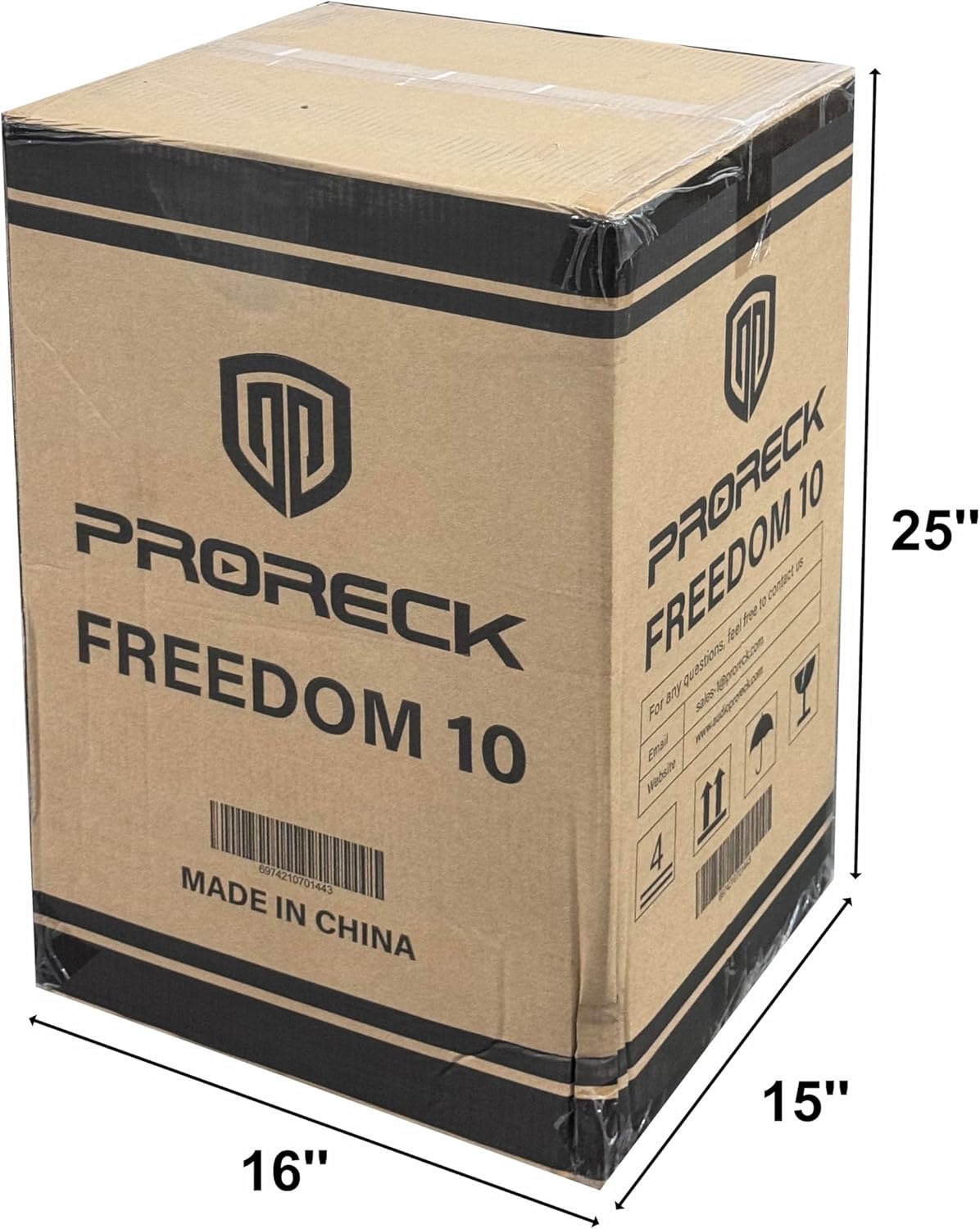
Image: The PRORECK FREEDOM 10 product packaging box, indicating dimensions and branding.
3. Recursos do Produto
- Som poderoso: Equipped with a 10'' subwoofer and a 1'' titanium treble speaker, delivering 800W peak power.
- Karaokê pronto: Includes 2 wireless microphones with 5 sound controls (volume, treble, bass, reverb, echo) for a customizable karaoke experience.
- Bateria de longa duração: High-performance batteries provide up to 6 hours of continuous playback at 75% volume on a single charge.
- Entradas múltiplas: Features USB, SD, Bluetooth, RCA AUX IN, 2 MIC IN, and Guitar IN for wide applicability.
- Design portátil: Integrated pull rod and bottom rollers for easy transportation.
- Armazenamento do microfone: Hidden compartment for convenient storage of microphones when not in use.

Imagem: Detalhada view of the PRORECK FREEDOM 10 speaker, highlighting the 2-inch speaker mount hole and the integrated microphone storage case.
4. Controles e conexões
Familiarize-se com o painel de controle localizado na parte traseira da caixa de som:

Image: Diagram of the PRORECK FREEDOM 10 control panel, with numbered labels indicating various inputs and controls.
- Selector Signal Input: For MP3/Bluetooth/FM modes.
- Antenna Receiver: For wireless microphone and FM radio reception.
- MUSIC Volume Settings: Adjusts the overall music playback volume.
- MUSIC TREBLE Volume Settings: Adjusts the high frequencies of the music.
- MUSIC BASS Volume Settings: Adjusts the low frequencies of the music.
- Mic Treble Settings: Adjusts the high frequencies for microphone input.
- Mic Bass Settings: Adjusts the low frequencies for microphone input.
- Mic Reverb Settings: Controls the reverb effect for microphones.
- Mic Echo Settings: Controla o efeito de eco dos microfones.
- Mic Volume Settings: Adjusts the volume of the microphone inputs.
- Guitar Volume Settings: Ajusta o volume da entrada da guitarra.
- 1/4" MIC Input: Input jack for wired microphones.
- 1/4" GUITAR Input: Input jack for a guitar.
- RCA AUX Input: Stereo RCA input for external audio devices.
- RCA AUDIO Output: Stereo RCA output for connecting to another speaker or audio system.
- Interruptor de alimentação: Liga ou desliga o alto-falante.
- DC Resources: 12V DC input for external power source (e.g., car battery).
- Fonte de alimentação AC: Standard AC power input (110V AC).
5. Configuração
5.1 Desembalagem e Colocação
- Remova cuidadosamente todos os componentes da embalagem.
- Coloque a caixa de som em uma superfície plana e estável. Certifique-se de que haja ventilação adequada ao redor do aparelho.
- For optimal sound, position the speaker at ear level or slightly above. The speaker can be mounted on a standard 2-inch speaker pole (pole not included).
5.2 Carregando o alto-falante
- Antes da primeira utilização, carregue totalmente a caixa de som por aproximadamente 6 a 8 horas.
- Connect the supplied AC power cable to the AC Power Source (18) input on the rear panel and plug it into a standard wall outlet.
- The charging indicator light will show RED during charging and turn GREEN when fully charged.
5.3 microfones sem fio
- The included wireless microphones are pre-paired with the speaker.
- Insira 2 pilhas AA (não incluídas) em cada microfone.
- Ligue os microfones usando seus respectivos interruptores de energia.
6. Instruções de operação
6.1 Ligar/Desligar
- To power on the speaker, flip the Power Switch (16) to the "ON" position.
- To power off, flip the Power Switch (16) to the "OFF" position.
6.2 Conexão Bluetooth
- Ligue o alto-falante.
- Press the Mode button on the Selector Signal Input (1) or the remote control until "Bluetooth" mode is selected.
- On your Bluetooth-enabled device (smartphone, tablet, etc.), search for "PRORECK FREEDOM 10" in the Bluetooth settings.
- Select the speaker to pair. A confirmation tone will sound when successfully connected.
- Adjust the MUSIC Volume Settings (3) on the speaker and your device.
6.3 Reprodução de cartão USB/SD
- Insira um pen drive ou cartão SD (com arquivos de áudio MP3 pré-carregados). files) into the respective slot on the Selector Signal Input (1).
- The speaker will automatically switch to USB/SD mode and begin playback.
- Use the controls on the Selector Signal Input (1) or the remote control to play, pause, skip tracks, and adjust volume.
6.4 Utilização do microfone
- Turn on the wireless microphones.
- Adjust the Mic Volume Settings (10) to your desired level.
- Experiment with Mic Treble (6), Mic Bass (7), Mic Reverb (8), and Mic Echo (9) settings to customize your sound.
- For wired microphones, connect them to the 1/4" MIC Input (12).
Entrada de guitarra 6.5
- Connect your guitar to the 1/4" GUITAR Input (13).
- Adjust the Guitar Volume Settings (11) to balance with other audio sources.
6.6 RCA AUX IN/OUT
- ENTRADA AUX: Connect external audio devices (e.g., CD player, mixer) to the RCA AUX Input (14) using an RCA cable.
- SAÍDA DE ÁUDIO: Connect the RCA AUDIO Output (15) to another powered speaker or recording device to expand your sound system or record your performance.

Image: A person actively using the PRORECK FREEDOM 10 speaker with a wireless microphone, demonstrating its use for vocal performances.
7. Manutenção
- Limpeza: Wipe the speaker's exterior with a soft, dry cloth. Do not use abrasive cleaners or solvents.
- Cuidados com a bateria: For optimal battery life, avoid fully discharging the battery regularly. Recharge the speaker after each use, especially if it will be stored for an extended period.
- Armazenar: Guarde a caixa de som em local fresco e seco, longe da luz solar direta e de temperaturas extremas.
- Transporte: Utilize the pull rod and wheels for easy movement. Ensure the handle is fully extended and locked when pulling.

Image: The PRORECK FREEDOM 10 speaker shown with its dimensions, demonstrating the extendable handle and wheels for portability.
8. Solução De Problemas
- Sem energia:
- Certifique-se de que o cabo de alimentação esteja firmemente conectado tanto à caixa de som quanto a uma tomada elétrica em funcionamento.
- Check if the Power Switch (16) is in the "ON" position.
- Se estiver funcionando com bateria, certifique-se de que ela esteja carregada.
- Sem som:
- Verify that the MUSIC Volume Settings (3) and source device volume are turned up.
- Check if the correct input mode (Bluetooth, USB, SD, AUX) is selected via the Selector Signal Input (1).
- Ensure all cables (RCA, 1/4" jack) are properly connected.
- Microfone não funciona:
- Ensure the wireless microphones are turned on and have fresh batteries.
- Adjust the Mic Volume Settings (10) on the speaker.
- Confirm the microphones are within range of the speaker's antenna.
- Problemas de conexão Bluetooth:
- Certifique-se de que o alto-falante esteja no modo Bluetooth.
- Delete "PRORECK FREEDOM 10" from your device's Bluetooth list and try pairing again.
- Move your device closer to the speaker to ensure a strong signal.
- Som distorcido:
- Reduce the volume of the speaker or the input source to prevent clipping.
- Verifique se há conexões de cabo soltas.
- Adjust the MUSIC TREBLE (4) and MUSIC BASS (5) settings.
9. Especificações
| Recurso | Especificação |
|---|---|
| Número do modelo | LIBERDADE 10 |
| Potência de saídatage | 800 Watts (pico) |
| Tamanho do alto-falante | 10'' Subwoofer, 1'' Titanium Treble Speaker |
| Fonte de energia | Alimentado por bateria / Alimentado por corrente alternada |
| Duração da bateria | Até 6 horas (com 75% do volume) |
| Tecnologia de Conectividade | Bluetooth |
| Entradas de áudio | USB, SD, Bluetooth, RCA AUX IN, 2 MIC IN (1/4"), Guitar IN (1/4") |
| Saída de áudio | RCA AUDIO Output |
| Cor | Preto |
| Tipo de montagem | Posição do assoalho |
10. Garantia e Suporte
PRORECK products are designed for reliability and performance. For specific warranty information and customer support, please refer to the warranty card included with your purchase or visit the official PRORECK webGuarde seu comprovante de compra para eventuais solicitações de garantia.
For technical assistance or inquiries, please contact PRORECK customer service.


