Introdução
This manual provides essential information for setting up, operating, maintaining, and troubleshooting your HP 15-DY58 Slim Laptop. Please read this guide thoroughly to ensure proper use and to maximize the performance and longevity of your device.
O que está na caixa
Upon opening your HP 15-DY58 Slim Laptop package, you should find the following items:
- HP 15-DY58 Slim Laptop
- Adaptador de energia CA e cabo de alimentação
- Quick Start Guide (if included separately)
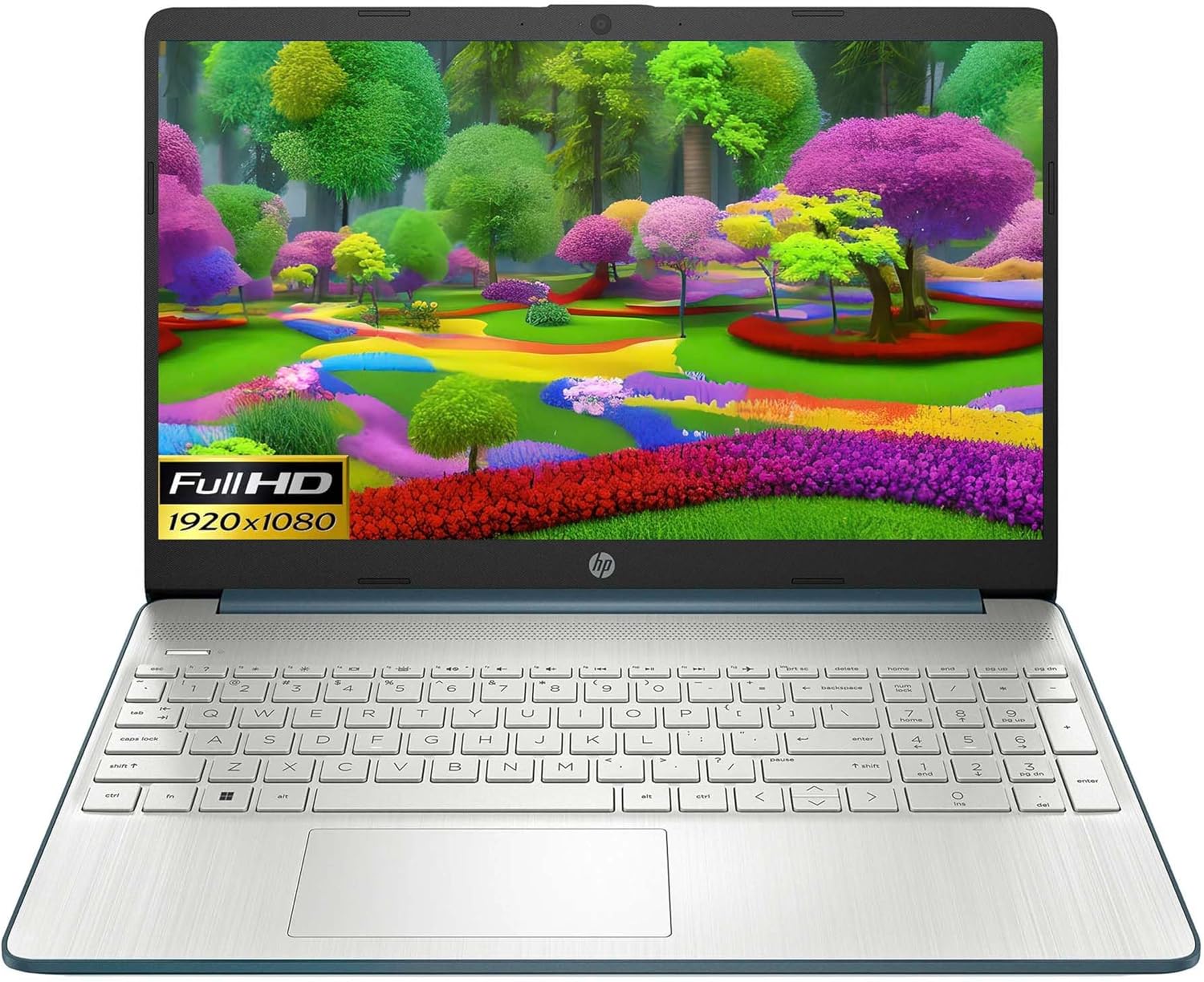
Image: HP 15 Slim Laptop, closed view, showing the blue lid with HP logo.
Configurar
1. Ligação inicial
- Conecte o adaptador de energia: Conecte o adaptador de energia CA à porta de alimentação CA do laptop e, em seguida, a uma tomada de parede.
- Abra o laptop: Levante cuidadosamente a tampa do visor.
- Ligar: Press the power button, usually located on the keyboard deck. The laptop will begin the initial Windows 11 setup process.
- Siga as instruções na tela: Complete the Windows 11 setup, including language selection, network connection, and user account creation.

Image: HP 15 Slim Laptop open, showcasing the Windows 11 operating system interface during initial setup.
2. Conectando Periféricos
Your HP 15-DY58 Slim Laptop offers various ports for connecting external devices:
- Portas USB Tipo A: Connect USB devices such as mice, keyboards, or external storage drives. There are two SuperSpeed USB Type-A 5Gbps ports.
- Porta USB Tipo-C: Connect compatible USB-C devices. This laptop features one SuperSpeed USB Type-C 5Gbps signaling rate port.
- Porta HDMI: Connect an external monitor or TV using an HDMI cable for extended display. The laptop has one HDMI 1.4b port.
- Conector combinado para fone de ouvido/microfone: Conecte fones de ouvido, alto-falantes externos ou um headset com microfone.
- SD Media Card Reader: Insert an SD card to transfer photos and files.

Image: Left side ports including SD card reader, headphone jack, USB-C, AC power, and HDMI.

Image: Right side ports featuring two USB Type-A ports.
Operando seu laptop
Funções básicas
- Botão de energia: Located on the keyboard deck, use it to turn the laptop on or off, or to put it to sleep.
- Teclado: The full-size island-style keyboard provides comfortable typing. Familiarize yourself with function keys (Fn) for quick access to settings like volume, brightness, and Wi-Fi.
- Painel tátil: Use the integrated touchpad for navigation. It supports multi-touch gestures for scrolling, zooming, and more.

Image: HP 15 Slim Laptop open, showcasing seu visor e teclado.
Conectividade sem fio
- Wi-fi: Connect to wireless networks using Wi-Fi 5 (802.11ac). Access Wi-Fi settings through the Windows 11 taskbar or Settings app.
- Bluetooth: Pair Bluetooth-enabled devices such as headphones, speakers, or mice using Bluetooth 5. Manage Bluetooth devices in Windows 11 Settings.
Exibição e áudio
- Mostrar: The 15.6-inch Full HD (1920 x 1080) micro-edge display offers clear visuals. Adjust brightness and display settings via Windows 11.
- Áudio: The laptop features dual speakers for audio output. The headphone/microphone combo jack allows for private listening or communication.
- Câmera: The HP True Vision 720p HD camera with integrated dual array digital microphones is suitable for video calls and online meetings.
Manutenção
Como limpar seu laptop
- Tela: Use um pano macio e sem fiapos levemente dampLimpe com água ou um produto de limpeza para telas. Evite produtos químicos agressivos.
- Teclado e chassi: Use a soft cloth to wipe surfaces. Compressed air can remove dust from between keys.
- Portas: Ensure ports are free of dust and debris. Use compressed air if necessary.
Atualizações de software
Regularly update your Windows operating system and drivers to ensure optimal performance and security. Access Windows Update through the Settings app.
Cuidados com a bateria
- Evite temperaturas extremas.
- Não descarregue completamente a bateria com frequência.
- Para armazenamento a longo prazo, carregue a bateria até cerca de 50-70%.
Solução de problemas
This section addresses common issues you might encounter with your HP 15-DY58 Slim Laptop.
O laptop não liga.
- Certifique-se de que o adaptador CA esteja conectado firmemente tanto ao laptop quanto a uma tomada elétrica em funcionamento.
- Verifique se a tomada está funcionando conectando outro aparelho.
- Se a bateria estiver completamente descarregada, deixe-a carregar por alguns minutos antes de tentar ligá-la.
Problemas de exibição
- Nenhuma exibição: If the laptop powers on but the screen remains black, try connecting an external monitor via the HDMI port to check if the issue is with the laptop's internal display.
- Exibição fraca: Adjust screen brightness using the function keys (usually F2/F3 or similar, look for sun icons) or through Windows 11 display settings.
Connectivity Problems (Wi-Fi/Bluetooth)
- Wi-fi: Ensure Wi-Fi is enabled in Windows 11 settings. Restart your router and modem. Run the Windows Network Troubleshooter.
- Bluetooth: Ensure Bluetooth is enabled. Try unpairing and re-pairing the device. Update Bluetooth drivers if necessary.
Especificações
| Recurso | Detalhe |
|---|---|
| Modelo | HP 15-DY58 Slim Laptop |
| Processador | Intel 12th Gen Core i5-1235U (up to 4.2 GHz, 10-core) |
| Gráficos | Gráficos Intel Iris Xe integrados |
| Sistema operacional | Windows 11 Home (64 bits) |
| Memória (RAM) | 8 GB DDR4 |
| Armazenar | SSD PCIe NVMe M.2 de 256 GB |
| Mostrar | 15.6-inch Full HD (1920 x 1080), Micro-edge, Anti-glare, 250 nits |
| Conectividade sem fio | Wi-Fi 5 (802.11ac), Bluetooth 5 |
| Portos | 1x SuperSpeed USB Type-C 5Gbps, 2x SuperSpeed USB Type-A 5Gbps, 1x HDMI 1.4b, 1x AC Smart Pin, 1x Headphone/Microphone Combo, 1x Multi-format SD Media Card Reader |
| Câmera | HP True Vision 720p HD Camera with Integrated Dual Array Digital Microphones |
| Áudio | Alto-falantes duplos |
| Teclado | Full-size Island-style Keyboard |
| Dimensões (CxLxA) | 14 x 10 x 1 polegadas |
| Peso | 3.3 libras |

Image: HP 15 Slim Laptop, emphasizing its energy efficiency certifications.
Garantia e Suporte
For detailed warranty information, please refer to the warranty card included with your product or visit the official HP support website. HP provides various support resources, including:
- Suporte online: Access drivers, software updates, and troubleshooting guides.
- Suporte técnico: Contact HP customer service for assistance with technical issues.
- Registo de produto: Registre seu produto para receber atualizações e suporte.
Visita support.hp.com para maiores informações.