Introdução
This manual provides detailed instructions for the safe and effective use of your Ourlife 5K30FPS WiFi Action Camera. Please read this manual thoroughly before operating the device to ensure optimal performance and longevity.
O Ourlife M40TR is a versatile action camera designed to capture high-quality video and photos in various environments, including underwater, thanks to its robust waterproof casing. It features 5K 30fps video recording, a dual-screen display, a 170-degree wide-angle lens, and Wi-Fi connectivity.
O que está na caixa
Ao abrir a caixa, verifique se todos os componentes estão presentes:
- Ourlife M40TR Action Camera
- Caixa à prova d'água
- Acessórios de montagem
- Cabo de carregamento USB
- Manual do usuário (este documento)
- Remote Control (if included with specific package)

Image: The Ourlife M40TR Action Camera shown with its waterproof housing and a small remote control. This image illustrates the primary components included with the camera.
Produto acimaview
Familiarize yourself with the camera's main components and interfaces.
- Tela frontal: 1.3-inch display for quick status checks.
- Rear Screen: 2.0-inch IPS touch screen for menu navigation and playback.
- Lente: 170-degree wide-angle lens.
- Botão Liga / Desliga / Modo: Used to power on/off and switch between modes.
- Botão Obturador/OK: Used to start/stop recording or take photos, and confirm selections.
- Porta do microfone: Para conectar um microfone externo.
- Porta USB: Para carregamento e transferência de dados.
- Slot para cartão MicroSD: Para inserir o cartão de memória.
- Compartimento da bateria: For battery insertion.

Imagem: Um close-up view of the Ourlife Action Camera highlighting its 2-inch responsive touch screen. This screen is used for controlling camera functions and reviewing footage.
Configurar
1. Carregando a bateria
Before first use, fully charge the camera battery. Connect the camera to a USB power source (e.g., computer, wall adapter) using the provided USB cable. The charging indicator light will illuminate during charging and turn off when complete.
2. Inserindo um cartão microSD
A MicroSD card (not included) is required for recording. Use a Class 10 or higher MicroSD card, up to 128GB. Insert the card into the MicroSD card slot with the contacts facing the correct direction until it clicks into place.
Observação: For optimal performance, format the MicroSD card within the camera before first use and periodically thereafter.
3. Colocando a capa à prova d'água
The camera comes with a waterproof case for underwater use and protection against impacts. Ensure the camera is securely placed inside the case and the latch is firmly closed before submerging or exposing to harsh conditions.
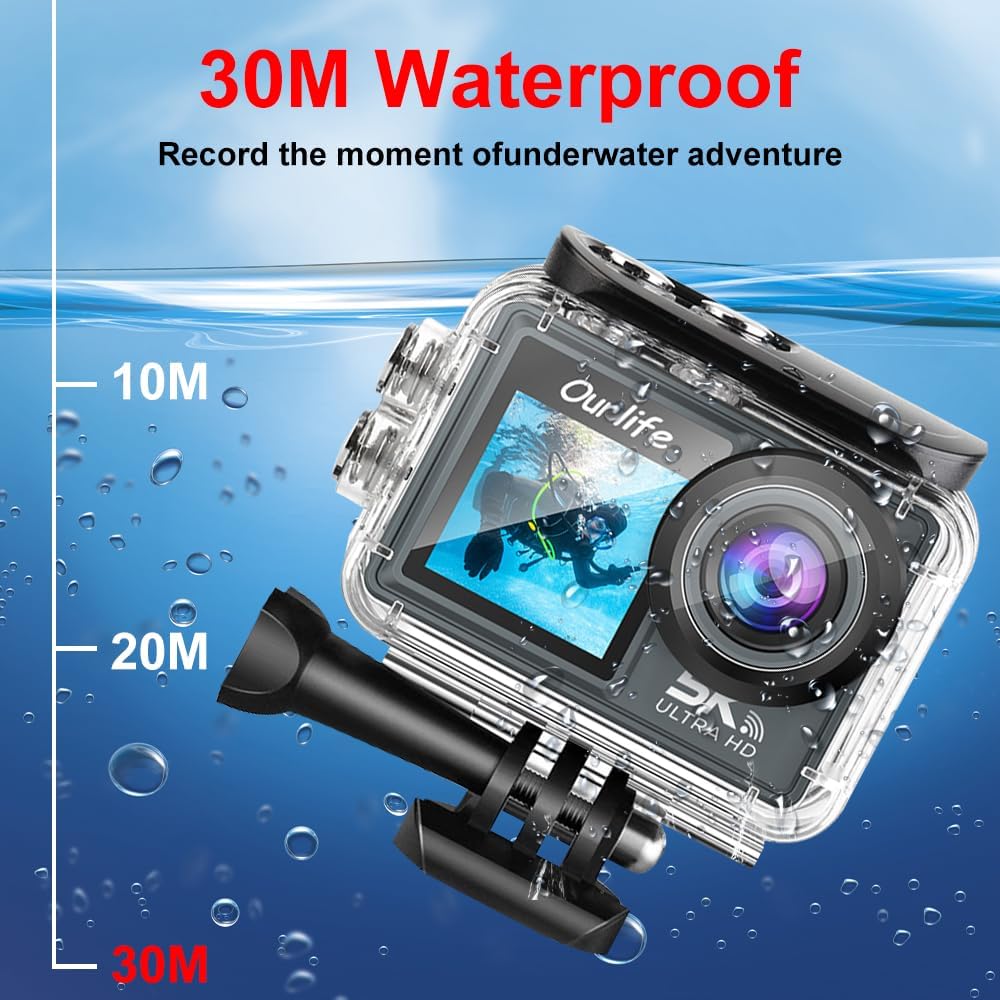
Image: The Ourlife Action Camera enclosed in its waterproof case, depicted underwater with depth markers indicating its 30-meter waterproof capability. This highlights the camera's suitability for aquatic activities.
4. Ligar / desligar
To power on, press and hold the Power/Mode button for a few seconds. To power off, press and hold the Power/Mode button again until the screen turns off.
Operando a câmera
1. Controles básicos e navegação
Use the Power/Mode button to cycle through different shooting modes (Video, Photo, Playback, Settings). Use the touch screen for menu navigation and selecting options. The Shutter/OK button initiates recording or takes a photo in the respective modes.
2. Gravação de vídeo
In Video mode, press the Shutter/OK button to start recording. Press it again to stop. The camera supports resolutions up to 5K at 30 frames per second (fps), as well as 4K, 2.7K, 1080P, and 720P options. Adjust resolution in the settings menu.
3. Captura de fotos
In Photo mode, press the Shutter/OK button to take a single photo. The camera offers various photo modes including single shot, automatic shooting, burst mode, and timed photography.
4. Conectividade Wi-Fi e de aplicativos
Enable Wi-Fi in the camera's settings. Download the official Ourlife app on your smartphone or tablet. Connect your device to the camera's Wi-Fi network. The app allows for remote control, live preview, playback, and sharing of your footage.
5. Suporte para microfone externo
For enhanced audio quality, connect a compatible external microphone to the camera's microphone port. Ensure the microphone is securely connected before recording.
6. Enhanced Image Stabilization (EIS)
The camera features Electronic Image Stabilization (EIS) to reduce blur and shake in your videos, especially during action-packed activities. This feature can be toggled On or Off in the camera settings.

Image: A side-by-side comparison demonstrating the effect of Enhanced Image Stabilization (EIS). The left image shows a clear, stable shot with EIS enabled, while the right image shows a blurred shot with EIS disabled, illustrating the benefit of the feature.
7. Wide-Angle Lens
A lente grande angular de 170 graus captura um amplo campo de visão. view, ideal for landscapes, group shots, and immersive action footage. Be aware that wide-angle lenses may exhibit some distortion at the edges of the frame.

Imagem: Uma ilustração mostrandoasing the 170-degree ultra wide-angle capability of the Ourlife Action Camera, demonstrating how it captures a significantly broader scene compared to narrower angles, ideal for expansive views.
Manutenção
- Limpeza: Use um pano macio e sem fiapos para limpar a lente e as telas da câmera. Para a caixa estanque, enxágue com água doce após o uso em água salgada e deixe secar ao ar livre.
- Armazenar: Guarde a câmera em local fresco e seco, longe da luz solar direta e de temperaturas extremas. Remova a bateria se for armazená-la por longos períodos.
- Cuidados com a bateria: Evite descarregar completamente a bateria com frequência. Recarregue-a regularmente, mesmo quando não estiver em uso, para prolongar sua vida útil.
Solução de problemas
| Problema | Solução possível |
|---|---|
| A câmera não liga. | Ensure the battery is charged. Reinsert the battery. |
| Não é possível gravar vídeos/tirar fotos. | Check if a MicroSD card is inserted and formatted. Ensure sufficient storage space. |
| Qualidade de vídeo/foto ruim. | Clean the lens. Check resolution settings. Ensure adequate lighting. |
| Problemas de conexão Wi-Fi. | Ensure Wi-Fi is enabled on the camera and your device. Restart both devices. Check app permissions. |
| A câmera congela ou não responde. | Remova e reinsira a bateria para realizar uma reinicialização completa. |
Especificações
| Recurso | Detalhe |
|---|---|
| Número do modelo | M40TR |
| Resolução de vídeo | Up to 5K 30fps (also 4K, 2.7K, 1080P, 720P) |
| Profundidade impermeável | Até 30 metros (com caixa à prova d'água) |
| Tamanho da tela principal | IPS de 2.0 polegadas |
| Tamanho da tela secundária | 1.3 polegadas |
| Ângulo da lente | 170-degree Wide-Angle |
| Conectividade | Wi-Fi, USB |
| Armazenar | MicroSD Card (Class 10 or higher, up to 128GB) |
| Suporte para microfone externo | Sim |
| Estabilização de Imagem | Estabilização Eletrônica de Imagem (EIS) |
| Cor | Preto |
Garantia e Suporte
For warranty information and technical support, please refer to the official Ourlvida webAcesse o site ou entre em contato diretamente com o atendimento ao cliente. Guarde o recibo de compra como comprovante para solicitações de garantia.
Official Ourlife Store: Visit the Ourlife Store on Amazon


