Introdução
This manual provides comprehensive instructions for the MoKo 10X Rechargeable Magnifying Glass with 21 LED Lights. Designed for enhanced visual clarity, this device is ideal for reading, inspection, and exploring small details. It features a powerful 10X magnification, adjustable LED lighting, and a comfortable ergonomic design for extended use.
Leia atentamente este manual antes de usar o produto para garantir o funcionamento e a manutenção adequados.
O que está na caixa
- MoKo 10X Rechargeable Magnifying Glass
- Cabo de carregamento USB
- Pano de limpeza
- Bolsa de armazenamento
- Manual do usuário
Configurar
1. Carregamento inicial
Before first use, fully charge the magnifying glass. Locate the USB charging port on the handle of the device.

Image: USB charging port on the handle.
- Connect the provided USB charging cable to the charging port on the magnifying glass.
- Conecte a outra extremidade do cabo USB a um adaptador de energia USB compatível (não incluído) ou à porta USB de um computador.
- The charging indicator lights (if present) will show the charging status. Allow the device to charge until fully powered, typically around 5 hours for a full charge.
2. Ajuste da alça
The magnifying glass features an adjustable handle for comfortable use.

Image: Ergonomic handle design.
- Gently pivot the handle to your desired angle for handheld use.
- The handle can be folded for compact storage or extended for a comfortable grip during use.
Instruções de operação
1. Ampliação
The MoKo Magnifying Glass provides 10X magnification for clear viewing of small text and objects.

Image: Magnifying glass in use, showing 10X magnification on text.
- Hold the magnifying glass approximately 3-5 inches (7.5-12.5 cm) above the object you wish to magnify.
- Adjust the distance slightly until the object comes into clear focus.
2. Modos de iluminação LED
The device is equipped with 21 LED lights and three lighting modes to suit various environments and reduce eye strain.

Image: Three adjustable lighting modes (cool, warm, mixed) for the LED lights.
- Locate the power button on the handle.
- Pressione o botão liga/desliga uma vez para ativar o Luz fria modo.
- Pressione o botão liga/desliga uma segunda vez para alternar para Luz Quente modo.
- Press the power button a third time to activate the Mixed Light modo.
- Press the power button a fourth time to turn off the LED lights.
Choose the lighting mode that provides the most comfortable and clear viewing experience for your specific task and ambient light conditions.
Manutenção
1. Limpando a lente
To maintain optimal clarity, keep the optical glass lens clean.
- Use the provided soft cleaning cloth to gently wipe the lens surface.
- Avoid using abrasive materials, paper towels, or chemical cleaners, as these can scratch or damage the lens.
- Para manchas persistentes, aplique levementeampen the cleaning cloth with a small amount of lens cleaning solution or water, then gently wipe and dry.
2. Armazenamento
When not in use, store the magnifying glass in the provided storage pouch to protect it from dust and scratches.

Image: Magnifying glass being stored in its protective pouch.
- Armazene em local fresco e seco, longe da luz solar direta e de temperaturas extremas.
Solução de problemas
| Problema | Possível causa | Solução |
|---|---|---|
| As luzes não acendem. | Bateria fraca ou dispositivo desligado. | Charge the device using the provided USB cable. Ensure the power button is pressed correctly to cycle through modes. |
| A ampliação está desfocada ou distorcida. | Incorrect distance from object or dirty lens. | Adjust the distance between the lens and the object. Clean the lens with the provided cleaning cloth. |
| Handle is stiff or difficult to adjust. | Minor friction in the hinge. | Apply gentle, consistent pressure. Avoid forcing the hinge. |
Especificações
| Recurso | Detalhe |
|---|---|
| Marca | MoKo |
| Número do modelo | 10X |
| Força de ampliação | 10X |
| Material da lente | Vidro óptico |
| Luzes LED | 21 contas de LED |
| Modos de Iluminação | 3 (Cool, Warm, Mixed) |
| Fonte de energia | Rechargeable USB (1200mAh battery, 3.7V) |
| Vida útil da bateria (uso contínuo) | Aproximadamente 5 horas |
| Dimensões do produto | 9.57 x 4.72 x 1.02 polegadas (24.3 x 12 x 2.6 cm) |
| Peso do item | 7.05 onças (200g) |
| UPC | 840401442876 |
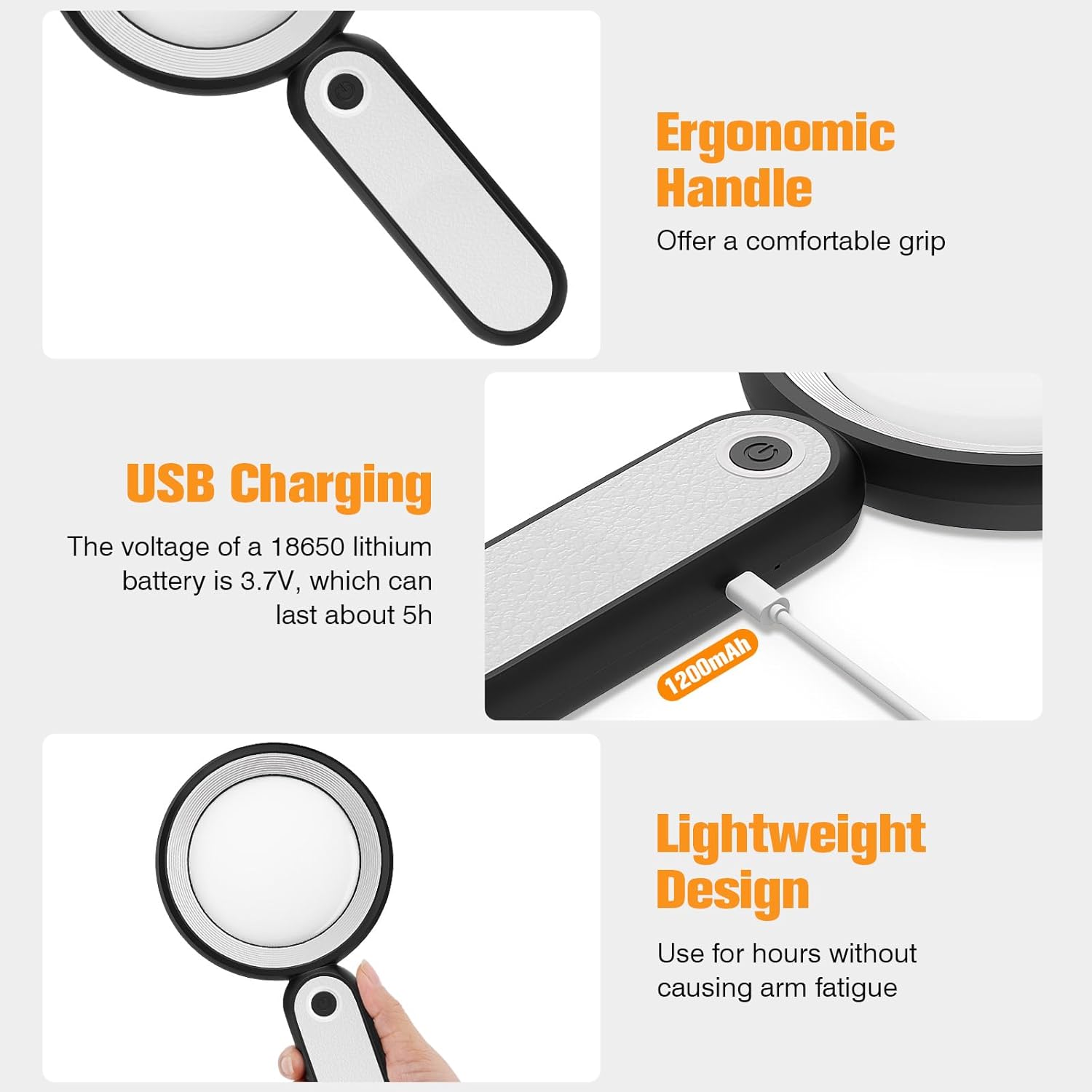
Imagem: Dimensões do produto.
Garantia e Suporte
MoKo products are designed for reliability and performance. For warranty information or technical support, please refer to the contact details provided with your purchase or visit the official MoKo website.
Guarde o comprovante de compra como prova para eventuais solicitações de garantia.
Informações importantes de segurança
- Do not expose the magnifying glass to direct sunlight for extended periods, as this may cause fire or damage to surfaces.
- Mantenha fora do alcance de crianças.
- Evite deixar cair o dispositivo ou submetê-lo a impactos fortes.
- Do not attempt to disassemble or modify the magnifying glass.


