Introdução
The Technoline WT175 is a compact and versatile quartz alarm clock designed for convenience and portability. It features a clear digital display and offers multiple functions including time, date, temperature, humidity, and various alarm settings. Its magnetic casing makes it suitable for travel and everyday use.

Figura 1: Frente view of the Technoline WT175 Mini Travel Alarm Clock, displaying the time and control buttons.
Principais características
- Exibição de 12/24 horas
- Exibição de data
- Temperature display (in Celsius)
- Exibição de umidade
- Alarme com função soneca
- Configurable alarm settings: Weekday, Weekend, or Daily
- Timer with countdown and stop function
- Indicador de bateria fraca
- Magnético casing for versatile placement
Conteúdo da embalagem
- Technoline WT175 Mini Travel Alarm Clock
- Manual do usuário (este documento)
- Observação: as pilhas não estão incluídas e devem ser adquiridas separadamente.

Figura 2: Product packaging for the Technoline WT175, detailing specifications and features.
Configurar
1. Instalação da bateria
- Localize o compartimento da bateria na parte traseira do despertador.
- Abra a tampa do compartimento da bateria.
- Insert 1x AAA Micro LR03 battery, ensuring correct polarity (+/-).
- Feche bem a tampa do compartimento da bateria.
2. Inicialização da alimentação
Upon successful battery installation, the display will activate. You may need to press the DEFINIR button to begin initial time and date configuration.
Instruções de operação
The Technoline WT175 features several control buttons: DEFINIR, START/STOP/RESET, ZZ (Snooze/Light), AL SET ON-OFF, +, e MODO.
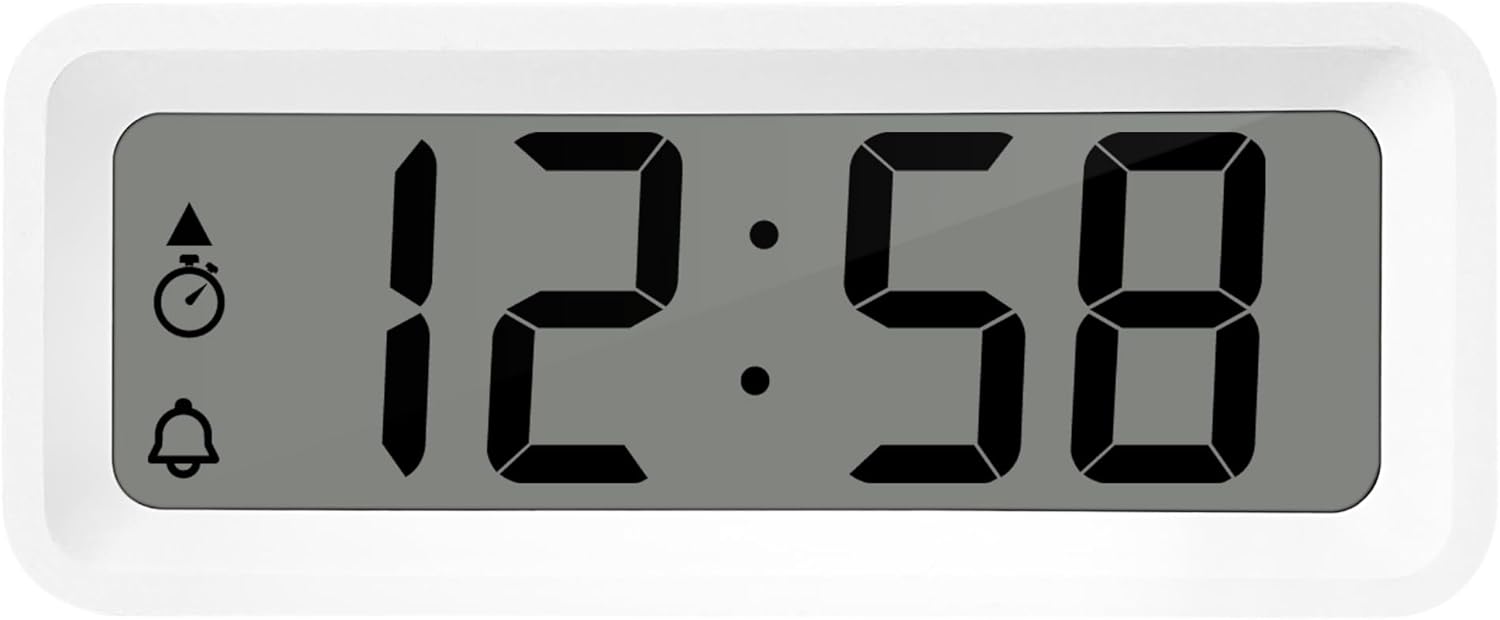
Figura 3: Detalhado view of the alarm clock's display and control buttons.
1. Definir hora e data
- Pressione e segure o DEFINIR Pressione o botão até que o visor do relógio comece a piscar.
- Use o + or - botões para ajustar a hora.
- Imprensa DEFINIR Novamente, para confirmar a hora e passar para os minutos.
- Usar + or - para ajustar os minutos.
- Continuar pressionando DEFINIR para percorrer e definir o ano, mês e dia usando o + or - botões.
- Imprensa DEFINIR Mais uma vez para sair do modo de configuração.
2. Seleção do formato de 12/24 horas
No modo de exibição de hora normal, pressione o MODO Botão para alternar entre os formatos de hora de 12 e 24 horas.
3. Configurando o Alarme
- Pressione o AL SET ON-OFF button once to enter alarm setting mode. The alarm time will flash.
- Use o + or - botões para ajustar a hora do alarme.
- Imprensa AL SET ON-OFF again to confirm the hour and move to alarm minutes.
- Usar + or - para ajustar os minutos do alarme.
- Imprensa AL SET ON-OFF again to confirm and exit alarm setting mode.
4. Activating/Deactivating Alarm and Snooze
- Para ativar o alarme ON or DESLIGADO, pressione o AL SET ON-OFF button while in normal time display mode. An alarm icon will appear/disappear on the display.
- Quando o alarme tocar, pressione o ZZ (Snooze) button to activate the snooze function. The alarm will temporarily stop and sound again after a few minutes.
- Para parar o alarme completamente, pressione qualquer outro botão (por exemplo, DEFINIR or MODO).
5. Weekday/Weekend/Daily Alarm Settings
The WT175 allows for flexible alarm scheduling. While in alarm setting mode (after pressing AL SET ON-OFF), you can cycle through alarm types by pressing the + or - buttons after setting the alarm time. Look for indicators on the display for:
- Alarme Diário: O alarme toca todos os dias.
- Weekday Alarm: O alarme toca de segunda a sexta-feira.
- Weekend Alarm: Alarm sounds Saturday and Sunday.
6. Timer and Countdown Function
- Pressione o MODO button repeatedly until the timer display appears (often indicated by a stopwatch icon).
- To set the countdown timer, press and hold DEFINIR. Usar + or - to set the desired hours, minutes, and seconds. Press DEFINIR Para confirmar cada segmento.
- Imprensa START/STOP/RESET para começar a contagem regressiva.
- Imprensa START/STOP/RESET Novamente para pausar/retomar a contagem regressiva.
- Para zerar o cronômetro, pressione e segure START/STOP/RESET.
7. Exibição de temperatura e umidade
The Technoline WT175 continuously displays the current indoor temperature (in Celsius) and humidity levels. These readings are typically shown alongside the time and date on the main display.

Figura 4: The WT175 alarm clock displaying time, temperature, and humidity in a bedroom setting.
Manutenção
1. Substituição da bateria
When the low battery indicator appears on the display, it is time to replace the battery. Follow the battery installation steps outlined in the Configurar section. Ensure to dispose of old batteries responsibly according to local regulations.
2. Limpeza
To clean the alarm clock, use a soft, dry cloth. Do not use abrasive cleaners, solvents, or immerse the device in water. Avoid spraying cleaning solutions directly onto the unit.
Solução de problemas
- A tela está em branco ou com brilho reduzido:
- Verifique se a bateria está instalada corretamente.
- Substitua a bateria por uma nova.
- O alarme não dispara:
- Certifique-se de que o alarme esteja ativado (ícone de alarme visível no visor).
- Verifique se o horário do alarme está configurado corretamente.
- Check the alarm type (Daily, Weekday, Weekend) matches your desired schedule.
- Data ou hora incorretas:
- Re-enter the time and date following the instructions in the Instruções de operação seção.
- Ensure the 12/24 hour format is set as desired.
- Os botões não respondem:
- Remova e reinsira a bateria para realizar uma reinicialização simples.
- Ensure the device is not in a specific setting mode that locks other buttons.
Especificações
| Recurso | Detalhe |
|---|---|
| Modelo | WT175 |
| Marca | Tecnoline |
| Dimensões (C x L x A) | 8.8 x 3.81 x 3.7 cm |
| Peso | 120 gramas |
| Fonte de energia | 1x AAA Micro LR03 Battery (not included) |
| Tipo de exibição | Digital |
| Características especiais | Alarm, Snooze, Temperature, Humidity, Date, Timer, Countdown, Magnetic Casing, Low Battery Indicator |
| Cor | Branco (conforme a variante atual do produto) |
| Uso interno/externo | Interior |

Figura 5: Dimensions of the Technoline WT175 alarm clock.
Garantia e Suporte
For warranty information or technical support regarding your Technoline WT175 Mini Travel Alarm Clock, please refer to the warranty card included with your purchase or visit the official Technoline website.
Official Technoline Website: http://www.technoline.de


