1. Introdução
Thank you for choosing the MESWAO 15.6 inch Android 14 Tablet Pro. This tablet is designed to provide a superior visual and performance experience with its large Full HD display, powerful octa-core processor, and extended battery life. This manual will guide you through the setup, operation, maintenance, and troubleshooting of your new device, ensuring you get the most out of its advanced features.
2. O que está na caixa
Por favor, verifique o conteúdo da sua encomenda. Se algum item estiver faltando ou danificado, entre em contato com o suporte ao cliente.
- 1 x MESWAO 15.6 inch Android Tablet
- 1 x adaptador de energia
- 1 x Cabo Tipo C
- 1 x Manual do Usuário
- 1 x adaptador Tipo C para USB
- 1 x Stuck pin (SIM ejector tool)

Image: Visual representation of the MESWAO tablet and its included accessories.
3. Produto acabadoview
3.1 Principais Características
- 15.6-inch 1080P FHD IPS Display: Large screen with 1920x1080p resolution, 16:9 aspect ratio, 85% screen-to-body ratio, and 350 nits adjustable brightness for clear visuals.
- Sistema operacional Android 14: Latest Android version for faster app launches, intuitive user interface, split-screen multitasking, and GMS certification for Google Play access.
- MediaTek Helio G99 CPU: Octa-core processor (6nm, up to 2.2GHz) and ARM Mali-G57 GPU for smooth performance in multitasking, streaming, and gaming.
- 12,000mAh Mega Battery & 30W Fast Charging: Provides up to 15 hours of video playback and 12+ hours of daily use, with 90% charge in 3 hours.
- 6GB RAM + 128GB ROM (Expandable to 1TB): Ample storage for apps, photos, and videos, with expandable memory via microSD card (FAT32 format).
- Wi-Fi de banda dupla e Bluetooth 5.0: High-speed 2.4G/5G Wi-Fi and efficient Bluetooth connectivity for peripherals.
- 5MP Front + 32MP Rear Cameras: Capture moments and conduct clear video calls.
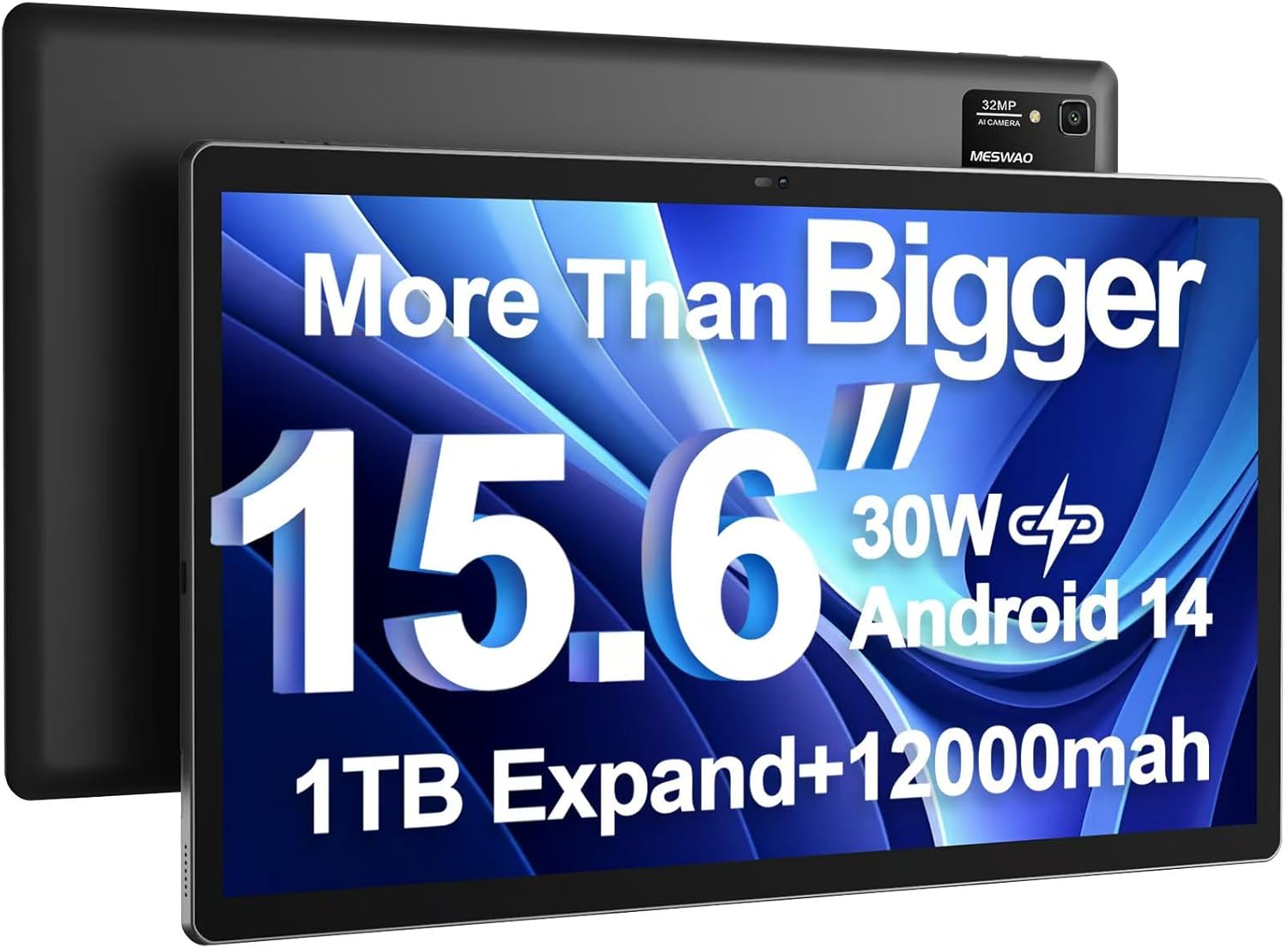
Image: The MESWAO 15.6 inch Android 14 Tablet Pro, showcasing its large display and rear camera module.

Image: Visual comparison highlighting the significantly larger screen area of the 15.6-inch tablet compared to a standard 10-inch tablet.

Image: Illustration of the tablet's 12,000mAh ultra-large capacity battery and 30W fast charging, indicating quick charge times and extended usage.
3.2 Componentes do tablet
Familiarize yourself with the physical components of your MESWAO tablet:
- Botão de energia: Localizado na lateral, usado para ligar/desligar o tablet ou ativar/desativar a tela.
- Botões de volume: Ajuste os níveis de saída de áudio.
- Câmera frontal: Câmera de 5MP para videochamadas e selfies.
- Câmera traseira: 32MP camera with flash for high-resolution photos and videos.
- Porta Type-C: Para carregamento e transferência de dados.
- Slot para cartão TF: Para expandir o armazenamento com um cartão microSD.
- Auto-falantes estéreo: Quatro alto-falantes para uma experiência de áudio aprimorada.
- Conector de fone de ouvido de 3.5 mm: For wired audio connection (requires included Type-C to 3.5mm adapter).
4. Configuração
4.1 Inicialização Inicial
- Pressione e segure o Botão de energia until the MESWAO logo appears on the screen.
- Siga as instruções na tela para selecionar seu idioma, região e conectar-se a uma rede Wi-Fi.
- Sign in with your Google account or create a new one to access Google Play Store and other services.
4.2 Carregando o tablet
Before first use, fully charge the tablet. Use the provided power adapter and Type-C cable.
- Connect the Type-C cable to the tablet's Type-C port.
- Conecte o adaptador de energia a uma tomada de parede.
- The charging indicator will appear on the screen. A full charge takes approximately 3 hours with the 30W fast charger.
4.3 Inserindo um cartão microSD
To expand storage, insert a microSD card (FAT32 format, up to 1TB, sold separately).
- Locate the TF card slot on the side of the tablet.
- Use the provided stuck pin to gently press into the small hole next to the slot to eject the tray.
- Place the microSD card into the tray with the gold contacts facing down.
- Reinsira cuidadosamente a bandeja na ranhura até ouvir um clique.
5. Instruções de operação
5.1 Navegação básica
- Tela inicial: Deslize para a esquerda ou para a direita para navegar entre as telas iniciais.
- Gaveta de aplicativos: Access all installed applications (if using a launcher with an app drawer, otherwise apps are on home screens).
- Notificações e configurações rápidas: Swipe down from the top of the screen to access notifications and quick settings toggles (Wi-Fi, Bluetooth, Brightness, etc.).
- Aplicativos recentes: Toque no ícone quadrado (ou deslize para cima e mantenha pressionado a partir da parte inferior se estiver usando a navegação por gestos) para view e alternar entre aplicativos usados recentemente.
5.2 Multitasking with Split Screen
The Android 14 OS supports split-screen functionality for enhanced productivity.
- Abra o primeiro aplicativo que você deseja usar.
- Go to the Recent Apps view.
- Tap the app icon at the top of the first app's card and select 'Split screen'.
- Choose the second app from your recent apps or app drawer to open it in the other half of the screen.
- Ajuste o tamanho de cada aplicativo arrastando o divisor no meio.

Imagem: Acimaview of key features of the Android 14 operating system on the tablet, including multitasking capabilities.
5.3 Conectividade
- Wi-fi: Vá para Configurações > Rede e internet > Wi-Fi to connect to available networks. Supports 2.4Ghz and 5Ghz bands.
- Bluetooth: Vá para Configurações> Dispositivos conectados> Preferências de conexão> Bluetooth to pair with Bluetooth headphones, keyboards, or other devices.
- Transmissão de tela: The tablet supports wireless screen casting to compatible displays. Access this feature from Quick Settings or Settings > Connected devices > Connection preferences > Cast.

Image: Depiction of the tablet's stable dual-band Wi-Fi and Bluetooth 5.0 capabilities, enabling seamless wireless connections.
6. Manutenção
6.1 Cuidados com a bateria
- Evite temperaturas extremas (quentes ou frias), pois elas podem reduzir a vida útil da bateria.
- Do not let the battery completely drain frequently. Charge it before it reaches 0%.
- Use only the provided charger or a certified 30W PD fast charger.
6.2 Limpeza
- Use um pano macio e sem fiapos para limpar a tela e a carcaça.
- Para manchas persistentes, aplique ligeiramenteampLimpe o pano com água ou um produto de limpeza para telas. Evite produtos químicos agressivos.
- Do not spray liquids directly onto the tablet.
6.3 Atualizações de Software
Verifique e instale regularmente as atualizações do sistema para garantir o desempenho e a segurança ideais.
- Connect your tablet to a stable Wi-Fi network.
- Vá para Configurações > Sistema > Atualização do sistema.
- Siga as instruções na tela para baixar e instalar as atualizações disponíveis.
7. Solução De Problemas
Se você encontrar problemas com seu tablet, consulte as seguintes soluções comuns:
| Problema | Possível causa | Solução |
|---|---|---|
| O tablet não liga. | Bateria fraca; falha do sistema | Carregue o tablet por pelo menos 30 minutos. Pressione e segure o botão Liga/Desliga por 10 a 15 segundos para forçar a reinicialização. |
| Slow performance/Lag | Muitos aplicativos em execução; Pouco espaço de armazenamento; Software desatualizado | Close background apps. Clear cache. Free up storage. Check for system updates. |
| Problemas de conexão Wi-Fi | Senha incorreta; Problema no roteador; Wi-Fi do tablet desligado | Ensure Wi-Fi is on. Re-enter password. Restart router. Forget and reconnect to network. |
| A bateria descarrega rapidamente | High screen brightness; Background apps; Heavy usage | Reduce screen brightness. Close unused apps. Limit background data. Check battery usage in settings. |
| Touchscreen unresponsive/Phantom touches | Temporary software glitch; Defective unit | Restart the tablet. If the issue persists, contact MESWAO customer support for assistance. |
If the problem persists after trying these solutions, please contact MESWAO customer support for further assistance.
8. Especificações
| Recurso | Detalhe |
|---|---|
| Nome do modelo | MES-B3 Pro |
| Sistema operacional | Androide 14 |
| Tamanho da tela | 15.6 polegadas |
| Resolução da tela | 1920 x 1080 pixels (Full HD IPS) |
| Processador | MediaTek Helio G99 Octa-core (até 2.2 GHz) |
| Coprocessador gráfico | ARM Mali-G57 |
| BATER | 6 GB |
| Armazenamento interno (ROM) | 128 GB |
| Armazenamento expansível | Up to 1TB via MicroSD card (FAT32 format) |
| Capacidade da bateria | 12,000mAh |
| Duração da bateria (média) | 13 horas (até 15 horas de reprodução de vídeo) |
| Carregando | Carregamento rápido PD de 30 W |
| Conectividade sem fio | 802.11a/b/ac/ax (2.4G/5G Dual-band Wi-Fi), Bluetooth 5.0 |
| Câmera Frontal | 5MP |
| Câmera Traseira | 32MP |
| Peso do item | 4.42 libras (aproximadamente 2 kg) |
| Dimensões do produto | 14.49 x 8.66 x 0.39 polegadas (36.8 x 22 x 1 cm) |
9. Garantia e Suporte
MESWAO products come with a standard manufacturer's warranty. Please refer to the warranty card included in your package for specific terms and conditions. For technical support, troubleshooting assistance, or warranty claims, please contact MESWAO customer service through the contact information provided on the official MESWAO website ou sua plataforma de compra.
Informações de contato: Please visit the official MESWAO website or refer to the support card included in your product packaging for the most up-to-date contact details.


