1. Produto acabadoview
The Marantz AV10 is a high-performance AV Receiver designed to deliver an exceptional home theater experience. It features 15.4 channels, advanced HDMI connectivity, USB, Ethernet, multiroom capabilities, and support for immersive audio formats like Dolby Atmos and DTS:X. The unit is engineered for superior audio quality and seamless integration into modern home entertainment systems.
Principais características:
- Qualidade de áudio excepcional: Immerse in rich, detailed sound with advanced processing.
- Integração perfeita: Connect all audio and video components effortlessly.
- Cutting-Edge Processing: Experience immersive sound with advanced technologies.
- Controle intuitivo: Fine-tune your audio experience with ease.
- Design elegante: Elegant and robust, complementing modern home theater setups.
- Tecnologia à prova do futuro: Stay ahead with support for upcoming audio advancements.
2. Configuração
2.1 Desembalagem e Colocação
Carefully remove the Marantz AV10 from its packaging. Ensure all accessories are present. Place the receiver on a stable, level surface with adequate ventilation to prevent overheating. Avoid placing it near heat sources or in enclosed cabinets without proper airflow.
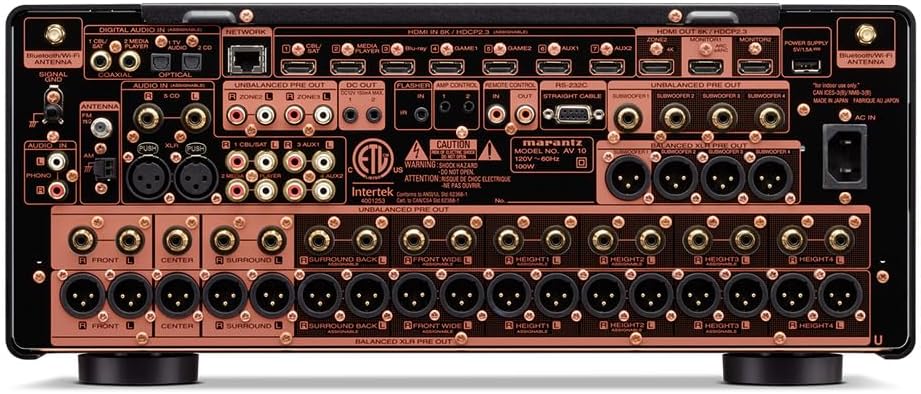
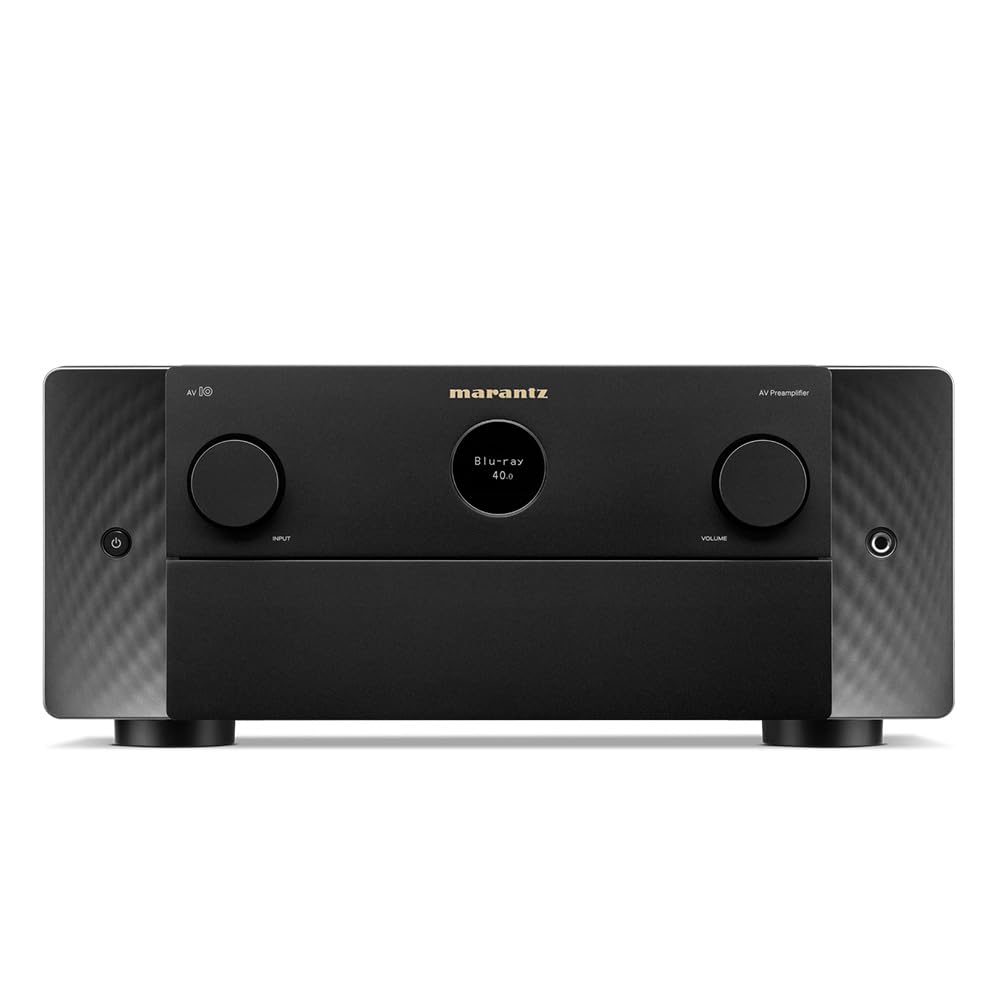
Frente view of the Marantz AV10 AV Receiver, showcasing its sleek design with input and volume knobs, and a central display.
2.2 Conexões
Before making any connections, ensure the AV10 receiver and all connected devices are powered off and unplugged from the wall outlet.
Rear panel of the Marantz AV10 AV Receiver, illustrating the comprehensive array of input and output ports including HDMI, XLR, RCA, Ethernet, and speaker terminals.
- Conexões HDMI: Connect your video sources (Blu-ray player, game console, streaming device) to the HDMI IN ports. Connect your TV or projector to the HDMI OUT (MONITOR) port. The AV10 supports 8K/60Hz and 4K/120Hz with eARC.
- Conexões de áudio: Use the appropriate analog or digital audio inputs for devices without HDMI. For high-quality audio, utilize the balanced XLR pre-outs for connecting to external power amplificadores.
- Conexão de rede: Connect an Ethernet cable to the NETWORK port for wired internet access, or attach the included Wi-Fi antennas for wireless connectivity.
- USB: Use the USB port for media playback from compatible storage devices.
- Conexões do alto-falante: Connect your speakers to the corresponding speaker terminals. Ensure correct polarity (+ to + and - to -) for optimal sound. The AV10 supports up to 15.4 channels.
2.3 Speaker Configuration
The Marantz AV10 offers flexible speaker configuration options. Use the on-screen setup assistant (accessible via your TV connected to the HDMI OUT) to guide you through the process. This includes assigning channels, setting speaker sizes, and configuring crossover frequencies.
For optimal sound, utilize the Audyssey MultEQ XT32 room correction system. Connect the supplied setup microphone to the front panel's SETUP MIC jack and follow the on-screen instructions to calibrate your speakers to your room's acoustics.
3. Operação
3.1 Controles Básicos
The front panel of the AV10 provides essential controls for daily operation:

Close-up of the input selector knob on the Marantz AV10, used to switch between various audio and video sources.
- Botão de energia: Liga ou desliga a unidade.
- Seletor de entrada: Rotates to select the desired input source (e.g., Blu-ray, Game, Media Player).
- Botão de volume: Ajusta o nível de volume principal.
- Mostrar: Shows current input, volume level, audio format, and other status information.
The included remote control provides full access to all functions and settings, including menu navigation, sound modes, and zone control.
Áudio multiroom 3.2
The AV10 supports multi-room audio playback, allowing you to enjoy different audio sources in various zones of your home. Utilize the built-in HEOS technology, Wi-Fi, Bluetooth, or Apple AirPlay 2 to stream music from popular services like Spotify, Pandora, and Amazon Music throughout your home.
3.3 Controle de voz
Control your Marantz AV10 effortlessly using voice commands. The receiver is compatible with major voice assistants, allowing you to adjust volume, change tracks, switch inputs, and more, hands-free.
4. Manutenção
- Limpeza: Regularly wipe the unit with a soft, dry cloth. Do not use abrasive cleaners or solvents.
- Ventilação: Certifique-se de que as aberturas de ventilação na parte superior e nas laterais da unidade não estejam bloqueadas para evitar superaquecimento.
- Atualizações de firmware: Periodically check for firmware updates via the network connection to ensure optimal performance and access to new features.
5. Solução De Problemas
If you encounter issues with your Marantz AV10, refer to the following common troubleshooting steps:
- Sem energia: Ensure the power cord is securely connected and the power outlet is functional.
- Sem som: Check all audio cable connections, ensure the correct input source is selected, and verify speaker connections and volume levels.
- Sem vídeo: Verify HDMI cable connections, ensure the correct input source is selected, and check your TV/projector input settings.
- Problemas de conexão de rede: Confirm your Ethernet cable is connected or Wi-Fi antennas are properly attached. Check your router and internet connection.
- Controle remoto não funciona: Replace the batteries in the remote control. Ensure there are no obstructions between the remote and the receiver's IR sensor.
For more detailed troubleshooting, consult the full online manual or contact Marantz customer support.
6. Especificações
| Recurso | Especificação |
|---|---|
| Marca | Marantz |
| Número do modelo | AV10 |
| Canais | 15.4 |
| Tecnologia de Conectividade | HDMI |
| Total de portas HDMI | 10 |
| Modo de saída de áudio | Estéreo, Surround |
| Configuração do canal de som surround | 5.1 (Supports up to 15.4 with external amplificação) |
| Codificação de vídeo | H.264, H.265/HEVC |
| Recurso especial | Multiroom |
| Tipo de controlador | Controle remoto |
| Dispositivos compatíveis | Speaker, Tablet, PC, Smartphone, Television, Personal Computer, Game Console |
| Peso do item | 37 libras |
| Dimensões da embalagem | 23 x 22 x 13 polegadas |
7. Garantia e Suporte
The Marantz AV10 AV Receiver comes with a manufacturer's warranty. Please refer to the warranty card included in your product packaging for specific terms and conditions. For technical support, product registration, or service inquiries, visit the official Marantz website ou entre em contato com o departamento de atendimento ao cliente.
Online resources, including a comprehensive user manual and FAQs, are available on the Marantz support page.


