BLACK+DECKER 50-inch A1 Series 4K Ultra HD LED Smart Google TV User Manual
Model: BXTVGU50UD2875ATIN
Introdução
This manual provides essential information for setting up, operating, and maintaining your BLACK+DECKER 50-inch A1 Series 4K Ultra HD LED Smart Google TV. Please read these instructions carefully before use to ensure proper functionality and longevity of your television.
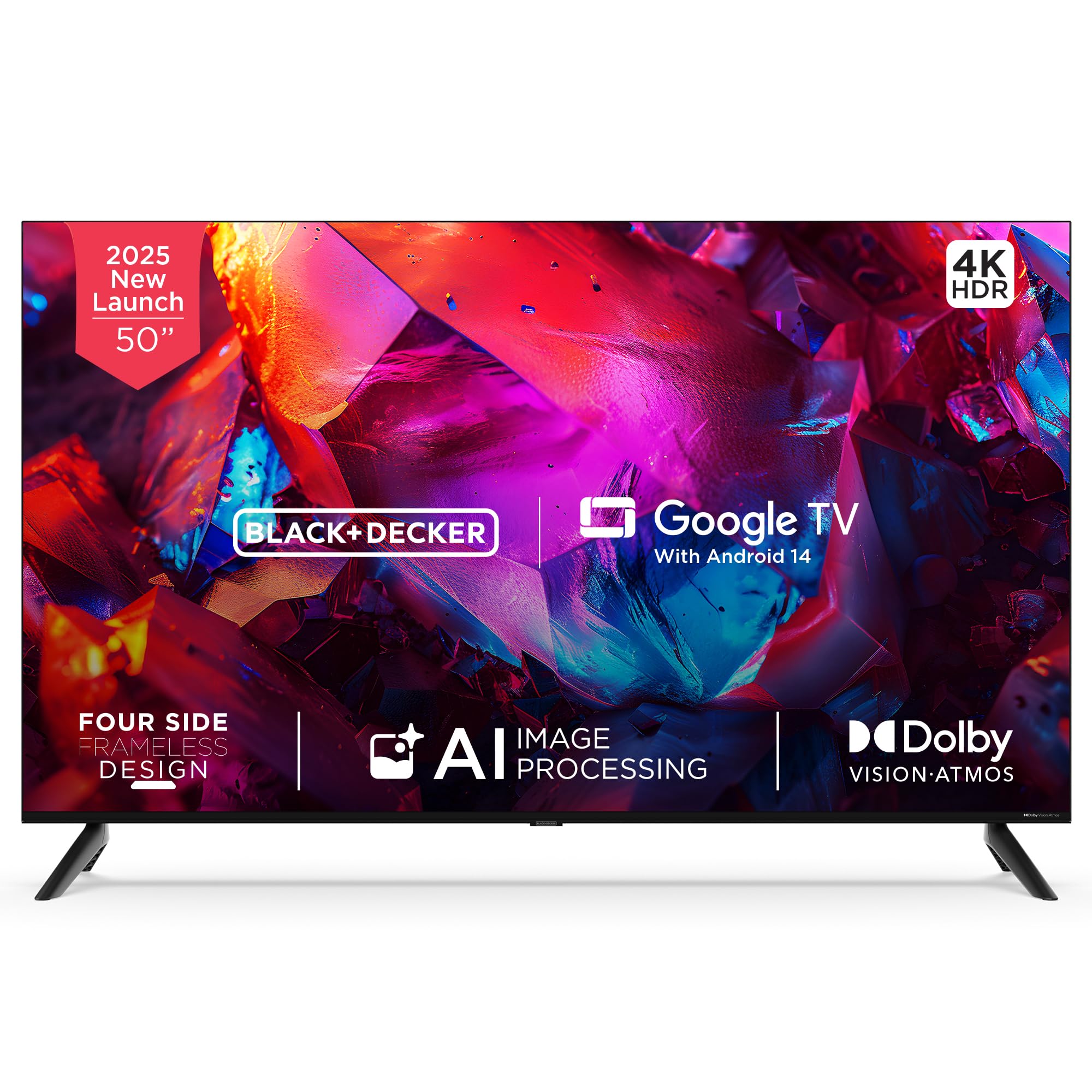
Imagem: Frente view of the BLACK+DECKER 50-inch A1 Series 4K Ultra HD LED Smart Google TV.
O que está na caixa
Verifique se todos os componentes estão presentes na embalagem:
- 1 TV LED
- 2 bases para suporte de mesa
- 1 Manual do usuário
- 1 Cartão de garantia
- 1 Controle Remoto
- 1 Cabo de alimentação
- 2 pilhas AAA
- 4 Screws (for stand/mounting)
- 1 Mini AV Cable

Image: All included accessories and mounting hardware for the television.
Configurar
Siga estas etapas para configurar sua televisão:
- Desembalagem: Retire cuidadosamente a TV e todos os acessórios da embalagem.
- Instalação do suporte: Attach the two table stand bases to the bottom of the TV using the provided screws. Ensure they are securely fastened. Alternatively, if wall-mounting, follow the instructions provided with your wall-mount kit (sold separately).
- Conexão de energia: Conecte o cabo de alimentação à entrada de energia da TV e, em seguida, a uma tomada de parede.
- Inicialização do sistema: Press the power button on the TV or the remote control to turn on the TV. Follow the on-screen instructions for initial setup, including language selection, network connection, and Google TV account login.

Image: Product dimensions illustrating the TV's width, height, and depth.
Instruções de operação
Familiarize yourself with the remote control and basic TV functions:
- Controle remoto: The included remote control features dedicated buttons for power, volume, channel, navigation, and quick access to popular streaming services like Netflix, Prime Video, YouTube, and Disney+Hotstar.
- Assistente de voz: Utilize the built-in Google Assistant by pressing the dedicated voice button on your remote. Speak commands to search for content, control smart home devices, or get information.
- Navegação: Use the directional pad and 'OK' button to navigate through menus and select options on the Google TV interface.

Image: The smart remote control, highlighting its intuitive design and voice-enabled interaction.

Image: Illustration of using voice assistance with the remote for a hands-free experience.
Conectividade
Sua TV oferece diversas opções de conectividade:
- Portas HDMI: Three HDMI 2.1 ports (one with eARC support) for connecting devices like gaming consoles, set-top boxes, and laptops.
- Portas USB: One USB 2.0 and one USB 3.0 port for connecting hard drives or other USB devices.
- Conectividade sem fio: Dual-band Wi-Fi for internet access and 2-way Bluetooth 5.2 for connecting wireless accessories.
- Outros Portos: AV, RF, Ethernet, and headphone output.
- Googlecast: Built-in Chromecast allows you to cast content from your compatible mobile devices directly to the TV.

Imagem: Lado view of the television displaying the various input and output ports.

Image: Illustration of seamless connectivity with HDMI 2.1, Bluetooth 5.2, dual-band Wi-Fi, and USB.

Image: A user casting content from a smartphone to the TV using built-in Chromecast.
Recursos de exibição
Experience superior visual quality with these display technologies:
- 4K Ultra HD: Enjoy stunning clarity with a resolution of 3840 x 2160 pixels.
- Dolby Vision e HDR10: Enhanced contrast, brightness, and color accuracy for a more lifelike viewexperiência.
- MEMC (Estimativa de Movimento, Compensação de Movimento): Ensures smooth motion in fast-paced scenes.
- 120Hz VRR (Variable Refresh Rate) & ALLM (Auto Low Latency Mode): Optimized for gaming, providing ultra-responsive visuals and reduced input lag.
- AI Picture Optimization: Lifelike clarity and precision brought to every scene.
- Ampla gama de cores: Displays 1.07 billion vibrant colors with stunning depth.
- Super Brightness & Black Level Augmentation: Delivers bright whites and deep blacks.
- 178 graus de largura Viewângulo de entrada: Consistent picture quality from various positions.
- 4-Side Frameless Design: Maximiza o espaço da tela para uma experiência imersiva. viewexperiência.

Image: A television screen displaying vibrant colors, illustrating the benefits of Dolby Vision for richer colors and contrast.

Imagem: Um example of 4K upscaling with HDR10+ and HLG, enhancing image realism.

Image: Multiple images displayed on the TV, demonstrating lifelike clarity and precision through AI picture optimization.

Image: Birds in flight on the TV screen, illustrating how MEMC technology makes fast-paced scenes sharper and smoother.
Recursos de áudio
Enjoy rich and immersive sound with your TV's audio capabilities:
- PRO Tuned Speakers: Delivers clear and balanced audio.
- Potência de saída: 36 watts Powerful sound for an engaging experience.
- Dolby Atmos: Provides multidimensional sound that moves around you.
- 5 Preset Smart Equalizer: Customize your audio experience for different content types.

Image: A living room scene with sound waves emanating from the TV, symbolizing immersive Dolby Atmos audio and superior fidelity speakers.
Recursos da Smart TV
Your BLACK+DECKER TV comes equipped with advanced smart features:
- Google TV with Android 14: Access a vast library of apps, movies, and shows with a personalized interface.
- DUAL AI Processor Architecture (A75x2 + A55x2): Ensures smooth performance and efficient multitasking.
- 2 GB de RAM e 16 GB de armazenamento: Ample memory and storage for apps and system operations.
- Recomendações de conteúdo: Sugestões personalizadas com base em você viewhábitos.
- Personal & Kids Profiles: Create customized profiles for different users, including a safe environment for children.
- Assistente do Google: Integrated voice control for easy navigation and smart home integration.

Image: The Google TV interface with Android 14, showcasing tailored content and seamless navigation.

Image: A stylized circuit board representing the dual AI CPU architecture, designed for flawless multitasking and speed.
Solução de problemas
Se você tiver problemas com sua TV, consulte as seguintes soluções comuns:
- Sem energia: Ensure the power cord is securely connected to both the TV and a working power outlet. Check if the outlet is functional by plugging in another device.
- Sem imagem/som: Verify that the correct input source is selected. Check all cable connections (HDMI, AV) for secure fit.
- Remoto não funciona: Substitua as pilhas AAA do controle remoto. Certifique-se de que não haja obstruções entre o controle remoto e o sensor infravermelho da TV.
- Problemas de conexão de rede: Restart your Wi-Fi router. Go to the TV's network settings to reconnect to your Wi-Fi network or try a wired Ethernet connection.
- Problemas com a qualidade da imagem: Ajuste as configurações de imagem (brilho, contraste, cor) no menu da TV. Certifique-se de que a fonte de conteúdo seja de alta qualidade (por exemplo, conteúdo 4K para tela 4K).
- Distorção de som: Check audio settings and ensure external audio devices (soundbars, home theater systems) are correctly connected and configured.
Para obter informações mais detalhadas sobre a resolução de problemas ou para questões persistentes, entre em contato com o suporte ao cliente.
Especificações
| Recurso | Detalhe |
|---|---|
| Modelo | BXTVGU50UD2875ATIN |
| Tamanho da tela | 50 polegadas (126 cm) |
| Resolução | 4K Ultra HD (3840 x 2160) |
| Taxa de atualização | 60 Hz (120Hz VRR) |
| Sistema operacional | Google TV with Android 14 |
| Processador | DUAL AI Processor Architecture A75x2 + A55x2 |
| BATER | 2 GB |
| Armazenar | 16 GB |
| Conectividade | Dual-band Wi-Fi, Bluetooth 5.2, HDMI 2.1 x 3 (1 eARC), USB 2.0 x 1, USB 3.0 x 1, AV, RF, Ethernet, Headphone |
| Saída de áudio | 36 Watts, Dolby Atmos |
| Viewângulo de engate | 178 graus |
| Dimensões do produto (P x L x A) | 8.9 cm de profundidade x 112 cm de largura x 64.8 cm de altura |
| Peso do item | 8 kg |
Garantia e Suporte
Your BLACK+DECKER television comes with a 1-year comprehensive warranty from the date of purchase, covering manufacturing defects. Please refer to the included warranty card for full terms and conditions.
For technical assistance, service requests, or warranty claims, please contact customer support:
- Telefone: 18002034255
- E-mail: bdcare@indkal.com

Image: Warranty details including contact information for support.


