1. Introdução
This user manual provides comprehensive instructions for the Headwolf WPad7 Tablet. It covers setup, operation, maintenance, and troubleshooting to ensure optimal performance and user experience. Please read this manual thoroughly before using your device.
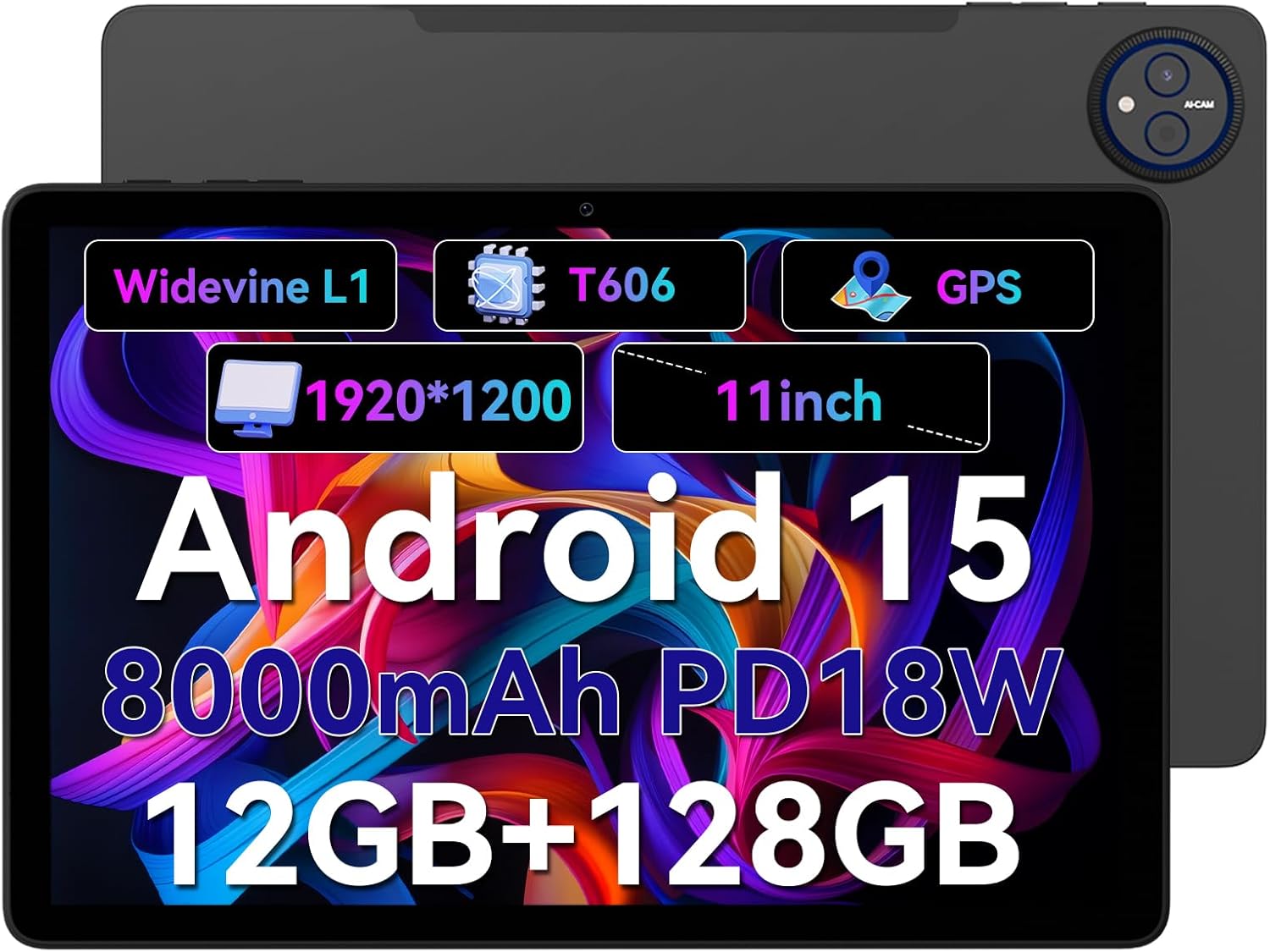
Figure 1.1: Headwolf WPad7 Tablet showcasing its 11-inch display, Android 15, 8000mAh battery, 12GB RAM, 128GB ROM, Widevine L1, T606 processor, and GPS capabilities.
2. Conteúdo da embalagem
Ao abrir a embalagem, verifique se todos os itens listados abaixo estão presentes e em boas condições:
- 1 x Headwolf WPad7 Tablet
- 1 x Carregador
- 1 x Cabo Tipo C
- 1 x Card Pin (for SIM/SD card tray)
- 1 x Manual do Usuário
3. Produto acabadoview
3.1 Características Físicas
Familiarize yourself with the physical components of your Headwolf WPad7 Tablet:
- Mostrar: 11-inch IPS In-Cell screen with 1920x1200 resolution.
- Câmera frontal: 8MP, located on the top bezel when held horizontally.
- Câmera traseira: 13MP, located on the back panel.
- Botão de energia: Typically on the side, used to power on/off or wake/sleep the device.
- Teclas de volume: Localizado próximo ao botão liga/desliga, para ajustar os níveis de áudio.
- Porta USB Tipo-C: Para carregamento e transferência de dados.
- Tomada de fone de ouvido de 3.5 mm: Para conectar dispositivos de áudio com fio.
- Slot para cartão: For inserting a SIM card (if supported) and a microSD card for expandable storage.
- Redefinir furo: A small pinhole for force restarting the device if unresponsive.

Figure 3.1: Physical aspects of the Headwolf WPad7 Tablet, showing its 8mm thickness, 495g weight, 13MP rear camera, 8MP front camera, and 3.5mm earphone jack.

Figure 3.2: Key features of the Headwolf WPad7 Tablet, including Android 15 OS, 12GB+128GB memory, T606-8 core processor, 8000mAh battery, GPS navigation, 1920x1200 FHD display, face recognition, dual cameras, 2.4G/5Ghz Wi-Fi, Widevine L1, and 300nit brightness.
4. Configuração
4.1 Carregamento Inicial
Before first use, fully charge the tablet. Connect the provided Type-C cable to the tablet's USB-C port and the charger to a power outlet. The battery indicator on the screen will show charging status. A full charge typically takes several hours.

Figure 4.1: The 8000mAh battery of the Headwolf WPad7 Tablet, highlighting its safety and stability features, and showing typical usage times for processing, video playback, reading, and music playback.
4.2 Ligar/Desligar
- Para ligar: Press and hold the Power button until the Headwolf logo appears on the screen.
- Para desligar: Press and hold the Power button until a power-off menu appears. Select "Power off".
- Dormir/Acordar: Pressione rapidamente o botão Liga/Desliga para colocar o tablet em modo de repouso ou ativá-lo.
4.3 Instalação do cartão microSD
The Headwolf WPad7 supports microSD card expansion up to 2TB. To install:
- Localize o slot para cartão na lateral do tablet.
- Insert the provided card pin into the small hole next to the tray to eject it.
- Place the microSD card into the designated slot on the tray, ensuring correct orientation.
- Empurre a bandeja de volta para o tablet com cuidado até ouvir um clique.

Figure 4.2: Details of the Unisoc T606 Octa-core Processor and memory configuration, showing 12GB RAM (6GB physical + 6GB virtual) and 128GB ROM, expandable up to 2TB via SD card.
5. Operando seu tablet
5.1 Recursos do Android 15
Your Headwolf WPad7 Tablet runs on Android 15, offering enhanced AI capabilities, improved privacy, optimized performance, and a refined user interface. Explore features like:
- AI Dynamic Adjustment: Adapts to your usage patterns for optimized performance.
- Multilingual Real-time Translation: Facilitates communication across languages.
- AI Automatic Scene Recognition: Enhances camera performance.
- Intelligent Audio Switching: Seamlessly manages audio output.
- AI Battery Saving Optimization: Extends battery life based on usage.
- Divisão de tela: Use two apps simultaneously side-by-side.
- Reconhecimento facial: Securely unlock your device with your face.

Figura 5.1: Overview of Android 15's intelligent AI features, including dynamic adjustment, real-time translation, automatic scene recognition, portrait mode processing, intelligent audio switching, accurate speech recognition, battery saving, game mode, and document auto summary.
5.2 Conectividade
- Wi-fi: Supports high-speed AC 2.4G/5G Wi-Fi for stable internet connection. Navigate to Settings > Network & internet > Wi-Fi to connect to available networks.
- Bluetooth: Connect to Bluetooth headphones, speakers, and other devices. Go to Settings > Connected devices > Bluetooth.
- GPS: The tablet supports GPS, GLONASS, BDS, and GALILEO satellite systems for precise location services and navigation.

Figure 5.2: The Headwolf WPad7 Tablet's 2.4G/5G Dual Band Wi-Fi and Bluetooth capabilities, demonstrating its versatility for work, presentations, and video calls.

Figure 5.3: The tablet's Four-In-One Satellite Positioning System, supporting GPS, Beidou, Galileo, and Glonass for accurate real-time location tracking and navigation.
5.3 Utilização da câmera
The tablet features an 8MP front camera and a 13MP rear camera. Open the Camera app to capture photos and videos. Utilize AI scene recognition for optimized shots.
5.4 Recursos de exibição
The 11-inch IPS in-cell display provides vivid colors and deep contrasts. It features Widevine L1 certification, enabling secure streaming of high-definition content from platforms like Netflix, Prime Video, and Disney+.

Figure 5.4: The 11-inch Widevine L1-compatible FHD display, showcasing its 1920x1200 resolution, 224 PPI, IPS incell technology, 300 nit brightness, 1500:1 contrast, and 75% NTSC color gamut, ideal for streaming services.
6. Manutenção
6.1 Limpeza
Para limpar seu tablet, use um pano macio e sem fiapos. Para manchas persistentes, esfregue levemente com um pano úmido.ampen the cloth with water or a screen cleaner. Avoid using harsh chemicals, abrasive materials, or excessive moisture.
6.2 Cuidados com a bateria
- Evite expor o tablet a temperaturas extremas (quentes ou frias).
- Não deixe a bateria descarregar completamente com frequência.
- Use the original charger and cable for optimal charging and battery longevity.
- Se for guardar o tablet por um período prolongado, carregue-o até cerca de 50% antes de desligá-lo.
7. Solução De Problemas
Tablet 7.1 não liga
- Certifique-se de que a bateria esteja carregada. Conecte o carregador e aguarde alguns minutos antes de tentar ligar o aparelho.
- Pressione e mantenha pressionado o botão Liga/Desliga por pelo menos 10 a 15 segundos para forçar a reinicialização.
7.2 Problemas de conectividade Wi-Fi
- Ative e desative o Wi-Fi nas Configurações.
- Reinicie o seu roteador Wi-Fi.
- Esqueça a rede e reconecte-se, digitando a senha novamente.
7.3 Aplicativos travando ou congelando
- Feche o aplicativo problemático e abra-o novamente.
- Limpe o cache do aplicativo (Configurações > Aplicativos > [Nome do aplicativo] > Armazenamento e cache > Limpar cache).
- Reinicie o tablet.
- Ensure the app and Android system are updated to the latest versions.
8. Especificações
| Recurso | Especificação |
|---|---|
| Marca | Cabeça de Lobo |
| Nome do modelo | W7 |
| Sistema operacional | Androide 15 |
| Tamanho da tela | 11 polegadas |
| Resolução da tela | 1920x1200 Pixels (FHD In-Cell) |
| Processador | Unisoc T606 Octa-core |
| BATER | 12 GB (6 GB físicos + 6 GB virtuais) |
| Armazenamento interno | 128 GB |
| Armazenamento expansível | Até 2 TB via cartão microSD |
| Câmera Traseira | 13MP |
| Câmera Frontal | 8MP |
| Capacidade da bateria | 8000mAh |
| Porta de carregamento | USB Type-C (supports 18W fast charge) |
| Conectividade sem fio | 802.11a/b/g/n/ac/ax (2.4G/5G Wi-Fi), Bluetooth |
| Navegação | GPS, GLONASS, BDS, GALILEO (with A-GPS) |
| Conector de áudio | 3.5 mm |
| Dimensões (CxLxA) | 11 x 2 x 8 polegadas |
| Peso do item | 1.98 libras (aproximadamente 495g) |
| Cor | Cinza |
| Widevine Certification | L1 |
9. Garantia e Suporte
Headwolf provides a standard warranty for the WPad7 Tablet. For detailed warranty terms and conditions, please refer to the warranty card included in your package or visit the official Headwolf website.
For technical support, troubleshooting assistance, or service inquiries, please contact Headwolf customer support through their official channels. Keep your purchase receipt and product serial number handy when contacting support.
Recursos on-line:


