1. Introdução
Thank you for choosing the CAMECHO 7-inch Android 15 Car Stereo. This manual provides detailed instructions for the installation, operation, and maintenance of your new car multimedia system. Please read this manual thoroughly before use to ensure proper installation and optimal performance. Keep this manual for future reference.
2. Informações de segurança
- Instalação profissional recomendada: Devido à complexidade dos sistemas elétricos automotivos, a instalação profissional é altamente recomendada para evitar danos à unidade ou ao seu veículo.
- Fonte de energia: Certifique-se de que a unidade esteja conectada a uma fonte de alimentação de 12 V CC com aterramento negativo. Tensão incorreta.tage pode causar danos.
- Evite Água e Umidade: Do not expose the unit to water or excessive moisture. This can lead to electric shock or malfunction.
- Temperatura: Operate the unit within the specified temperature range (-20°C to 75°C).
- Segurança ao dirigir: Não utilize o aparelho de forma que o distraia da condução. Priorize sempre a segurança rodoviária.
- Ventilação: Garanta ventilação adequada ao redor da unidade para evitar superaquecimento.
3. Conteúdo da embalagem
Verifique se todos os itens listados abaixo estão incluídos em seu pacote:
- 1 x Android Car Stereo Player
- 1 x Cabo de alimentação veicular de baixa alocação
- 1 x Cabo de alimentação veicular de alta capacidade
- 2 x cabos USB
- 1 x Antena de rádio
- 1 x Antena GPS
- 1 x Decodificador CANBUS
- 1 x Cabo de Entrada da Câmera Traseira
- 1 x cabo RCA
- 1 x Manual do Usuário
- 1 x Câmera traseira
- 1 x microfone externo

Imagem: Sobreview of the CAMECHO car stereo unit, its dimensions (225mm/8.8inch width, 140mm/5.5inch height, 215mm/8.4inch bottom width), and a visual representation of all included accessories and their respective cables. Key ports are labeled: 1. Power Cable, 2. RCA Input/Output, 3. Reversing Camera Input, 4. USB Cable, 5. GPS Antenna, 6. Radio Antenna.
4. Produto acabadoview
The CAMECHO 7-inch Android 15 Car Stereo is a high-performance multimedia system designed for select VW, Skoda, and Seat vehicles. It features a responsive touchscreen, powerful processor, and a range of connectivity options to enhance your driving experience.
Principais características:
- Sistema operacional Android 15
- 4GB RAM + 64GB ROM for smooth performance and ample armazenamento
- Processador de 8 núcleos
- Tela sensível ao toque IPS de 7 polegadas (resolução de 1024*600)
- Wireless Carplay and Android Auto support
- Built-in Bluetooth 5.0, WiFi, and GPS Navigation
- FM/RDS Radio with DSP sound processing
- Compatibilidade com os controles do volante
- Rear Camera input (AHD/CVBS) with included backup camera
- Mirror Link function for iOS and Android devices
- Split-Screen multitasking
- Voice Control capabilities
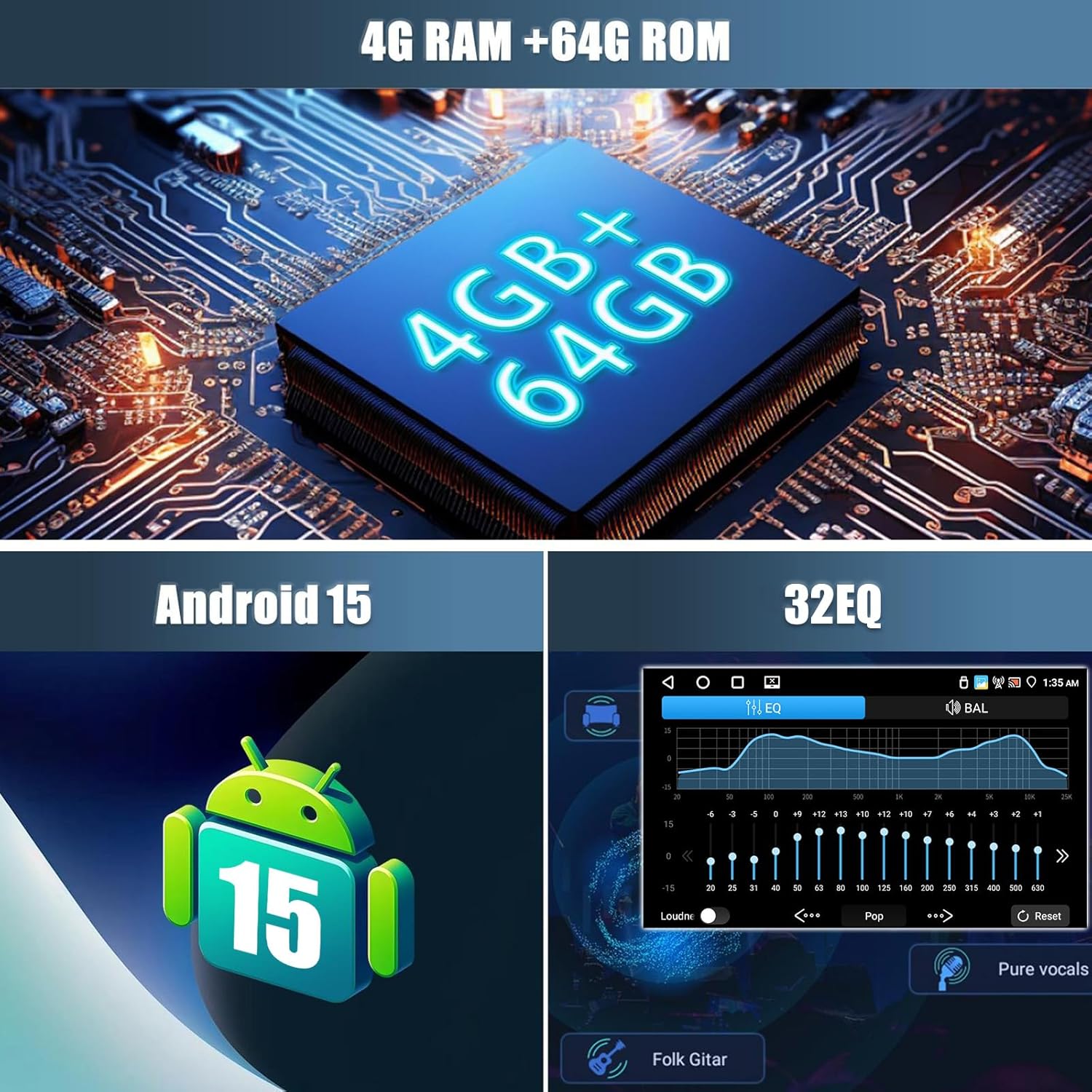
Imagem: Visual representation of the car stereo's core specifications, highlighting 4GB RAM + 64GB ROM, Android 15 operating system, and a 32-band Equalizer (EQ) for audio customization.
5. Instalação
5.1. Compatibilidade do veículo
This car stereo is designed to be compatible with various VW, Skoda, and Seat models. Please verify your vehicle's compatibility before proceeding with installation.
- Para a VW: SAGITAR/JATTA/JETTA, MAGOTAN/MAGOTAN V6, a part of VW/TS/TRANSPORTER, PASSAT B6, PASSAT V6, MAGOTAN VARIANT, PASSAT B7, PASSAT NMS, PASSAT VARIANT, PASSAT CC, PASSAT TSI, GOLF BLUE MOTION, GOLF VI, GOLF VARIANT, VW/TIGUAN/TIGUAN GP, SHARAN, CADDY, POLO, EOS, SCIROCCO, TOURAN, R36 VARIANT, BEETLE, MULTZVAN, GOLF CROSS, GOLF V, SPORTLINE, BORA, AMAROK.
- Para a SKODA: LIMOUSINE AB 02/2007 BIS 2012, FABIA COMBI AB 04/2007 BIS 2012, PRAKTIK AB 04/2007 BIS 2012, ROOMSTER AB 04/2006 BIS 2012, OCTAVIA COMBI 06/2004 BIS FACELIFT, OCTAVIA LIMOUSINE AB 06/2004 BIS FACELIFT, OCTAVIA II 2 & III3, YETI AB 2009 BIS 2012.
- Para a SEAT: ALTEA AB 05/2004, TOLEDO AB 12/2004, LEON AB 09/2005, ALTEA XL AB 04/2007 ALHAMBRA AB 2010.
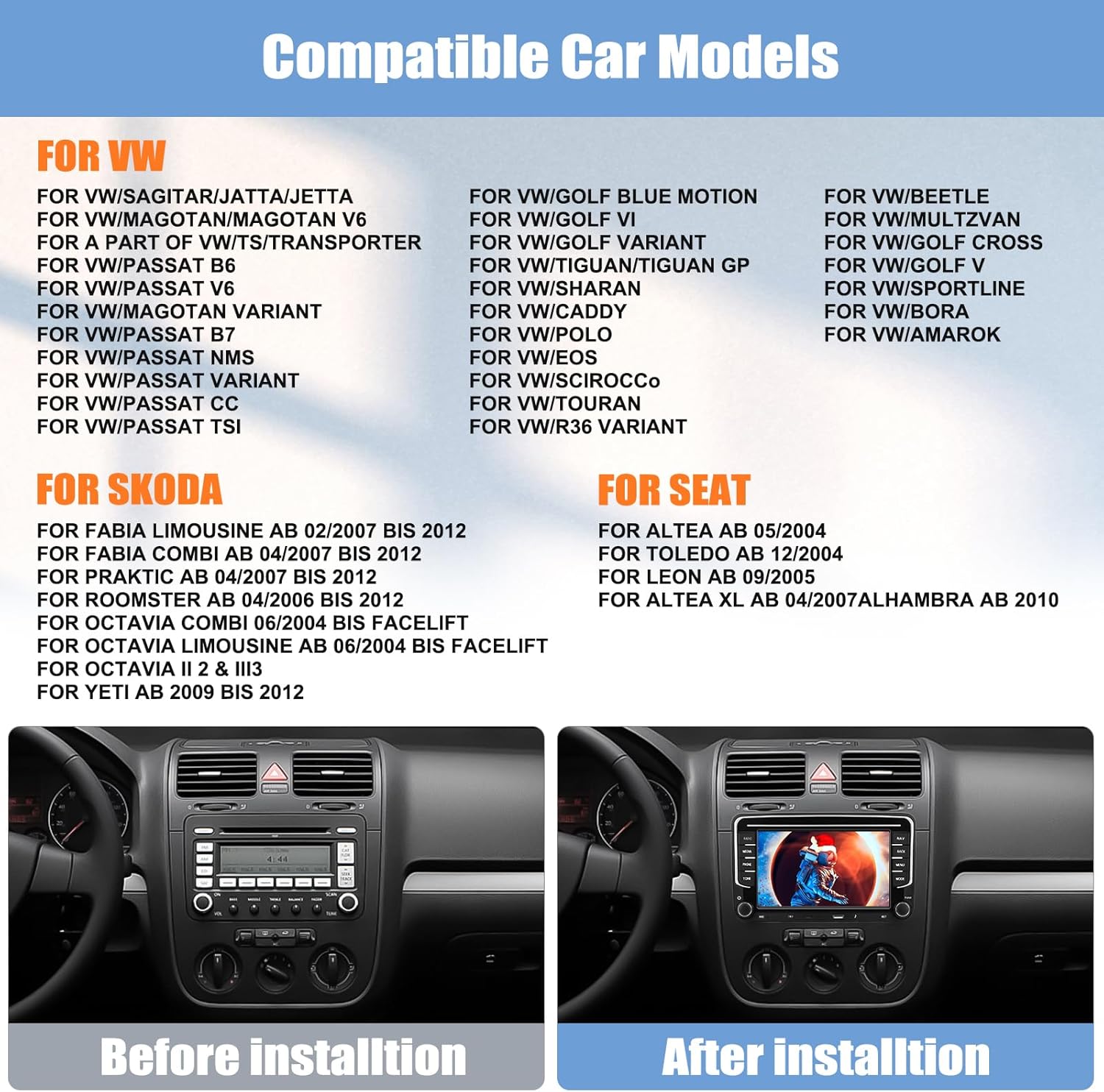
Imagem: A list of compatible car models for VW, Skoda, and Seat vehicles. Below the list, a comparison shows a car's dashboard before and after the installation of the CAMECHO car stereo, demonstrating a seamless fit.
5.2. Diagrama de Fiação
Refer to the included wiring diagram in the user manual and the labels on the unit itself for correct connections. Ensure all cables are securely connected to prevent intermittent issues.
5.3. Etapas de instalação
- Desconecte a bateria: Antes de começar, desconecte o terminal negativo da bateria do veículo para evitar curtos-circuitos.
- Remover unidade antiga: Carefully remove your existing car stereo unit from the dashboard.
- Conectar a fiação: Connect the power cables, speaker wires, GPS antenna, radio antenna, USB cables, CANBUS decoder, rear camera input, and RCA cables to the new CAMECHO unit according to the wiring diagram.
- Conexões de teste: Before fully mounting, reconnect the battery and briefly test the unit's basic functions (power on, radio, sound) to ensure all connections are correct.
- Unidade de montagem: Securely mount the CAMECHO car stereo into the dashboard opening.
- Montagem final: Reassemble any removed dashboard panels or trim.
6. Instruções de operação
6.1. Operação básica
- Ligar/desligar: Pressione o botão liga/desliga para ligar ou desligar a unidade.
- Controle de volume: Use the volume knob or touchscreen controls to adjust the audio level.
- Tela inicial: Toque no ícone Início para retornar à interface principal do Android.
6.2. CarPlay sem fio e Android Auto
Connect your smartphone wirelessly or via USB to access Carplay (for iPhone) or Android Auto (for Android phones). This allows seamless integration of phone features like navigation, calls, messages, and music directly on the car stereo display.
- Ensure Bluetooth is enabled on your phone and the car stereo.
- Emparelhe seu telefone com o aparelho de som do carro via Bluetooth.
- Once paired, Carplay or Android Auto should automatically launch. For wired connection, connect your phone via a USB cable.
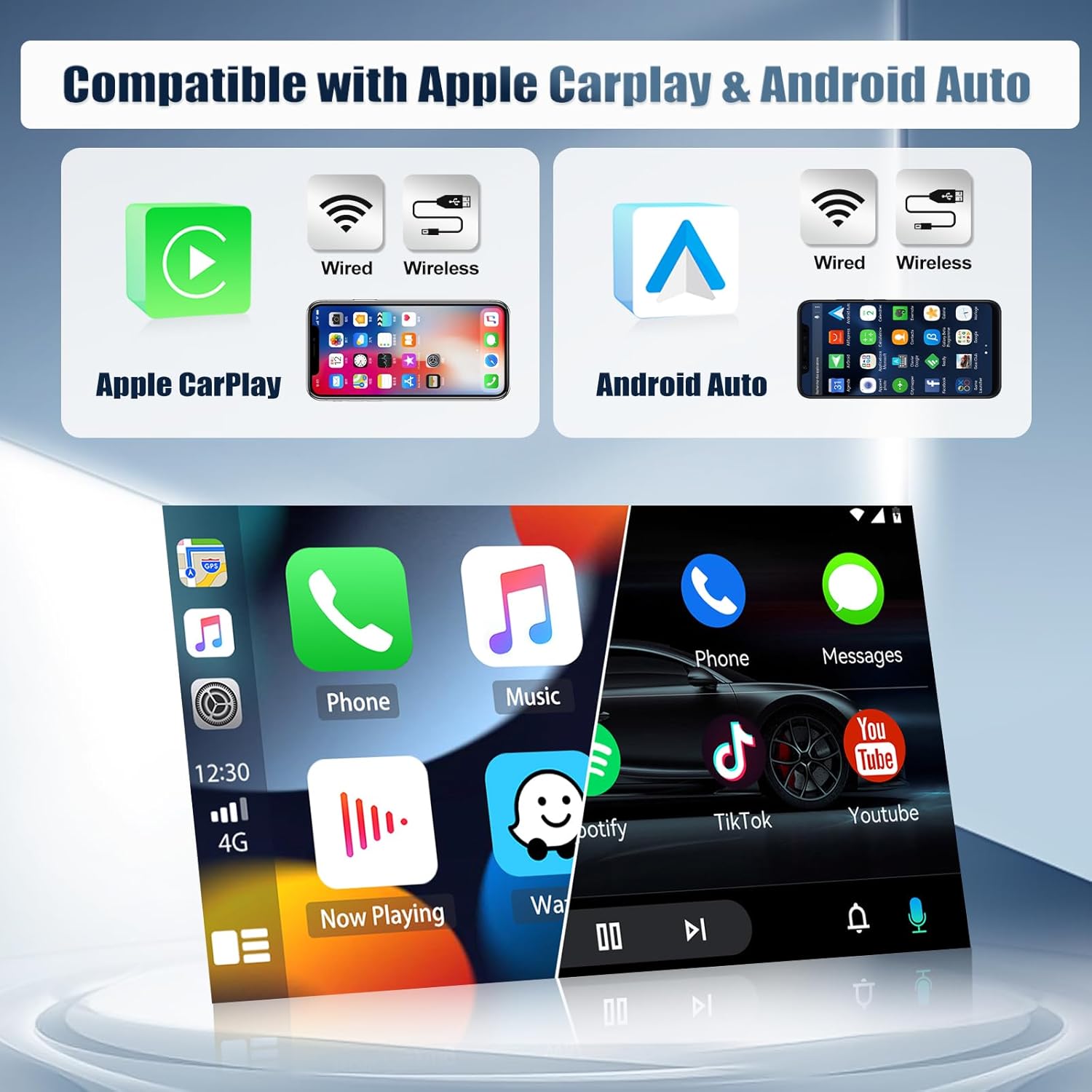
Imagem: Displays the compatibility of the car stereo with both Apple Carplay and Android Auto, showing options for both wired and wireless connections. The image illustrates the user interface of both systems on the stereo screen.
6.3. Conectividade Bluetooth
Bluetooth 5.0 allows for hands-free calling and wireless audio streaming.
- Acesse as configurações de Bluetooth no aparelho de som do carro.
- Ative o Bluetooth no seu telefone e procure por dispositivos disponíveis.
- Select the car stereo from the list and pair.
- Uma vez conectado, você pode fazer/receber chamadas e reproduzir música sem fio.

Imagem: A multi-panel display showing various functions of the CAMECHO car stereo: the FM/RDS radio interface, the WiFi interface displaying online content, the Bluetooth dial pad for phone calls, and the rear camera view with safety features.
6.4. Wi-Fi e Navegação GPS
Connect to a WiFi hotspot to access online maps, stream media, and download apps from the Play Store. The built-in GPS module provides accurate navigation.
- Go to Settings > Network & Internet > Wi-Fi to connect to a network.
- Open the pre-installed navigation app or download your preferred map application.
- The unit supports both online and offline maps (offline maps require prior download).
6.5. Rádio FM/RDS
Tune into your favorite radio stations with FM/RDS functionality. The RDS (Radio Data System) displays station information where available.
- Selecione o aplicativo 'Rádio' no menu principal.
- Use the scan function to automatically find and save stations, or manually tune to a frequency.
- Preset up to 18 stations for quick access.
6.6. Link alternativo
Mirror Link allows you to display your smartphone's screen on the car stereo. Android phones support two-way control, while iPhones support one-way control (display only).
- Open the 'Mirror Link' app on the car stereo.
- Follow the on-screen instructions to connect your iOS or Android device via WiFi or USB.

Imagem: Illustrates the iOS/Android Mirror Link feature, showing a smartphone screen being mirrored onto the car stereo display, enabling content sharing and control.
6.7. Controle do Volante
The unit supports steering wheel controls, allowing you to manage audio and other functions without taking your hands off the wheel. This requires proper CANBUS connection and configuration.
- Acesse as configurações de 'Controle do Volante' no menu da unidade.
- Follow the on-screen prompts to program each button on your steering wheel to the desired function.

Imagem: Shows the interface for setting up steering wheel controls, allowing users to assign functions to their vehicle's steering wheel buttons. Also displays the Equalizer (EQ) adjustment screen for customizing audio output.
6.8. Rear Camera Function
When the vehicle is shifted into reverse, the car stereo automatically displays the view from the included rear camera, assisting with parking and maneuvering.
- Ensure the rear camera is correctly installed and connected to the 'Reversing Camera Input' port.
- The camera features night vision, auxiliary lines, waterproof protection, and a wide 170° angle.
6.9. Controle de voz
Utilize voice commands for various functions, enhancing convenience and safety while driving.
- Activate the voice control feature (usually by a dedicated button or voice command).
- Speak clear commands for navigation, music playback, calls, etc.
6.10. Tela dividida
Multitask by running two applications simultaneously on the screen, such as navigation and music player.
- Abra o primeiro aplicativo.
- Pressione e segure o botão de aplicativos recentes ou arraste a partir da lateral (dependendo da interface do usuário) para ativar o modo de tela dividida.
- Selecione o segundo aplicativo para exibir ao lado do primeiro.
7. Manutenção
- Limpando a tela: Use um pano macio e sem fiapos para limpar delicadamente a tela sensível ao toque. Não use produtos de limpeza abrasivos ou solventes.
- Atualizações de software: Verifique periodicamente se há atualizações de software disponíveis para garantir o desempenho ideal e o acesso a novos recursos. As atualizações geralmente podem ser encontradas nas configurações do sistema ou no site do fabricante. website.
- Evite temperaturas extremas: Não deixe o aparelho exposto à luz solar direta ou a temperaturas extremamente baixas por períodos prolongados.
- Conexões de cabo: Certifique-se de que todos os cabos permaneçam firmemente conectados. Conexões soltas podem causar problemas intermitentes.
8. Solução De Problemas
If you encounter any issues with your CAMECHO car stereo, refer to the following common problems and solutions:
| Problema | Possível causa | Solução |
|---|---|---|
| Unidade não liga | Fiação incorreta, fusível queimado, fonte de alimentação insuficiente. | Check power cable connections. Verify vehicle fuse and unit's fuse. Ensure 12V DC power. |
| Sem som | Speaker wires disconnected, volume too low, mute function active, incorrect audio output settings. | Check speaker wire connections. Increase volume. Disable mute. Check audio settings. |
| Os comandos do volante não estão funcionando. | CANBUS not connected or configured, incorrect programming. | Ensure CANBUS decoder is correctly installed. Re-program steering wheel controls in settings. |
| Problemas de conexão Bluetooth | Bluetooth off, pairing failed, interference. | Certifique-se de que o Bluetooth esteja ativado em ambos os dispositivos. Exclua os emparelhamentos anteriores e emparelhe novamente. Aproxime-se da unidade. |
| Sinal de GPS perdido ou impreciso | Antena GPS desconectada, antena obstruída, recepção de satélite ruim. | Ensure GPS antenna is securely connected and placed in a clear area (e.g., dashboard). Move to an open area. |
| Tela sem resposta ou congelada | Falha de software, erro temporário do sistema. | Perform a soft reset (refer to the unit's specific reset method, usually a small reset button). If persistent, disconnect power for a few minutes. |
| A câmera traseira não está exibindo imagem. | Camera input cable loose, camera faulty, reverse trigger wire not connected. | Check rear camera input cable. Ensure reverse trigger wire is correctly connected to the vehicle's reverse light circuit. |
If the problem persists after trying these solutions, please contact CAMECHO customer support for further assistance.
9. Especificações
| Recurso | Especificação |
|---|---|
| Sistema | Androide 15 |
| Chipset | 8257 (8 núcleos) |
| Tamanho da tela | 7 polegadas |
| Memória | 4 GB de RAM + 64 GB de ROM |
| Resolução da tela | 1024*600 |
| Chip de rádio | 8035 |
| Potência de saída | 4*45 W |
| Versão Bluetooth | 5.0 |
| Temperatura de trabalho | -20 ℃ a 75 ℃ |
| Controle do volante | Suportado |
| Poder AmpFicha de lider | YD7388 |
| Banda de rádio | FM/RDS |
| Saída de vídeo | Suportado |
| Entrada reversa | DHA/CVBS |
| Microfone externo | Suportado |
| Tela dividida | Suportado |
| Mapas | Built-in offline maps (requires Internet for data download) |
| WI-FI | Suportado |
| Interface USB | USB duplo |
| Formatos de áudio | APE/FLAC/WAV/MP3/WMA etc. |
| Formatos de vídeo | MKV/RMVB/AVI/MP4/MDV etc. |
| Formatos de imagem | PNG/JPEG/JPG/GIF/WBMP/BNP etc. |
| Palavra-chave de configuração de fábrica | 1234 |
| Idiomas | Multi-language support including English, French, German, Spanish, etc. |
| Peso | 1.3 quilos |
| Tecnologia de Conectividade | Bluetooth, USB, Wi-Fi |
| Dispositivos compatíveis | Smartphone |
10. Garantia e Suporte
CAMECHO provides the following warranty and support for this product:
- Garantia do fabricante: Garantia de 2 anos a partir da data de compra.
- Retornos: Política de devolução de 30 dias.
- Suporte ao cliente: Response to inquiries within 24 hours.
For technical assistance, warranty claims, or any other support needs, please contact CAMECHO customer service through the platform where you purchased the product or refer to the contact information provided in your purchase documentation.


