1. Introdução
This user manual provides comprehensive instructions for the Callsky 10-inch Wi-Fi Tablet, Model Ctab 10. Please read this manual carefully before using your device to ensure proper operation and to maximize its features. Keep this manual for future reference.
2. Produto acabadoview
2.1 Conteúdo da embalagem
Ao abrir a embalagem, verifique se todos os itens listados abaixo estão presentes:
- Callsky Ctab 10 Tablet
- Cabo de carregamento USB Tipo-C
- Adaptador de energia
- User Manual (Japanese)

Image: Package contents including the tablet, charging cable, power adapter, and user manual.
2.2 Componentes do dispositivo
Familiarize yourself with the physical layout and ports of your tablet:
- Câmera frontal: 5MP para videochamadas e selfies.
- Câmera traseira: 8MP with autofocus for high-resolution photos.
- Botão de energia: Located on the side for turning the device on/off and screen lock.
- Botões de volume: Ajuste os níveis de áudio.
- Porta USB Tipo-C: Para carregamento e transferência de dados.
- Tomada de fone de ouvido de 3.5 mm: Para saída de áudio.
- Alto-falantes duplos: For enhanced audio experience.
- Slot para cartão MicroSD: For storage expansion up to 2TB.

Imagem: Acimaview of tablet features including face recognition, wireless projection, and physical dimensions.
2.3 Principais Características
- Design leve: Ultra-thin at 8.7mm and weighing 425g for easy portability.
- Sistema operacional Android 14: Enhanced privacy, personalized settings, and improved user experience.
- Alto desempenho: 1.8GHz Allwinner A523 Octa-core processor and Mali-G57 GPU for smooth multitasking, gaming, and HD video.
- Armazenamento de memória: 3GB RAM + 9GB virtual memory, 128GB internal storage, expandable up to 2TB via MicroSD.
- Exibição vívida: 10.1-inch 1280x800 Incell IPS display with eye protection mode and Widevine L1 support for high-quality streaming.
- Conectividade: Wi-Fi 6 and Bluetooth 5.4 for stable and high-speed connections.
- Recursos avançados: Wireless projection, face recognition, and split-screen functionality.
- Bateria de longa duração: Bateria de 6000mAh para uso prolongado.

Image: Visual summary of the tablet's core specifications and features.
3. Configuração
3.1 Inicialização e configurações básicas
- Press and hold the Power button until the Callsky logo appears.
- Follow the on-screen prompts to select your language (e.g., English).
- Connect to a Wi-Fi network. Select your network from the list and enter the password if required.
- Review and accept the Google Services terms.
- Set up a screen lock (PIN, pattern, or password) for security. You can skip this step and set it up later.
- Complete the remaining setup steps as guided by the Android 14 interface.
3.2 Inserindo um cartão microSD
To expand your tablet's storage:
- Localize o slot para cartão microSD na lateral do tablet.
- Gently insert the MicroSD card into the slot until it clicks into place. Ensure the card is oriented correctly.
- The tablet will detect the new storage. You may be prompted to format the card for optimal use with the device.
4. Instruções de operação
4.1 Navegação básica
- Gestos de toque: Toque para selecionar, deslize para percorrer, use o gesto de pinça para ampliar.
- Tela inicial: Acesse aplicativos, widgets e notificações.
- Notificações: Deslize de cima para baixo na tela para view notificações e configurações rápidas.
4.2 Gerenciamento de memória e armazenamento
The tablet comes with 3GB of physical RAM and 9GB of virtual memory, totaling 12GB, along with 128GB of internal storage. You can expand storage up to 2TB using a MicroSD card.
- Para verificar o espaço de armazenamento: Acesse Configurações > Armazenamento.
- To manage apps: Go to Configurações > Aplicativos.

Image: Details on memory and storage, including RAM, internal storage, and MicroSD expansion.
4.3 Exibição e experiência visual
The 10.1-inch 1280x800 Incell IPS display provides clear and vibrant visuals. It supports Widevine L1 for high-definition streaming from platforms like Netflix and YouTube.
- Modo de proteção ocular: Activate this mode in settings to reduce blue light and eye strain during prolonged use.
- Tela dividida: Use two applications simultaneously for enhanced productivity.

Image: Tablet demonstrating Widevine L1 support for streaming services.
4.4 Conectividade
The tablet supports Wi-Fi 6 and Bluetooth 5.4 for reliable and fast wireless connections.
- Wi-fi: Connect to 2.4G or 5G networks. Go to Configurações > Rede e internet > Wi-Fi para gerenciar conexões.
- Bluetooth: Pair with wireless devices like headphones or keyboards. Go to Configurações > Dispositivos conectados > Bluetooth.
- Projeção sem fio: Share your screen with compatible displays. Access this feature from the quick settings panel.
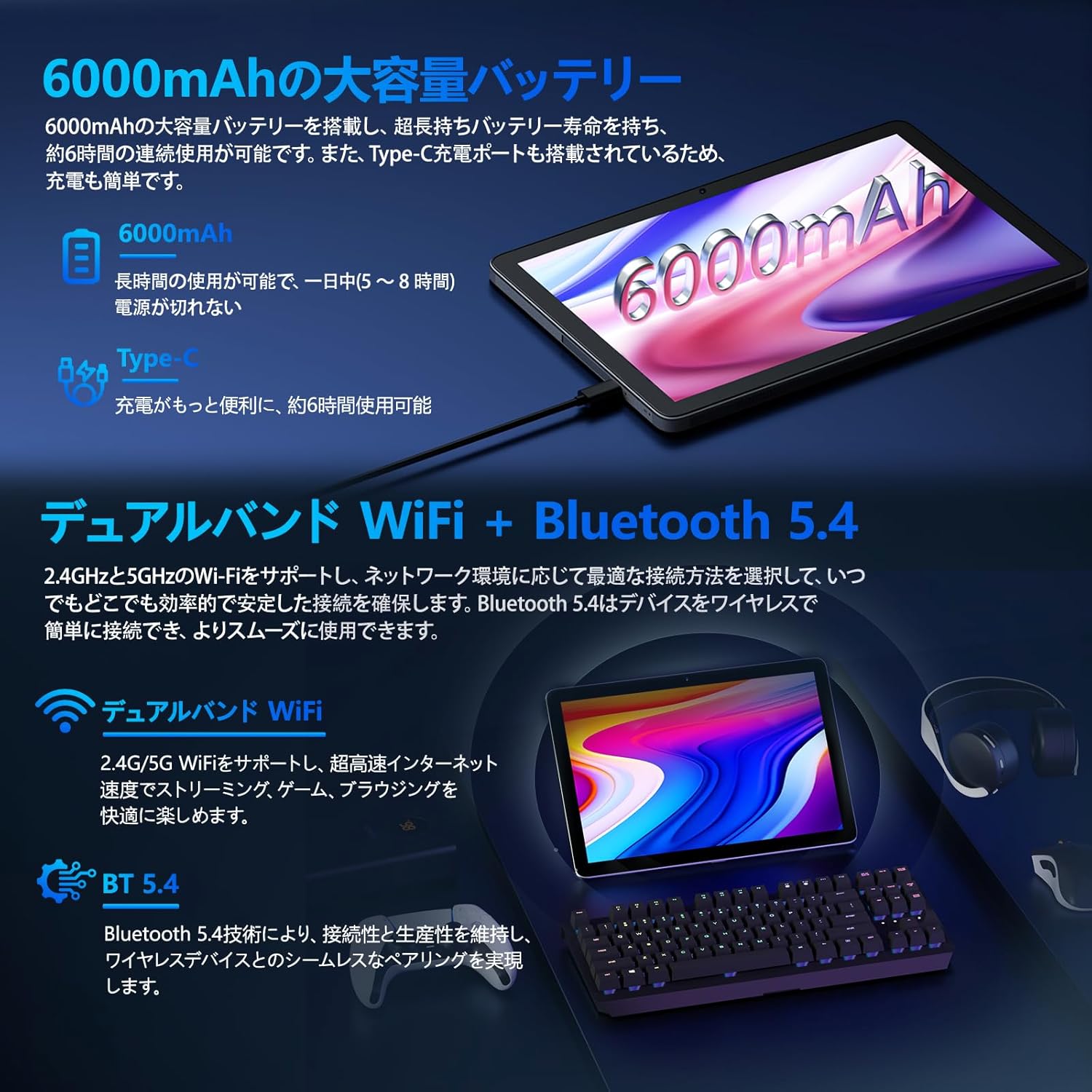
Image: Tablet highlighting battery capacity, Type-C charging, Wi-Fi, and Bluetooth features.
4.5 Câmeras
The tablet features a 5MP front camera and an 8MP rear camera with autofocus, suitable for video calls and capturing photos.
- Abra o aplicativo Câmera para tirar fotos ou gravar vídeos.
- Reconhecimento facial: Use the front camera for quick and secure unlocking. Set this up in Configurações > Segurança e privacidade > Desbloqueio facial.

Image: Illustration of the tablet's front and rear cameras and their resolutions.
4.6 Kids Mode (Parental Controls)
The tablet includes a dedicated Kids Mode and parental control features to ensure a safe and controlled environment for children.
- Access Kids Mode to provide curated content and limit screen time.
- Parents can manage app usage and content access through parental control settings.
4.7 Sensores
The tablet is equipped with various sensors for enhanced functionality:
- GPS: Para serviços de localização e navegação.
- Geomagnetic Sensor: Funciona como uma bússola.
- Sensor de proximidade: Prevents unintended screen operations.
- Sensor de luz ambiente: Ajusta automaticamente o brilho da tela.
- Giroscópio: For tilt operations and AR applications.
- Acelerômetro: Detects tilt, shock, and movement.
5. Manutenção
5.1 Cuidados com a bateria
The 6000mAh battery provides long usage times. To prolong battery life:
- Evite temperaturas extremas.
- Não deixe a bateria descarregar completamente com frequência.
- Utilize o carregador e o cabo fornecidos.
- Optimize battery usage in Configurações> Bateria.

Image: Tablet connected to a Type-C charger, highlighting the 6000mAh battery.
5.2 Limpeza
Use um pano macio e sem fiapos para limpar a tela e a estrutura do tablet. Evite usar produtos químicos agressivos ou materiais abrasivos.
6. Solução De Problemas
If you encounter issues with your tablet, refer to the following common problems and solutions:
| Problema | Possível causa/solução |
|---|---|
| O tablet não liga. | Certifique-se de que a bateria esteja carregada. Conecte o carregador e aguarde alguns minutos antes de tentar ligar novamente. |
| A tela não responde | Restart the tablet by holding the power button. If unresponsive, force restart by holding the power button for a longer duration (e.g., 10-15 seconds). |
| Problemas de conexão Wi-Fi | Check if Wi-Fi is enabled in settings. Restart your router. Forget the network and reconnect. |
| Device overheating / unexpected shutdowns | Close background applications. Avoid using the tablet in direct sunlight or hot environments. If the issue persists, contact customer support. |
| Aplicativos travando ou congelando | Clear the app's cache (Settings > Apps > [App Name] > Storage & cache > Clear cache). Update the app. Reinstall the app. |
| Desempenho lento | Feche aplicativos em segundo plano desnecessários. Limpe o cache e os arquivos temporários. files. Ensure sufficient storage space. |
If the problem persists after trying these solutions, please contact Callsky customer support.
7. Especificações
| Recurso | Detalhe |
|---|---|
| Marca | Callsky |
| Nome do modelo | Ctab 10 |
| Sistema operacional | Androide 14 |
| Tamanho da tela | 10.1 polegadas |
| Resolução de exibição | 1280x800 pixels (Incell IPS) |
| CPU | Allwinner A523 Octa-core (1.8 GHz) |
| GPU | Mali-G57 (Integrated) |
| BATER | 3GB Physical + 9GB Virtual (Total 12GB) |
| Armazenamento interno | 128 GB |
| Armazenamento expansível | Até 2 TB via cartão microSD |
| Câmera Traseira | 8 MP |
| Câmera Frontal | 5 MP |
| Wi-fi | Wi-Fi 6 (802.11ac, 802.11b, 802.11g, 802.11n) |
| Bluetooth | Bluetooth 5.4 |
| Capacidade da bateria | 6000mAh (22.8 Watt-hours, 1 Lithium Polymer cell) |
| Porta de carregamento | Tipo C |
| Dimensões | 32.4 x 20.3 x 3.4 cm |
| Peso | 425 g |
| Certificações | GMS Certified, PSE Certified |
8. Garantia e Suporte
The Callsky Ctab 10 tablet comes with a Garantia de 2 ano. This warranty covers manufacturing defects and ensures long-term reliability.
8.1 Suporte ao cliente
If you encounter any issues or have questions regarding your Callsky tablet, please contact our customer support team. We are committed to providing prompt assistance.
- Método de contato: Refer to your purchase platform (e.g., Amazon) for specific contact details. Typically, you can find seller contact information through your order history.
- Tempo de resposta: We aim to respond to inquiries within 24 hours on weekdays and within 48-72 hours on weekends or holidays.
Please have your product model (Ctab 10) and purchase details ready when contacting support.


