Sobreview
The VTech VM3258 Digital Video Baby Monitor allows you to keep a close eye on your baby with its high-resolution 2.8-inch color LCD screen. This monitor features a multi-color night-light, soothing lullabies and sounds, two-way audio communication, and a temperature sensor to ensure your baby's comfort. Designed for ease of use, it offers long battery life for extended monitoring.

Image: The VTech VM3258 monitor system, featuring the parent unit with a 2.8-inch LCD screen displaying a baby, and the baby unit with a night-light feature. Both units are white with VTech branding.
Conteúdo da embalagem
Verifique se todos os itens estão presentes na embalagem:
- Unidade dos Pais
- Unidade Bebé
- 2 adaptadores CA
- 4 Screws (for wall mounting, if applicable)
- Manual do usuário (este documento)
- Guia rápido
Características do produto
- High-resolution 2.8-inch Color LCD Screen: Provides clear video of your baby.
- Night-light on Baby Unit: Soothing multi-color light with an auto-on feature based on noise detection.
- Sons relaxantes e canções de ninar: Includes 2 melodies and 2 ambient sounds (trickling stream, white noise) to help baby sleep.
- Intercomunicador bidirecional com opção de resposta: Allows you to speak to your baby from the parent unit.
- Bateria de longa duração: Up to 19 hours of video streaming or 29 hours of audio-only monitoring on a single charge.
- Sensor de temperatura: Monitors the nursery temperature, displayed on the parent unit.
- Visão noturna infravermelha automática: Proporciona vídeo nítido em condições de pouca luz.
- Sound Activation Screen Mode: Screen turns on when noise is detected.
- Zoom digital 2x: Permite maior proximidade viewing do seu bebê.
- Up to 1,000 feet of Range: Ensures monitoring across larger homes.
Configurar
1. Carregando a unidade principal
Before first use, charge the parent unit for at least 12 hours. Connect one of the AC adapters to the parent unit and a power outlet. The battery indicator will show charging status.
2. Ligando a alimentação da unidade do bebê
Connect the second AC adapter to the baby unit and a power outlet. The baby unit will power on automatically.
3. Posicionamento das Unidades
Place the baby unit in your baby's room, at least 3 feet (1 meter) away from the baby. Position it on a flat surface or mount it to a wall using the provided screws. Ensure the camera has a clear view of the baby's crib. Keep the parent unit within range of the baby unit for optimal signal.

Image: An overhead diagram of a multi-story house illustrating the VTech baby monitor's long range capability, showing the baby unit in a nursery and the parent unit being used in various rooms up to 1000 feet away.
4. Secure Connection
The VTech VM3258 uses a secure, non-Wi-Fi connection, ensuring your privacy. No internet connection or app is required for operation.
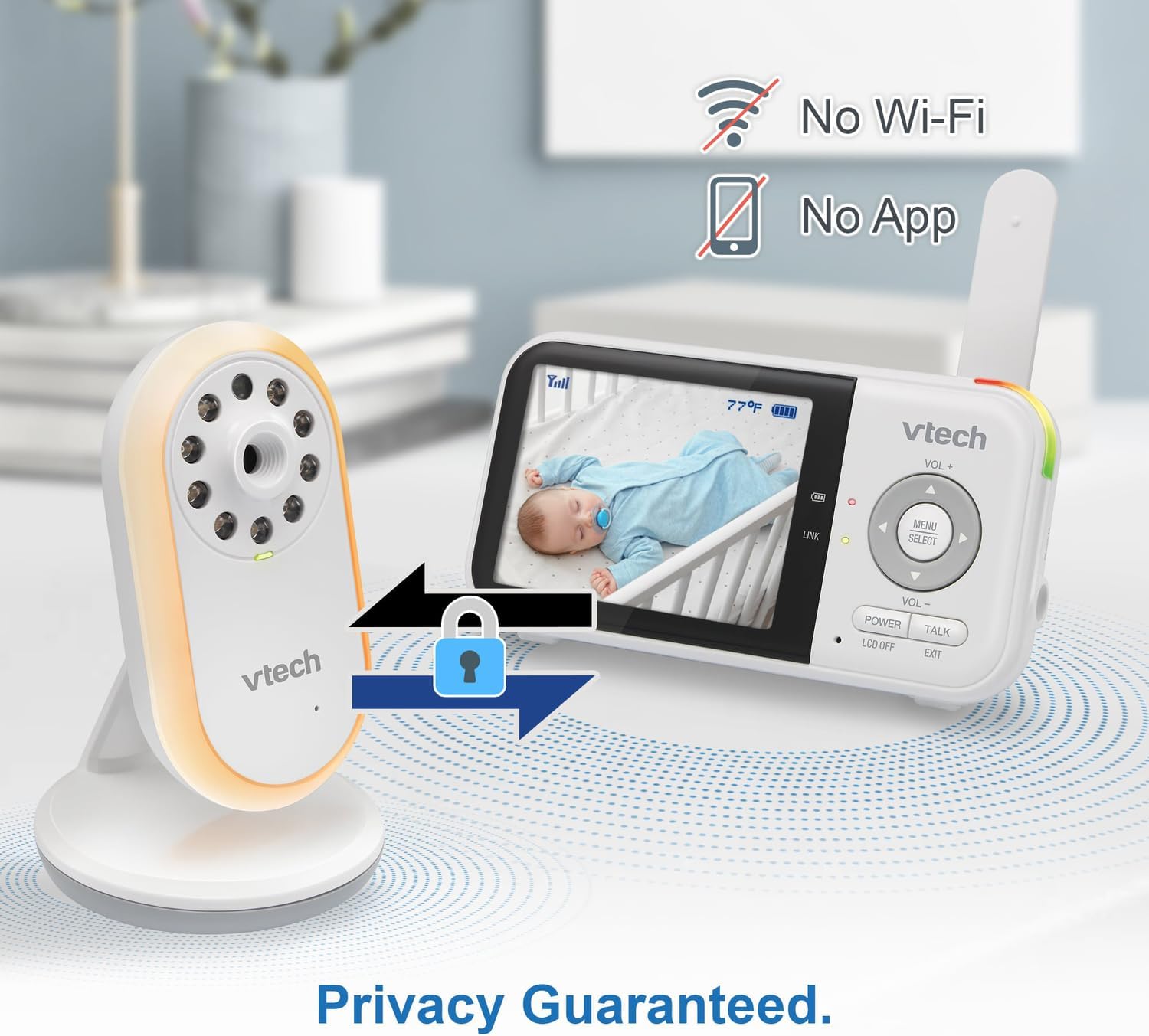
Image: The VTech baby monitor setup, showing the parent unit and baby unit with icons indicating "No Wi-Fi" and "No App," highlighting the secure, private connection.
Instruções de operação
1. Ligar/Desligar
- Unidade dos pais: Pressione e segure o PODER button until the screen turns on/off.
- Unidade do bebê: The baby unit powers on automatically when connected to power.
2. Ajustando o Volume
Use o VOL+ e vol- botões na unidade principal para ajustar o volume de audição.
3. Two-Way Talk-Back Intercom
Pressione e segure o FALAR button on the parent unit to speak to your baby through the baby unit's speaker. Release the button to hear your baby.

Image: A split image depicting a parent holding the VTech parent unit and a baby playing, illustrating the two-way talk-back intercom functionality.
4. Night-Light and Lullabies
Access the menu on the parent unit to control the baby unit's night-light (choose from 3 colors) and to play soothing lullabies or ambient sounds. You can also enable the auto-on night-light feature, which activates when noise is detected.

Image: The VTech baby unit with its night light softly glowing, surrounded by musical notes, symbolizing its ability to play lullabies and soothing sounds.
5. Monitoramento de temperatura
The current nursery temperature is displayed on the parent unit's LCD screen, allowing you to ensure a comfortable environment for your baby.
6. Visão noturna
A unidade do bebê ativa automaticamente a visão noturna infravermelha em condições de pouca luz, fornecendo uma imagem nítida em preto e branco na unidade dos pais.

Image: A side-by-side comparison showing a baby in a crib, with one side labeled "Standard night vision" (darker, less clear) and the other "Our night vision" (brighter, clearer, without glare).
7. Gerenciamento da vida útil da bateria
The parent unit offers extended battery life. To conserve battery, you can use the audio-only mode or enable the sound activation screen mode, which turns the screen off until sound is detected.

Image: A circular diagram showing a battery icon in the center, with two halves representing "19 hours in screen-on mode" (depicting a person exercising) and "29 hours in audio-only mode" (depicting a person watching TV at night), illustrating the monitor's long battery life.
Manutenção
Cleaning the Units
Wipe the surfaces of the parent unit and baby unit with a soft, damp pano. Não utilize sprays de limpeza ou produtos de limpeza líquidos. Certifique-se de que as unidades estejam secas antes de reconectá-las à energia.
Cuidados com a bateria
To prolong battery life, avoid fully discharging the parent unit battery frequently. If storing the unit for an extended period, charge it fully before storage and recharge every few months.
Solução de problemas
| Problema | Solução possível |
|---|---|
| Sem imagem/som na unidade principal. |
|
| A imagem é em preto e branco. | This is normal when the baby unit's infrared night vision is active due to low light conditions. |
| Estática ou interferência. |
|
| A bateria da unidade dos pais descarrega rapidamente. |
|
Especificações
- Número do modelo: VTVM3258
- Dimensões do produto: 4.72 x 2.5 x 1.32 inches (Parent Unit)
- Peso do item: 1.25 libras (Total)
- Baterias: 1 A battery required (included) for Parent Unit
- Faixa de frequência: 400-470 MHz
- Alcance máximo de conversação: Até 1,000 pés (linha de visão)
- Número de canais: 32
- Cor: Branco
- Fabricante: VTech Communications
- Data da primeira disponibilidade: 9 de janeiro de 2025


