Introdução
Thank you for choosing the LIORQUE SM-01 White Noise Machine with Alarm Clock. This device is designed to enhance your sleep, relaxation, and wake-up experience with a variety of soothing sounds, an adjustable night light, and a customizable alarm clock. Please read this manual carefully to ensure proper use and to fully enjoy all its features.
Informações de segurança
- Cuidado: Use only with the provided power cable.
- Não utilize em ambientes úmidos.
- Não exponha ao calor excessivo.
- Este dispositivo não é um brinquedo.
- Risk of sunburn or electric shock if mishandled.
- Avoid prolonged exposure to high sound levels.
- Mantenha fora do alcance de crianças.
Conteúdo da embalagem

The image displays the LIORQUE SM-01 White Noise Machine, a charging cable, a power adapter, and the user manual, all neatly arranged with the product packaging.
Ao desembalar, verifique se todos os seguintes itens estão presentes:
- LIORQUE SM-01 White Noise Machine with Alarm Clock (x1)
- Cabo de carregamento (x1)
- Adaptador de energia (x1)
- Manual do usuário (x1)
Produto acimaview e controles

This image illustrates the top panel of the device, highlighting the various buttons and their corresponding functions for easy identification and operation.
Familiarize yourself with the control buttons located on the top of the device:
- Interruptor de alarme: Ativa ou desativa o alarme.
- Time Set / Dimmer: Long press to set the time; short press to adjust display brightness.
- Volume -: Diminui o volume.
- Snooze / Light Button: Activates snooze during an alarm; short press to turn on/off or adjust the night light.
- Volume +: Aumenta o volume.
- Botão de som: Selects soothing sounds.
- Botão do temporizador: Sets the sleep timer duration.
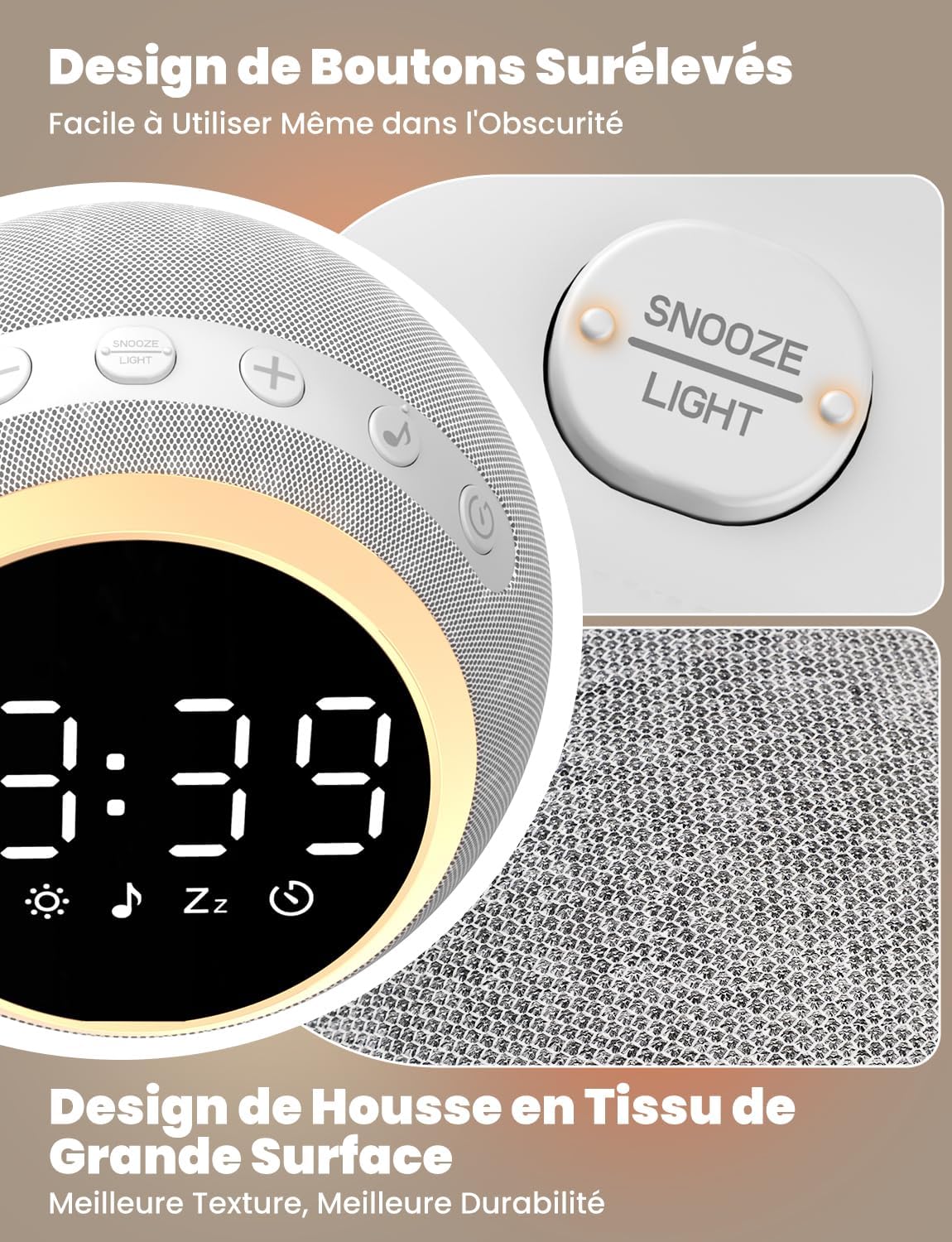
The device features raised buttons for intuitive operation, even in low light conditions, and a durable fabric-wrapped casing.
Configurar
- Conexão de energia: Connect the provided power cable to the device and plug the adapter into a standard electrical outlet. The device will power on automatically.
- Configuração inicial da hora: Pressione e segure o Tempo definido button. Use the Volume +/- buttons to adjust the hour and minute. Press the Time Set button again to confirm each setting.
Instruções de operação
1. White Noise and Soothing Sounds

The device offers 25 natural sounds, including various nature sounds and lullabies, to promote relaxation and sleep.
- Selecionando Sons: Pressione o Botão de som to cycle through the 25 available natural sounds (e.g., thunderstorms, rain, lullabies).
- Ajustando o volume: Use o Es eseseses eseses eseseses e volume - buttons to set your desired sound level. The device offers 16 levels of volume adjustment.
2. Função de despertador
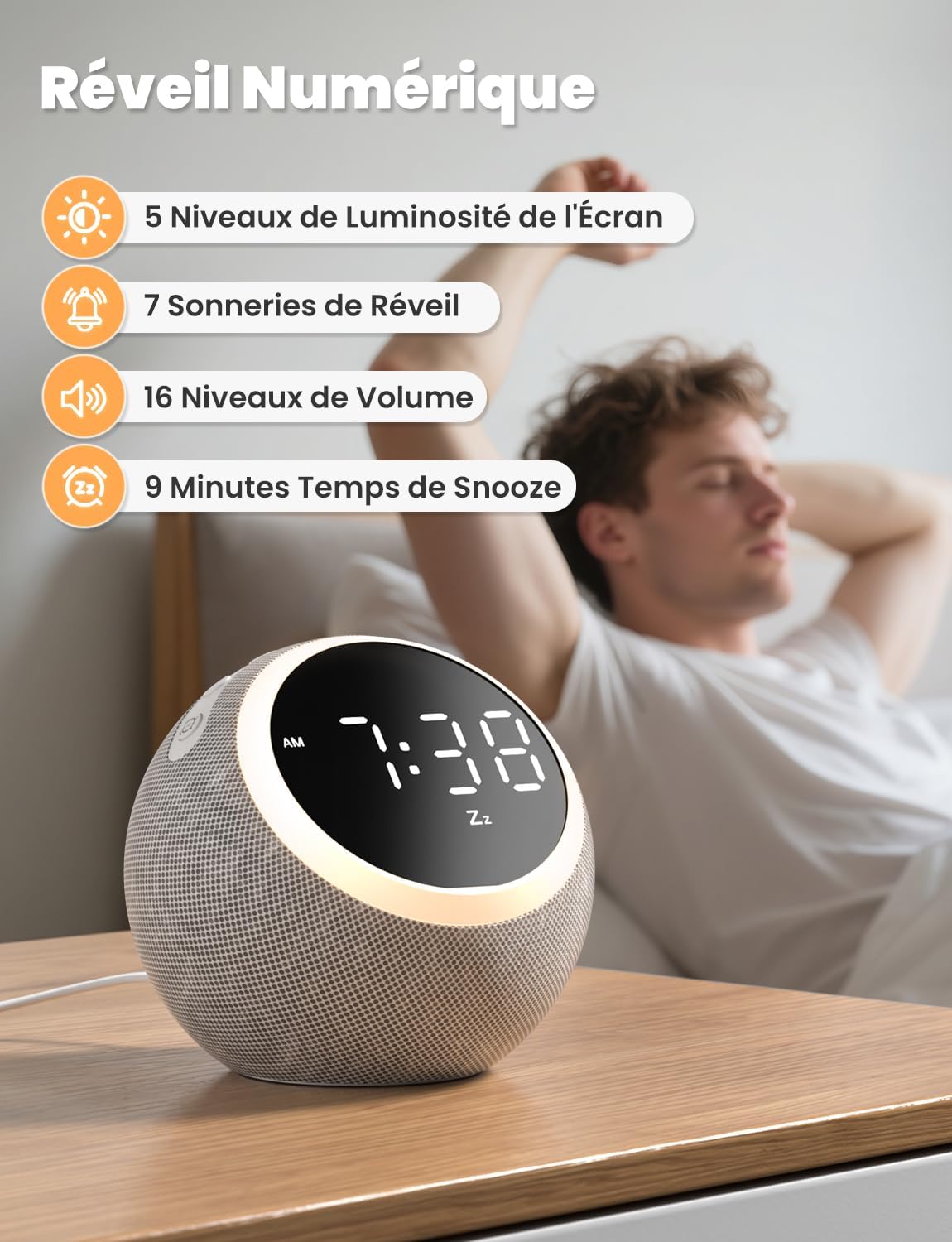
The digital alarm clock features 5 display brightness levels, 7 alarm tones, 16 volume levels, and a 9-minute snooze function.
- Configurando o alarme: Pressione e segure o Interruptor de alarme button. Use the Volume +/- buttons to set the alarm time. Press the Alarm Switch again to confirm.
- Choosing Alarm Tone: While setting the alarm, you can select from 7 pleasant alarm tones.
- Função soneca: Quando o alarme tocar, pressione o Snooze / Light Button to get an additional 9 minutes of sleep.
- Desativar alarme: Pressione o Interruptor de alarme button to turn off the alarm for the day.
3. Luz noturna

The night light offers 10 adjustable levels of brightness and color temperature from 1500K to 6500K, allowing for personalized ambiance.
- Activating/Adjusting Light: Pressione brevemente o Snooze / Light Button to turn on the night light. Continue pressing to cycle through 10 levels of brightness and color temperature (1500K to 6500K).
- Turning Off Light: Pressione o Snooze / Light Button até que a luz se apague.
4. Brilho da tela

The display brightness can be adjusted across 5 levels, including a completely dark mode, suitable for light-sensitive sleepers.
- Ajustando a tela: Pressione brevemente o Time Set / Dimmer button to cycle through 5 levels of display brightness, including a complete blackout mode.
5. Despertador

The sleep timer allows you to set the device to automatically turn off sounds and lights after a duration between 5 and 480 minutes.
- Configurando o temporizador: Pressione o Botão do temporizador to select a desired sleep timer duration (e.g., 5, 15, 30, 60, 90, 120, 180, 240, 300, 360, 420, 480 minutes). The sound and light will automatically turn off after the set time.
- Disabling Timer: Continue pressing the Timer Button until the timer indicator disappears from the display.
Manutenção
- Limpeza: Disconnect the power before cleaning. Wipe the device with a soft, dry cloth. Do not use liquid cleaners or abrasive materials.
- Armazenar: Guarde o dispositivo em local fresco e seco quando não estiver em uso por longos períodos.
Solução de problemas
- Dispositivo não liga: Ensure the power cable is securely connected to both the device and the power outlet. Verify the outlet is functional.
- Sem som: Check the volume level using the Volume +/- buttons. Ensure a sound is selected.
- Alarme não soa: Verify the alarm is set and activated (check the alarm icon on the display). Ensure the alarm volume is not set to zero.
- Display too bright/dark: Adjust the display brightness using the Time Set / Dimmer button.
Especificações
| Recurso | Especificação |
|---|---|
| Número do modelo | SM-01 |
| Marca | LIORQUE |
| Dimensões | 14.7 x 13.6 x 13.5 cm |
| Peso | 480 gramas |
| Fonte de energia | Cabo elétrico |
| Número de sons relaxantes | 25 |
| Display Brightness Levels | 5 (including off) |
| Níveis de luz noturna | 10 |
| Temperatura de cor da luz noturna | 1500K - 6500K |
| Tons de Alarme | 7 |
| Duração da soneca | 9 minutos |
| Sleep Timer Duration | 5 a 480 minutos |
Garantia e Suporte
LIORQUE products are designed and manufactured to the highest quality standards. For any questions, technical support, or warranty claims, please refer to the contact information provided on the product packaging or visit the official LIORQUE website.
Guarde o comprovante de compra para fins de garantia.


