Introdução
This manual provides detailed instructions for the setup, operation, and maintenance of your Speedlink CONUX RGB Gaming Headset. Please read this manual carefully before using the product to ensure proper functionality and longevity.
The CONUX RGB stereo gaming headset features powerful 50mm driver units for precise audio reproduction, from deep bass to high treble. It includes multi-coloured RGB illumination for an enhanced gaming atmosphere. Designed for comfort, it features ultra-soft padding and a robust metal frame. The headset offers variable size adjustment and a detachable, sensitive microphone with a flexible arm. An integrated cable remote control allows for quick volume adjustment and microphone muting. Universal compatibility is provided via a 3.5mm jack plug and a supplied Y-adapter, supporting PC, PS5, PS4, Xbox, and Switch platforms.
Conteúdo da embalagem
Verifique se todos os itens estão presentes na embalagem:
- CONUX RGB Gaming Headset
- 3.5mm Y-Adapter (2 x 3.5mm TRS 3-pin)
- USB-A Cable (for RGB lighting power)
- Manual do usuário (este documento)
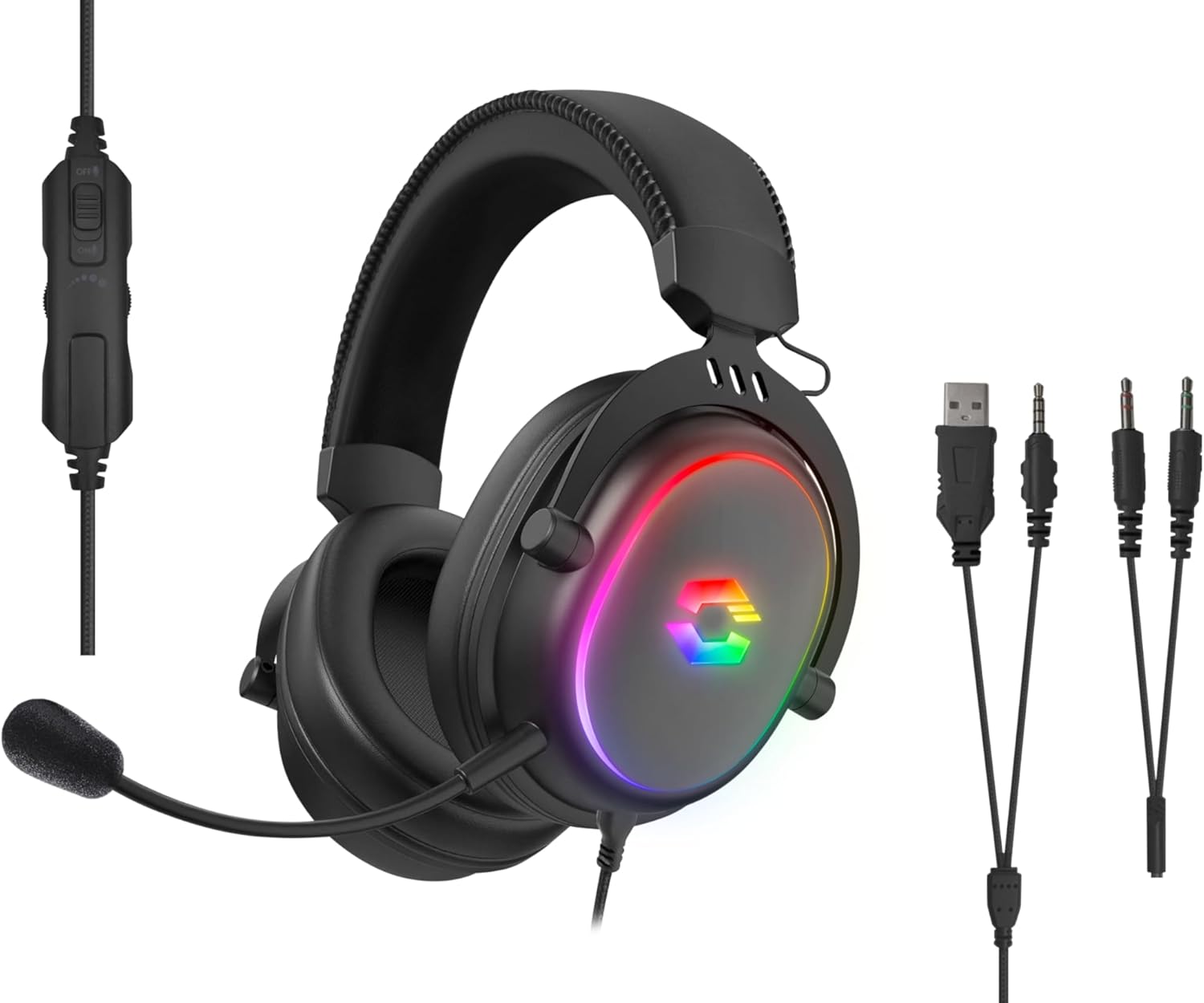
Image: The CONUX RGB Gaming Headset shown with its integrated cable remote, detachable microphone, 3.5mm jack, USB-A cable for RGB, and the included Y-adapter.
Configurar
Conectando o fone de ouvido
- For PC/Laptop (with separate audio/mic ports):
- Connect the headset's 3.5mm jack to the supplied 2 x 3.5mm Y-adapter.
- Plug the green connector of the Y-adapter into your computer's audio output (headphone) jack.
- Plug the pink connector of the Y-adapter into your computer's microphone input jack.
- For PC/Laptop/Gaming Console (with combined 3.5mm TRRS jack):
- Directly plug the headset's 3.5mm 4-pin (TRRS) jack into the combined audio/microphone port of your device (e.g., PS5, PS4, Xbox Series X/S, Switch, mobile phone, laptop with single jack).
- Powering RGB Lighting:
- Connect the USB-A cable from the headset to any available USB-A port on your PC, console, or a USB power adapter. This cable is solely for powering the RGB LED lighting.

Imagem: Compatibilidade sobreview showing support for PC, PS5, PS4, Xbox One, Xbox Series X/S, Nintendo Switch/OLED/Lite.
Instruções de operação
Usando o fone de ouvido
- Adjust the headband to ensure a comfortable and secure fit. The headband is designed for variable size adjustment.
- Position the earcups over your ears so they fully enclose them, utilizing the ultra-soft padding for maximum comfort during extended use.
Uso do microfone
- The microphone is detachable. To attach, align the microphone jack with the port on the left earcup and insert firmly.
- Adjust the flexible arm of the microphone to position it optimally near your mouth for clear voice capture.
- Use the integrated cable remote control to mute/unmute the microphone. A switch or button on the remote will control this function.
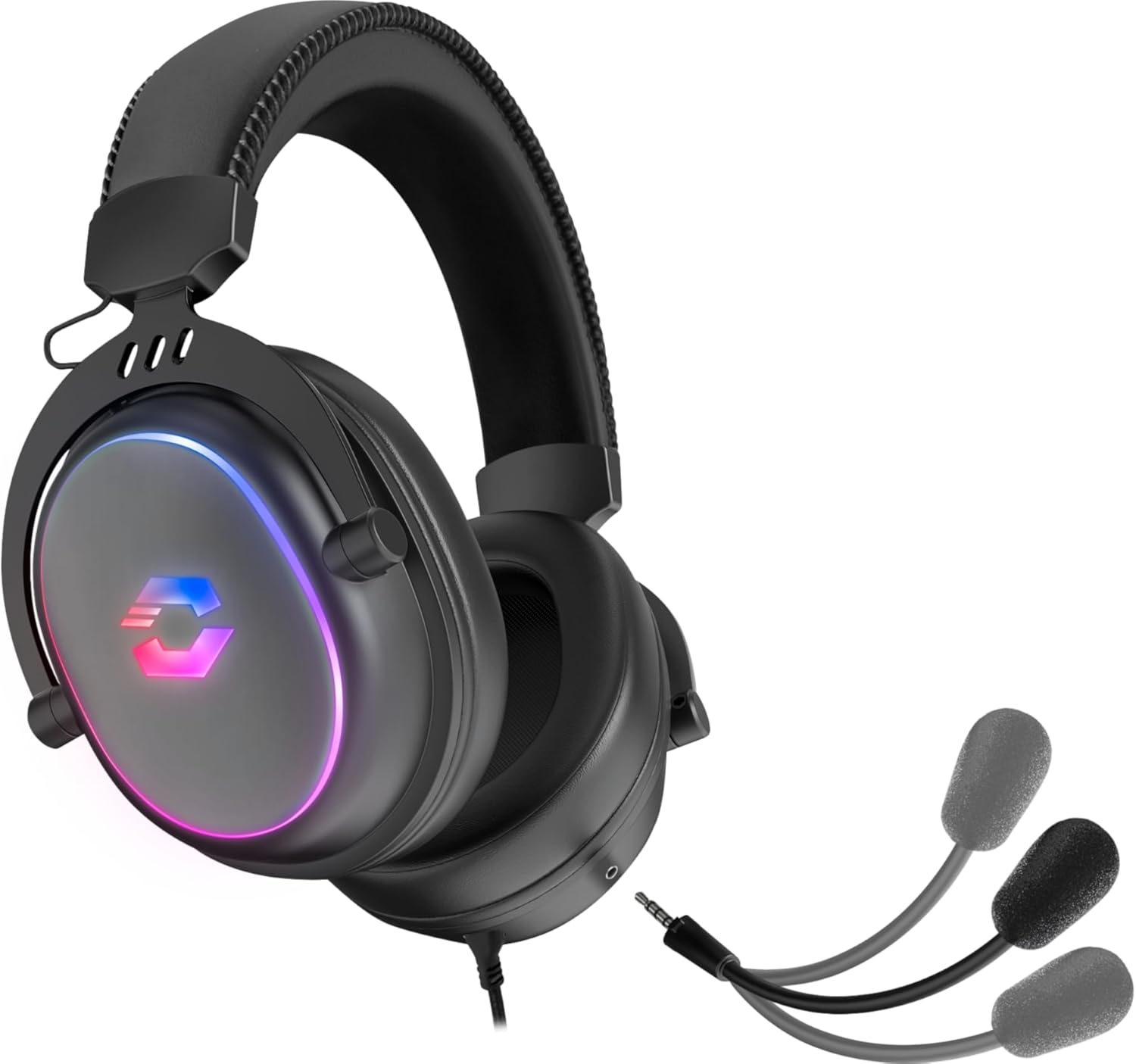
Image: The CONUX headset demonstrating its detachable microphone feature.
Controle de volume
- The integrated cable remote control features a volume wheel or slider. Rotate or slide it to increase or decrease the audio volume.
Iluminação RGB
- The multi-coloured RGB lighting on the earcups will illuminate automatically when the USB-A cable is connected to a powered USB port.
- The lighting provides an aesthetic enhancement and does not affect audio performance.

Image: The CONUX headset illuminated with its multi-colored RGB lighting effect.
Manutenção
- Limpeza: Use a soft, dry cloth to clean the headset. Do not use abrasive cleaners or solvents.
- ArmazenarGuarde o fone de ouvido em local fresco e seco, longe da luz solar direta e de temperaturas extremas.
- Manuseio: Avoid dropping the headset or subjecting it to strong impacts. Do not expose to liquids, heat, or cold.
- Cabos: Do not pull on the cables when disconnecting. Always grasp the plug firmly.
Solução de problemas
| Problema | Possível causa | Solução |
|---|---|---|
| Nenhum som nos fones de ouvido |
|
|
| Microfone não funciona |
|
|
| Iluminação RGB não funciona |
|
|
Especificações
| Recurso | Detalhe |
|---|---|
| Nome do modelo | Speedlink Conux (SL-860017-BK) |
| Tecnologia de Conectividade | Wired (3.5mm Jack, USB-A for RGB) |
| Entrada para fones de ouvido | 3.5 mm Jack (TRRS 4-pin) |
| Componentes incluídos | Headset Cable, 3.5mm Y-Adapter |
| Material | Plástico, Metal |
| Colocação da orelha | Sobre a orelha |
| Fator de forma | Sobre a orelha |
| Cor | Preto |
| Peso do item | 265 gramas (aproximadamente 9.3 onças) |
| Dimensões do produto | 162 x 208 x 87 mm (W×H×D) / 6.38 x 8.19 x 3.43 inches |
| Tipo de driver de áudio | Driver Dinâmico |
| Tamanho do driver de áudio | 50 milímetros |
| Resposta de frequência (fones de ouvido) | 20Hz-20kHz |
| Impedância (fones de ouvido) | 32Ω |
| Nível de pressão sonora | 106dB±3dB |
| Sensibilidade do microfone | -42dB ± 3dB |
| Controle de Ruído | Isolamento Acústico |
| Comprimento do cabo | 1.8 metros |
| Dispositivos compatíveis | Gaming Consoles, Tablets, Mobile phones, Laptops, Desktops (PC, PS5, PS4, Xbox Series X/S, Switch) |
Safety Instructions and Conformity
Please observe the following important safety instructions to prevent damage, explosion, fire, or electric shock:
- Use apenas os dispositivos conforme indicado no guia do usuário.
- Do not open or repair the device.
- Não exponha o dispositivo a líquidos, calor ou frio.
- Não use o dispositivo em anúnciosamp ambiente.
- Limpe o dispositivo com um pano seco.
- Mantenha o dispositivo e todas as peças soltas longe de crianças, animais de estimação e pessoas não autorizadas.
- Only use the device with the appropriate provided accessories.
- Disconnect cables from the devices if they will not be used for a long time. When disconnecting the cables, do not pull on the cord but on the plug.
- Don't use the cables in any way other than mentioned in the user guide; don't bend, cut, extend, knot or step on them.
- Não insira objetos estranhos nas aberturas do dispositivo.
- Se os dispositivos estiverem danificados de alguma forma ou ficarem muito quentes, pare de usá-los imediatamente.
- Tome cuidado ao usar dispositivos que emitem sinais de rádio se você tiver um marca-passo ou depender de outros dispositivos eletrônicos sensíveis à vida.

Image: Detailed safety instructions, warning symbols, and conformity notices, including CE, UKCA, and WEEE markings.
Warning Symbols and Markings
The product bears the following symbols:
- ⚠: Warning symbol, indicating important safety information.
- ♻: WEEE (Waste Electrical and Electronic Equipment) symbol, indicating separate collection for electrical and electronic equipment. Do not dispose of with household waste.
- CE: CE marking, indicating conformity with European Union directives.
- Reino Unido CA: UK Conformity Assessed marking, indicating conformity with applicable UK legislation.
Aviso de conformidade
O funcionamento do(s) dispositivo(s) pode ser afetado por campos estáticos, elétricos ou de alta frequência intensos (instalações de rádio, telefones celulares, micro-ondas, descargas eletrostáticas). Caso isso ocorra, tente aumentar a potência.asing a distância dos dispositivos que causam a interferência. Aviso de conformidade em outros idiomas: www.speedlink.com
The product complies with the following directives: EMC 2014/30/EU, RoHS 2011/65/EU.
Garantia e Suporte
For warranty information and technical support, please visit the official Speedlink website or contact their customer service. Details can typically be found at www.speedlink.com.
Manufacturer: Speedlink (Zeitfracht Medien GmbH, Im Dorf 5, 27404 Heeslingen, GERMANY)


