1. Introdução
This manual provides essential information for the setup, operation, and maintenance of your VIMTAG 8310 5G/2.4G 4MP Camera. Please read thoroughly before use to ensure proper functionality and safety.

Figure 1: VIMTAG 8310 5G/2.4G 4MP Camera
2. O que está na caixa
Verifique se todos os itens estão presentes na embalagem:
- Camera Body with power cable
- Manual de instruções
- Parafuso de montagem
- Adaptador de energia
3. Produto acabadoview
The VIMTAG 8310 camera features a compact design suitable for both indoor and outdoor use. Key components include:
- Lente: Captures 2.5K (4MP) video.
- Infrared & White Light: Para recursos de visão noturna.
- Microfone: Para comunicação de áudio bidirecional.
- Palestrante: Para comunicação de áudio bidirecional e alertas.
- Slot para cartão SD: Supports Micro SD cards up to 512GB for local storage.
- Botão de reinicialização: Para redefinição de fábrica.
- Porta de alimentação: Micro USB for continuous power supply.

Figure 2: Camera features overview
4. Configuração e instalação
4.1 Download do aplicativo e cadastro de conta
- Download the 'Canny Cam' app from your device's app store (iOS/Android).
- Register a new account using your email address and follow the on-screen instructions.
- Faça login na sua conta recém-criada.

Figure 3: App download and registration process
4.2 Powering On and Device Connection
- Connect the camera to the power adapter using the provided USB cable and plug it into a power outlet.
- Open the 'Canny Cam' app and tap the '+' icon to add a new device.
- Follow the in-app instructions to connect the camera to your 5G/2.4G Wi-Fi network. This typically involves scanning a QR code displayed on your phone with the camera lens.
- Depois de conectar a câmera, você pode dar um nome a ela e atribuí-la a um cômodo específico.
Video 1: Why choose Vimtag Mini G3 Outdoor Security Camera? (Seller)
4.3 Montagem da câmera
The camera comes with a versatile stand that allows for various mounting options:
- Tabletop/Free Standing: Place the camera on any flat surface. The stand has padded feet for stability.
- Montagem na parede/teto: The base of the stand can be detached and screwed into a wall or ceiling using the provided mounting screws. The camera then easily attaches to the mounted base.

Figure 4: Easy setup and mounting options

Figure 5: Mounting the camera to a wall
5. Operando a câmera
5.1 Ao vivo View e áudio bidirecional
Access the live video feed anytime, anywhere through the Canny Cam app. Use the built-in microphone and speaker for two-way communication.

Figura 6: Áudio bidirecional em ação
5.2 Modos de Visão Noturna
The camera offers full-color night vision, enhanced by a built-in LED light, and traditional infrared night vision. Switch between modes via the app settings.

Figure 7: Comparison of Color and Infrared Night Vision
Video 2: How to set full-color night vision of Vimtag Mini G3 (Seller)
5.3 Detecção e alertas inteligentes
Configure motion, human, and sound detection settings within the app. Receive instant alerts on your mobile device when activity is detected.
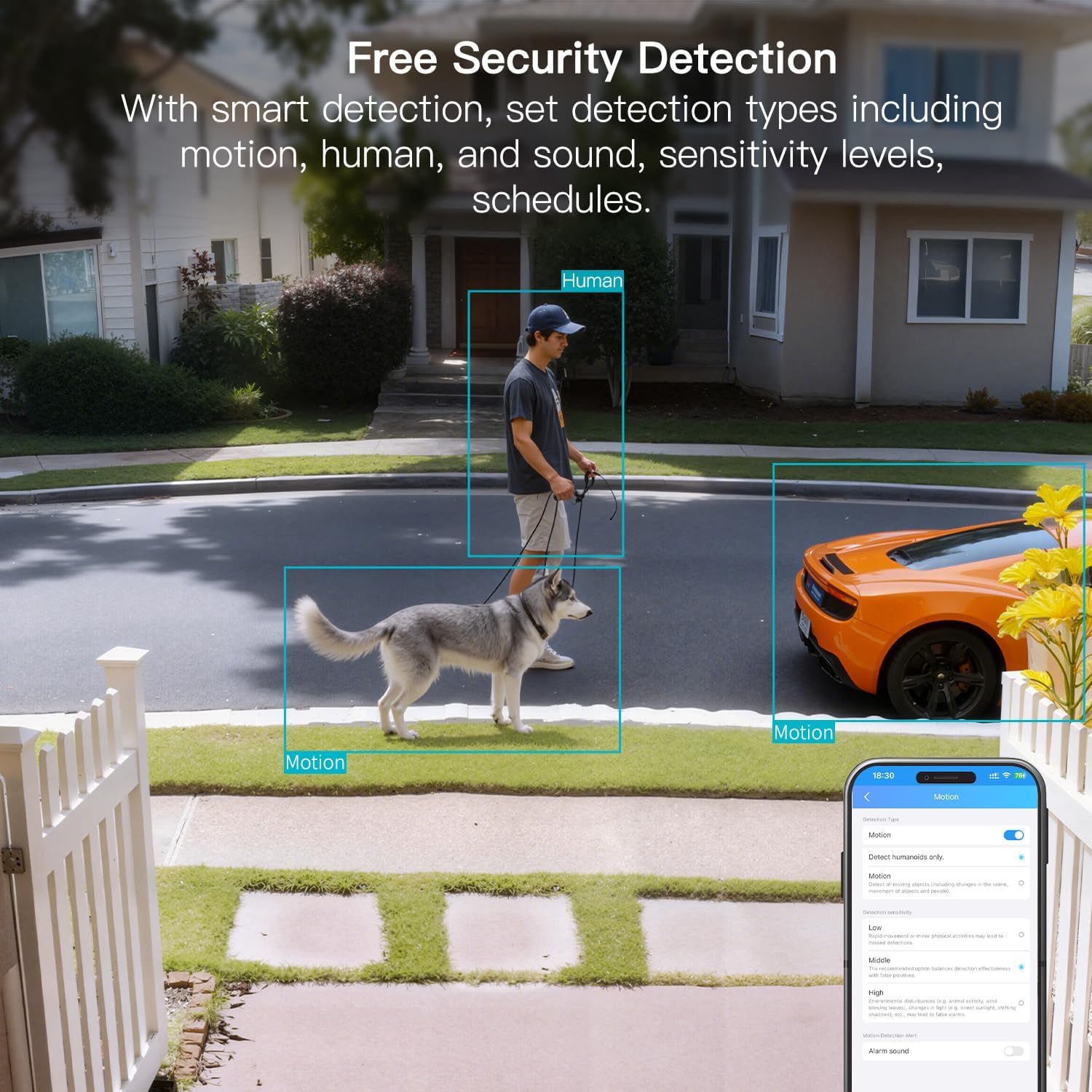
Figure 8: AI Detection capabilities

Figure 9: Smart alarm modes with sound and light
5.4 Opções de armazenamento
The camera supports continuous 24/7 recording to a Micro SD card (up to 512GB, sold separately) or secure Cloud storage (subscription required).

Figure 10: Local and Cloud storage options
6. Especificações
| Recurso | Detalhe |
|---|---|
| Nome do modelo | 8310 |
| Uso interno/externo | Uso externo (resistente às intempéries IP65) |
| Resolução de captura de vídeo | 2.5K (1440p) |
| Resolução Estática Efetiva | 4 MP |
| Tecnologia de Conectividade | Wi-Fi (2.4 & 5G Hz, Dual Band, Wi-Fi 6) |
| Características especiais | 2-Way Audio, HD Resolution, Motion Sensor, Color Night Vision, AI Detection, Alexa Support |
| Viewângulo de engate | 130 graus |
| Alcance de visão noturna | 33 pés |
| Fonte de energia | Elétrico com fio (5 volts, 5 watts) |
| Max Flash Memory Supported | 512 GB (Micro SD) |
| Dimensões do produto | 1.57 x 2.28 x 2.76 polegadas |
7. Manutenção
- Limpeza: Use a soft, dry cloth to clean the camera lens and body. Avoid harsh chemicals.
- Atualizações de firmware: Regularly check the Canny Cam app for firmware updates to ensure optimal performance and security.
- Gerenciamento de cartão SD: If using a Micro SD card, periodically check its status and format it via the app to maintain recording quality.
8. Solução De Problemas
- Problemas de conectividade: Ensure the camera is within range of your Wi-Fi router. Verify Wi-Fi password and network stability. The camera supports both 2.4GHz and 5GHz bands.
- Problemas de gravação: Check if the Micro SD card is inserted correctly and has sufficient space. If using Cloud storage, verify your subscription status.
- Sem alertas: Confirm motion/human/sound detection is enabled in the app settings and notification permissions are granted for the Canny Cam app on your phone.
- Má qualidade de imagem: Ensure the lens is clean. Check network stability for optimal streaming resolution.
- Reinicie o dispositivo: If issues persist, use the reset button on the camera to restore factory settings. You will need to reconfigure the device after a reset.
9. Garantia e Suporte
VIMTAG offers a 2-year warranty and lifetime technical support for this product. For assistance, please contact VIMTAG suporte ao cliente:
- E-mail: Customer@vimtag.com
- Suporte no aplicativo: Access the 'Message Center' within the Canny Cam app for direct support.
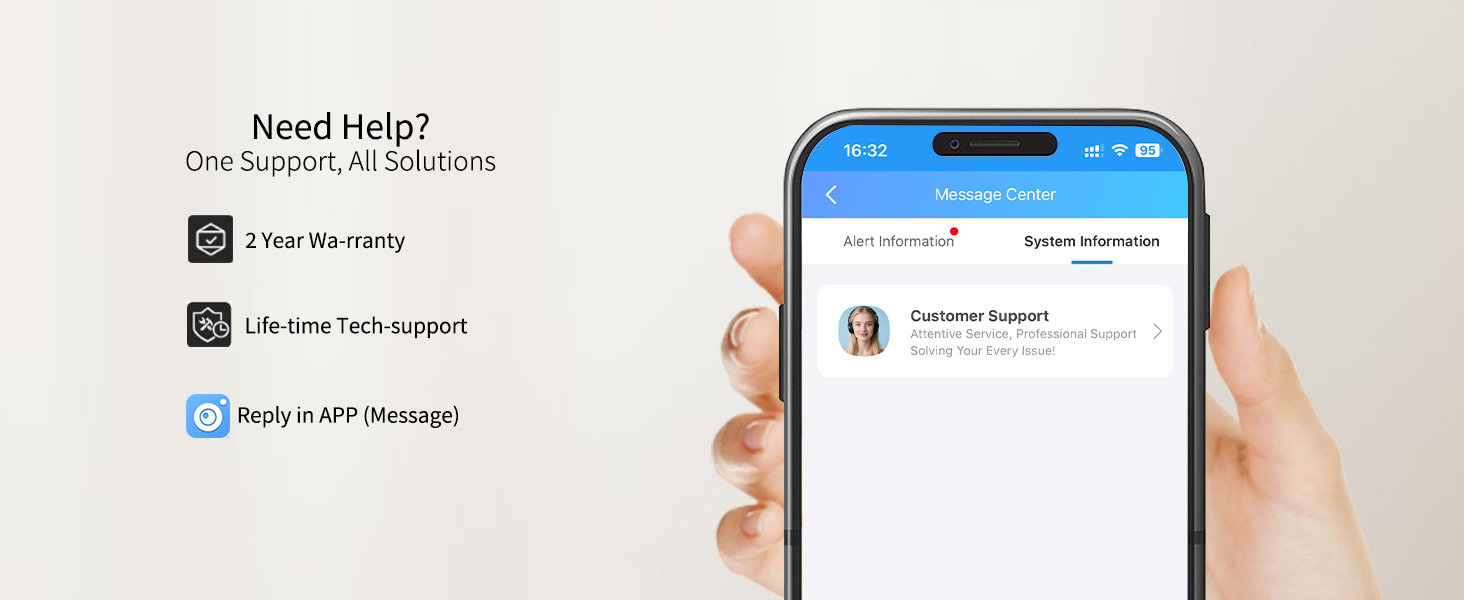
Figure 11: VIMTAG Suporte ao cliente


