1. Introdução
Obrigado pela compra.asing the ELECOM LBT-ECOWS01MBK Open-Ear Bluetooth 5.4 Wireless Headphones. These headphones are designed to allow you to enjoy audio content while remaining aware of your surroundings. This manual provides essential information for the safe and effective use of your new device.

Image: The ELECOM LBT-ECOWS01MBK open-ear wireless headphones and their transparent charging case.
2. Conteúdo da embalagem
- ELECOM LBT-ECOWS01MBK Open-Ear Wireless Headphones (Left and Right)
- Estojo de carregamento
- USB Charging Cable (USB-A to USB Type-C™)
- Guia de início rápido
3. Recursos do Produto
- Design de ouvido aberto: Listen to music or videos while simultaneously hearing ambient sounds, ensuring awareness of your surroundings.
- Conforto leve: Each earbud weighs approximately 9.8g, providing a comfortable fit for extended wear without pressure or stuffiness.
- Áudio de alta qualidade: Equipped with a large 16mm diameter driver for clear sound and supports AAC codec for high-quality audio on compatible devices like iPhones.
- Modo de voz: Optimizes audio frequencies to make human voices clearer, ideal for radio, audiobooks, and conversations.
- Modo de baixa latência: Reduces audio-visual delay, enhancing the experience for videos and games.
- Reprodução estendida: Up to 10 hours of continuous playback on a single charge, and up to 25 hours with the charging case.
- Controles do sensor de toque: Conveniently manage music playback, volume, and calls directly from the earbuds.
- Suporte do assistente de voz: Compatible with Siri and Google Assistant for hands-free control.
- Uso de fone de ouvido único: Qualquer fone de ouvido pode ser usado de forma independente.
- USB Type-C™ Charging: The charging case features a USB Type-C™ port for convenient charging.

Image: A man wearing the open-ear headphones, demonstrating the ability to hear ambient sounds while enjoying media.
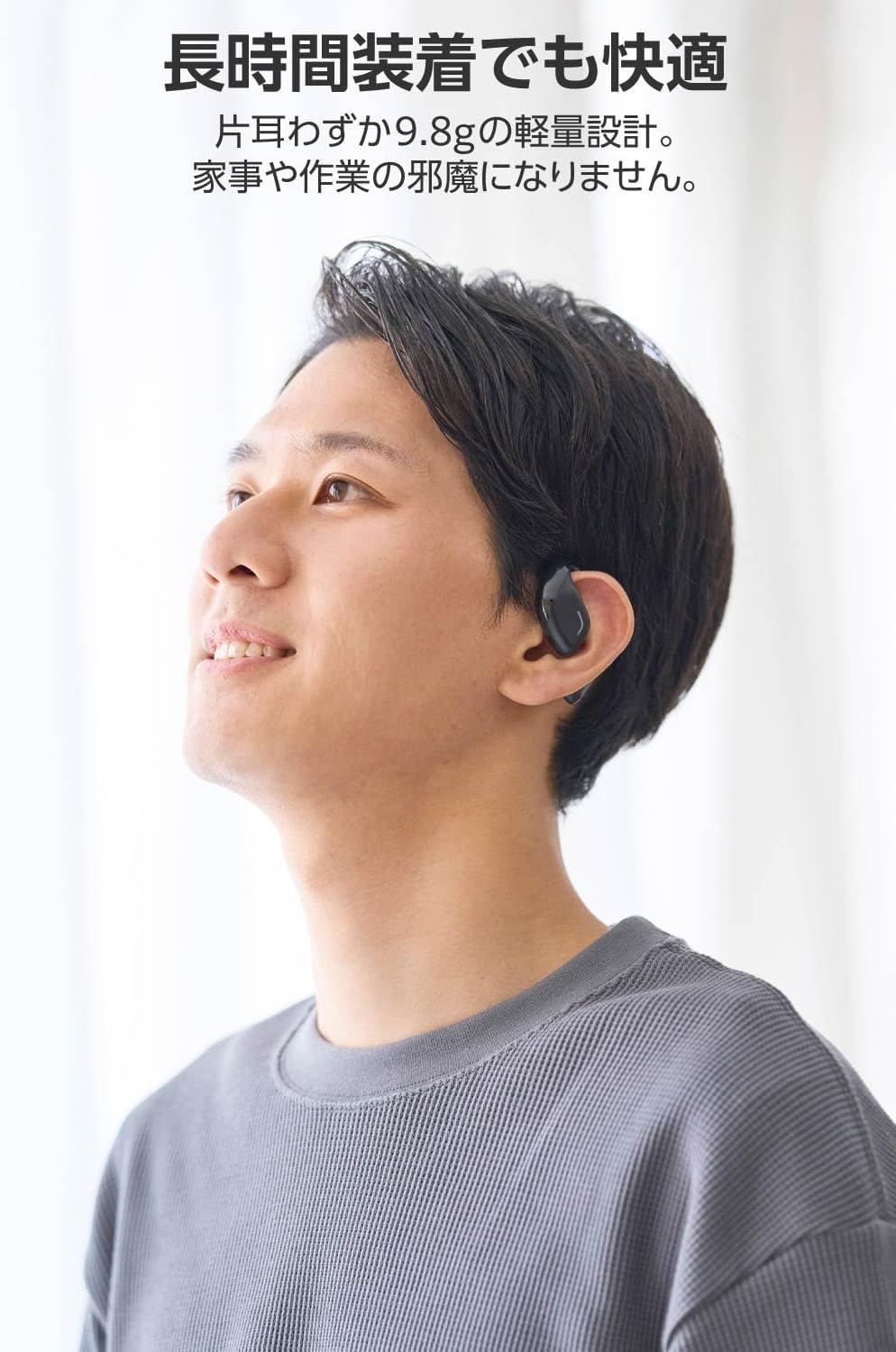
Image: A man wearing the lightweight open-ear headphones, highlighting their comfortable design for long-term use.
4. Configuração
4.1. Carregando os fones de ouvido e o estojo
Antes da primeira utilização, carregue totalmente os fones de ouvido e o estojo de carregamento.
- Coloque os dois fones de ouvido no estojo de carregamento.
- Connect the supplied USB Type-C™ cable to the charging port on the case and a USB power adapter (not included).
- The LED indicator on the charging case will show the charging status.
Tempo de carregamento:
- Headphones: Approximately 1.5 hours
- Charging Case: Approximately 1.5 hours

Image: Illustration of the charging process for the headphones and case, showing the USB-C port and LED indicators.
4.2. Emparelhamento com um dispositivo Bluetooth
- Certifique-se de que os fones de ouvido estejam carregados.
- Open the charging case. The headphones will automatically enter pairing mode. The LED indicator on the earbuds will flash.
- On your device (smartphone, PC, tablet), enable Bluetooth and search for available devices.
- Select "LBT-ECOWS01MBK" from the list of found devices.
- Assim que estiverem conectados, o indicador LED nos fones de ouvido deixará de piscar.
- After initial pairing, the headphones will automatically connect to the last paired device when removed from the case.
4.3. Usando os fones de ouvido
The headphones are designed to hook over your ears.
- Identifique os fones de ouvido esquerdo (E) e direito (D).
- With the LED facing outwards, hook the earbud over the top of your ear.
- Adjust the earbud for a comfortable and secure fit.

Image: Step-by-step guide on correctly wearing the open-ear headphones.
5. Instruções de operação
5.1. Controles por sensor de toque
The headphones feature touch sensors on each earbud for various functions.
| Função | Ação | Fone de ouvido |
|---|---|---|
| Reproduzir/Pausar | Toque único | L ou R |
| Próxima faixa | Toque duplo | R |
| Faixa anterior | Toque duplo | L |
| Aumentar o volume | Pressão longa (aprox. 2 segundos) | R |
| Diminuir volume | Pressão longa (aprox. 2 segundos) | L |
| Atender/encerrar chamada | Toque único | L ou R |
| Rejeitar chamada | Pressão longa | L ou R |
| Ativar Assistente de Voz | Torneira tripla | L ou R |

Image: Visual representation of the touch sensor areas and corresponding music and volume controls.
5.2. Switching Audio Modes
The headphones offer three distinct audio modes:
- Modo normal: Standard audio playback.
- Modo de baixa latência: Reduces audio-visual delay, suitable for watching videos or playing games.
- Modo de voz: Enhances human voice frequencies for clearer dialogue, ideal for audiobooks, podcasts, or calls.
To switch between modes, refer to the quick start guide or the official product page for specific touch gestures, as these can sometimes be customized.

Imagem: Um excessoview of the three available audio modes and their recommended uses.
5.3. Uso de um único fone de ouvido
You can use either the left or right earbud independently. When using only one earbud, ensure the other earbud is powered off or stored in the charging case.
6. Manutenção
Para garantir a longevidade e o desempenho ideal dos seus fones de ouvido:
- Limpe os fones de ouvido e o estojo de carregamento regularmente com um pano macio e seco.
- Não utilize produtos de limpeza abrasivos ou solventes.
- Evite expor os fones de ouvido a temperaturas extremas, umidade ou luz solar direta.
- Keep the charging contacts on the earbuds and inside the case clean and free of debris.
- Guarde os fones de ouvido no estojo de carregamento quando não estiverem em uso para protegê-los e mantê-los carregados.
7. Solução De Problemas
Se você tiver problemas com seus fones de ouvido, consulte as seguintes soluções comuns:
- Sem som:
- Certifique-se de que os fones de ouvido estejam carregados.
- Check that the headphones are properly paired and connected to your device.
- Ajuste o volume tanto nos fones de ouvido quanto no dispositivo conectado.
- Não foi possível emparelhar:
- Certifique-se de que os fones de ouvido estejam no modo de emparelhamento (LED piscando).
- Turn off Bluetooth on other nearby devices that may have previously connected.
- Reinicie o seu dispositivo e tente emparelhar novamente.
- Conexão intermitente:
- Certifique-se de que não haja obstáculos entre os fones de ouvido e o seu dispositivo.
- Move closer to your device (maximum communication distance is approximately 10m).
- Avoid environments with strong electromagnetic interference.
- Os controles de toque não respondem:
- Certifique-se de que seus dedos estejam limpos e secos.
- Try restarting the headphones by placing them in the case and then taking them out again.
- Low Battery Voice Prompt: If you hear a repeated "Low Battery, please charge" prompt, place the earbuds in the charging case immediately.
If the issue persists, please refer to the official ELECOM support website para obter mais assistência.
8. Especificações
| Recurso | Especificação |
|---|---|
| Nome do modelo | LBT-ECOWS01MBK |
| Tecnologia de Conectividade | Wireless (Bluetooth® Version 5.4) |
| Bluetooth Profissionalfiles | A2DP, AVRCP, HFP |
| Codecs suportados | CAA, SBC |
| Distância máxima de comunicação | Approx. 10m (without obstacles) |
| Frequency Response (A2DP) | 20-20,000Hz |
| Tempo de reprodução contínua | Approx. 10 hours (Approx. 25 hours with charging case) |
| Tempo de carregamento (fones de ouvido) | Aproximadamente 1.5 horas |
| Tempo de carregamento (estojo) | Aproximadamente 1.5 horas |
| Tipo de microfone | Tipo MEMS |
| Unidade de driver | φ16mm Full Range |
| Peso (por fone de ouvido) | Aprox. 9.8g |
| Peso (caixa de carregamento) | Aprox. 59.0g |
| Cor | Preto fosco |
| Resistência à água | Não à prova d'água |
| Temperatura de operação | 5℃ a 35℃ |
| Umidade operacional | 20% a 80% (sem condensação) |
9. Garantia e Suporte
9.1. Informações de garantia
Este produto vem com um Garantia de 1 ano A garantia é válida a partir da data da compra. Guarde o comprovante de compra para eventuais solicitações de garantia. A garantia cobre defeitos de fabricação, mas não cobre danos causados por uso indevido, acidentes, modificações não autorizadas ou desgaste normal.
9.2. Suporte ao cliente
For further assistance, technical support, or detailed product information, please visit the official ELECOM website:
You may also find additional FAQs and troubleshooting tips on the product support pages.


