Introdução
The Flyrivergo WYS-8 30-inch LED Race Clock is a versatile and highly visible timing device designed for various sports and training events. Featuring a large, outdoor-readable LED display, this clock offers multiple timing modes including stopwatch, count-up, countdown, and cycle timing. Its robust design includes an upgraded sturdy tripod and flexible mounting options, ensuring stability and adaptability for any setup. With extended battery life, it provides reliable, uninterrupted performance for long events, eliminating the need for frequent charging or power cords.
Conteúdo da embalagem
Ao abrir a embalagem, verifique se todos os seguintes itens estão presentes:
- Flyrivergo WYS-8 30-inch LED Race Clock
- Adjustable Tripod (up to 6.4ft)
- Controle Remoto IR
- Adaptador de energia
- 2*AA Batteries (for remote control)
- Tripod Accessories
- Wall Mounting Accessories (screws and anchors)
- Manual do usuário
Vídeo: Um excessoview of the Flyrivergo Race Timer with Tripod, showcasing the main unit, tripod, remote control, and other included accessories.
Configurar
1. Ligando
Connect the provided power adapter to the DC 5V input port on the side of the race clock. Plug the adapter into a standard electrical outlet. The clock will automatically power on and display the current time or default setting.
2. Instalando pilhas do controle remoto
Open the battery compartment on the back of the IR remote control. Insert the two AA batteries, ensuring correct polarity (+/-). Close the compartment securely.
3. Tripod Assembly and Mounting
- Estenda as pernas do tripé até que ele fique em uma posição estável.
- Attach the race clock to the tripod mount by screwing the hex screw into the slider under the timer.
- Tighten the T-hand screw to secure the clock to the tripod.
- Adjust the height of the tripod to your desired level, up to 6.4 feet, and secure the height adjustment clamps.

Image: Visual guide demonstrating the three-step process for easily installing the race clock onto its adjustable tripod.
4. Montagem na parede (opcional)
If wall mounting is preferred, use the included wall-mounting accessories. Mark the desired positions on the wall, drill pilot holes, insert the anchors, and then secure the mounting brackets with screws. Hang the race clock onto the brackets.
Modos de operação
The Flyrivergo WYS-8 Race Clock offers several versatile timing modes, all controllable via the IR remote.
1. Clock Mode (12/24H Switch)
Display the current time in either 12-hour or 24-hour format. Use the remote to switch between formats and set the time.
2. Cronômetro regressivo
Set a specific duration for the clock to count down from. Ideal for timed intervals or rest periods. The clock will emit an audible alert when it reaches zero.
3. Count-up Timer
Start the timer from 00:00:00 and count upwards. Useful for tracking elapsed time in races or workouts.
4. Cronômetro
Measure time with precision, including milliseconds. Perfect for competitive events requiring exact timing.
5. Cycle Timing
Program custom intervals for work and rest periods, which will repeat in cycles. This mode is excellent for HIIT workouts, Tabata, or other structured training routines.
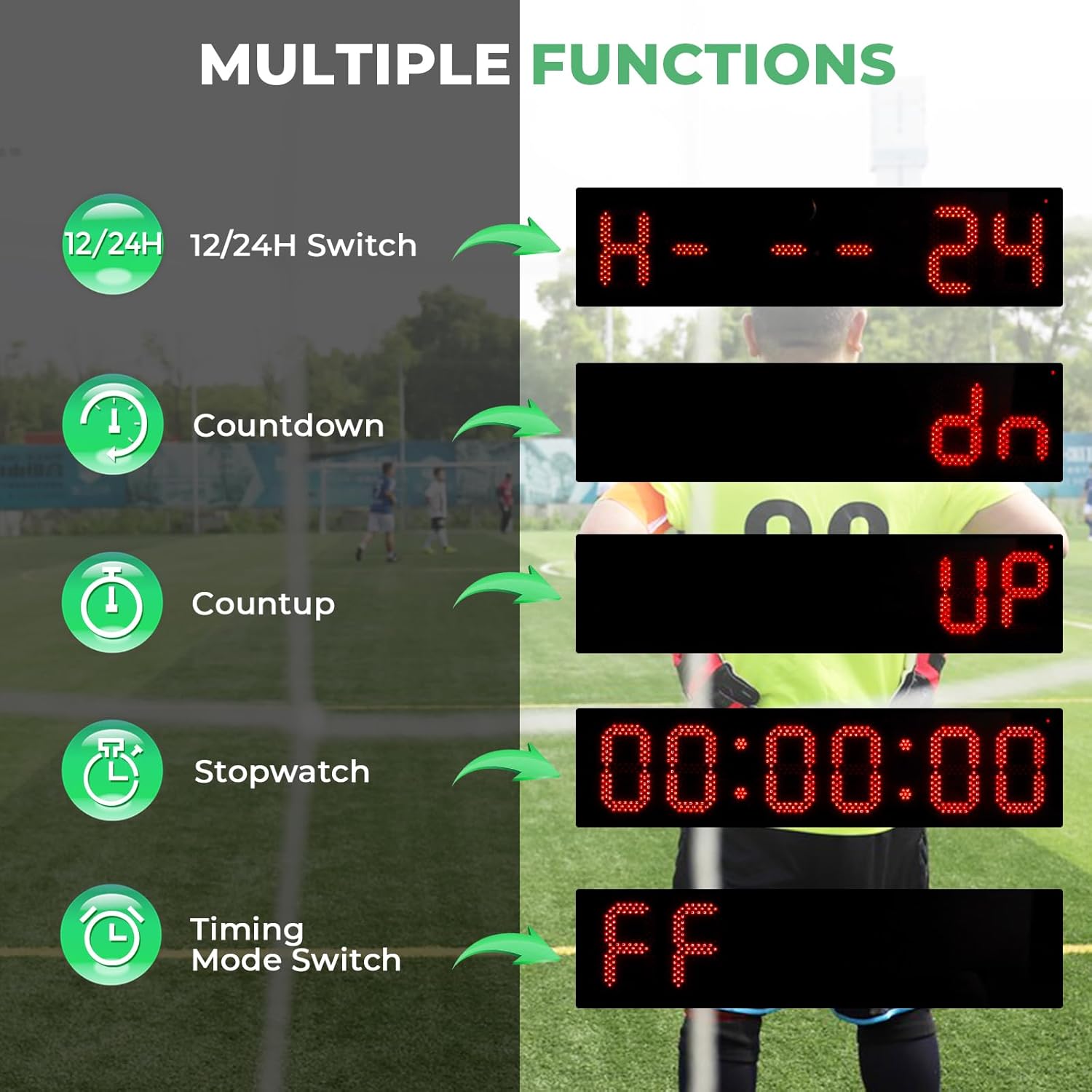
Image: The LED display illustrating various functions such as 12/24H time, countdown, count-up, stopwatch, and timing mode selection.
Video: A demonstration on how to customize the time periods and settings for different operating modes using the remote control.
Video: Illustrates various usage scenarios for the multifunctional LED timer, including different sports and training activities.
Principais características
Large Outdoor-Readable Display
The 30-inch LED display ensures clear visibility even under strong sunlight, making it ideal for outdoor events. It features 5 levels of brightness adjustment to suit various lighting conditions.
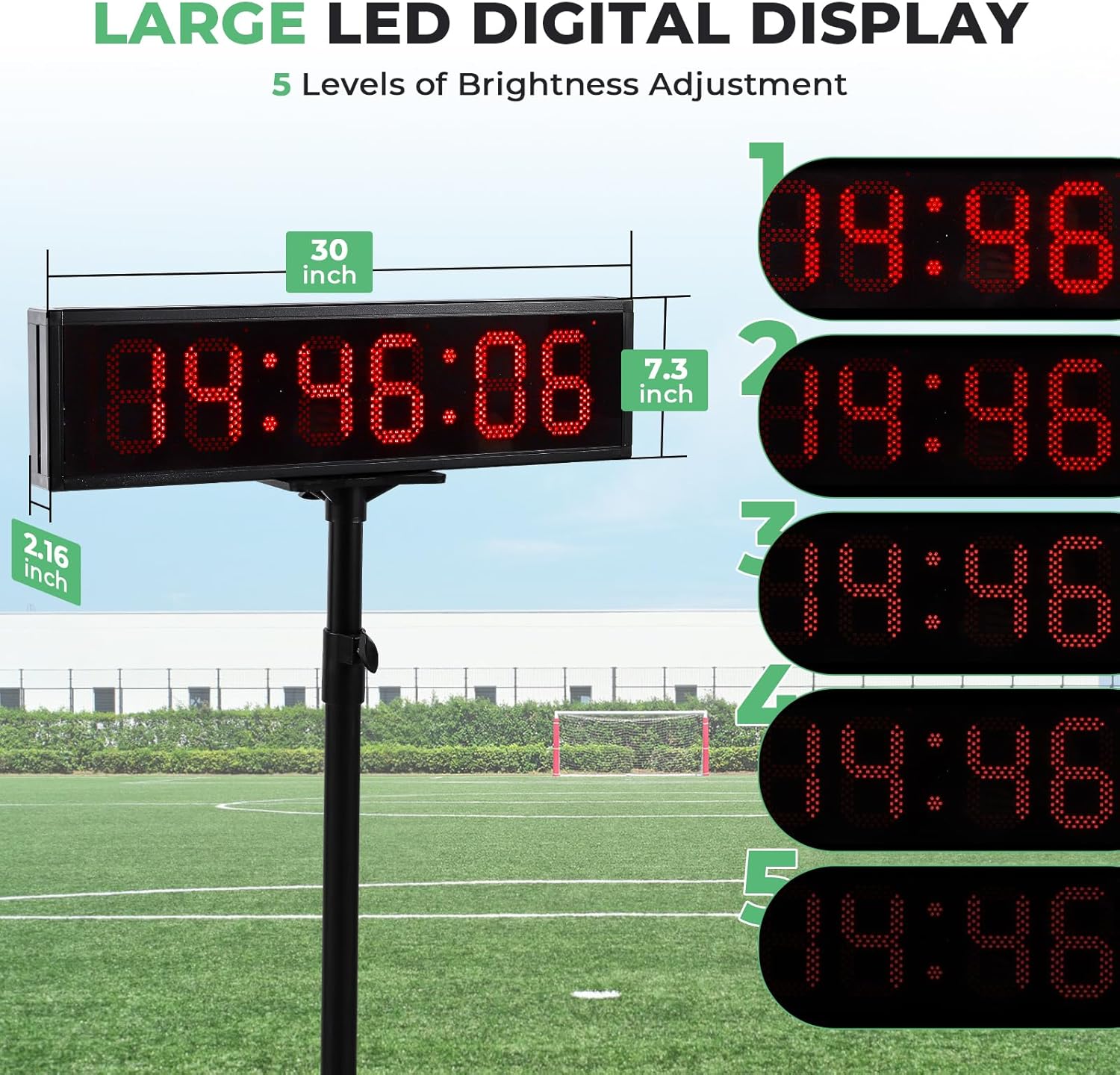
Image: The large LED digital display of the race clock, highlighting its dimensions (2.16"D x 30"W x 7.3"H) and five levels of brightness adjustment for optimal visibility.
Upgraded Sturdy Tripod
The reinforced tripod provides exceptional stability, extending up to 6.4 feet in height. This ensures a secure and reliable setup for any outdoor activity, preventing accidental tipping.

Image: The adjustable tripod for the race clock, illustrating its flexible height settings from 2.9 feet to a maximum of 6.4 feet.
Bateria de longa duração
Equipped with a powerful Lithium Ion battery, the race clock offers extended battery life, ideal for prolonged outdoor use without the need for constant recharging. This ensures uninterrupted performance during long events.

Image: Features of the race clock emphasizing its efficient charging (3-4 hours), long usage (4-8 hours), outdoor visibility, and cable-free operation.
Controle Remoto IR
All functions and settings of the race clock can be conveniently managed using the included IR remote control, allowing for easy adjustments from a distance.
Video: A brief demonstration of the Red Color LED Race Timing Clock with Tripod, highlighting its display and remote control functionality.
Especificações
- Número do modelo: WYS-8
- Marca: Flyrivergo
- Cor: Preto
- Material: Metal
- Dimensões do produto: 2.16"P x 30"L x 7.3"A
- Peso do item: 9.9 libras
- Tamanho da tela: 2.16 polegadas (altura do dígito)
- Número de configurações: 4 (referring to main timing modes)
- Baterias: 1 bateria de íon de lítio necessária (incluída)
Manutenção
- Limpeza: Use um pano macio e seco para limpar a tela e a parte externa. Evite produtos de limpeza abrasivos ou solventes.
- Armazenar: Store the race clock in a cool, dry place when not in use. Ensure the tripod is collapsed and secured.
- Cuidados com a bateria: Recharge the Lithium Ion battery as needed. Avoid fully discharging the battery frequently to prolong its lifespan.
Solução de problemas
- A tela não liga: Ensure the power adapter is securely connected to both the clock and a working power outlet. Check the on/off switch on the side of the clock.
- O controle remoto não responde: Verify that the AA batteries in the remote control are correctly inserted and not depleted. Ensure there are no obstructions between the remote and the clock's IR receiver.
- Tempo impreciso: If the clock displays incorrect time, reset it and re-enter the desired time or program settings using the remote control.
- Tripé instável: Ensure all tripod legs are fully extended and locked, and all height adjustment clamps are tightened. Place the tripod on a flat, stable surface.
Garantia e Suporte
For warranty information and customer support, please refer to the product packaging or contact Flyrivergo customer service directly. Keep your purchase receipt for warranty claims.


